


Trusted by 60+ leading agencies and brands worldwide
Why a WordPress Audit Matters?
Over time, WordPress websites naturally accumulate technical debt – unused plugins, performance bottlenecks, security gaps, and architectural shortcuts.
Our WordPress website audit helps you:
- understand what’s slowing your site down
- identify security and stability risks
- uncover SEO and performance issues
- decide whether to optimize, refactor, or rebuild
It’s the fastest way to make informed decisions before investing more time or money into development.
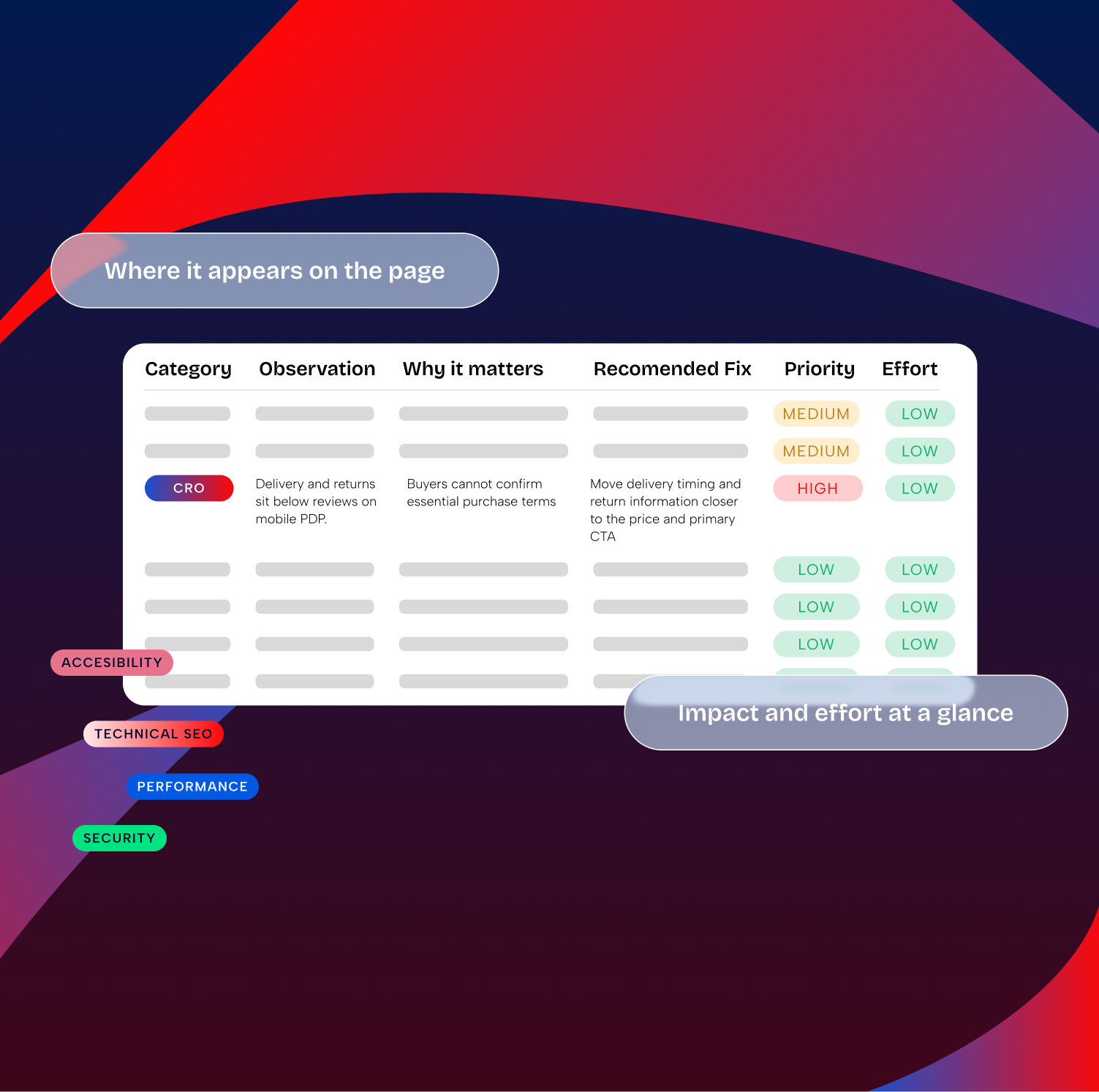
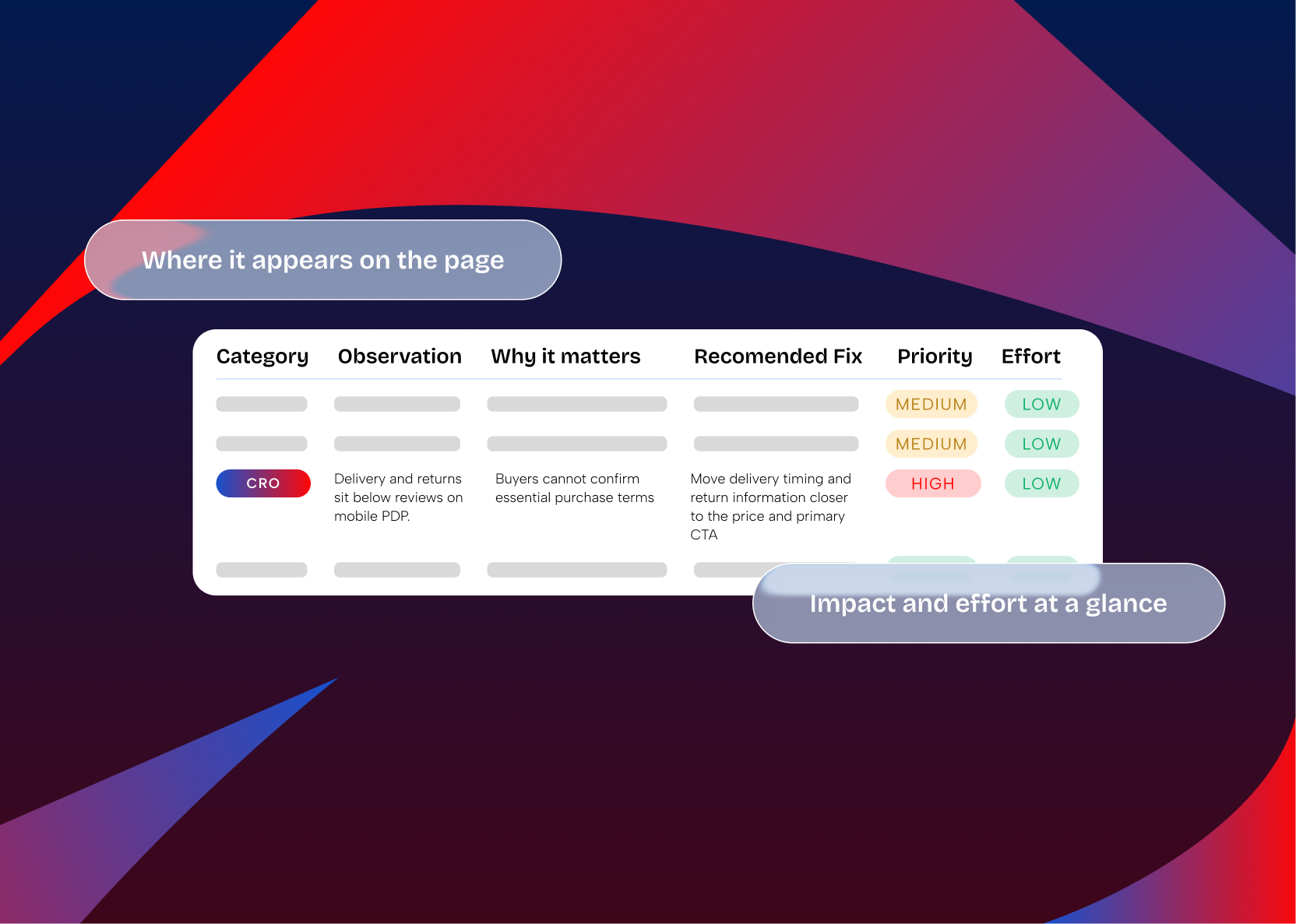
A good audit site WordPress engagement should not stop at a score. It should explain what is broken, why it matters, how risky it is, what should be fixed first, and which issues are not worth fixing yet.
When a WordPress site audit is the right first step?
A WordPress site audit is useful when the problem is bigger than one obvious bug, but not yet clear enough to justify a rebuild or large development sprint.
- the website is slow, but the cause is unclear
- plugin updates feel risky or frequently break something
- your team inherited a site from another developer or agency
- Core Web Vitals, technical SEO, or conversion paths are underperforming
- WooCommerce checkout, product pages, or admin screens feel unstable
- you are deciding between maintenance, optimization, refactor, or rebuild
- you need an independent technical opinion before approving budget
What We Audit?
We review your website from an engineering and performance perspective, not just surface-level metrics.
We analyze loading speed, rendering behavior, asset delivery, and server response times – focusing on real-world performance, not just lab scores.
Who Is This Audit For?
Our WordPress audit service is ideal for:
- Companies planning a redesign or rebuild
- Businesses experiencing performance or SEO issues
- WooCommerce stores with slow checkout or instability
- Agencies taking over existing WordPress projects
- Teams inheriting a legacy WordPress setup
- Decision-makers who want clarity before investing further
If your site feels “fragile,” slow, or hard to maintain – an audit is the right first step.
This also fits teams looking for a professional WordPress audit service before signing a maintenance plan, buying a performance audit, approving a redesign, or asking developers to fix symptoms without understanding the root cause.
How the Audit Process Works?
- Access & Context – You share site access and business goals.
- Technical Review – We analyze code, plugins, performance, and structure.
- Evaluation & Prioritization – Issues are ranked by risk and impact.
- Audit Report Delivery – You receive a clear, actionable report.
- Follow-Up (Optional) – We walk you through the findings and next steps.
No automated tools only. Real engineers review your site.
Tools help us collect signals, but the value comes from interpretation: which issues matter commercially, which are technical debt, which create update risk, and which fixes should be grouped into the same development sprint.
What You Get?
Clear insights, not just data.
Benefits of WordPress Website Audit
A WordPress website audit turns vague concerns into a prioritized technical backlog. Instead of guessing whether the issue is hosting, plugins, code, content structure, or a broken workflow, your team can make decisions from evidence.
- know what is slowing the website down
- understand whether plugin cleanup, refactoring, or a rebuild makes sense
- reduce update risk before starting maintenance
- separate quick wins from deeper technical debt
- give internal stakeholders a clear report before approving budget
- avoid paying for fixes that do not address the root cause
WordPress audit, maintenance audit, or audit and fix
The right service depends on whether you need diagnosis only, recurring care, or implementation after the audit.
| Need | Best fit | Use when |
|---|---|---|
| Independent diagnosis | WordPress website audit service | You need a clear report before deciding whether to optimize, refactor, maintain, or rebuild. |
| Technical risk review | WordPress technical audit | You need deeper review of code, plugins, architecture, security posture, admin UX, and maintainability. |
| Recurring care setup | WordPress maintenance audit | You want to understand update risk, backups, plugin stability, monitoring, and support needs before maintenance starts. |
| Diagnosis plus implementation | WordPress audit and fix service | You want IMADO to audit first, then plan and implement selected fixes after priorities are agreed. |
| Store-specific review | WooCommerce expert audit | Your checkout, products, payments, subscriptions, store speed, or order flow needs ecommerce-specific review. |
Why Choose IMADO for a WordPress Website Audit?
What access do we need for a WordPress audit?
The exact access depends on the audit scope. A lighter website audit may start with the public website, analytics context, and business goals. A deeper WordPress technical audit may require WordPress admin, hosting, staging, Git repository, plugin list, theme files, logs, CDN, analytics, Search Console, and WooCommerce or CRM access if those systems are in scope.
We ask only for access needed to review the agreed areas. If access is limited, we can still provide a useful audit, but some findings will be based on visible signals rather than source-level review.
Frequently Asked Questions
Everything you need to know about WP website audit service
How long does a WordPress audit take?
Typically 3–5 business days, depending on site size and complexity.
Larger websites, WooCommerce stores, multisite setups, custom codebases, multilingual sites, or audits that include hosting, analytics, and source-level review may need more time.
Do you audit WooCommerce websites?
Yes – including performance, checkout flow, plugins, and scalability.
A WooCommerce expert audit can also review cart behavior, payment gateways, subscriptions, order emails, shipping and tax logic, product filters, admin performance, tracking, and plugin conflicts that may affect revenue.
Will you fix the issues you find?
If you want us to, yes – but the audit itself is independent and unbiased.
The audit can be followed by a WordPress audit and fix service where we agree priorities, estimate the work, and implement selected improvements as a separate scope.
Is this an automated audit?
No. Tools support the process, but every audit is reviewed manually by engineers.
Can you audit a site you didn’t build?
Absolutely – most audits involve inherited or legacy WordPress sites.
This is often the best use case for a professional WordPress website audit because the team needs independent context before changing plugins, updating themes, replacing hosting, or approving a rebuild.
How do you audit a WordPress website?
We start with goals and context, then review visible performance, technical SEO, plugin stack, theme structure, custom code where access allows, security posture, forms, admin UX, content editing, and business-critical flows. Findings are prioritized by risk and impact.
Where can I buy a WordPress performance audit?
You can request a WordPress performance audit through IMADO when you need engineering review, not only a PageSpeed report. We look at practical causes such as assets, images, caching, plugin load, server response, render behavior, and frontend implementation.
Can you provide audit UX UI WordPress review?
Yes. When UX and UI are in scope, we can review navigation, page structure, conversion paths, mobile layout, forms, content editing, page-builder dependency, and whether users can complete the actions the website needs to support.
Do you provide WordPress website audits for European teams?
Yes. Whether your team is searching for a WordPress audit, a website audit, or similar services in another language, the goal is the same: an independent review of performance, code quality, plugins, SEO, security, usability, and maintainability before making development decisions.
15–23 minutesto read
What Is WordPress Development Services: Your 2026 Guide
14–21 minutesto read
WordPress Security Audit: The Complete Agency Playbook
14–22 minutesto read
WordPress Load Balancing: An Engineer’s Guide
Get Clarity on Your WordPress Website
Before you rebuild, optimize, or scale – know where you stand. A WordPress audit from IMADO gives you the insight to move forward with confidence.
Start with the problem you need to answer: why the site is slow, whether it is safe to maintain, what should be fixed first, and whether your budget should go toward optimization, refactoring, support, or a rebuild.