 Ask Chatgpt to summarize Choosing the Best WordPress Website Maintenance Plans
 Ask Grok to summarize Choosing the Best WordPress Website Maintenance Plans
 Ask Claude to summarize Choosing the Best WordPress Website Maintenance Plans
 Ask Perplexity to summarize Choosing the Best WordPress Website Maintenance Plans
 Ask Gemini to summarize Choosing the Best WordPress Website Maintenance Plans
Your website probably isn’t failing in obvious ways. It’s generating leads, processing orders, publishing content, and giving the business a sense that everything is under control. Then an update conflicts with checkout, a backup turns out to be unusable, or a malware issue sits undetected long enough to damage trust and rankings.
That is the essential context for wordpress website maintenance plans. They are not a housekeeping line item. They are an operating model for a business asset that affects revenue, sales operations, customer experience, and brand credibility.
At enterprise level, the question isn’t whether updates, backups, and monitoring matter. It’s whether your plan is scoped to the cost of failure. A brochure site with low change frequency can survive on a lighter touch. A WooCommerce store, multilingual publishing system, or multisite franchise platform cannot.
Table of Contents
The Business Case for Proactive Maintenance
A VP of marketing launches a paid campaign at 9 a.m. By 9:20, form submissions stop because a plugin update broke tracking and the contact form. Nobody notices until the sales team asks why lead volume dropped. That is how maintenance failures show up in business reporting. They look like pipeline problems, conversion problems, and customer trust problems long before they get labeled as technical incidents.
A maintenance contract sets ownership before that happens. It assigns who approves changes, who verifies business-critical functions, who responds when something fails, and how fast recovery needs to happen. If you’re reviewing vendors or internal processes, this guide on avoiding revenue loss in service agreements is useful because it treats downtime, accountability, and response terms as commercial risk.
Downtime is a business event
For a lead generation site, an outage means missed inquiries and wasted ad spend. For a WooCommerce store, it can mean failed checkouts, duplicate orders, payment disputes, and support volume within minutes. For a multisite environment, one bad update can affect dozens or hundreds of locations at once.
That is why pricing varies so widely. Enterprise WordPress support is priced around exposure, not just labor. Managed hosting provider Kinsta notes that WordPress maintenance services can range from basic low-cost plans for small sites to custom retainers for complex business-critical environments, especially where stores, custom functionality, or high traffic raise the cost of failure, as outlined in Kinsta’s guide to WordPress maintenance services.
The right question is not “What does this plan include?” The right question is “What business loss does this plan reduce?”
What you’re actually paying for
A serious plan creates business control in three areas:
- Risk reduction: Changes are tested, high-impact functions are checked, and rollback paths exist before revenue is exposed.
- Revenue protection: Monitoring and incident response shorten the time between failure and recovery.
- Operating clarity: Teams know who owns the site, what is covered, and what response time the contract commits to.
I usually tell clients to read maintenance proposals like operating documents, not cleaning checklists. If the provider cannot explain how they protect checkout, forms, search, user logins, integrations, and restore capability, the plan is under-scoped for any site with real commercial value.
If you’re comparing outsourced coverage against internal ownership, review WordPress maintenance and support services in those terms. The value is a defined process for stability, incident handling, and change control that protects revenue and reduces avoidable operational risk.
The Core Components of Any Quality Plan
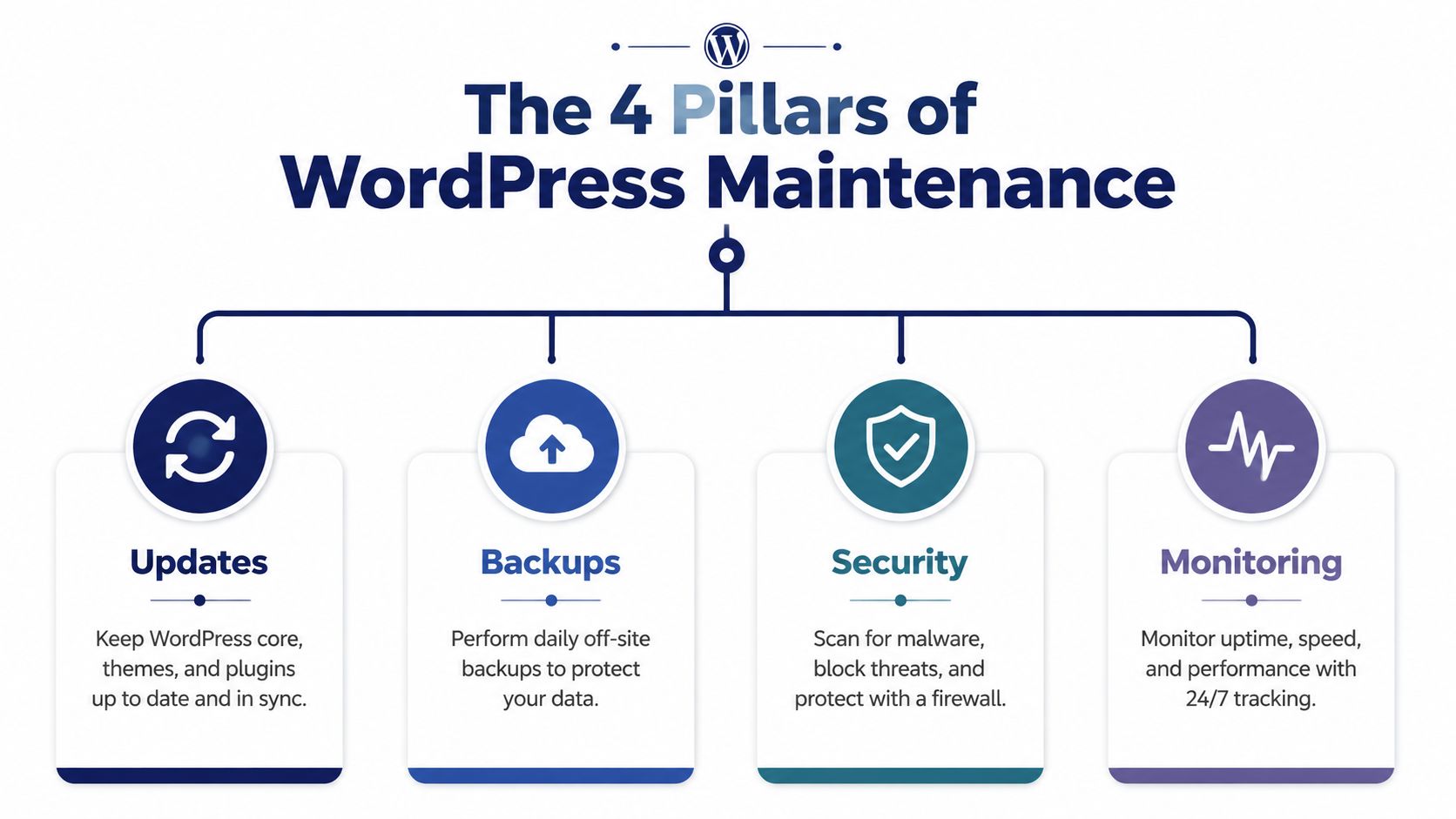
Enterprise buyers usually discover the gap in a maintenance plan after the first incident. An update breaks checkout. A backup exists but cannot be restored cleanly. Monitoring sends an alert, yet no one owns the response. The core components matter because they decide whether a problem stays small or turns into lost revenue, support load, and internal disruption.
Most proposals list the same categories. The important question is execution quality, response time, and whether the provider validates business-critical functions after each change.
Updates done with control
WordPress core, plugins, themes, and custom code all change on different schedules. On a brochure site, that may be manageable. On a lead-gen site, membership platform, WooCommerce store, or multisite network, every update carries compatibility risk.
A quality provider treats updates as change management:
- Core updates: Applied on a defined schedule, with faster handling for security releases
- Plugin and theme updates: Reviewed against known conflicts, changelogs, and the site’s custom functionality
- Post-update validation: Forms, login, search, checkout, APIs, and scheduled jobs are checked after deployment
- Rollback planning: The provider knows how to reverse the change if a release causes errors
For business sites, testing should happen before production. A staging site workflow for WordPress updates gives the team a safe place to catch conflicts before they affect customers, orders, or leads.
That process protects revenue. It also protects internal time. Marketing teams can keep campaigns running, support teams avoid preventable tickets, and leadership gets fewer “the site is acting strange” escalations.
Backups that are actually restorable
Backups are not a feature box to tick. They are recovery infrastructure.
I look for two things in a maintenance contract. Where the backups live, and how quickly the provider can restore them under pressure. If the answer is vague, the plan is weak no matter how often backups run.
Strong plans usually include:
- Offsite storage: Copies stored away from the production environment
- Defined backup cadence: Daily for many business sites, more often for stores or sites with frequent content and transaction changes
- Restore testing: Proof that backups can be recovered successfully
- Recovery procedures: Documented steps for partial restores, full restores, and rollback after failed deployments
Earlier industry benchmark data noted that backups and updates appear in most maintenance plans. That is useful context, but inclusion alone does not reduce risk. The business value comes from restore speed, restore accuracy, and clear ownership during an incident.
Practical rule: Ask providers to explain their last real restore, not just their backup schedule.
Security that assumes attacks will happen
Security work in a maintenance plan should reduce the chance of compromise and limit the cost of one if it happens.
That means handling WordPress security as an operating process, not a plugin install. Vulnerable plugins, weak permissions, outdated software, exposed admin paths, and missed patches cause more trouble than WordPress core itself. On larger sites, the problem expands. More plugins, more users, more integrations, and more environments create a larger attack surface.
DreamHost’s review of WordPress maintenance practices reports that sites using proactive patching, staging, and automated scanning saw exploit success rates drop significantly, including a cited 92% reduction in successful exploits. The exact mix of controls will vary by site, but the pattern is clear. Fast patching and disciplined testing lower risk.
A plan worth paying for should cover:
- Rapid patching: Critical vulnerabilities are handled as urgent work, not saved for the next routine cycle
- Vulnerability scanning: Ongoing checks for known issues in plugins, themes, and configurations
- Hardening: Safer defaults, stronger access controls, limited file editing, and tighter admin exposure
- Incident response: Defined cleanup, restore, review, and follow-up actions
Security protects more than the website. It protects ad spend, organic traffic, customer trust, and the staff time required to recover from a preventable breach.
Later in the cycle, it helps to see a basic walkthrough of maintenance tasks in action:
Monitoring that leads to action
Monitoring only creates value when someone is responsible for the response.
Low-cost plans often stop at uptime pings. That catches a full outage, but it misses the failures that matter to the business first. A checkout page can break while the homepage still loads. A form can stop sending. A cron failure can interrupt subscription renewals, order emails, or sync jobs while public pages look normal.
Good monitoring covers both availability and function:
| Question | What a good plan provides |
|---|---|
| Is the site up? | Continuous uptime checks |
| Is the site healthy? | Error logging, failed task alerts, and regular review of key performance signals |
| Who gets notified? | Named contacts, support channels, and defined escalation paths |
| What happens next? | Triage, diagnosis, and remediation steps tied to an SLA or response policy |
That last row is what clients should focus on. If the provider cannot explain who investigates alerts, how quickly they respond, and what systems they check first, monitoring is just reporting.
For WooCommerce and multisite, this standard gets stricter. Monitoring should include payment flow issues, email delivery failures, scheduled job errors, and network-wide problems that affect multiple sites at once. Those are business events, not just technical alerts.
Beyond the Basics Advanced Maintenance Services
At enterprise scale, the expensive failures are rarely the obvious ones. A campaign lands on a slow product page. Search traffic drops after template changes bloat Core Web Vitals. A plugin conflict does not take the site fully offline, but it breaks a revenue path or creates operational drag for sales, support, and marketing.
Advanced maintenance exists to reduce those losses.
Performance work that protects revenue
Basic plans keep WordPress updated. Better plans treat performance as margin protection.
Slow pages reduce conversion rate, inflate paid acquisition costs, and create hidden internal costs because teams start compensating with manual work, duplicate tools, and rushed code changes. That is why serious maintenance work goes beyond a one-time speed report. It includes ongoing review of caching rules, script execution, image delivery, database growth, theme output, and plugin overhead.
The useful question is not whether a homepage scored well in a testing tool last quarter. The useful question is whether recent changes made key pages slower for real users, and whether that slowdown is now affecting leads, orders, or search visibility.
A strong provider investigates patterns. They compare before and after states, isolate the plugin or template introducing weight, and decide whether the right fix is code cleanup, asset control, query tuning, or infrastructure changes.
Incident response is part of the service
Reporting downtime has limited value. Response protects the business.
Advanced plans should define who investigates, how triage starts, what gets checked first, and when rollback or hotfix procedures begin. On business-critical sites, that process often matters more than the monthly update routine, because the highest-cost incidents happen outside planned maintenance windows.
Plugin expertise matters here. A site built around WooCommerce extensions, membership logic, multilingual plugins, or custom blocks needs someone who can isolate the fault quickly and work from the plugin layer outward. Specialized WordPress plugin support often shortens incident time, reduces finger-pointing between vendors, and limits revenue loss.
Advanced plans should cover change detection, not just updates
Many maintenance contracts still focus on updates, backups, and malware scans. Those are table stakes.
Higher-value plans also watch for behavioral change. That can include unusual login activity, unexpected checkout drop-off, search snippet shifts, or performance regressions tied to new code and third-party scripts. The goal is early detection of business-impacting problems before they become support queues, missed revenue, or reputational damage.
AI features are part of that conversation for some organizations, but they should be evaluated carefully. A store with meaningful traffic may benefit from anomaly detection or checkout pattern analysis. A lower-complexity brochure site may get little return from those tools and be better served by stronger QA, faster response times, and tighter plugin governance.
That is the trade-off clients should understand. A provider focused only on keeping the site stable preserves the current state. A provider that also tracks performance, code impact, and user behavior helps the website stay profitable as the business changes.
Special Considerations for WooCommerce and Multisite
A plugin update on a brochure site might create a visual bug and wait until morning. The same mistake on a WooCommerce store can block checkout, miscalculate shipping, or drop order data during a sales window. On a multisite network, one bad release can affect dozens of properties at once.
Generic maintenance plans are priced and staffed for lower-consequence environments. Complex commerce and networked WordPress setups need a different operating model because the business risk is different.

WooCommerce maintenance is revenue protection
WooCommerce maintenance is less about keeping plugins current and more about protecting the transaction path. If product pages load but checkout fails, the store is still down in commercial terms.
A quality plan for WooCommerce should cover:
- Checkout validation: Test add-to-cart, coupon logic, shipping, tax, payment authorization, and order confirmation after changes
- Extension compatibility: Confirm that gateways, subscriptions, booking tools, inventory syncs, CRM connections, and reporting plugins still work together
- Performance under load: Watch cart, checkout, account pages, and dynamic product filters, not just the homepage
- Order and refund integrity: Catch failures that create finance reconciliation issues, duplicate orders, or support overhead
This work pays for itself by reducing lost sales, chargebacks, manual order repair, and customer service volume. A provider offering WooCommerce maintenance for stores with custom extensions and checkout complexity should be able to explain exactly how they test the buying journey, where they stage changes, and how they roll back safely if a release affects orders.
Multisite and multilingual setups increase operational risk
Multisite changes the math. Maintenance is no longer one site, one update, one QA pass. Shared plugins, shared themes, user roles, domain mapping, and subsite dependencies mean a single change can create a network-wide incident.
Multilingual builds add another layer. Translation plugins, localized URLs, hreflang rules, duplicated templates, and language-specific content workflows all create more failure points. A plan that only checks whether WordPress updated successfully misses the business issue, which is whether users in every market can still find content, log in, submit forms, and complete transactions.
Codeable notes in its WordPress maintenance pricing analysis that multisite environments often require materially more development time than standard single-site maintenance. That matches what teams see in practice. Testing scope grows, rollback gets harder, and release coordination matters more.
Here is where generic plans usually fall short:
| Complex setup | What the maintenance plan must account for |
|---|---|
| Multisite | Network-aware testing, shared plugin impact, role and permission checks, subsite dependency mapping |
| Multilingual | WPML or Polylang regressions, localized routing, translation workflow QA, metadata consistency |
| Franchise or multi-location | Shared components with local exceptions, template inheritance, location-specific integrations |
| Enterprise publishing | Editorial permissions, release windows, cache coordination, staging and production parity |
If a provider prices a multisite network like a single install, they are probably under-scoping QA, incident response, or both.
The necessity of specialized support
Complex WordPress environments fail in more specific ways. A tax extension conflict can alter checkout totals without taking the site offline. A network plugin update can break only certain subsites. A multilingual routing issue can cut organic traffic in one region while the rest of the platform looks healthy.
That is why specialized support is necessary for enterprise WooCommerce and multisite contracts. The plan should define critical user journeys, testing depth, recovery targets, release controls, and ownership during incidents. Otherwise the contract creates a false sense of coverage while the highest-value parts of the platform remain exposed.
The trade-off is straightforward. Lower-cost plans fit low-risk sites. Stores, membership platforms, publishers, and multisite estates need maintenance built around consequence, coordination, and recovery.
How to Evaluate Plans and Providers
A polished proposal does not reduce risk by itself. If your site handles leads, orders, subscriptions, or internal workflows, the provider matters as much as the task list. A weak maintenance partner can leave you paying for updates while your revenue-critical paths remain exposed.
Start by asking how the provider runs operations, not just what they include. Coverage differs sharply by model. Codeable’s WordPress maintenance cost breakdown notes that freelancers often price lower, maintenance-focused services sit in the middle, and full-service agencies usually charge more because they add strategy, coordination, and broader engineering support.
Price only makes sense once you understand what is being bought. A lower monthly fee can be reasonable for a stable brochure site. It can be expensive for a WooCommerce store if the provider does not own incident response, release testing, or rollback.
Questions that Reveal the Plan’s Substance
Ask direct questions. Good providers answer them without hedging.
- Who owns a site-down incident from alert to resolution? Ownership should be clear. Escalation should be clear too.
- How are updates tested before production? A vague answer usually means changes are going live with minimal review.
- What gets checked after updates? For business sites, that should include forms, checkout, login, search, API connections, scheduled jobs, and any custom workflows that affect revenue or operations.
- How are restores handled? Backup retention matters, but recovery speed and restore testing matter more.
- What is out of scope? Emergency fees, slowdowns, and support disputes frequently arise in these situations.
- Who communicates during an incident? Named contacts and a defined update process are safer than a shared inbox.
These questions expose operating maturity. They also show whether the provider understands your business model or is selling the same plan to every site.
Red flags in a proposal
Weak plans tend to fail in predictable ways.
They present automation as full maintenance
Automation has value. It catches issues early and reduces routine labor. It does not replace review, QA, rollback planning, or judgment during a live incident.
If a proposal focuses on dashboards, scan summaries, and auto-updates but says little about testing depth or recovery, you are buying tooling with light supervision.
They define response loosely
“Response in 1 hour” sounds strong until you ask what response means. An acknowledgment email is not technical triage. For a business-critical site, the contract should define who starts diagnosis, how incidents are prioritized, and when escalation begins.
They cannot connect technical work to business impact
A capable provider should explain consequences in commercial terms. Failed checkout equals lost orders. A broken CRM form wastes paid traffic. A caching mistake during a campaign can lower conversion rate while the site still appears online.
Strong providers answer “what happens to the business if this fails?” with the same confidence they answer “which plugin is involved?”
Compare providers by operating fit
Use a practical evaluation lens.
| Evaluation area | What to look for |
|---|---|
| Availability | Coverage aligned to your trading hours, launch windows, and risk exposure |
| Technical depth | Evidence of handling custom themes, plugin conflicts, API integrations, and performance bottlenecks |
| Scope clarity | Clear inclusions, exclusions, change handling, and escalation paths |
| Communication | Named contacts, reporting cadence, incident updates, and decision-makers during outages |
| Business alignment | Understanding of your highest-value user journeys, campaign calendars, and operational dependencies |
Freelancers can work well for low-complexity sites with stable requirements and flexible response expectations. Maintenance vendors can fit when another team already owns hosting, DevOps, or advanced engineering. Agencies usually make more sense when WordPress supports transactions, lead generation, publishing operations, or a multisite estate with multiple stakeholders.
Choose the provider whose process matches the cost of failure. That is how maintenance shifts from a technical expense to a form of revenue protection.
Understanding Tiers Pricing and SLAs
A $79 maintenance plan and a $1,500 maintenance plan can both claim backups, updates, and security checks. The price gap usually comes down to what happens when a revenue-critical function fails, who owns the fix, and how fast that team can act without creating a second problem.
That distinction matters more than the feature list.
Low-cost plans usually suit brochure sites with low change volume and limited business impact. Mid-tier plans fit organizations that depend on lead capture, publishing continuity, or moderate custom functionality. Higher tiers make sense when WordPress supports orders, subscriptions, member access, regional sites, or a multisite network with several teams pushing changes into production.
Sample WordPress Maintenance Plan Tiers
| Feature | Basic Care (~$50-150/mo) | Business (~$150-500/mo) | Enterprise/E-commerce (~$500-2,500+/mo) |
|---|---|---|---|
| Core, plugin, theme updates | Included | Included with more review | Included with controlled deployment workflow |
| Backups | Regular backups | Regular backups with stronger recovery process | Recovery-first approach with rollback planning |
| Security monitoring | Basic scanning | Active monitoring and remediation workflow | Priority patching and incident handling |
| Uptime monitoring | Alerts | Alerts plus response process | Response-led monitoring tied to SLA |
| Support time | Limited or none | Some support/dev time | Dedicated engineering attention |
| Performance work | Rarely included | Often included lightly | Ongoing optimization for critical flows |
| Staging and testing | Sometimes absent | Often included | Expected for every meaningful change |
| Best fit | Low-risk sites | Lead-gen, membership, growing content sites | WooCommerce, multisite, high-stakes business platforms |
The table is only a starting point. Real pricing moves up or down based on risk concentration.
A WooCommerce store with custom checkout logic needs more careful release management than a content site on standard plugins. A multisite estate with shared code and separate business units needs tighter change control, clearer approvals, and better incident coordination. Those requirements increase cost because they increase engineer time, testing effort, and operational readiness.
Why plans get expensive fast
Complexity increases the cost of safe change
Updates are cheap until the site has custom code, external APIs, payment flows, multilingual rules, or role-based workflows. Then each maintenance cycle includes compatibility review, testing, rollback preparation, and post-release checks. You are paying for fewer avoidable outages, fewer rushed fixes, and less disruption to sales or operations.
SLA commitments create real staffing cost
A short response target means a qualified person has to be available, informed, and authorized to act. That is not the same as an inbox monitored during business hours. For enterprise contracts, part of the monthly fee covers standby capacity, documented escalation paths, and engineers who already know the stack.
Senior judgment costs more than routine execution
Enterprise maintenance plans include decisions, not just tasks. Someone has to decide whether a plugin update should ship before a campaign, whether a failed deployment should be rolled back or patched forward, and whether a performance issue belongs to hosting, code, or a third-party service. That judgment protects revenue during high-pressure incidents.
Cheap plans usually price for scheduled tasks. Higher-tier plans price for risk containment, response quality, and business continuity.
How to read an SLA properly
Many buyers focus on the response time line and miss the clauses that decide whether help arrives.
Read the SLA as an operating document. It should define what counts as a critical incident, when triage starts, how communication happens, and where the provider’s responsibility stops. If custom code, hosting coordination, third-party integrations, or WooCommerce checkout failures are excluded, the contract may leave your highest-cost problems outside the plan.
Look for these details:
- Critical incident definition: Clear examples of outages, transaction failures, admin lockouts, or severe performance degradation
- Response expectation: The time to acknowledge and begin technical triage, not just the time to send an email
- Resolution scope: Whether the provider investigates and fixes issues, or only reports them
- Communication channel: Ticketing, phone, Slack, or a named escalation path for serious incidents
- Responsibility boundary: Coverage for hosting, plugin conflicts, custom development, integrations, and vendor coordination
- Reporting cadence: Recurring reports, incident summaries, and actions taken to prevent repeat failures
The strongest SLA is specific enough that both sides would make the same call during an outage. If the language stays broad, expect delays, handoffs, and billing disputes right when the business needs clarity most.
Scoping Your Needs A Checklist for a Custom Plan
Before you compare quotes, scope the site accurately. Most companies underbuy maintenance because they describe the site by appearance instead of by business dependence.
A site can look simple on the front end and still be operationally complex underneath. That’s common with CRM integrations, multilingual structures, custom Gutenberg blocks, lead routing, and WooCommerce extensions.

Use this checklist before you buy
Business criticality
- Revenue dependency: Does the site directly support orders, leads, bookings, or partner activity?
- Operational dependency: Do staff rely on it for publishing, customer communication, or internal workflows?
- Brand exposure: Would an outage or visible error create trust issues quickly?
Technical complexity
- Plugin stack: Are you running several premium or business-critical plugins?
- Custom code: Does the site rely on custom themes, blocks, templates, or integrations?
- Third-party services: Are there APIs, feeds, payment tools, ERP links, or CRM syncs involved?
Change frequency
- Content velocity: Is the site updated regularly by editors or marketing teams?
- Feature change: Are new campaigns, landing pages, products, or modules added often?
- Release sensitivity: Do updates need coordination around launches or promotions?
Define the maintenance outcome you need
A good custom plan starts with outcomes, not tools.
| If your priority is… | Your plan should emphasize… |
|---|---|
| Keeping the site stable | Controlled updates, backups, and monitoring |
| Protecting revenue | Incident response, staging, checkout or form validation |
| Supporting growth | Performance work, plugin oversight, technical review |
| Managing complexity | Network-aware support, integration testing, release process |
Questions to answer internally
Use these as a scoping worksheet before speaking with providers:
- What’s the most expensive thing that could break on this site?
- How quickly would we need someone working on that issue?
- Which user journeys must be checked after every update?
- Do we need scheduled engineering time, or only reactive support?
- Are we buying routine care, or a technical partner?
The better your internal scope, the easier it is to reject plans that sound complete but ignore your actual risk.
A custom maintenance contract should reflect the site you have now and the business pressure it carries. Not the average WordPress site. Not the provider’s easiest package to sell.
If your site supports revenue, publishing, or customer operations, the right maintenance contract should reduce risk, clarify ownership, and give your team a dependable engineering process. If you need help defining that scope or evaluating what level of support fits your stack, IMADO works with businesses, agencies, WooCommerce operators, and multisite teams that need structured WordPress maintenance built around real operational requirements.
Let’s build something exceptional
Tell us about your project – we’ll help you launch a fast, scalable, SEO-optimized WordPress platform built for growth.