 Ask Chatgpt to summarize WordPress Plugin Support: A Guide for Agencies & Teams
 Ask Grok to summarize WordPress Plugin Support: A Guide for Agencies & Teams
 Ask Claude to summarize WordPress Plugin Support: A Guide for Agencies & Teams
 Ask Perplexity to summarize WordPress Plugin Support: A Guide for Agencies & Teams
 Ask Gemini to summarize WordPress Plugin Support: A Guide for Agencies & Teams
A plugin update rarely looks dangerous when the change log says “minor fixes.” Then the homepage throws a 500 error an hour before a paid campaign goes live, checkout stops processing, and your team burns the afternoon deciding whether to roll back, patch forward, or tell leadership the launch has slipped. That’s the moment most agencies and internal teams realize they never had wordpress plugin support. They had hope, a few admin users, and maybe a license key.
The operational problem isn’t the plugin itself. It’s the absence of a defined system for ownership, testing, escalation, and vendor accountability. In a simple brochure site, informal support might be enough. In WooCommerce, multilingual, multisite, or API-heavy builds, it isn’t.
Good support reduces uncertainty. It tells you who checks compatibility before updates, who investigates regressions, who owns third-party vendor communication, what gets tested on staging, what gets excluded, and how fast the business can expect a meaningful response when something breaks.
Table of Contents
Why WordPress Plugin Support Is a Business-Critical Function
A failed plugin update is rarely just a technical incident. It becomes a revenue problem, a campaign problem, a client-retention problem, or a governance problem depending on who’s affected first.
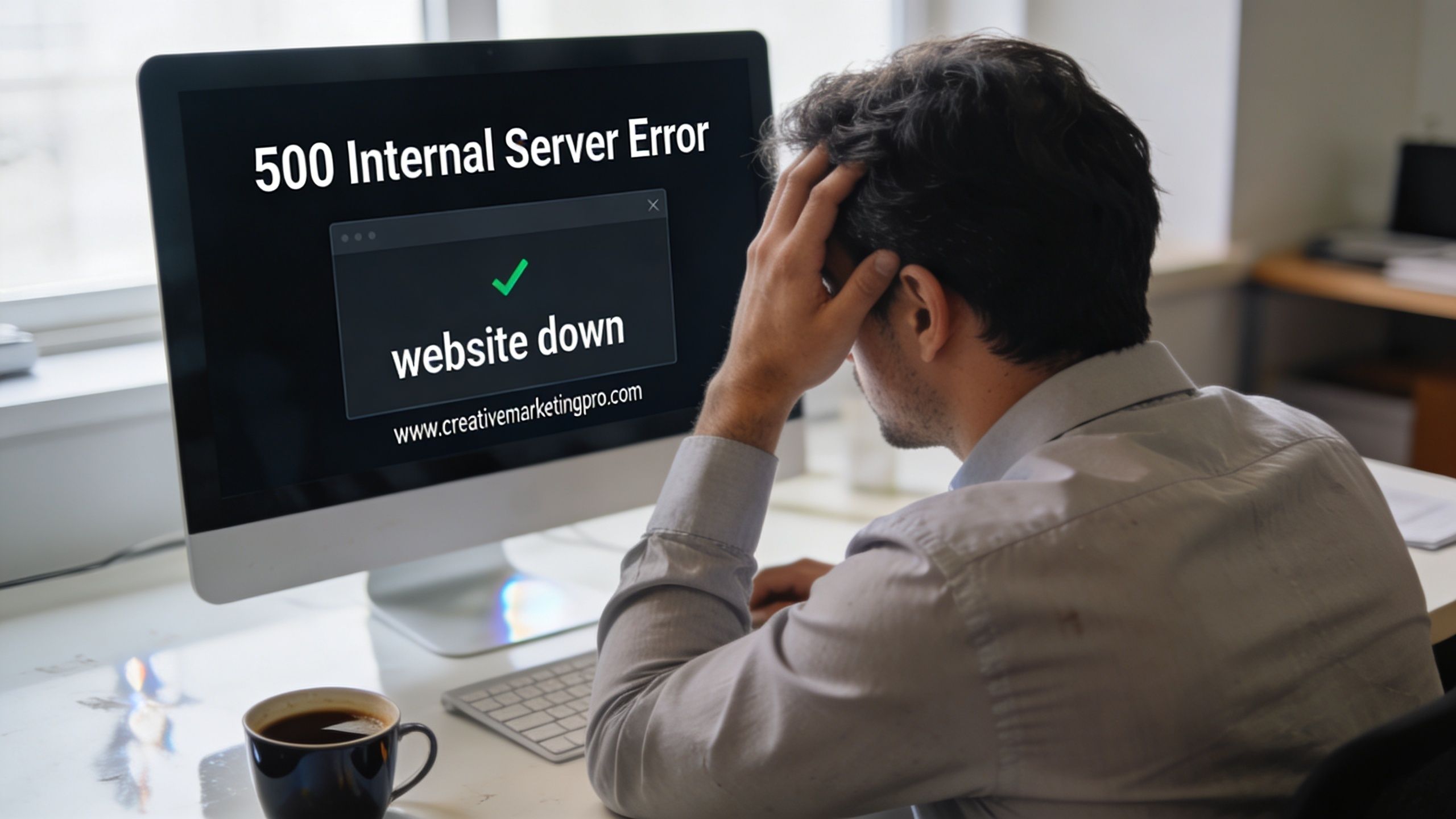
For agencies, one unstable plugin can consume the margin on an entire account. For enterprise teams, the cost shows up as delayed launches, compliance exposure, executive escalations, and a backlog full of emergency work that pushes planned development aside. Teams often frame plugin support as helpdesk work. In practice, it sits closer to risk management.
The scale of the ecosystem is part of the problem. WordPress has over 60,000 active plugins, and 78% of WordPress sites rely on at least five plugins according to WordPress plugin ecosystem metrics. The same source notes that community forums handle over 5 million support threads annually, yet a 2025 WPBeginner survey found that 62% of enterprise users report community support is insufficient for custom needs. That gap matters once your site depends on custom workflows, external systems, or tight uptime expectations.
Support is bigger than bug fixing
Plugin support covers at least four business functions:
- Continuity: Keeping forms, checkout, search, editorial tools, and integrations working through updates.
- Security response: Identifying whether a plugin issue is cosmetic, operational, or a potential exposure that needs immediate action.
- Performance protection: Stopping one plugin from degrading rendering, scripts, or database behavior across the whole site.
- Vendor management: Deciding when to wait for an upstream fix, when to patch locally, and when to replace the dependency.
Community support is useful when the problem is common. It’s far less useful when your issue sits inside a custom stack, a high-stakes launch window, or a contract with uptime expectations.
That’s why mature teams treat plugin support the same way they treat hosting, backups, and release management. If you’re trying to unlock growth with IT support, plugin support belongs in that conversation because broken site functionality stalls revenue work faster than most teams expect.
Understanding the Spectrum of Plugin Support Models
Not all support is the same, and most disappointment comes from buying one model while expecting another. Teams purchase a plugin license and assume they’ve bought operational coverage. Usually they haven’t.
Three models with very different boundaries
The common support models break down into community support, premium vendor support, and dedicated retainer support. Each has a valid use case. Each also has obvious limits once your stack gets more custom.
| Attribute | Community Support (Free) | Premium Plugin Support | Dedicated Retainer Support |
|---|---|---|---|
| Primary owner | Volunteers and community moderators | Plugin vendor team | External engineering partner or retained support team |
| Best fit | Standard installs and common issues | Plugin-specific bugs and license-related issues | Complex builds, integrated systems, business-critical sites |
| Scope | General troubleshooting guidance | Issues inside that vendor’s plugin | Cross-plugin conflicts, custom code, workflows, releases |
| Environment knowledge | Minimal | Usually limited to the vendor’s own plugin | Can include your whole stack, hosting, theme, and integrations |
| Escalation | Informal | Vendor-defined | Contract-defined with named owners |
| Business alignment | Low | Medium | High |
| Typical weakness | No accountability to your deadlines | Narrow scope and “not our bug” responses | Requires planning, budget, and clearer process |
Community support works when the issue is reproducible on a standard setup and the consequence of delay is tolerable. It’s useful for known errors, configuration questions, and basic plugin behavior. It’s weak when your bug only appears with a custom theme, multilingual layer, ERP connector, or a chain of plugin interactions.
Premium plugin support is often misunderstood. Vendors usually support their plugin in a reasonably standard environment. They may not support customizations, third-party conflicts, hosting quirks, or the business workflow wrapped around the feature. That doesn’t make vendor support bad. It means it’s bounded.
Where agencies and enterprises usually get stuck
The hardest incidents live in the seams between tools. A search plugin conflicts with a multilingual plugin. A checkout extension breaks after a PHP change. A role-management plugin affects editorial permissions in ways no single vendor will fully own.
That’s where a dedicated retainer model has an advantage. The support team can investigate the full system, reproduce the issue in staging, compare plugin versions, inspect logs, test mitigations, and coordinate with upstream vendors if needed. In white-label environments, this model also protects the agency account team from becoming an unreliable middle layer.
For agencies that need an overflow or delivery partner, white-label WordPress support usually makes sense when client demand includes multisite, WooCommerce, custom plugins, or release windows that can’t wait on forum replies.
Choose based on consequence, not just price
A common mistake is matching support level to plugin cost. The better method is matching support level to failure impact.
Use a simple decision filter:
- Low business impact: community support can be acceptable.
- Plugin-specific but important: premium vendor support may be enough.
- Cross-functional or revenue-critical: use a retained engineering support model.
- Custom plugin or integration dependency: assign clear ownership internally or with a partner.
Practical rule: If the plugin affects revenue, legal compliance, editorial continuity, or customer data flow, don’t rely on support channels that have no contractual obligation to your timeline.
The right model isn’t the cheapest one. It’s the one that fits the cost of delay.
Defining Your Support Scope and Service Level Agreements
Most support agreements fail before the first ticket arrives. The language is too broad, the exclusions are hidden, and nobody has defined what “support” means in the context of your stack.
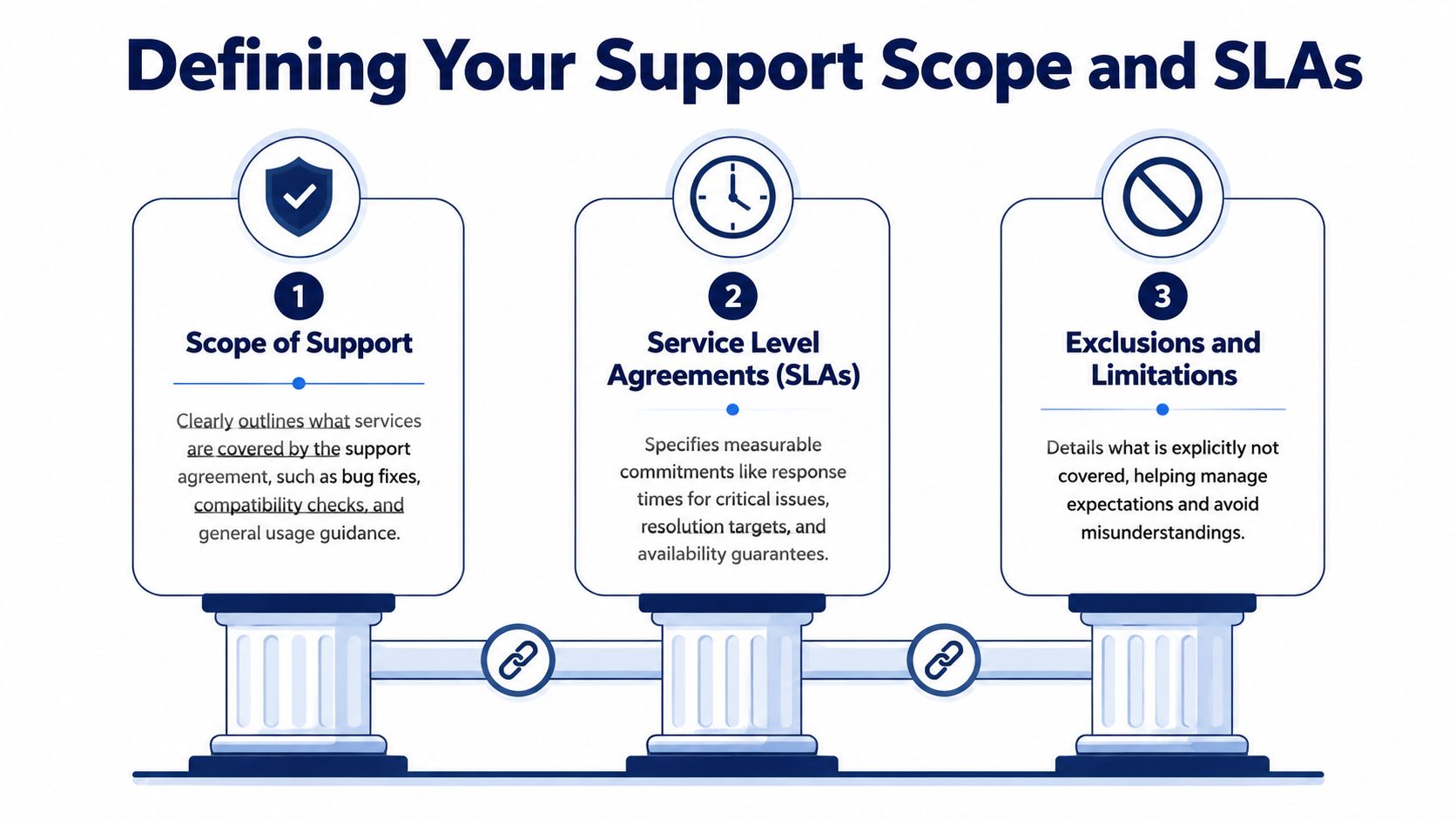
A useful agreement should answer basic operational questions. Does support include pre-update testing? Does it include conflict isolation between plugins and theme code? Will the provider patch custom plugin code or only advise? Who handles third-party vendor tickets? What happens during a critical incident outside business hours?
Define support by responsibility
Start with scope categories, not generic promises.
Compatibility assurance
This is the work commonly assumed to be happening when it often isn’t. Compatibility assurance means checking plugin updates against the WordPress version, PHP version, theme behavior, custom blocks, and any connected systems before production rollout.
WordPress plugin guidelines are relevant here. Plugins in the official directory must use WordPress-packaged common libraries rather than bundling their own versions, including libraries like jQuery according to the WordPress detailed plugin guidelines. When a plugin ships its own copy instead of enqueueing the packaged version, JavaScript conflicts become much harder to diagnose and can affect front-end stability and Core Web Vitals.
That detail belongs in your support scope because it changes how issues are triaged. A capable support team should inspect enqueue behavior, asset loading, and script dependencies rather than treating every front-end issue as “cache” or “theme.”
Security and patch handling
If a plugin vendor releases a security patch, your provider should not be deciding from scratch how updates are evaluated. The contract should state whether security releases are fast-tracked, whether staging validation is required before production, and who signs off when a patch risks feature regressions.
Custom plugin maintenance
Many agreements become ambiguous regarding this aspect. “Support for plugins” often means third-party plugins only. If your business depends on custom integrations, private plugins, mu-plugins, or one-off modifications to vendor code, the agreement needs to state whether custom maintenance is included, capped, or separately estimated.
SLAs need operational language
An SLA should separate time to first response from time to resolution. Those are not the same thing. An email that says “we’re looking into it” is not a fix.
Good SLA language usually defines:
- Severity levels: Critical outage, degraded function, non-blocking defect, advisory request.
- Response windows: How quickly the provider acknowledges and starts work.
- Resolution targets or paths: Whether the provider commits to a fix, a workaround, or a clear next action.
- Availability windows: Business hours only, extended coverage, or on-call support.
- Client obligations: Required access, staging parity, approval contacts, and incident contacts.
If your procurement or operations team needs a practical reference point for response commitments, this breakdown of Halo AI on SLA compliance is useful because it highlights why response metrics alone can hide weak service.
Don’t sign an SLA that measures speed but ignores ownership. Fast acknowledgement without a defined path to containment is just a well-timed autoresponder.
Write exclusions before you need them
Exclusions aren’t a legal footnote. They’re expectation control. Document what the provider won’t cover, such as unsupported hosting environments, unauthorized code changes by third parties, expired plugin licenses, or emergency work caused by skipped updates.
That clarity protects both sides. It also makes incidents easier to manage because nobody is debating contract intent while production is unstable.
Building Effective Support and Escalation Workflows
Even a strong contract won’t save a weak workflow. Most plugin incidents drag on because the initial ticket is vague, ownership is unclear, and the wrong people are looped in too late.
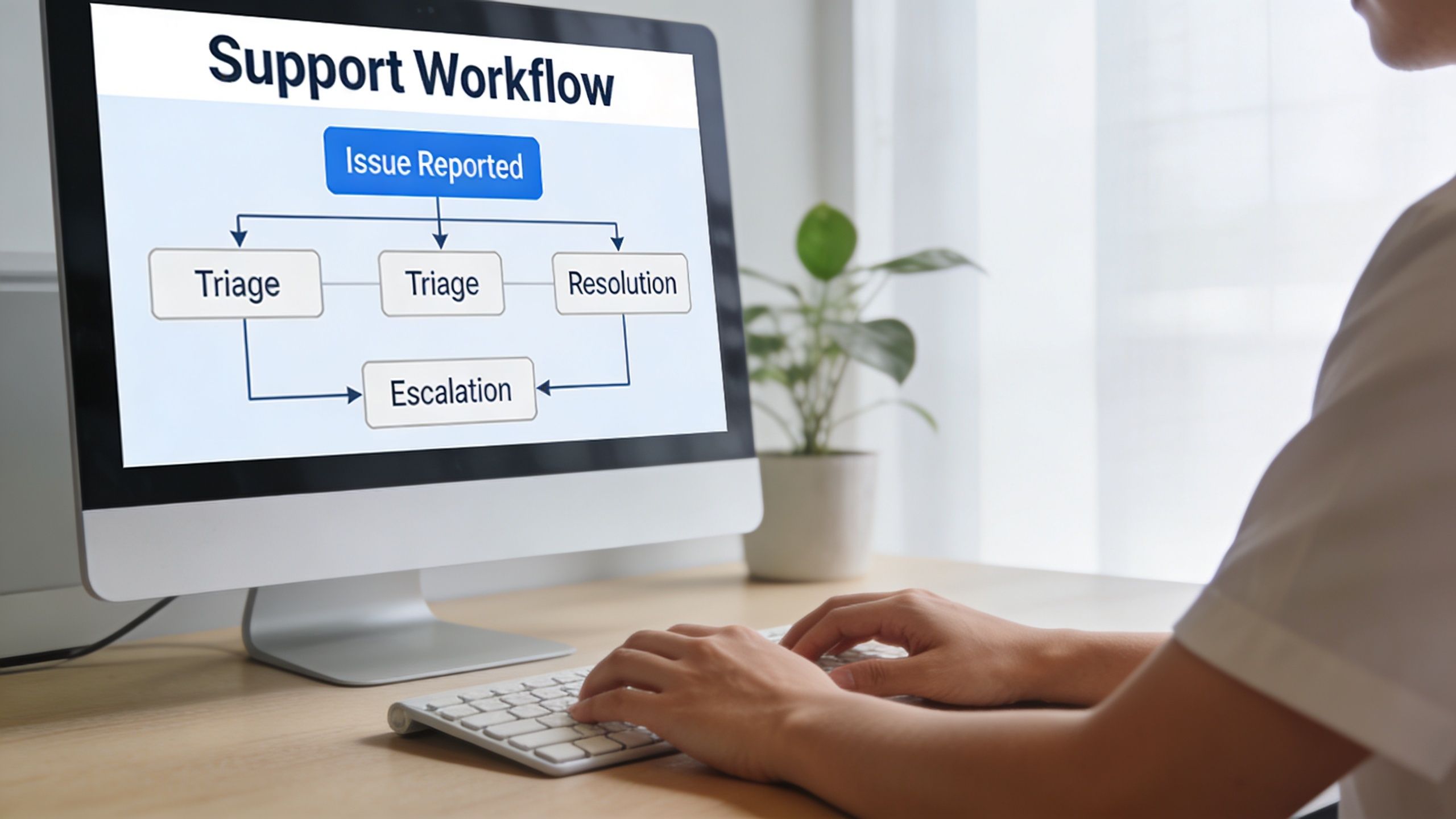
A workable process starts before the incident. Teams should know where tickets go, what information is mandatory, who classifies severity, and who has approval authority for rollback, hotfix, or temporary feature disablement.
Fix the intake first
Bad intake creates long support cycles. A useful ticket tells the engineer what happened, where it happened, how to reproduce it, and what changed recently.
An expert troubleshooting protocol cited by top plugin developers recommends logging the exact action that triggered the issue, the expected versus actual outcome, and a full site health report. Providing that information upfront has been shown to reduce average support ticket resolution times from 48 hours to 4 hours in the technical support workflow reference.
That means your ticket form should require more than “plugin broken.”
Include fields for:
- Triggering action: What the user did immediately before the issue appeared.
- Expected behavior: The result the team thought would happen.
- Actual behavior: Error message, blank state, failed transaction, or visual break.
- Environment details: WordPress version, PHP version, active theme, relevant plugins.
- Evidence: Screenshots, console errors, logs, and a timestamp.
- Change history: Recent updates, deployments, config changes, or content edits.
Use a defined escalation ladder
A support workflow should move through named levels, not ad hoc group chats.
Level 1 triage
The team confirms scope, reproduces the issue, checks whether it’s user error, content-related, or a real defect, and classifies severity. Level 1 should also verify whether a known workaround exists.
Level 2 technical investigation
This stage belongs to someone who can inspect logs, compare plugin changelogs, enable troubleshooting mode, isolate conflicts, and test in staging. If the site is business-critical, Level 2 should also make a containment decision quickly. For example, disable a broken feature, roll back a plugin version, or place a high-risk flow into maintenance while preserving the rest of the site.
Level 3 vendor or specialist escalation
Escalate externally when the issue sits inside vendor code, a custom integration, or infrastructure behavior outside the support team’s direct control. This stage should include one owner responsible for communication so the client or internal stakeholders don’t receive fragmented updates.
Incident rule: The person investigating shouldn’t also be the only person communicating. Separate diagnosis from stakeholder updates so the technical team can work without creating an information vacuum.
Build a critical incident playbook
When revenue paths are affected, teams shouldn’t improvise. Create a short incident runbook with:
- Containment options such as rollback, feature disablement, or traffic diversion.
- Notification rules that define who gets informed and at what severity.
- Decision authority for production changes.
- Status cadence for internal teams and clients.
- Post-incident review covering root cause, missed signals, and preventive changes.
For agencies with multiple client environments, a structured diagnostic service such as a maintenance risk audit can help identify where support workflows are likely to fail before the next urgent incident.
How to Vet and Contract a Plugin Support Provider
Support providers are easy to evaluate badly. Most buyers focus on response promises, hourly rates, and whether the provider “knows WordPress.” Those matter, but they don’t tell you how the provider behaves when a plugin conflict spans custom code, vendor dependencies, and a live revenue path.
The better question is whether the provider can reduce uncertainty in a messy stack.
Ask about the hard cases
A credible provider should answer these without vagueness:
- How do you isolate plugin conflicts in custom environments?
- What do you require from the client before you’ll commit to an SLA?
- How do you handle premium plugin vendors when their support scope stops at their own code?
- What’s your approach when a plugin update must be delayed for compatibility reasons?
- Do you support custom plugins, modified vendor code, and API integrations?
- Who owns rollback decisions during an outage?
- How do you document fixes so the issue doesn’t become tribal knowledge?
Strong answers describe process. Weak answers rely on confidence language.
Plugin abandonment is a procurement issue
A support contract isn’t only about active bugs. It also has to deal with plugin end-of-life risk. Data shows that 25% to 30% of premium plugins become unsupported within 3 years, based on the plugin abandonment analysis. If your provider doesn’t have a clear approach to abandoned dependencies, you’re not buying resilience. You’re renting reaction time.
That approach should include vendor monitoring, replacement criteria, migration planning, and policy on local patching versus full replacement.
Good providers ask uncomfortable questions
If a support partner immediately agrees to support every plugin in your stack without qualification, be careful. Competent teams usually ask which plugins are business-critical, which ones are lightly maintained, where customizations exist, and whether staging mirrors production closely enough for safe testing.
They also want to know who can approve changes. That isn’t bureaucracy. It’s incident prevention.
Review the contract like an operator
The key clauses are rarely the flashy ones.
Look closely at:
- Scope of supported assets: Named plugins, custom code, environments, and integrations.
- Intellectual property: Ownership of custom fixes, patches, and replacement code.
- Confidentiality: Access to customer data, admin accounts, and logs.
- Third-party dependency handling: What happens when a vendor is unresponsive or a plugin is abandoned.
- Termination terms: Access return, documentation handoff, and continuity obligations.
- Change control: Whether urgent fixes can bypass normal approval under defined conditions.
If the contract doesn’t explain what happens when a third-party plugin is no longer maintained, you’ve left one of the biggest operational risks to improvisation.
For teams that need specialist review before committing, bringing in a WordPress expert for hire can help separate genuine engineering capability from generic maintenance packaging.
Watch for red flags
Some signs should slow you down immediately:
- They won’t define exclusions.
- They promise support for everything but won’t discuss staging.
- They have no documented escalation path.
- They talk about updates, not testing.
- They can’t explain how they work with plugin vendors.
- They avoid discussing plugin abandonment and replacement planning.
A support partner isn’t valuable because they sound available. They’re valuable because they can operate under pressure without making your team absorb the chaos.
Integrating Plugin Support with Maintenance and Development
Reactive plugin support is expensive because it treats every incident as isolated. Over time, recurring tickets reveal patterns. A plugin update repeatedly breaks custom fields. A page builder generates editor friction. A checkout extension keeps colliding with tax logic. Those aren’t just support issues. They’re signals that your maintenance and development strategy needs to change.
Turn tickets into engineering input
Support data should feed a regular review cycle. Not a generic “look at open issues” meeting, but a review of recurring plugin classes:
- conflicts introduced after routine updates
- plugins requiring repeated manual intervention
- vendor tools that don’t fit the current architecture
- components that create editorial support burden
- dependencies that force risky production timing
When teams review support trends this way, they stop asking, “Who fixes this ticket?” and start asking, “Why does this dependency keep creating operational drag?”
That often leads to better decisions. Sometimes the answer is tighter testing. Sometimes it’s replacing a plugin. Sometimes it’s building a small custom feature that removes an unstable dependency entirely.
Maintenance is where support becomes prevention
A mature maintenance process absorbs support lessons into routine work. If a plugin has a history of regressions, put it on a stricter staging path. If a vendor update tends to affect front-end scripts, add browser and asset checks before release. If a plugin repeatedly clashes with a multilingual setup, document the safe upgrade sequence and enforce it.
Maintenance providers can create value. A service model that combines updates, monitoring, and engineering review is far more useful than one that clicks “update all.” For teams evaluating broader operational support, this perspective on driving measurable business growth is useful because it frames maintenance as an enabler of business continuity rather than a low-level housekeeping task.
Development should absorb recurring support debt
The biggest missed opportunity in wordpress plugin support is failing to convert repeated incidents into backlog items.
A few examples:
- If a plugin requires repeated CSS or template overrides, the theme architecture may need cleanup.
- If staff repeatedly file tickets about editor confusion, your Gutenberg blocks or permissions model may need refinement.
- If one integration plugin creates constant edge-case failures, a purpose-built connector can be safer than continued patching.
- If support keeps discovering undocumented customizations, your team has a documentation problem as much as a code problem.
One practical option for teams that need this integrated approach is WordPress maintenance and support, where plugin updates, incident response, and development handoff are handled as one operational stream rather than separate vendors with separate incentives.
A support queue is also a backlog of architectural feedback. Teams that ignore that feedback keep paying for the same problem in smaller, more frequent invoices.
The fundamental gain is strategic. When support, maintenance, and development share information, technical debt becomes visible sooner and future incidents become easier to prevent.
Actionable Recommendations for Your Team
For digital agencies
Package wordpress plugin support as an operational service, not a vague maintenance add-on. Clients don’t need reassurance that you “keep plugins updated.” They need to know how you test updates, what happens during incidents, how third-party vendors are handled, and what falls outside scope.
Build your offer around three layers:
- Baseline maintenance for routine updates, backups, and standard monitoring.
- Managed plugin support for conflict diagnosis, vendor coordination, and staging validation.
- Engineering escalation for custom plugin fixes, integrations, and release-sensitive incidents.
Price each layer according to business risk, not site size alone. A small WooCommerce store with one critical payment extension can demand more care than a large content site with relatively simple workflows.
Also, protect delivery teams from margin erosion. Standardize ticket intake, define severity levels, and write exclusions into your client agreements. If you white-label support, make sure the delivery partner documents fixes in a way your account team can relay without reinterpreting technical details.
For enterprise teams
Centralize plugin ownership. Every critical plugin should have a named internal owner, a vendor record, a renewal record, and a known escalation path. If that sounds heavy, compare it to the cost of discovering during an outage that no one knows who approved the dependency or who can authorize a rollback.
Create a plugin register that includes:
- Business purpose of the plugin
- Owner on the business side and technical side
- Customizations applied to vendor behavior
- Testing requirements before updates
- Vendor support status
- Exit strategy if the plugin reaches end of life
Don’t let plugin support live only inside marketing or only inside IT. Enterprise WordPress stacks often cut across content, commerce, analytics, security, and legal requirements. Your support process should reflect that shared responsibility.
For both groups
Start with the dependencies most likely to hurt the business if they fail. Define support scope in writing. Require structured ticket intake. Test updates in staging. Ask every provider how they handle abandoned plugins. And make sure support findings feed future maintenance and development decisions.
That’s how wordpress plugin support stops being a reactive chore and becomes part of how your team reduces risk.
If your team needs a clearer ownership model for plugin updates, incident handling, custom integrations, or white-label delivery, IMADO can support that work with senior WordPress engineering, structured maintenance processes, and operational support that fits agency and enterprise environments.
Let’s build something exceptional
Tell us about your project – we’ll help you launch a fast, scalable, SEO-optimized WordPress platform built for growth.