 Ask Chatgpt to summarize Build a Scalable E Commerce Site With WordPress in 2026
 Ask Grok to summarize Build a Scalable E Commerce Site With WordPress in 2026
 Ask Claude to summarize Build a Scalable E Commerce Site With WordPress in 2026
 Ask Perplexity to summarize Build a Scalable E Commerce Site With WordPress in 2026
 Ask Gemini to summarize Build a Scalable E Commerce Site With WordPress in 2026

You’re probably dealing with one of two situations right now. Either a WooCommerce store that started as a fast, flexible win has become slow, fragile, and expensive to change, or you’re planning a larger build and trying to avoid that outcome before it happens.
That tension is common with any serious e commerce site with wordpress. Marketing wants landing pages and campaign agility. Operations needs inventory accuracy, tax logic, and dependable checkout flows. Engineering wants fewer plugin conflicts, cleaner deployments, and a stack that won’t collapse during a product launch or seasonal spike.
WordPress can handle enterprise commerce. The question isn’t whether WooCommerce is “good enough.” The question is whether the architecture, development standards, performance strategy, and operating model match the business you’re building.
Table of Contents
Beyond the Basics Why Standard WooCommerce Setups Fail
The usual diagnosis is wrong. When a store becomes unstable, teams often blame WordPress itself. In practice, the failure usually starts much earlier, with decisions that were fine for a startup catalog and a small campaign calendar, then became liabilities once traffic, product complexity, and content operations expanded.
That matters because WordPress still powers over 43% of all websites, and WooCommerce runs on over 6 million live e-commerce stores, with up to 33.43% of the global e-commerce market, according to WordPress and WooCommerce market share data. The platform isn’t niche. It’s operating at web-scale. The gap is engineering quality, not platform legitimacy.
What breaks first
On standard builds, the warning signs show up in a familiar order:
- Theme bloat appears early. A multipurpose theme loads assets for features nobody uses.
- Plugin sprawl follows. Each business request gets solved with another add-on instead of a system decision.
- Checkout complexity compounds. Payment, tax, shipping, subscriptions, and promotions start competing for hooks.
- Editorial speed drops. Marketing can publish, but only by working around rigid templates or unstable builders.
- Operations loses trust. Inventory, fulfillment, and reporting stop matching the actual business process.
A lot of this comes from treating WooCommerce like a boxed product instead of an application framework. It isn’t enough to install a theme, connect a payment gateway, and add a few optimization plugins. That path works until it doesn’t.
Standard WooCommerce setups rarely fail in one dramatic incident. Teams usually lose confidence through a series of smaller failures: slow category pages, broken promo rules, difficult releases, and integrations that only one developer understands.
The platform isn’t the bottleneck. The stack is.
The fastest way to sabotage enterprise WordPress is to hand too much responsibility to a page builder and a pile of commercial plugins. That creates short-term editing convenience at the cost of front-end weight, unstable markup, and difficult debugging. The trade-off is rarely worth it on a store where search visibility, checkout speed, and release safety affect revenue every day.
If you’ve had to argue internally about why a “simple page update” suddenly broke a product template, you’ve already seen the problem described in the page builder trap.
Enterprise WooCommerce needs a different blueprint. It starts with architecture, not cosmetics.
Architectural Blueprint Planning for Scale Before You Build
The expensive mistakes happen before the first product import. Architecture choices decide how hard every later decision becomes, from ERP integration to multilingual rollout to Black Friday stability.
A useful planning lens is simple. Decide what must stay native to WordPress, what must integrate externally, and what absolutely cannot fail under load.
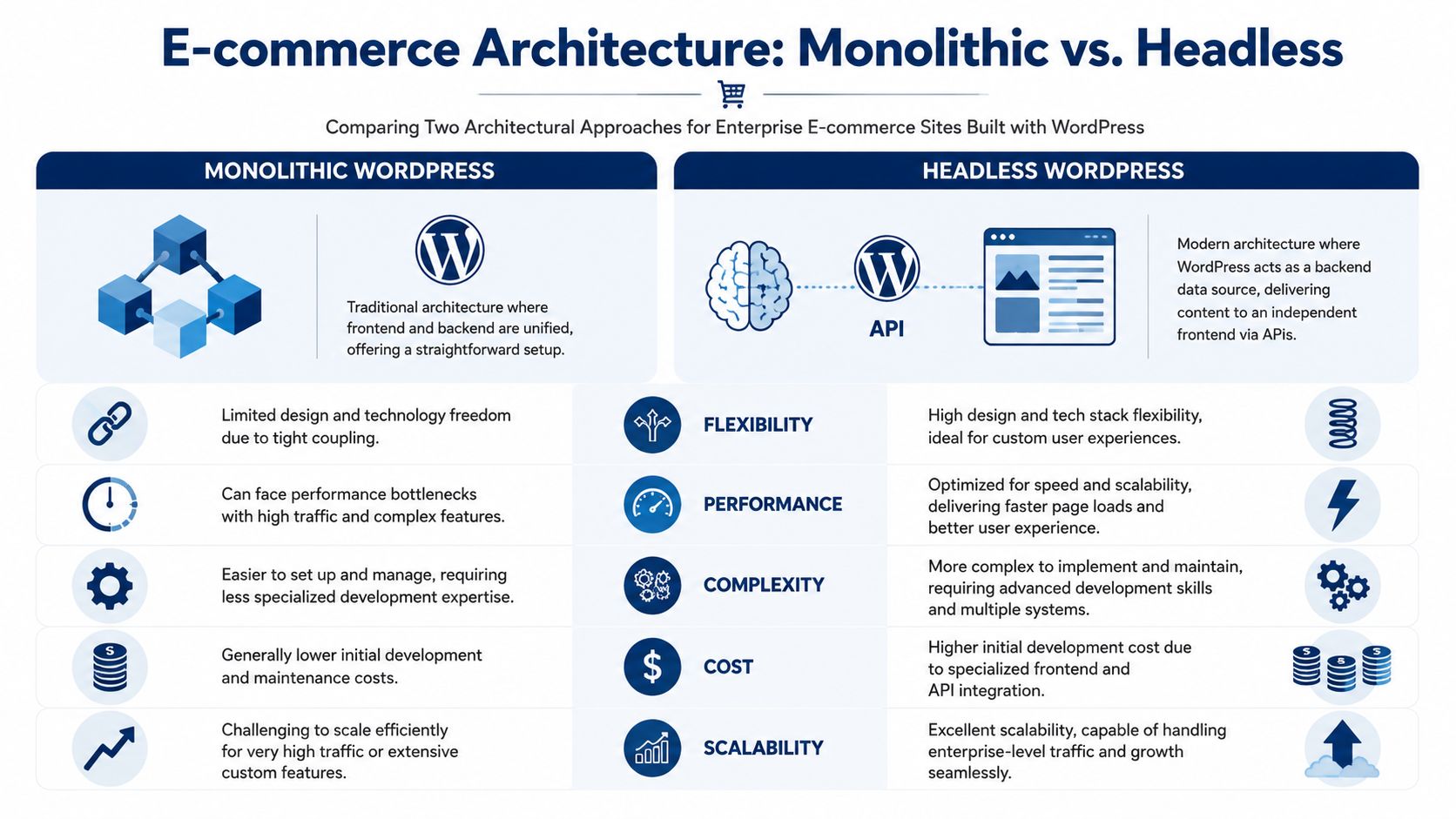
Monolithic WordPress versus headless WordPress
For some retailers, a well-engineered monolithic WooCommerce stack is still the right answer. It keeps editorial workflows straightforward, shortens delivery time, and reduces the number of moving parts. For teams with heavy merchandising needs and moderate interaction complexity, that simplicity matters.
Headless changes the equation. WordPress becomes the content and commerce backend, while a separate frontend handles presentation. That improves control over performance and interaction design, but it introduces API orchestration, frontend deployment pipelines, and more failure points.
Here’s the practical comparison:
| Architecture | Strong fit | Main advantage | Main cost |
|---|---|---|---|
| Monolithic WordPress | Content-heavy stores, mid-complexity catalogs, teams with WordPress-first workflows | Faster implementation and simpler administration | Tighter coupling between frontend and backend |
| Headless WordPress | High-traffic retail, complex UX, multi-channel distribution, custom applications | Better frontend performance control and design freedom | Higher engineering overhead and integration complexity |
The decision shouldn’t be ideological. It should reflect operational reality. If your team depends on native preview, standard WordPress editorial flows, and rapid merchandising changes, monolithic often wins. If your frontend roadmap includes app-like interactions, location-specific experiences, and very high concurrency, headless starts to justify itself.
Scale planning has to happen before launch
That’s not theory. A 2025 WP Engine report found that 68% of WooCommerce stores experience significant performance bottlenecks after exceeding 10,000 monthly orders without advanced architectures, as summarized in this discussion of e-commerce scaling constraints.
That single point should change how teams scope projects. If order volume, campaign intensity, catalog growth, or regional expansion are already in the plan, architecture can’t be deferred.
Planning rule: If the business expects multi-location pricing, ERP-driven inventory, or frequent high-traffic promotions, design for those conditions on day one. Retrofitting those concerns into a standard store is where most rebuilds begin.
Hosting choices and what they really mean
The hosting conversation also gets oversimplified. “Managed WordPress” and “cloud” aren’t quality labels. They’re operating models.
Managed platforms are useful when your team wants strong WordPress tooling, dependable environments, and less infrastructure burden. They usually help with backups, staging, caching support, and operational guardrails. That’s valuable for agencies and in-house teams that need predictable releases more than deep infrastructure control.
Cloud-centric deployments make more sense when the application has unusual requirements. Think custom services, specialized queueing, region-specific architecture, or a frontend stack that sits apart from WordPress. They give more freedom, but they also demand stronger DevOps ownership.
A practical way to evaluate hosting:
- Choose managed WordPress when editorial workflow, release speed, and support boundaries matter more than custom infra patterns.
- Choose cloud infrastructure when the store behaves more like a custom application than a conventional CMS-backed website.
- Avoid split responsibility where no one owns the whole stack. That’s where cache invalidation, deployment mistakes, and integration outages tend to linger.
For enterprise teams comparing implementation paths, enterprise WordPress solutions are usually best evaluated by how they handle multisite governance, API integrations, and operational ownership, not by surface-level feature lists.
Multisite and integration boundaries
Franchises, distributors, and multi-brand groups often need a structure that can support local variation without fragmenting governance. That usually points toward multisite, but only if shared logic is intentional.
Use multisite when you need:
- Central control with local flexibility
- Shared components across regions or brands
- Role-based governance for distributed teams
- Reusable product or content structures
Don’t use multisite as a shortcut for “we have several websites.” If tax logic, checkout behavior, fulfillment flows, and deployment cadence differ significantly, separate applications may be cleaner.
ERP integration needs the same discipline. The first design question isn’t “Which plugin connects to our ERP?” It’s “Which system owns stock, pricing, order state, and refunds?” Once ownership is unclear, data drift is almost guaranteed.
The Development Framework Building for Flexibility and Control
A scalable WooCommerce architecture can still fail in delivery. I see it happen when a well-planned build picks up exceptions one by one: a commercial theme for speed, a page builder for marketing autonomy, a plugin for a one-off requirement, then custom fixes layered on top of all three. Six months later, no one can explain which layer owns rendering, checkout behavior, or integration logic.
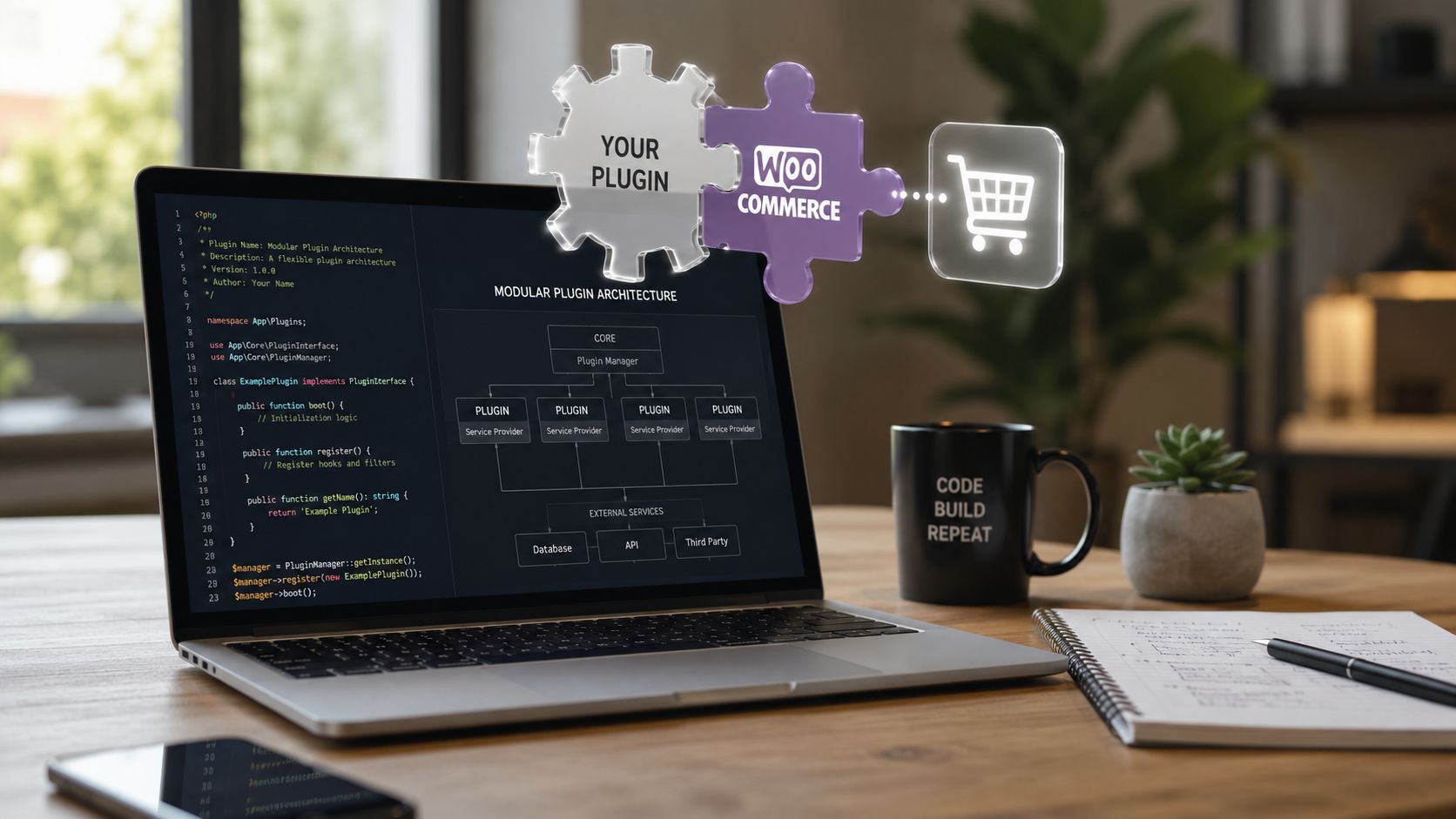
The safer pattern is a custom block-based implementation with hard boundaries between presentation, commerce behavior, and system integrations. That separation makes deployments safer, performance work more predictable, and ownership clearer across engineering, product, and content teams.
Build custom themes, not layered abstractions
For enterprise WooCommerce, a custom theme built around Gutenberg and block patterns is usually the right baseline. It gives editors controlled flexibility while keeping frontend output deterministic.
That choice pays off in specific ways:
- Template markup stays stable. Frontend teams can tune HTML structure, asset loading, and schema without reverse-engineering builder output.
- Editorial freedom stays inside guardrails. Custom blocks give marketing reusable layout options without exposing structural templates.
- Asset loading stays intentional. The store ships only the components and scripts the business uses.
- Handover is cleaner. Future teams can trace behavior through theme files, blocks, and documented hooks instead of layered builder settings and shortcode logic.
Editing convenience and scale-readiness are separate concerns. Enterprise teams need a system editors can use safely under deadline pressure, not a blank canvas that makes every landing page a new code path.
Gutenberg works when the block system is engineered, not improvised
Gutenberg is effective for enterprise commerce when blocks are treated as productized components. Each block should have defined fields, validation rules, spacing controls, and clear rendering ownership. Avoid ad hoc blocks that duplicate layout logic or let editors toggle too many structural options.
Blocks that usually justify the effort include:
- Campaign hero blocks with approved layout variants, promo messaging fields, and enforced media ratios
- Merchandising content blocks that pair narrative copy with curated product selections
- Regional or store-specific messaging blocks for multi-location and franchise deployments
- FAQ, comparison, and trust modules built for accessible markup and repeatable SEO structure
Teams reviewing the boundary between off-the-shelf tooling and custom implementation should examine these WordPress plugins for ecommerce through an ownership lens. Use plugins for stable commodity functions. Write custom code for pricing rules, merchandising logic, account workflows, or anything tied directly to how the business operates.
Integration code needs contracts, queues, and failure handling
The difficult engineering work in enterprise WooCommerce rarely sits in payment setup. It sits in the flows behind the order: inventory sync, tax adjustments, fulfillment events, refunds, customer data updates, and operational reporting across multiple systems.
Treat each integration as a contract with explicit rules:
- Assign source-of-truth ownership. Define which platform controls stock, pricing, promotions, customer records, order status, and refunds.
- Model event flow clearly. Product updates, shipment changes, cancellations, returns, and partial refunds need named events and expected outcomes.
- Build for failure on day one. Queue processing, idempotency, retries, dead-letter handling, and admin-visible logs should be part of the first release.
- Keep remote dependencies off the critical render path. Product and checkout pages should not rely on fragile live API calls unless the business case is unavoidable.
This is often where enterprise builds become brittle. If product detail pages depend on live ERP responses with no caching, timeout handling, or fallback state, the customer experience inherits every outage and latency spike from the back-office stack.
For agencies that supplement in-house engineering with specialist partners, this Guide for Web3 and AI IT partners is a useful reference point. The same screening criteria apply here: API depth, delivery accountability, support coverage, and whether the partner can maintain production systems after launch.
Standardize the right layers
A maintainable enterprise WooCommerce build usually follows this split:
| Keep custom | Standardize where possible |
|---|---|
| Theme architecture and block library | Payment gateway frameworks |
| ERP, PIM, and internal API orchestration | Core WooCommerce order patterns |
| Business-specific merchandising logic | Mature operational plugins |
| Frontend components that affect Core Web Vitals | Repeatable admin workflows |
That division avoids wasted custom work while protecting the parts that differentiate the store.
One more implementation rule matters here. Security and maintainability improve when custom code lives in version-controlled plugins or clearly separated theme layers, with CI checks, coding standards, environment-specific configuration, and documented deployment steps. Enterprise WooCommerce projects fail less often when every team can answer three questions quickly: where logic lives, how it is released, and who owns it in production.
Optimizing for Performance and Conversions
Performance work on WooCommerce isn’t a final polish pass. It’s operational engineering. Slow stores don’t just annoy users. They make every campaign less efficient, every search result less competitive, and every backend request more expensive.
A proven approach for scaling WooCommerce includes object caching with Redis to reduce database hits by up to 80%, WP-CLI core table optimization that can yield 40% to 60% query speed gains, and a target of TTFB under 200ms, based on this WooCommerce scaling methodology.
Start with query visibility
Don’t optimize blindly. Install Query Monitor on non-production environments and identify the actual offenders. In enterprise WooCommerce, those are usually not “WordPress” in the abstract. They’re specific plugin queries, bloated option loads, slow metadata lookups, or expensive template logic.
Review these first:
- Autoloaded options in
wp_optionsthat have grown beyond reason - Repeated product meta queries from filtering, merchandising, or custom fields
- Cart and checkout hooks calling external services unnecessarily
- Search, faceting, and sorting logic added by SEO or merchandising plugins
The point is to decide whether the problem belongs to data design, plugin choice, cache strategy, or front-end behavior.
Use layered caching, not one cache and a prayer
WooCommerce performance improves when caching matches the request type. Static content, personalized cart states, and backend object retrieval don’t behave the same way, so they shouldn’t be treated the same way.
A practical stack looks like this:
Object cache with Redis or Memcached
This reduces repeated database work for reusable objects and options.Full-page or edge caching for anonymous traffic
Product detail pages, category pages, content pages, and many campaign destinations should be cached aggressively where safe.CDN delivery for static assets
Images, CSS, JavaScript, and fonts should not be competing with PHP-generated requests.Application-level exclusions for cart and account flows
Don’t poison the cache trying to force dynamic commerce behavior through static rules.
A surprising amount of site instability comes from partial caching setups. Teams add a cache plugin, skip object caching, leave origin image delivery untouched, and wonder why category pages improve while checkout still struggles.
If you need a technical companion piece focused specifically on front-end and server-side improvements, improving WordPress site speed is a useful operational checklist.
Don’t evaluate performance from a homepage score alone. Category pages, filtered archives, product pages, cart, checkout, and account areas reveal the real architecture.
Core Web Vitals discipline matters on commerce sites
Core Web Vitals work should be tied to templates and components, not treated as a generic “make it faster” task. A product page may have image galleries, review widgets, recommendation carousels, stock messaging, and payment scripts, all competing for the same rendering budget.
Practical fixes that usually matter:
- Reduce JavaScript on critical templates. Remove scripts that don’t support buying intent.
- Control image payloads. Compress, resize, and lazy-load responsibly. Hero imagery still needs editorial review.
- Limit third-party scripts. Heatmaps, chat, personalization, affiliate tools, and experiments often do more damage than teams realize.
- Keep template logic lean. Heavy conditional logic inside theme files can become expensive fast.
Here’s a useful external perspective for platform evaluation and search-driven store growth: advice on ecommerce platforms for scaling sellers. It’s a good reminder that performance and SEO aren’t separate decisions. Platform architecture shapes both.
A short walkthrough can help teams align on what good performance debugging looks like:
Conversion work starts after speed work becomes stable
A fast store isn’t automatically a high-converting store, but serious conversion optimization is hard to trust on an unstable site. Once performance is consistent, focus on friction removal.
Look at:
| Area | What usually hurts conversion |
|---|---|
| Product pages | Slow media, unclear variants, poor stock messaging |
| Cart | Distracting upsells, coupon friction, surprise shipping logic |
| Checkout | Too many fields, inconsistent validation, payment interruptions |
| Mobile | Sticky elements, oversized popups, broken input patterns |
Engineering and UX must work together here. Within commerce teams, marketers often handle “conversion optimization” while the most significant blockers remain technical: script contention, field logic, and unpredictable performance during checkout.
Monitoring has to outlive the launch window
Use New Relic or a similar application monitoring layer to inspect transaction traces, slow endpoints, and external call latency. Then pair that with real-user monitoring and event-based analytics. Synthetic tests alone won’t tell you which template, plugin, or endpoint is degrading the buying journey under real traffic.
The stores that stay fast aren’t the ones that did one optimization sprint. They’re the ones that keep measuring after every release.
Executing a Flawless Launch with Rigorous QA
Most bad launches aren’t caused by one catastrophic bug. They come from weak release process. A payment method works in staging but not with live credentials. A cache rule breaks cart fragments. Product data imports succeed, but variant mappings don’t. Accessibility regressions slip through because no one tested keyboard flow on checkout.
That’s why launch discipline matters more than launch speed.
Staging has to mirror reality
A staging environment only helps if it behaves like production in meaningful ways. It should reflect plugin versions, PHP configuration, caching behavior, key integrations, and representative catalog data. A tiny test catalog and fake promotional logic won’t expose the problems that appear on a real store.
The core launch environment should support:
- Code review before merge
- Automated deployment process
- Rollback path
- Environment-specific secrets handling
- Auditability for releases
Manual “upload and hope” deployment is where e commerce site with wordpress projects become fragile.
QA needs multiple lenses
Good QA is layered. Automated checks catch repeatable defects. Manual review catches experiential problems. Neither replaces the other.

A practical launch matrix usually covers:
Functional QA
Validate every high-value path:
- Checkout flow across payment methods
- Tax and shipping rules for representative regions
- Coupons, bundles, subscriptions, or custom pricing
- Order emails and status transitions
- Refund and cancellation workflows
- Account creation, login, password reset, and guest checkout
Content and merchandising QA
This gets neglected on enterprise projects because teams assume CMS content is low risk. It isn’t.
Check:
- Template consistency across product types
- Campaign landing pages under realistic traffic expectations
- Search and filter behavior
- Cross-sells, related products, and merchandising rules
- Localized content and currency presentation where applicable
Accessibility and interaction QA
WCAG compliance can’t be left to a plugin or browser extension. Manual validation still matters.
Review:
- Keyboard navigation
- Form labels and error states
- Color contrast and focus visibility
- Screen-reader handling for product options
- Modal behavior, cart drawers, and overlays
Accessibility defects often show up in custom interface elements, not in plain text content. Product selectors, accordions, filters, and mini-cart interactions deserve direct testing.
Security and performance validation before release
Enterprise launch prep should include targeted security hardening and load-oriented performance validation. Not because every launch needs an elaborate pentest, but because e-commerce stores expose login, payment-adjacent, and personal data workflows that deserve more than casual review.
Use a release checklist that includes:
- Plugin and theme review for anything unnecessary or abandoned
- Role and permission audit across admins, editors, and support teams
- Backup verification with restore testing, not just backup existence
- Load testing on critical paths such as category browsing and checkout starts
- Cache behavior validation for anonymous and authenticated users
- Error logging review so warnings aren’t ignored until after launch
Launch day should be boring
That’s the actual standard. If launch day feels dramatic, the process was weak. Good teams freeze unnecessary changes, monitor key events, verify order flow in production, and keep communication lines short.
The goal isn’t to prove confidence through speed. It’s to remove surprises.
Ongoing Operations Security and Maintenance Strategy
Launch is where accountability starts, not where it ends. Commerce sites keep changing. Plugins update. APIs drift. Marketing adds scripts. Merchandisers expand catalog rules. Support teams request workflow tweaks. Without active maintenance, a stable store gradually turns into an expensive incident queue.
According to 2025 data from Sucuri, WordPress eCommerce sites face a 3x higher rate of security breaches, primarily due to unpatched plugins, as noted in this security discussion referencing Sucuri’s findings. For WooCommerce, that should end any debate about whether maintenance is optional.
Reactive maintenance is the costly model
Teams often underinvest here because post-launch work seems less visible than a rebuild or redesign. But the hidden cost is operational drag. Engineers spend time fighting regressions. Agencies absorb urgent support requests. Internal teams stop trusting releases.
A strong maintenance model includes:
- Scheduled plugin, theme, and core updates with staging validation
- Uptime and error monitoring
- Backup and restore routines
- Performance review after meaningful releases
- Security review of new extensions and integrations
- Incident response ownership
This is especially important for agencies running multiple client stores. White-label support only works when there’s a real process behind it, not just someone available in Slack after a problem appears.
Security work should be specific
“Keep WordPress updated” is correct but incomplete. On enterprise commerce projects, security posture improves when teams reduce the number of moving parts and define who can change what.
Useful controls include:
| Area | Practical control |
|---|---|
| Plugins | Remove inactive extensions and review update risk before release |
| Accounts | Enforce role discipline and reduce admin sprawl |
| Checkout | Test payment flows after updates and monitor for script conflicts |
| Integrations | Log failures and unauthorized behavior, not just visible outages |
| Infrastructure | Separate environments and limit direct production changes |
A lot of maintenance failures are governance failures. Too many admins. No plugin ownership. No release cadence. No one accountable for logs until customers report an issue.
Security on a WooCommerce store is less about one plugin and more about operational habits. Clean extension policy, controlled releases, and monitored integrations prevent a lot of avoidable problems.
Performance and maintenance belong together
A store can stay online while becoming progressively less efficient. That still damages the business. New scripts, seasonal landing pages, experimentation tools, and search extensions all affect the stack. If no one audits the cumulative impact, speed degrades in slow motion.
That’s why ongoing support should include recurring review of:
- Database growth and transients
- Frontend payload changes
- Checkout script additions
- Search, filtering, and merchandising extensions
- Template-level regressions after content or campaign changes
This maintenance mindset also applies outside retail. Teams working in education or membership environments face similar post-launch risks around account data, permissions, and platform updates. That’s why resources like essential LMS security for educators are useful adjacent reading. The platform category differs, but the lesson is the same: systems handling user data need disciplined operational care.
Why agencies and in-house teams need support capacity
Enterprise WordPress maintenance often fails because the build team disappears and the support team inherits a system they didn’t design. That handoff gap creates slow incident response, cautious release behavior, and mounting technical debt.
The better model is continuity:
- Engineers who understand the architecture stay available
- Monitoring feeds into prioritization
- Maintenance work is budgeted, not improvised
- Agencies can extend capacity through white-label or staff augmentation when needed
That approach keeps the store stable without forcing every organization to build a full internal WordPress platform team.
If your team is planning or rescuing an enterprise WooCommerce build, IMADO is one option for custom WordPress engineering, multisite and headless architecture, ERP integrations, performance optimization, and ongoing maintenance support. The practical value is having senior engineers who can own the hard parts of a commerce stack before technical debt becomes the project.
Let’s build something exceptional
Tell us about your project – we’ll help you launch a fast, scalable, SEO-optimized WordPress platform built for growth.