 Ask Chatgpt to summarize Cloudflare Zaraz for WooCommerce: Ecommerce Events, Consent, and Testing
 Ask Grok to summarize Cloudflare Zaraz for WooCommerce: Ecommerce Events, Consent, and Testing
 Ask Claude to summarize Cloudflare Zaraz for WooCommerce: Ecommerce Events, Consent, and Testing
 Ask Perplexity to summarize Cloudflare Zaraz for WooCommerce: Ecommerce Events, Consent, and Testing
 Ask Gemini to summarize Cloudflare Zaraz for WooCommerce: Ecommerce Events, Consent, and Testing
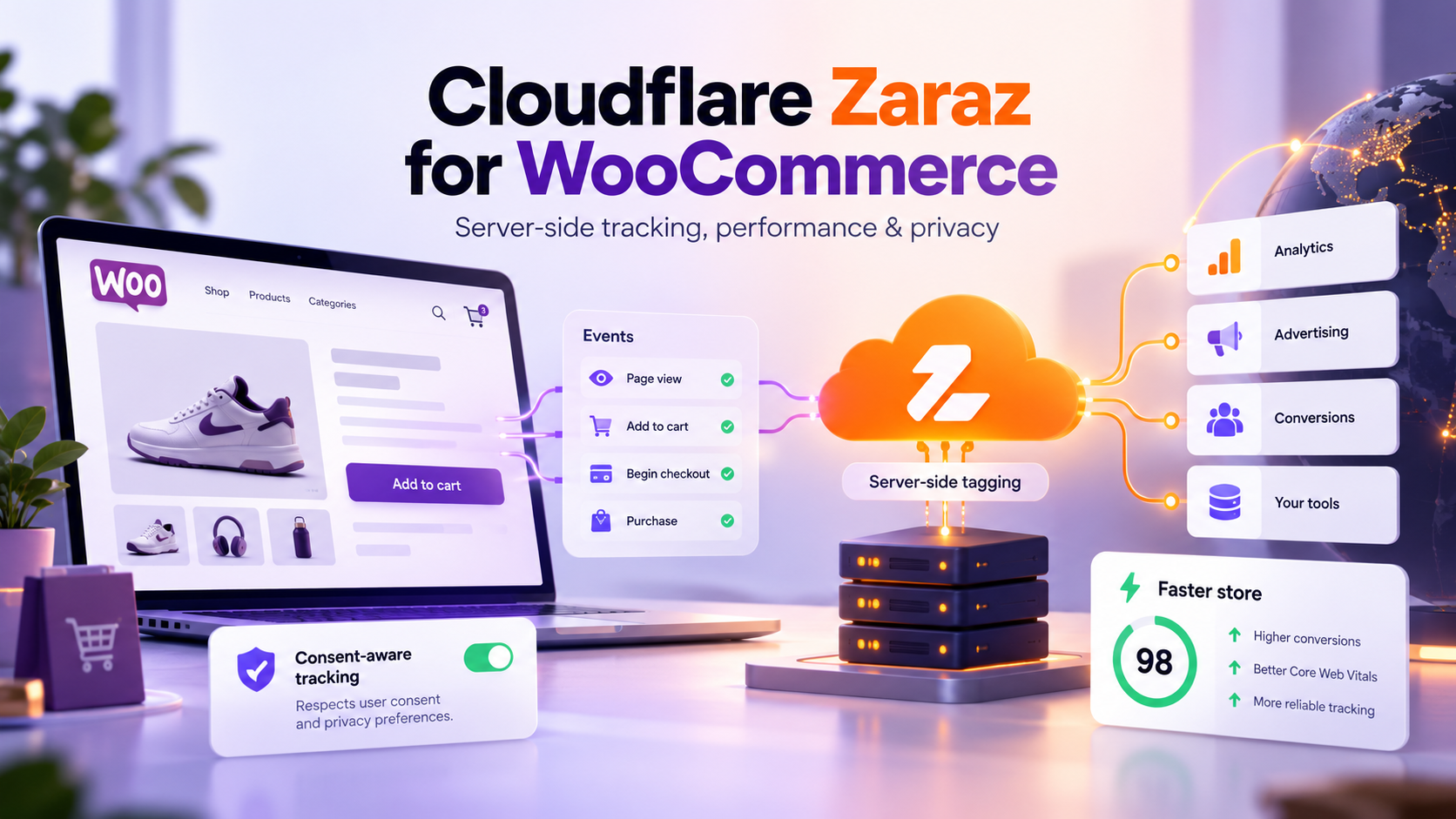
Cloudflare Zaraz can route supported ecommerce events to analytics and advertising tools, but WooCommerce still needs a reliable source for product, cart, checkout, and order data. A production setup depends on the integration path, explicit consent rules, and tests that compare tracking with real store orders.
Key takeaways
- Zaraz ecommerce tracking must be enabled in the Zaraz account and for each destination tool that should receive commerce data.
- WooCommerce events need a source: a maintained integration plugin or custom event wiring.
- Ecommerce events go to every ecommerce-enabled tool with the same payload, so tool-specific or personal data needs its own routed event.
- A Zaraz tool with no consent purpose assigned skips consent checks by default.
- Define the purchase event around an authoritative order or payment state, not a checkout click.
- When replacing an existing pixel plugin, inventory the customer identifiers it already stores and migrate them, so returning customers keep matching.
- Test denied and granted consent, consent timing on the first page, payment failures, confirmation reloads, refunds, totals, and duplicates before release.
What does Cloudflare Zaraz change in a WooCommerce tracking setup?
Zaraz routes supported third-party tool actions through Cloudflare. WooCommerce or an integration still has to emit commerce events and data, and each destination, plugin, and checkout flow needs its own compatibility check.
Zaraz exposes an ecommerce Web API for named events across the shopping journey, from product and cart activity to completed and refunded orders. Cloudflare’s reference lists 19 supported event names, requires ecommerce tracking to be enabled in the account and for each receiving tool, and warns that large order payloads can exceed a destination’s limits.
WooCommerce remains the source of commerce state. It knows which product a customer selected, what is in the cart, and whether an order reached the state your business counts as a purchase. Zaraz routes the events to configured tools.
An event can appear in Zaraz and still miss a destination: its action is disabled, the payload does not match what the destination expects, the tool does not support that event automatically, or consent blocked it.
Moving tracking actions to Zaraz may reduce the third-party scripts the browser runs directly. Several tools, including Zaraz’s Facebook tool, send their requests from Cloudflare’s edge instead of loading a vendor script. The Zaraz loader still runs, and some tools still execute in the browser, so measure product, cart, and checkout pages before and after the change. IMADO’s WordPress speed optimization work can include this measurement when tracking changes are part of a wider performance review.
How should WooCommerce events map to Zaraz ecommerce events?
Use one documented event contract across product, cart, checkout, and order events, with consistent product IDs, order IDs, currency, quantities, and values. Emit Order Completed only when the store’s purchase condition has been met.
| WooCommerce action | Zaraz event | When it should fire | QA assertion |
|---|---|---|---|
| Customer opens a product page | Product Viewed | On page load; for variable products, decide which ID each destination needs (see below) | Correct product or variation ID, name, price, currency |
| Customer adds an item to the cart | Product Added | Once after WooCommerce confirms the cart update | Correct variation, quantity, and cart state |
| Customer opens the cart | Cart Viewed | After the cart contents are available | Item count and values match the cart |
| Customer enters checkout | Checkout Started | Once per checkout start, not on every field change | One event with the expected cart value |
| Store confirms a purchase | Order Completed | After a successful order response or authoritative order state | One event with the correct order ID, currency, and value |
| Store records a refund | Order Refunded | When the refund is recorded | Linked to the original order, not counted as a purchase |
A minimal Order Completed call with the fields Zaraz documents looks like this:
zaraz.ecommerce('Order Completed', {
  order_id: '10482',
  total: 349.00,
  revenue: 300.81,
  tax: 48.19,
  shipping: 0,
  currency: 'PLN',
  products: [
    { product_id: '275333', sku: 'DDS-M1', name: 'Silk scarf', variant: '63 x 63 cm', price: 349.00, quantity: 1 }
  ]
});
Decide whether the business reports an order when payment is authorized, captured, or another order state is reached. This matters for bank transfers, cash on delivery, payment redirects, and subscriptions, where checkout completion and settlement happen at different times.
Variable products need a deliberate ID rule
Many customers open a variable product and never pick a variation. Product feeds also differ: a Google Merchant Center feed often lists variations, while Meta catalogs group variations under a parent. A practical rule is one product view per page load: send the variation ID when a default or selected variation exists, and otherwise send the parent ID with contenttype: productgroup to Meta. Do not send a second view every time the customer switches variations.
Keep money fields and product identifiers consistent
Use a stable order ID to reconcile purchases across WooCommerce and analytics, and reuse it as the event ID so destinations can deduplicate retries. Carry currency explicitly. Write down whether purchase value includes tax and shipping and how discounts are treated, then map those fields the same way for every destination. If one tool receives a gross total and another a net merchandise value, reports will differ even when both streams work.
Treat checkout blocks and payment redirects as separate test cases
A Place Order click starts checkout. Validation can fail, a provider can decline a charge, or a redirect can return without a successful order. Send purchase revenue only after WooCommerce or the payment flow confirms it.
Classic checkout, Checkout Block, AJAX carts, express payment buttons, and off-site payment pages expose different events and return paths. Listen to the extension points of the checkout you actually run, and verify the result against the final order record.
Should you use a WooCommerce plugin or custom Zaraz event wiring?
Use a maintained integration when it supports your checkout, consent setup, destinations, and event contract. Choose custom wiring when checkout or order rules need control a plugin does not offer.
Before adopting a plugin, confirm:
- It supports your WooCommerce version, checkout type, payment methods, and product types.
- It sends the event names and fields your destinations require.
- Its consent integration works with your consent manager.
- You can inspect, export, and restore the Zaraz configuration.
- The team knows which system owns each event and where to troubleshoot it.
Before importing a generated Zaraz configuration, review the triggers, actions, and tool settings it changes, test it in a controlled environment, and confirm the rollback path. A WordPress website audit can review the existing plugin stack, tracking, and checkout flow before you choose.
Custom wiring usually fits custom checkouts, subscriptions, delayed payment confirmation, multi-currency rules, ERP-driven order states, or a mix of browser and server-side signals. It lets engineers define when events fire and how retries, refunds, and duplicate callbacks are handled, and it needs an owner when WooCommerce, gateways, or extensions change.
A hybrid can work: a plugin for standard product and cart events, a small custom integration for a unique purchase or refund rule. Keep one source of truth per event. Overlapping plugins, Google Tag Manager tags, and Zaraz actions for the same pixel can count one purchase several times.
If you are weighing these options for a store with a custom checkout or several ad platforms, talk to IMADO’s WooCommerce engineers before committing to an approach.
How should consent be configured for Cloudflare Zaraz on WooCommerce?
Assign every third-party tool to an explicit consent purpose, then verify that denied consent stops it. Cloudflare’s Consent Management documentation states that each tool has one purpose and an unassigned tool skips consent checks by default, so a newly added tool can bypass the gate unless someone maps it.
Make the consent inventory part of the release checklist: each tool, its purpose, the destination, the events it receives, and the consent state it needs.
Test at least these states:
- No choice yet: optional tools send nothing before consent.
- Consent denied: the relevant destination requests stop.
- Consent granted: expected events reach the destination.
- Preference changed: the tool follows the new choice after a reload.
- Returning session: stored preferences apply without a new cart or order action.
Check the first page load in particular. The Zaraz consent API usually becomes available after the page’s own scripts run, so an integration that checks consent immediately can treat a consented visitor as unconsented and drop the event. Wait for the API before deciding:
function onConsentReady(callback) {

  if (window.zaraz && zaraz.consent && zaraz.consent.APIReady) callback();

  else document.addEventListener('zarazConsentAPIReady', callback, { once: true });

}
If Google tools run in Consent Mode v2 advanced mode, they can still send cookieless pings when consent is denied. Decide whether that matches your policy, and test it explicitly.
Keep store operations independent of tracking: cart, account, and payment must work when a customer declines optional purposes. Send only the fields a destination needs, and keep personal data out of shared event payloads. Zaraz enforces the preferences you configure; the site owner decides which purposes and texts fit each market, so have your privacy or legal owner review them.
How do you test Cloudflare Zaraz ecommerce events before launch?
Validate a test order from WooCommerce through Zaraz to each destination in Preview or on staging, then compare events and values with the WooCommerce order. A page without JavaScript errors does not prove a purchase was counted once or that consent worked.
Follow one test session and record the expected event at each step: product view, add to cart, cart view, checkout start, payment result, purchase, and refund. Check the source event, the Zaraz trigger and action, and the receiving tool separately; a failure at one layer looks like a generic gap in the final dashboard.
The test matrix should include:
- A fresh session with no consent choice, then denied and granted consent, including acceptance on the landing page.
- A variable product with and without a selected variation, a quantity change, and an item removal.
- Coupons, discounts, shipping, tax, and each currency you report.
- Each payment type: declined, pending, redirect, and successful.
- A successful order followed by a confirmation-page reload.
- A partial or full refund, if you report refunds.
- Every checkout path the store uses: Checkout Block, AJAX, subscription, express payment.
Save each test order ID and find the same ID in the destination. Destination test tools help here: Meta’s Test Events shows whether a server event carried user data and product IDs. Remove any test event code from the tool before publishing, because events sent with a test code do not count in production reporting.
Use Zaraz Monitoring to separate event counts from triggers, actions, and server-side request statuses. If Zaraz counted an event but the destination did not receive it, check the tool configuration and response. If Zaraz never counted it, look at the WooCommerce integration and event timing. Record the accepted results and the configuration version before publishing.
What breaks in production?
The most damaging problems are false and duplicate purchases, consent bypasses, and events that silently disappear. These are the patterns we see most often when WooCommerce stores move tracking to Zaraz.
Ecommerce events are shared by every ecommerce-enabled tool.
A zaraz.ecommerce() call reaches every tool with ecommerce tracking on, with the same payload, and fields cannot be filtered per tool. Never put email addresses or phone numbers into ecommerce events. For tool-specific data, send a separate zaraz.track() event with a routing property, attach it only to that tool’s trigger, and use a rule such as {{ client._zarazTrack }} equals viewitem combined with your routing flag.
Full-page cache keeps the old tracking setup.
Configuration and script versions printed into HTML stay in Cloudflare and server caches after a deployment. Cached product and category pages keep sending the old event shape while uncached cart and checkout pages send the new one. Purge page, minified-asset, and Cloudflare caches with every tracking release.
Server-side tools still need clean identity data.
Zaraz’s Facebook tool sends events through the Conversions API and hashes email, phone, and other user fields itself. Send normalized raw values: lowercase email, phone with country code, postcode without spaces or dashes. Pre-hashed values are hashed twice and stop matching. A stable external ID, such as a hash of the customer email kept in a first-party HttpOnly cookie, lets returning customers match without storing personal data in the browser.
Switching tools resets customer identifiers.
The pixel plugin you are replacing has probably been sending its own external ID for years. PixelYourSite, for example, generates a random ID and keeps it in a browser cookie (pbid), in the customer’s account, and in each order’s metadata. If the new setup starts sending an email hash instead, Meta sees every returning customer as a new person, and match quality and audience continuity drop. When you plan the migration, check which identifiers the current setup stores and where. Then reuse them in a fixed order: the ID saved on the order or customer account, the legacy cookie, and only then a new email hash. Store the chosen ID on new orders and accounts so it stays stable from then on.
Catch-all actions create duplicates.
A generic “all other events” action next to dedicated actions such as ViewCategory fires both unless the generic trigger excludes every event with its own action. Zaraz limits match values to 128 characters, so keep exclusion patterns compact.
Some events never arrive at all.
Ad blockers and automatic cookie-banner hiding remove a share of browser signals, including WooCommerce’s own order attribution. Expect a gap between orders and attributed orders, measure it, and use server-confirmed purchases as the reference.
False purchases
come from listening to a button click, a pre-payment step, or a thank-you page visit without checking order state. Use a durable order reference and an idempotent rule so a retry or reload does not record the order again.
If several of these sound familiar, the problem is usually the integration design rather than one setting. IMADO’s WooCommerce team can audit the event flow and fix it on staging before it reaches your reports.
When is a production Zaraz implementation worth engineering support?
Bring in a WooCommerce engineer when checkout customizations, payment state, consent tooling, or overlapping analytics make it hard to prove exactly one valid event per store action.
An engineer defines the event contract with marketing and finance, chooses plugin or custom wiring, tests it against the real checkout and order lifecycle, and documents which tool owns each event and how consent gates it. This pays off when missed or duplicated purchases affect campaign decisions, reconciliation, or the team’s trust in reporting. After launch, WordPress support and maintenance or a website maintenance plan keeps regression checks in the release process as plugins and gateways change.
Cloudflare Zaraz for WooCommerce FAQ
Does Cloudflare Zaraz integrate with WooCommerce automatically?
No. Zaraz provides an ecommerce event API, but WooCommerce still needs an integration to send product, cart, checkout, and order data. A plugin can automate part of it; verify its support for your checkout, destinations, consent manager, and order rules.
Which WooCommerce events can Cloudflare Zaraz track?
Zaraz’s ecommerce model covers product, cart, checkout, order completion, update, cancellation, and refund events. Destination support differs, so check each tool’s ecommerce action and the fields it accepts.
Does Zaraz consent management guarantee GDPR compliance?
No. Consent tooling enforces the preferences you configure, but the site owner decides which purposes apply, configures them correctly, and reviews the legal requirements for each market.
How do I verify that a WooCommerce purchase fires once?
Create a test order, note its WooCommerce order ID, and confirm exactly one purchase event with that ID reaches each destination. Reload the confirmation page and test payment retries on staging to reveal duplicates.
Can Zaraz improve WooCommerce page speed?
It can move some tool requests from the browser to Cloudflare and reduce browser-side work, but results depend on the store and tools. Measure representative pages before and after, and treat event correctness as a separate release gate.
Conclusion
A reliable Cloudflare Zaraz setup for WooCommerce starts with an explicit event contract, a consent purpose for every tool, consent-aware timing on the first page, and test orders that reconcile with the store’s records. Choose plugin or custom wiring based on the checkout and reporting rules you actually run, and purge caches and re-test with every tracking release.
Planning a Zaraz rollout or fixing one that does not add up? Discuss your WooCommerce engineering project with IMADO.
Let’s build something exceptional
Tell us about your project – we’ll help you launch a fast, scalable, SEO-optimized WordPress platform built for growth.