 Ask Chatgpt to summarize Franchise Website Best Practices: Engineering for Scale
 Ask Grok to summarize Franchise Website Best Practices: Engineering for Scale
 Ask Claude to summarize Franchise Website Best Practices: Engineering for Scale
 Ask Perplexity to summarize Franchise Website Best Practices: Engineering for Scale
 Ask Gemini to summarize Franchise Website Best Practices: Engineering for Scale
Franchise website best practices look straightforward on paper. Use consistent branding. Build location pages. Optimize for mobile. That advice is correct. It is also incomplete.
The problems start around location 10. By location 30, they are expensive. Opening hours drift out of sync. New venue launches take weeks because someone has to duplicate a page manually. The local SEO work done for the first three parks never gets replicated for parks 12 through 30. Booking flows reference the wrong venue. And nobody wants to touch the CMS because the last time someone did, something broke.
We have built and run the websites behind 80+ leisure venues across the UK, Ireland, Germany, Norway, Finland, and Denmark: trampoline parks and indoor leisure centers operating as franchise and multi-venue networks of up to 30+ locations each. The patterns below come from that production experience, not theory.
Key takeaways
- The most consequential decision in franchise web design is architectural, not visual: a centrally managed platform with structured location pages outperforms independent microsites in SEO authority and maintenance cost at 10+ locations.
- Every location page needs unique content, LocalBusiness schema with accurate hours and coordinates, and a direct booking path. Templated pages with only the city name swapped are a thin-content risk.
- Content governance requires a clear model: head office controls design, brand copy, and SEO defaults. Locations control hours, events, local photos, and team details.
- Booking and venue management system integration must be location-specific. A booking flow that does not map to the correct venue is a support problem and a conversion failure.
- New location launches should be measured in days, not weeks. If adding a venue requires developer involvement, the architecture is wrong.
Table of Contents
The franchise website problem most guides ignore
Most articles on franchise website best practices address the concerns of a marketing manager at a small franchise group. Brand consistency, store locators, social proof. That advice applies at two locations and at two hundred. It does not tell you what actually breaks at twenty.
What breaks at 10 locations that works fine at 3
Manual processes that seem manageable at launch degrade quickly. Updating seasonal hours for ten locations means ten separate page edits. If that is a developer task, it is also a budget line. If it is a franchise owner task, some locations will be wrong.
New location launches become a problem. The first three venues are set up carefully. By venue ten, the process is “copy venue 8 and change the address.” The result is locations with outdated content, missing schema, and booking links pointing at the wrong venue.
Local SEO done once for location one is rarely replicated correctly. The city-specific content, the schema, the Google Business Profile consistency: these require discipline to maintain at scale. Without tooling, they drift.
The two failure modes for franchise websites
Centralized too tightly: head office controls every content update. Franchisees submit change requests. Requests queue up. A location runs the wrong hours for two weeks because the update ticket is stuck. Local accuracy suffers.
Decentralized too loosely: each franchisee manages their own page or their own microsite. Brand guidelines are suggestions. SEO is fragmented. A campaign update requires touching thirty separate installs.
Neither extreme works. The right model is a centrally-managed architecture with structured local autonomy.
Architecture decision: one site or many?
The architecture decision comes before design, before copy, before anything visual. Getting it wrong costs more to fix later than it cost to build the site in the first place. The real dividing line is not “single install vs. Multisite vs. separate domains.” It is managed platform vs. unmanaged sprawl. Both a single install and a Multisite network can be run as a managed platform. Separate domains can be centrally managed too — with deployment tooling, a shared codebase, and WP-CLI automation — but doing so is significantly harder, and even done well it does not recover the consolidated organic authority of a single domain.
Single WordPress install with location pages
This is the simplest viable architecture for franchise groups with roughly 5 to 30 locations under a single brand in a single market.
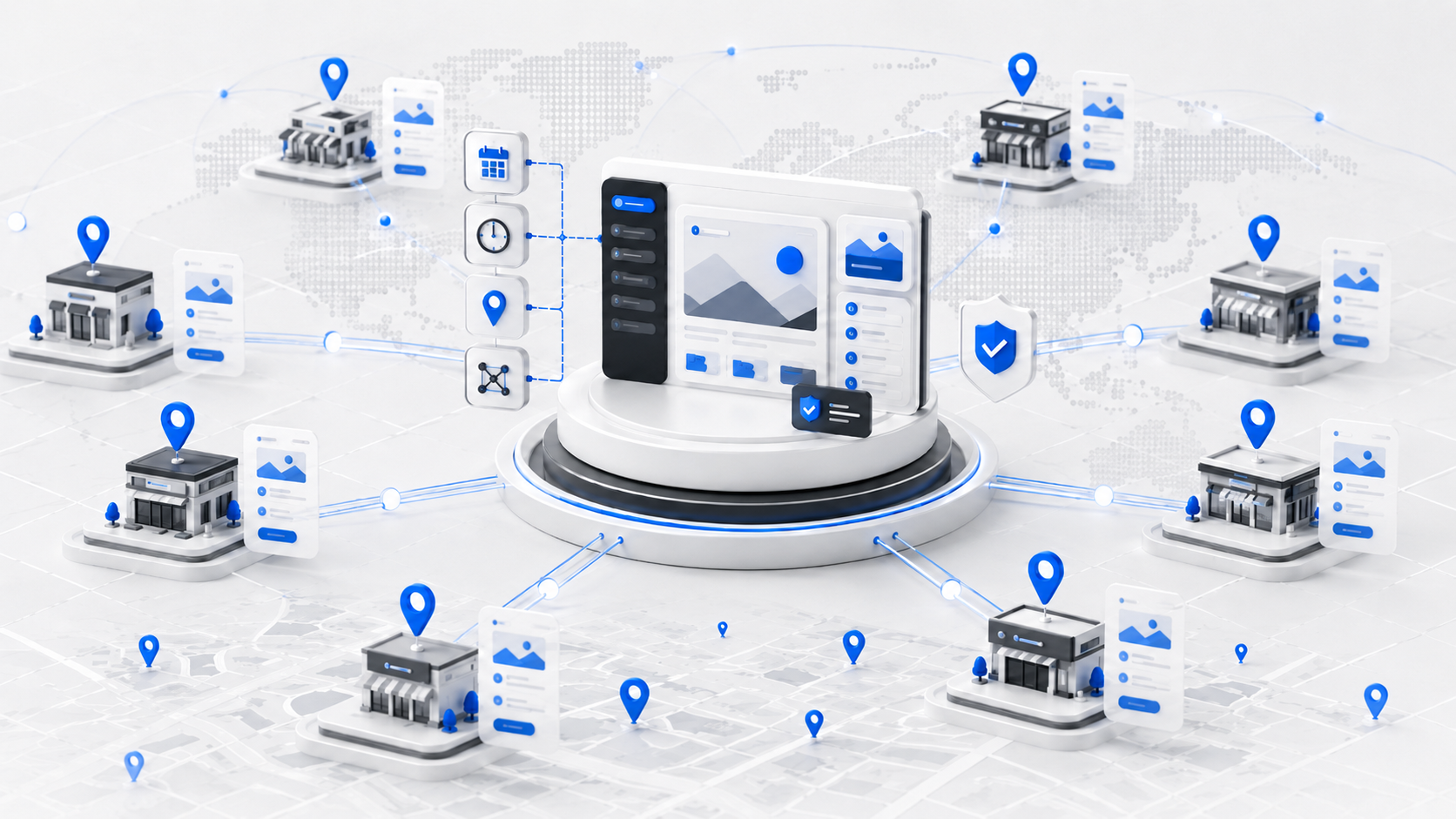
All locations live on one domain (brand.com/locations/city-name). Authority, links, brand signals, and technical improvements accumulate on the shared domain instead of being split across separate properties — though individual location pages still need to earn relevance for their own local queries. Design and brand updates deploy once and apply everywhere. Analytics live in a single GA4 property. The server is one target to maintain and secure.
The trade-off is discipline on access controls. If franchise owners can edit anything, they will. The CMS must enforce boundaries so that what they can change is precisely what they should change.
WordPress Multisite: unmanaged vs. productized
Multisite has a deserved reputation for maintenance pain, and it is worth being precise about where that pain comes from. Unmanaged Multisite, where each sub-site runs its own theme instance, its own plugin decisions, and its own content team with no shared governance, multiplies the maintenance surface with every site added. Plugin updates must be tested across the network. A conflict on one site can affect all sites. For a single-brand group, this setup adds complexity without adding value.
Productized Multisite is a different animal. One shared theme and codebase deployed network-wide. A locked, network-level plugin policy. Centralized deployments and a single update pipeline. Per-site admin scoped to exactly the fields a location team should touch. Run this way, Multisite gives a franchise network per-location isolation (separate admin, separate media library, clean per-venue permissions, and per-country domains where needed) while keeping the single-codebase economics of one install. This is the architecture we run in production for single-brand networks in the 25–30+ location range, and it is the model behind multi-country groups where each market needs its own domain or language without forking the codebase.
The short version: Multisite is the wrong tool when it means “many independent sites on shared hosting.” It is the right tool when it means “one platform, many controlled instances.” Multi-brand groups sharing infrastructure are the classic case; large or multi-country single-brand networks are the other.
Separate domains per location
Separate domains (brand-bristol.com, brand-manchester.com) are a maintenance anti-pattern at franchise scale. Every domain is a separate SEO entity. Authority accumulated on one domain does not help another. Even with automated deployments, every change ships to N environments that each need testing, monitoring, and hosting. The operational cost grows linearly with location count — and no amount of tooling merges the SEO profiles back together.
We do not recommend separate per-location domains for franchise groups with more than 2 locations. (Per-country domains for multi-country networks are a different question, covered below.)
| Single site | Productized Multisite | Separate domains | |
|---|---|---|---|
| SEO authority | Consolidated | Consolidated per market | Fragmented |
| Brand update cost | One edit | One theme deploy, network-wide | N installs |
| Per-location control | Role-based permissions | Scoped per-site admin | Full local control |
| Maintenance overhead | Low | Low–medium (single codebase, one pipeline) | High (scales with N) |
| Booking integration | Central config | Central config, per-site venue IDs | Per-domain config |
| Best for | 5–30 same-brand, single-market locations | Multi-country networks, multi-brand groups, large single-brand networks | Not recommended at scale |
Location pages that actually rank
A location page is not a contact page with an address. It is the primary local SEO asset for that venue. Done right, it ranks for “[business type] [city]” and drives organic booking traffic directly. Done wrong, it is thin content that Google ignores.
What every location page must contain
Every location page needs a unique H1 that includes the city name and brand. “Brand Bristol” or “Brand Leipzig”, not “Location” or “Venue.” The URL should follow a consistent pattern: /locations/bristol or /parks/berlin.
NAP data (name, address, phone) must match Google Business Profile exactly. Inconsistencies between the website and GBP listing affect local ranking and create customer confusion.
Unique descriptive content is mandatory. A page that is identical to every other location page except the address is a thin-content problem. Each location needs at minimum: a description specific to that venue, local transport or parking context, highlights of what makes that location different, and the booking path for that specific venue.
Photos should be location-specific. Venue photography for Brand Leipzig should show the Leipzig park, not stock images from a different location.
Schema markup at scale
Every location page should include LocalBusiness structured data covering: business name, address, telephone, geo coordinates, opening hours (including special hours for holidays), price range, and booking URL.
Structured data gives search engines a machine-readable representation of each venue: its address, coordinates, opening hours, contact details, and booking information. It can make location pages eligible for enhanced search features, though Google does not guarantee them. At franchise scale, the bigger advantage is consistency: the markup is generated from the same structured fields that power the location page itself, which removes another manual SEO task from every venue launch and eliminates the drift between what the page says and what the markup claims.
Manual schema markup per location is not a production approach. At 30+ locations, schema must be generated automatically from a structured data source: the same database or CPT (Custom Post Type) that powers the location page content. When a franchise owner updates their hours in the CMS, the schema updates automatically.
The implication: schema is a content infrastructure problem, not an SEO afterthought.
Avoiding duplicate content across locations
Structured data (hours, pricing, coordinates) can be identical across locations. Prose content cannot. Search engines identify thin or duplicated content across location pages and reduce their ranking potential.
The practical approach: define a set of location-specific fields that must be filled for every page (venue description, local highlights, team member, recent event or offer). The CMS should require these fields to be non-empty before a location page can be published. An empty “local highlights” field should block publication, not default to placeholder text.
Booking and ticketing integration
For leisure franchises, a website without location-specific booking integration is incomplete infrastructure. A location page that sends customers to a generic booking page is a conversion leak.
What booking integration needs to handle
Availability must be per-location and real-time. A customer booking at Brand Berlin should see Berlin’s availability, not a combined national calendar or an availability status that is updated manually.
Pricing may vary by location. Session types, add-ons, group rates, and birthday party packages may differ between venues. The booking flow must handle per-location pricing without requiring a separate website per location.
Waivers, capacity limits, and session types are venue management concerns that belong in the booking platform, not on the website. The website’s job is to surface the right booking entry point for the right location.
Roller and venue management system integration
Roller is purpose-built venue management software for trampoline parks and leisure centers, handling online bookings, digital waivers, party reservations, and POS. According to Roller’s 2025 Attractions Industry Benchmark Report, online bookings generate 3x higher order values than in-venue transactions, which makes the website booking path a direct revenue lever, not an afterthought.
Roller is the most widely deployed venue management platform we encounter in the trampoline park and leisure center segment. The integration pattern that scales: each location entry in the CMS carries a Roller venue ID as a structured field. The booking widget template reads that field and renders the correct availability calendar for that venue. Adding a new location means filling in the Roller ID in the CMS. No custom code per venue, no per-location widget configuration, no way to point a page at the wrong park.
What breaks without location-specific booking
Customers selecting the wrong venue is the most common failure. A national booking page that does not pre-select the location loses customers who are not paying close attention. Support tickets arrive for bookings made at the wrong park. Refunds follow.
The booking flow should be initiated from the location page with the venue pre-selected. This is not optional UX polish. It is a conversion requirement.
Performance at franchise scale
Location pages are high-intent pages. A customer landing on the Brand Leipzig page has likely already decided they want to go to Brand in Leipzig. The page needs to load fast, display the booking path clearly, and get out of the way.
Core Web Vitals for location pages
Maps embeds and booking widget iframes are the most common performance problems on location pages. Both load external scripts on page load. Both affect Largest Contentful Paint (LCP) and Total Blocking Time (TBT).
Lazy-load maps until the user scrolls to them. Load booking widgets behind a click trigger or after the main content is interactive. These two changes resolve the majority of Core Web Vitals issues on franchise location pages without changing functionality.
Our WordPress speed optimization work on multi-location leisure sites consistently shows maps and booking embeds as the primary LCP offenders. Fixing them requires no architectural changes, only correct loading strategy.
Image and media management at scale
Each location generates its own photography: venue opening shots, event coverage, team photos, seasonal campaigns. At 30 locations, that is a substantial media library that needs organizing.
On a productized Multisite architecture, media isolation comes for free: each site has its own media library, so venue assets never mix. On a single-install architecture, media needs an organizing layer — location taxonomies on attachments or a media-management plugin — to prevent duplicate uploads and keep future migrations manageable. WebP conversion and lazy loading should be configured globally, not per-image. CDN delivery is non-negotiable once you are running location pages for multiple countries.
Multi-country franchise networks: languages and domains
A franchise brand operating in the UK, Germany, and Norway is not one website problem. It is three markets with different languages, different search behavior, and often different legal requirements (imprint pages, consent rules, pricing display).
Domain strategy per country
Per-country presence usually means either country-code domains (brand.de, brand.no) or language subfolders on one domain (brand.com/de/). Country-code domains give search engines an unambiguous geo-targeting signal, match local user expectations, and are the norm when each market has its own operating company and marketing team. Subfolders consolidate authority but flatten market-level autonomy. For leisure franchises where each country is a distinct business entity with its own Google Business Profiles and local campaigns, per-country domains on a shared platform is the model that matches how the business actually operates. This is precisely the case where productized Multisite earns its place: one codebase, one deployment pipeline, separate domains per market.
Hreflang and translation governance
Hreflang annotations must connect equivalent pages across markets, and at franchise scale they must be generated, not hand-written. The same rule that applies to LocalBusiness schema applies here: hreflang is an output of the platform’s structured data, not a manual SEO task per page.
Translation governance follows the same head-office/location split as content governance. Brand copy is translated centrally, once per market, and locked. Location-specific fields (venue description, local highlights) are written natively in the market language by the local team, not machine-translated from the flagship market. A German customer reading an obviously translated Bristol page description will notice, and so will Google.
What the best franchise websites have in common
Working on our client websites has produced consistent findings. The franchise websites that operate well at scale share three operational characteristics.
New location launches in days, not weeks
A new location is a new entry in the location CPT. The template, schema, booking integration, and SEO structure are already configured. The franchise team fills in the location-specific fields: name, address, hours, Roller ID, venue photos, local description. The page is published, indexed, and booking-enabled.
Brand updates deploy globally from a single edit
A campaign banner, a pricing update, a new safety announcement: these changes originate in one place and appear on every location page immediately. Head office does not coordinate with 30 franchise owners. They do not send a PDF with instructions. They publish once.
This requires that brand-level content elements are defined at the template or component level, not embedded in individual location pages. A banner that exists as a global component can be updated globally. A banner that was pasted into each location page individually requires 30 separate edits.
Local SEO is automated, not manual
The location page and its LocalBusiness schema share one source of truth: the structured fields in the CMS. Hours updated by the franchise owner update the page and the schema in the same edit.
Schema is generated from structured fields. Local content is required, not optional. The CMS does not allow thin pages.
This does not happen by accident. It requires an architecture decision made before the first location page is built.
FAQ: Common questions
How should a franchise website be structured?
Use a centrally managed platform with dedicated location pages, each on its own URL with unique content, LocalBusiness schema, and a direct booking path. For single-market brands, that typically means one domain with a /locations/ subfolder. For multi-country networks, per-country domains on a shared codebase. Avoid independent per-location domains: SEO authority fragments and maintenance becomes unmanageable as the network grows.
What makes a good franchise location page?
A strong location page includes: a unique title with the city and brand, NAP data consistent with Google Business Profile, LocalBusiness schema with hours and coordinates, substantial location-specific content covering the venue, local context, parking or transport, and what differentiates it from other locations, venue photography, and a direct booking entry point pre-configured for that location.
Should each franchise location have its own website?
For most franchise groups, no. Separate per-location domains multiply maintenance costs and fragment SEO authority across the network. A single platform with location-specific pages scales better, ranks better, and costs less to maintain as the network grows. Separate domains make sense per country in multi-market networks, or when locations operate genuinely different brands — not per venue.
Summary
Franchise website best practices are not primarily a design question. They are an architecture and governance question. The decisions made before the first page is built determine whether the operation is manageable at 30 locations or a maintenance burden.
The consistent patterns across successful franchise web implementations: a centrally managed platform with structured location pages, content governance enforced at the CMS level, location-specific booking integration, automated schema and hreflang generation, and a launch process that adds new venues without developer involvement.
IMADO’s Location Engine is a production-tested WordPress platform built around these requirements: a productized Multisite architecture with native Roller integration, per-location structured fields, and automated schema generation. It is what runs behind our clients franchise and a growing number of multi-location leisure groups.
Explore the Location Engine or talk to our engineers about your franchise web development approach: imado.co/location-engine
Let’s build something exceptional
Tell us about your project – we’ll help you launch a fast, scalable, SEO-optimized WordPress platform built for growth.