

 Ask Chatgpt to summarize How to Improve Website Conversion Rate: Enterprise CRO
 Ask Grok to summarize How to Improve Website Conversion Rate: Enterprise CRO
 Ask Claude to summarize How to Improve Website Conversion Rate: Enterprise CRO
 Ask Perplexity to summarize How to Improve Website Conversion Rate: Enterprise CRO
 Ask Gemini to summarize How to Improve Website Conversion Rate: Enterprise CRO
Most advice on how to improve website conversion rate is too small to matter on an enterprise WordPress stack.
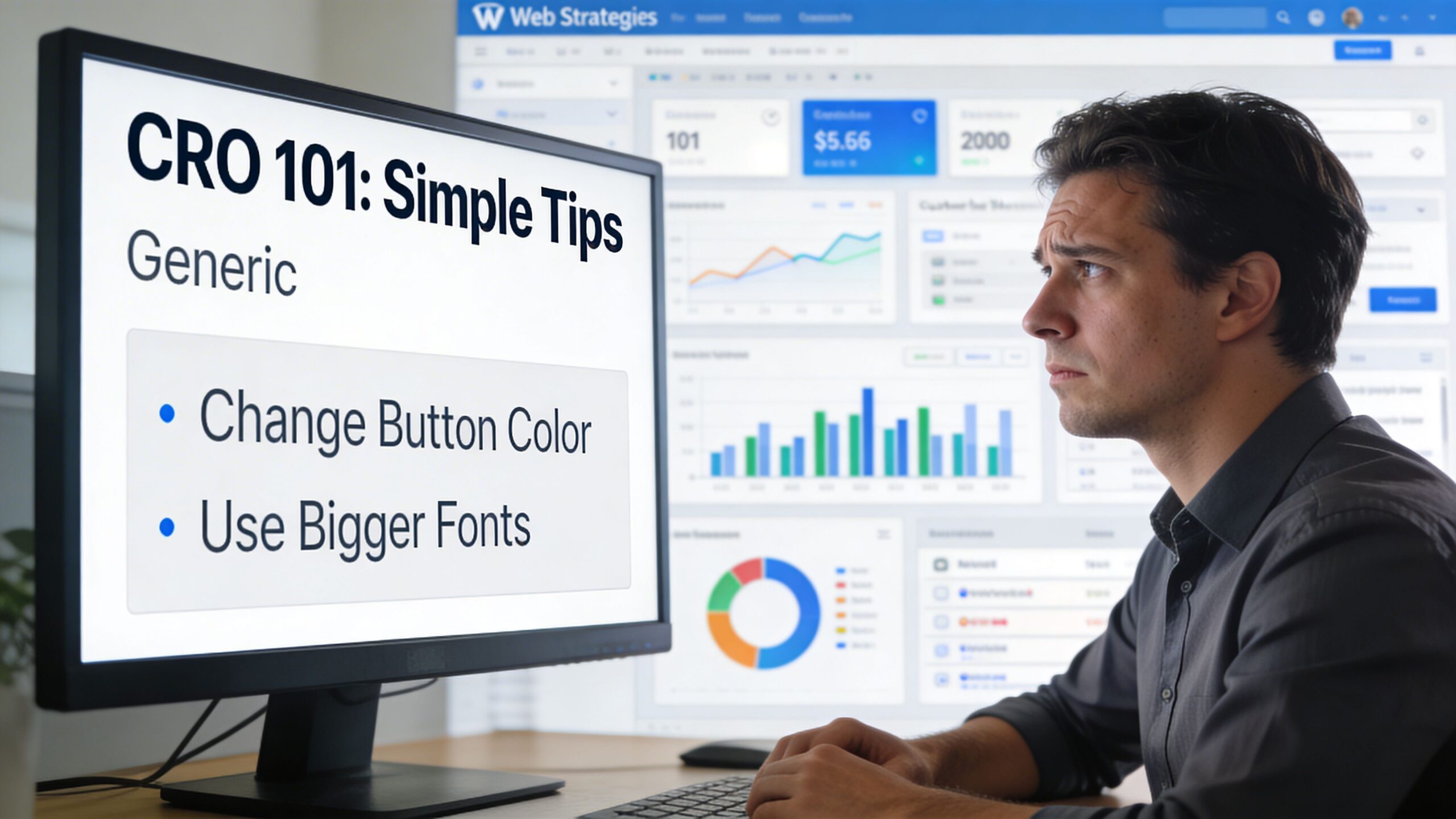
Changing a button color can help. Tightening a headline can help. Moving a form higher on the page can help. But if your site runs on WooCommerce, pulls inventory from an ERP, localizes content across subsites, and depends on a pile of plugins maintained by different teams, those tweaks sit on top of deeper friction.
That’s the failure in mainstream CRO content. It treats conversion as a page problem. On complex WordPress platforms, conversion is a system problem.
A checkout drop-off might come from slow cart fragments, a broken payment callback, mismatched translated slugs, a cache rule that bypasses key sessions, or a keyboard trap inside a custom modal. None of those get fixed by swapping “Buy Now” for “Get Started.”
Enterprise CRO needs engineering discipline. It needs instrumentation, technical audits, careful rollout, and a team that can separate a UX issue from an integration issue. That’s the only way to improve conversion rates without creating more technical debt.
Table of Contents
Why Typical CRO Advice Fails on Complex WordPress Sites
Generic CRO advice assumes a simple environment. One site. One language. One clean funnel. Minimal plugin complexity. That isn’t how enterprise WordPress works.
A multisite franchise platform has different failure modes than a startup landing page. A WooCommerce store with custom pricing, ERP sync, and location-aware fulfillment has different constraints than a brochure site. A headless setup has different debugging paths than a classic theme. If the advice doesn’t account for that, it’s incomplete.
Significant friction resides below the page layer
On enterprise builds, teams optimize what they can see instead of what breaks the journey.
That means spending weeks on visual polish while users still hit operational friction:
- Multisite inconsistency: A visitor moves between country, region, or franchise subsites and gets different navigation, different taxonomy logic, or different trust signals.
- Translation failure: Language switching looks correct in the header, but forms, validation states, or checkout notices stay partially untranslated.
- Integration lag: Inventory, tax, shipping, or pricing data arrives late and creates hesitation at the worst possible moment.
- Caching mistakes: Aggressive caching helps content pages but creates stale cart behavior or broken personalization.
- Plugin sprawl: Teams keep adding marketing tools to “improve conversion,” while each one adds script weight, styling conflicts, and maintenance risk.
Mainstream advice rarely addresses multilingual WordPress, hreflang, server-side language handling, or performance across subsites. That gap matters. Unbounce notes that 82% of e-commerce sites fail at navigation simplification, and in multisite WooCommerce environments that problem gets worse because architecture multiplies confusion.
Enterprise conversion work starts with architecture. If a user journey crosses plugins, services, caches, and content teams, the bottleneck isn’t a headline.
Small wins are real, but they aren’t enough
There’s nothing wrong with testing CTAs, rewriting copy, or improving trust placement. Those tactics still work. A strong practical guide to improve ecommerce conversion rates is useful because it covers fundamentals many teams still miss.
But fundamentals stop being enough when the platform itself introduces friction.
I’ve seen teams redesign landing pages while ignoring a page-builder-heavy implementation that bloated templates, broke consistency, and made experimentation harder. That’s why architectural choices matter early. If your build makes every landing page a custom exception, you’ll keep paying for that decision later. This is the same trap described in The Page Builder Trap: When You Should Say No.
What works on enterprise WordPress
The right model is simple to state and harder to execute.
You improve conversion by treating WordPress as a product platform, not a collection of pages. That means:
| Wrong approach | Better approach |
|---|---|
| Tweak isolated UI elements | Audit full funnels end to end |
| Add more plugins for marketing requests | Reduce moving parts and harden critical flows |
| Redesign before measuring | Instrument first, then prioritize |
| Optimize one page in one locale | Standardize patterns across templates and subsites |
| Judge wins by taste | Judge wins by validated uplift and operational stability |
The teams that get durable gains don’t ask, “Which button color converts best?” first.
They ask, “Where does the journey break, what technical conditions cause it, and can we fix that at the template, integration, or platform level so it improves everywhere?”
The Foundational CRO Audit for WordPress and WooCommerce
A serious CRO program starts with an audit, not a brainstorm.
If you skip this, you’ll ship changes that feel productive and learn almost nothing. WordPress makes this worse because the CMS can hide technical friction behind normal-looking pages. A form can render fine and still fail on certain devices. A checkout can look healthy in staging and break under production plugin interactions.
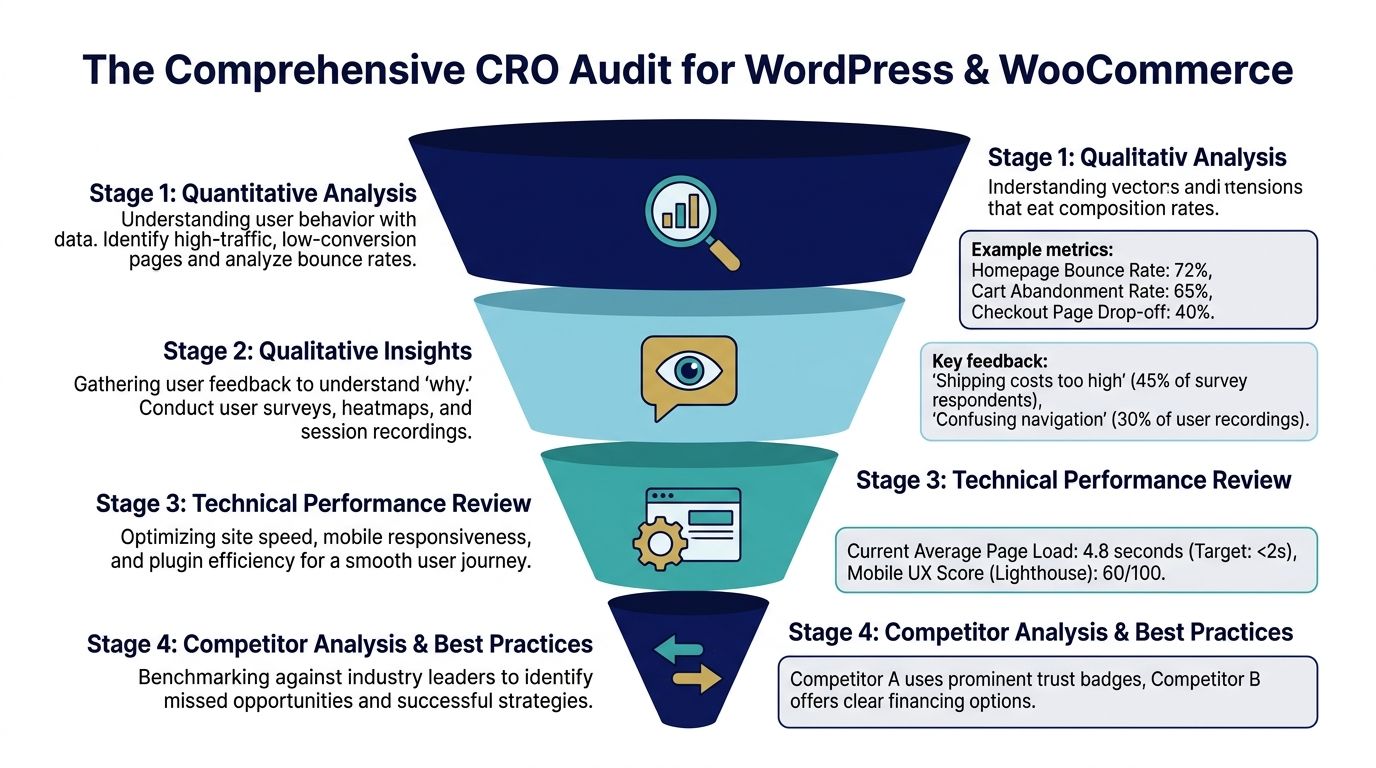
The audit needs two lenses. First, quantitative funnel analysis. Second, qualitative behavior review. On enterprise stacks, both are incomplete without a technical pass.
Start with the funnel, not with the homepage
Open GA4 or Matomo and map the actual conversion journey. Not the marketing version, but the actual one.
For WooCommerce, that means product view, add to cart, cart, checkout start, payment step, order confirmation. For lead generation, it might be landing page, pricing, form start, form completion, thank-you page. For multisite platforms, include site switching and language switching events if they affect the path.
Use this audit sequence:
- Define one primary conversion per funnel. Don’t mix demo requests, newsletter signups, and purchases into one report.
- Segment by device. Mobile problems hide inside blended reporting.
- Segment by site or locale. A network-wide average can hide one badly underperforming subsite.
- Review entry pages and assisted pages. Some pages don’t close the sale but still shape conversion.
- Trace exits around template boundaries. Product template, archive template, cart template, checkout template, and account pages reveal implementation-specific friction.
The goal isn’t to find “low converting pages.” The goal is to find where intent is strongest and friction is highest.
Use behavior tools to diagnose the cause
Analytics tells you where users leave. Heatmaps and session recordings tell you what they were trying to do first.
That matters on WordPress because visual friction is a symptom of technical friction. A user might click repeatedly because a sticky element overlaps a button. They might abandon because a variation selector lags after an AJAX call. They might fail because autofill conflicts with a custom field script.
Practical rule: Watch recordings from failed sessions before you approve any redesign. You’ll find implementation bugs masquerading as UX problems. Teams discover the issue here.
According to Lucky Orange, 65% of low conversions in agency white-label projects stem from unmonitored plugin conflicts post-launch, not poor design. The same source notes that non-WCAG-compliant sites can face 12% penalties in conversion funnels, and heatmaps show 25% abandonment from keyboard navigation failures.
That should change how you audit.
Instead of asking “Is the layout persuasive?”, ask:
- Does the interface remain usable without a mouse?
- Do plugin updates change form behavior?
- Do personalization scripts delay interaction?
- Do consent tools block analytics or break event tracking?
- Do translated templates preserve the same hierarchy and CTA visibility?
Add a technical review to every CRO audit
Generic CRO guides skip this part, and it is where enterprise teams discover the highest-impact fixes.
Create a technical checklist tied directly to conversion-critical templates.
What to inspect on WordPress and WooCommerce
- Template consistency: Compare page builders, custom blocks, and theme templates. If each landing page is built differently, testing becomes unreliable.
- Plugin dependency risk: Review plugins touching checkout, forms, search, personalization, caching, and analytics.
- Core Web Vitals exposure: Measure heavy templates, especially product pages and checkout.
- Accessibility blockers: Test keyboard flow, focus states, labels, errors, and screen-reader announcements.
- Integration timing: Check when shipping rates, payment methods, stock status, and account data load.
- Tracking integrity: Confirm GA4, Matomo, ad pixels, and custom events fire at the correct points.
For teams that need a structured engineering pass before experimentation, a technical review like this WordPress audit process is the right starting point.
What a useful audit output looks like
A good audit doesn’t end as a slide deck full of screenshots.
It ends with a short list of diagnosed issues tied to evidence, such as:
| Issue type | Evidence | Likely impact |
|---|---|---|
| Checkout script conflict | Recordings show repeated clicks and broken field validation after plugin update | Users can’t complete purchase reliably |
| Locale mismatch | Users switch language but land on inconsistent templates | Trust drops and navigation effort rises |
| Mobile CTA invisibility | Heatmaps show low engagement below sticky overlays | High-intent users miss primary action |
| Accessibility failure | Keyboard users abandon at modal or custom select | Preventable loss in core funnel |
That’s when CRO becomes operational. You’re no longer chasing opinions. You’re isolating failure points the platform can fix.
Building a Prioritized CRO Hypothesis Roadmap
An audit gives you raw material. It does not give you a roadmap.
Many teams fail here. They collect good evidence, then turn it into a messy list of requests from marketing, design, product, SEO, and engineering. The result is a backlog with no logic behind it. Everything feels important, so the loudest request wins.
That’s not how to improve website conversion rate on a complex platform. You need a hypothesis roadmap, not a task list.

Turn each issue into a testable statement
A weak backlog item looks like this:
- Improve product page
- Redesign checkout
- Add social proof
- Make CTA stronger
Those aren’t hypotheses. They’re vague intentions.
A usable hypothesis has three parts:
- The change
- The expected outcome
- The reason
For example:
- If we reduce competing actions on this landing template to one primary CTA, conversions should increase because users won’t need to choose between multiple paths.
- If we move customer reviews closer to the purchase area on high-intent product pages, more users should complete checkout because trust is being reinforced at the decision point.
- If we personalize CTA copy by audience segment and referral context, more visitors should progress because the page aligns better with their intent.
Known conversion levers are helpful here. We Are Tenet reports that personalized CTAs can boost conversions by 202%, button-formatted CTAs can increase clicks by 45%, landing pages with a single clear CTA can increase conversions by 371%, and customer reviews can increase product page conversion by up to 270%.
Use those findings as directional input, not as a guarantee. On enterprise WordPress, implementation quality still decides whether the lever works.
Score work by impact and engineering reality
A lot of CRO prioritization frameworks ignore development complexity. That’s a mistake on WordPress.
A good experiment idea can still be a bad next move if it requires rewriting half the theme, untangling plugin conflicts, or introducing content governance problems across dozens of subsites.
I use a simple scoring lens:
Potential
How much conversion friction does this issue remove if the hypothesis is correct?
Importance
How central is the affected template or journey to revenue, lead flow, or account creation?
Ease
How safely can the team ship, test, and maintain the change on the current stack?
That last part matters more than expected by marketing professionals. A homepage idea with moderate upside and clean implementation beats a checkout idea with larger theoretical upside but heavy integration risk.
Here’s a practical example:
| Hypothesis | Potential | Importance | Ease | Priority |
|---|---|---|---|---|
| Remove secondary CTA from paid landing template | High | High | High | Ship early |
| Add structured review block to top product templates | High | High | Medium | Next |
| Rebuild checkout field logic across regions | High | High | Low | Plan carefully |
| Replace archive layout across all locales | Medium | Medium | Low | Later |
Build around reusable patterns, not one-off pages
If you’re running enterprise WordPress, the roadmap should favor changes that can be applied at the template or block level.
That means:
- Gutenberg block enhancements instead of page-specific hacks
- Theme-level CTA pattern updates instead of manual content edits
- Reusable trust modules for product and landing templates
- Shared localization logic for multilingual variants
- Centralized form behavior instead of plugin-by-plugin overrides
If your store still depends on hand-built pages and scattered template exceptions, it’s worth studying how modern WordPress ecommerce stores should be structured before scaling experiments. CRO gets much easier when components are reusable and governed.
A hypothesis that can only be implemented once is weaker than a hypothesis that can improve a whole template family.
A short training clip can help teams align around this mindset before they start shipping tests:
What to avoid when building the roadmap
Enterprise teams waste months at this stage.
- Don’t mix redesigns with experiments. If you change layout, copy, hierarchy, form logic, and tracking all at once, you won’t know what worked.
- Don’t optimize low-intent pages first. A beautiful blog page won’t fix a broken checkout.
- Don’t prioritize by stakeholder opinion. The VP’s preference is not evidence.
- Don’t create roadmaps divorced from engineering capacity. If the dev team can’t support quality implementation and tracking, the roadmap is fantasy.
The best roadmap is boring in the right way. It’s evidence-led, technically grounded, and realistic about what the platform can support without collateral damage.
Implementing High-Impact Changes Across Your Platform
Once the roadmap is set, execution needs discipline. At this point, many CRO programs lose credibility.
A team identifies good opportunities, then ships them in a sloppy way. New scripts get piled on. Components drift across templates. Mobile gets checked at the end. Accessibility becomes “phase two.” Performance drops. Reporting breaks.
On enterprise WordPress, implementation has to improve conversion without weakening the platform. The cleanest way to do that is to work across four pillars: design and UX, copy and messaging, performance, and accessibility.
Tighten design and UX where users hesitate
Navigation and flow matter more than decoration.
If users can’t identify the next action immediately, your visual system is failing. On WooCommerce, that shows up as category sprawl, weak product filtering, overbuilt product pages, or checkouts with too many decisions packed into one screen.
A few principles hold up well across large stores and multisite setups:
- Reduce branch points: Give the page one dominant action. Supporting links are fine, but the primary path must win visually.
- Shorten forms: Keep only fields that support fulfillment, compliance, or qualification.
- Stabilize layout behavior: Prevent jumps caused by lazy-loaded assets, injected banners, or dynamic notices.
- Protect mobile tap targets: Sticky bars, promo ribbons, and chat widgets overlap critical controls.
For multilingual and multi-location platforms, consistency matters even more. If one locale has a compact checkout and another has an expanded one with different field order, users get different levels of friction and your data becomes harder to trust.
Fix message match before writing more copy
Most copy problems on enterprise sites aren’t creative problems. They’re alignment problems.
The ad promises one thing. The landing page says another. The navigation labels use internal language. The product page buries the proof. The CTA asks for more commitment than the traffic source earned.
That mismatch kills momentum.
Here’s what works better:
| Weak pattern | Better pattern |
|---|---|
| Generic “Learn More” CTA | CTA that matches visitor intent and page context |
| One message for all traffic | Campaign-specific or audience-specific messaging |
| Long intro copy before value | Clear offer and proof near the top |
| Trust proof isolated on separate pages | Reviews, guarantees, and reassurance near action points |
On WordPress, this is easiest to implement through reusable blocks, conditional content, and clean editorial rules. If your marketing team can update hero text but can’t accidentally break layout or tracking, you get speed without chaos.
This is also the one place where a specialized engineering partner can help without owning the whole platform. Teams sometimes use IMADO for implementing custom Gutenberg blocks, WooCommerce template changes, or multilingual pattern updates when in-house developers need extra WordPress capacity.
Improve performance where conversion intent is highest
Performance work should follow revenue paths, not vanity pages.
The heaviest engineering effort belongs on templates that influence conversion directly. Product detail pages. Cart. Checkout. Pricing. Quote forms. Location pages that drive lead submissions. Logged-in account flows if repeat purchase matters.
What moves the needle in WordPress:
Template weight reduction
Remove unnecessary scripts from conversion-critical pages. Many plugins enqueue assets globally even when only one template needs them.
Smarter image handling
Use properly sized product imagery, modern formats where your stack supports them, and avoid giant carousel payloads for mobile.
Cache policy by journey
A broad cache strategy can help content pages and still break personalized or transactional experiences. Cart, checkout, account, and geolocated flows need explicit handling.
Third-party script discipline
CRO teams add more tools than the site can afford. Every popup tool, chat layer, review widget, and personalization script adds cost. Audit them aggressively.
If a CRO tool degrades the user journey more than it helps you measure it, remove it.
Make accessibility part of conversion work
Accessibility is not separate from CRO. It is CRO.
If users can’t complete a form with a keyboard, if focus disappears inside a modal, or if an error message isn’t announced clearly, the experience is broken. On enterprise WordPress, these failures come from custom components layered over standard browser behavior.
Treat accessibility checks as release criteria for every conversion-related change.
Focus on these areas first:
- Forms: Labels, instructions, inline errors, and clear success states
- Buttons and links: Discernible text and predictable behavior
- Modals and drawers: Focus management and escape behavior
- Menus and filters: Keyboard support and visible active states
- Checkout feedback: Validation that doesn’t rely only on color or visual position
Implementation trade-offs that matter
Not every “best practice” survives enterprise reality. A few examples:
- A decoupled frontend may improve flexibility, but it can complicate preview workflows, analytics integrity, and editorial speed if the team isn’t ready.
- Personalization can improve relevance, but too much client-side logic can slow rendering and create flicker.
- A custom checkout can remove friction, but it also increases maintenance overhead compared to using WooCommerce defaults selectively.
The right answer is rarely “build everything custom” or “use plugins for everything.”
The right answer is to customize the narrow parts of the funnel where business logic demands it, and keep the rest boring, stable, and maintainable.
Experimentation and Measuring True Conversion Uplift
Many teams don’t have a testing problem; they have a measurement problem.
They launch a new CTA, see conversions rise for a week, and call it a win. Or they change six things on the same template and can’t tell which one mattered. Or they stop a test early because one version looks ahead.
That’s not experimentation. That’s pattern-seeking under pressure.
A valid CRO program needs a repeatable method for proving uplift.

Pick the right test type
Not every change deserves the same experimental setup.
A/B testing
Use this when you’re changing one clear variable against a control. Example: CTA copy, button style, trust badge placement, or form layout.
Split testing
Use this when traffic is sent to materially different page versions or templates. This is useful when comparing larger page concepts or isolated landing page builds.
Multivariate testing
Use this sparingly. It can be useful on high-traffic pages with tightly controlled components, but it gets messy fast on WordPress if template logic or plugin behavior isn’t stable.
For most enterprise WordPress teams, A/B testing is the safest default because it isolates cause and keeps engineering manageable.
What a valid testing process looks like
The process itself is straightforward. The discipline is the hard part.
Ryan Spelts’ practical guide states that a rigorous A/B methodology can achieve average uplifts of 20% to 50%, but only when the program is run correctly. The same source says tests need a minimum of 1,000 conversions per variant to reach statistical significance at p<0.05.
That immediately rules out a lot of vanity testing on low-volume pages.
Use this sequence:
Choose one high-intent page or template
Use GA4 or Matomo to identify the most commercially relevant bottleneck.Write one hypothesis
Example: reducing competing actions on a landing page will increase primary conversion.Change one meaningful variable
Copy, placement, button treatment, review position, or form structure. Not all of them together.Split traffic cleanly
Use a reliable testing tool such as VWO, Optimizely, or a WordPress-native option like Nelio A/B Testing where appropriate.Protect implementation quality
Make sure the variant doesn’t introduce layout shifts, tracking gaps, or accessibility regressions.Wait for valid sample size
Don’t stop because one version “looks better” halfway through.
Common reasons tests fail
Most failed tests teach something useful. Bad tests teach nothing.
Here are the common mistakes worth eliminating:
| Failure mode | Why it ruins the result |
|---|---|
| Multiple variables changed at once | You can’t isolate causation |
| Test stopped too early | Early movement can be noise |
| Weak sample size | Result isn’t trustworthy |
| Broken event tracking | You’re measuring the wrong outcome |
| Mobile variant not checked | A desktop win can hide a mobile loss |
The same Ryan Spelts source notes that testing multiple variables at once contributes to a 70% failure rate, and insufficient sample sizes invalidate 80% of tests. It also cites a specific e-commerce benchmark where red outperformed green by 21% for CTA color.
That doesn’t mean “make all buttons red.” It means even a small visual change can matter when tested in the right context.
The lesson from button-color tests isn’t about color. It’s about controlled variables.
If your team wants a practical companion on methodology, this roundup of A/B testing best practices is a useful external reference.
Measure business impact, not just local wins
A test can improve one metric and still hurt the business.
Example: a simplified product page might increase add-to-cart but lower average order quality. A shorter lead form might raise submissions but reduce lead quality. A stronger urgency treatment might increase conversion while increasing support burden or return risk.
So every experiment should map to more than one measurement layer:
- Primary metric: The conversion tied to the test
- Secondary metric: A nearby behavior signal, such as form start or checkout completion
- Guardrail metrics: Bounce behavior, technical errors, support tickets, refund patterns, or content governance impact
This is especially important in staff-augmented environments where one team ships the change and another team maintains the platform. If no one defines guardrails, “winning” tests can create cleanup work for months.
Establishing a Continuous Optimization Loop
The biggest CRO mistake is treating optimization like a project with an end date.
That model always fails on enterprise WordPress. Plugins update. browsers change. campaigns shift. products change. content editors create new pages. localization expands. integrations drift. A funnel that worked last quarter can degrade without any major redesign.
The right operating model is continuous optimization.
One-off redesigns don't create lasting gains
A redesign can improve performance if it fixes real friction. It can also erase hard-won lessons by resetting templates, content patterns, and tracking conventions all at once.
That’s why stable teams work in loops:
- audit
- diagnose
- prioritize
- implement
- test
- monitor
- document
- repeat
This holds particular importance for in-house teams using staff augmentation or white-label development support. The handoff points create risk. If experimentation lives only in someone’s head or in a slide deck, the learning disappears when contractors rotate out or sprint priorities change.
Tie CRO to maintenance and release management
Conversion performance depends on the boring work too.
If your maintenance process doesn’t include plugin review, regression testing, uptime monitoring, analytics validation, and post-release QA on key funnels, your CRO gains won’t hold. A technically unstable platform leaks conversion over time.
Build these checks into normal operations:
Release QA on conversion templates
Every release touching theme files, plugins, forms, checkout, search, or localization should be tested against primary conversion paths.
Monitoring for silent failures
Watch for broken events, payment edge cases, form delivery problems, JavaScript errors, and layout regressions on key templates.
Documentation of what changed
Record hypotheses, implementation details, affected templates, and final outcomes. Future teams need this.
Cross-team review
Marketing, product, content, and engineering should all see the same evidence. Otherwise one team keeps reintroducing the friction another team already solved.
A mature CRO program looks a lot like product operations. That’s because it is.
Build a feedback loop that survives team changes
The best enterprise setups don’t depend on a single optimizer or one ambitious marketer. They rely on operating habits.
Use a lightweight review cadence:
| Cadence | Focus |
|---|---|
| Weekly | Review tests in flight, bugs, and unexpected funnel changes |
| Monthly | Re-rank hypothesis backlog based on new evidence |
| Quarterly | Reassess template families, platform debt, and roadmap assumptions |
That cadence keeps the team from overreacting to noise while still catching technical regressions fast.
It also creates a place to answer the practical questions that derail progress:
- Did this uplift come from the copy change or from a plugin fix?
- Are locale differences caused by messaging or by implementation drift?
- Did the new component improve conversion everywhere, or only on one traffic source?
- Are we adding complexity faster than we’re removing it?
What continuous optimization looks like in practice
A healthy enterprise CRO system has these traits:
- A governed component library so changes can scale across templates
- Reliable analytics and event naming so results remain comparable
- Clear ownership across marketing and engineering
- Maintenance discipline to catch regressions before users do
- A prioritized experimentation backlog that reflects both business value and technical reality
That’s how to improve website conversion rate without turning your WordPress platform into a pile of exceptions.
You don’t need endless redesigns. You need a stable platform, a measured workflow, and the discipline to keep learning from the data you already have.
If your team needs senior WordPress engineering to support CRO work across WooCommerce, multisite, performance, accessibility, or ongoing maintenance, IMADO can plug into the process as an implementation and technical delivery partner.
Let’s build something exceptional
Tell us about your project – we’ll help you launch a fast, scalable, SEO-optimized WordPress platform built for growth.



