 Ask Chatgpt to summarize Franchise Website Design: The WordPress Architecture Guide for Multi-Location Brands
 Ask Grok to summarize Franchise Website Design: The WordPress Architecture Guide for Multi-Location Brands
 Ask Claude to summarize Franchise Website Design: The WordPress Architecture Guide for Multi-Location Brands
 Ask Perplexity to summarize Franchise Website Design: The WordPress Architecture Guide for Multi-Location Brands
 Ask Gemini to summarize Franchise Website Design: The WordPress Architecture Guide for Multi-Location Brands
Franchise website design is not a design problem — it is an architecture problem. You need a single codebase that serves hundreds of locations, enforces brand consistency, and gives each franchisee just enough editorial control without letting them break the brand. WordPress Multisite is the proven platform for this. But the details — governance, local SEO, performance across the network — determine whether it scales cleanly or collapses at location 50.
This guide covers how to architect a franchise website correctly: Multisite structure, per-location SEO, CMS governance, design systems, and what to look for (and watch out for) when hiring a franchise web design agency.
Table of Contents
What Makes Franchise Website Design Different from a Standard Build
Most web agencies understand how to build a website. Far fewer understand how to build a website network — and that distinction matters more than any design choice you will make.
A standard website has one set of pages, one editorial team, and one audience. A franchise website has hundreds of location pages, dozens of franchisees who all want to customize their content, a corporate team that needs to maintain brand standards, and a single domain that must rank locally in every market you operate in.
The dual challenge: brand control vs. local relevance
Corporate marketing wants a unified voice, consistent CTAs, and locked-down design elements. Franchisees need their local phone number, local promotions, local reviews, and local team photos visible. These goals pull in opposite directions.
Wrong architecture produces one of two failure modes:
- Too much franchisee freedom: every location page looks different, brand assets are used inconsistently, and Google sees a confusing collection of loosely related pages instead of a coherent domain.
- Too little franchisee control: all location pages are identical templates with only address swaps, generating thin duplicate content that ranks poorly in local search.
The right solution is not a compromise between these two — it is an architecture that makes both possible simultaneously, with technical controls enforcing the boundary.
Scale changes the rules
A website built for one location cannot be cloned 200 times and expected to work. Every layer of the stack needs to be designed for the network from the start:
- URL structure must support local SEO at scale without creating duplicate content
- Database architecture must handle hundreds of subsites without performance degradation
- Hosting must isolate traffic spikes per location without affecting the whole network
- Editorial workflow must let franchisees update their pages without requiring a developer every time
Fixing these things retroactively almost always requires a full rebuild, not a patch. This is why franchise website projects that start with the wrong architecture become expensive problems within 18–24 months of launch.
WordPress Multisite Is the Right Architecture — When Implemented Correctly
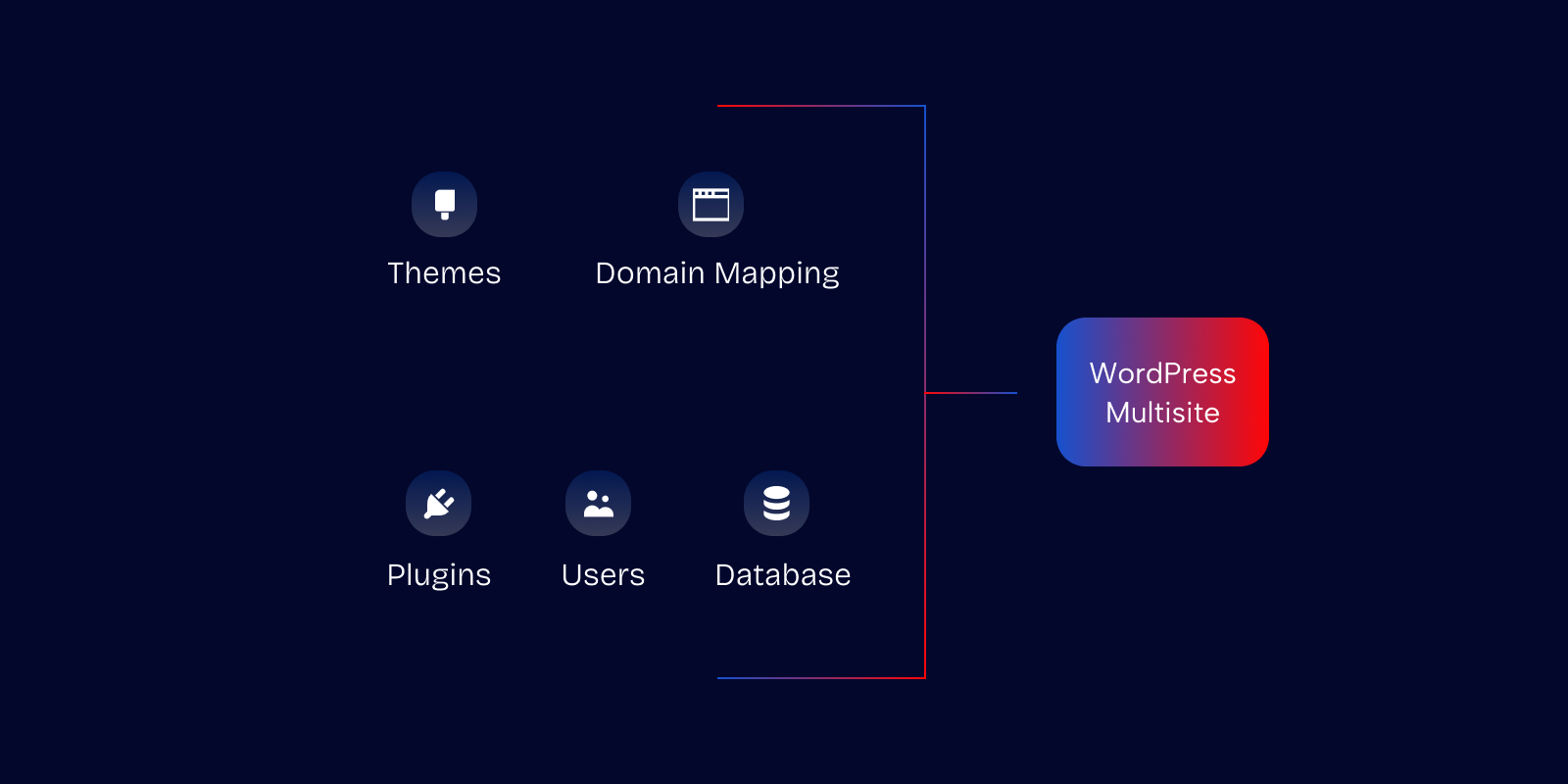
WordPress Multisite powers some of the largest franchise networks in the world. It is also one of the most misused WordPress features: agencies that understand single-site builds frequently misconfigure Multisite in ways that create the exact problems it was designed to solve.
The framework itself is not the issue. The implementation is.
Subdomain vs. subdirectory: which structure to choose
Multisite gives you two URL structures:
brand.com/chicago/(subdirectory)chicago.brand.com(subdomain)
Subdirectory is almost always the right choice for franchise SEO. Location pages under a subdirectory inherit the domain authority of the root domain. Google crawls them as part of a coherent site structure. Internal linking between locations and the corporate homepage flows naturally.
Subdomains are treated by Google as separate entities with independent authority. A new franchise location launched as a subdomain starts with zero domain authority of its own. The only scenario where subdomains make sense is when locations operate under meaningfully different brand identities — which is rare in traditional franchise models.
Architecture comparison: Multisite vs. single install vs. location CPT vs. subdomains
| Architecture | Best fit | Strengths | Risks | Recommendation |
|---|---|---|---|---|
WordPress Multisite with subdirectoriesbrand.com/chicago/ | Same-brand franchise networks with many locations and shared corporate governance. | Centralized theme, plugin, user, security, and update management. Franchisees can be scoped to their own subsite while corporate keeps control of the design system. | Requires careful setup: roles, block locking, hosting, backups, caching, and deployment workflows must be designed for the network from day one. | Usually the strongest default option for franchise networks that need both brand control and local editorial access. |
Single WordPress install with location CPTbrand.com/locations/chicago/ | Multi-location businesses where corporate manages most or all location content centrally. | Simpler to build, easier to maintain, and often faster than Multisite. Excellent when locations only need structured pages, not separate editorial environments. | Less suitable when franchisees need independent logins, local workflows, or meaningful control over their own content areas. | Best for simpler networks where locations are pages, not semi-independent sites. |
Separate WordPress install per locationbrand-chicago.com or separate installs under different domains | Rare cases where locations operate under meaningfully different brands, ownership models, or compliance requirements. | Full isolation between locations. Each site can have its own hosting, plugins, theme, and operational workflow. | High maintenance overhead. Updates, security, analytics, design changes, SEO governance, and plugin management multiply with every new location. | Avoid for most same-brand franchises unless isolation is a hard business requirement. |
Subdomain-based architecturechicago.brand.com | Networks where locations need stronger separation, distinct regional positioning, or country/language-specific infrastructure. | Cleaner separation between locations and more flexibility for region-specific setups, tracking, or technical configuration. | Often more complex for SEO governance, analytics, internal linking, and authority consolidation than a subdirectory model. | Use selectively. Subdirectories are usually simpler for franchise SEO unless there is a clear operational reason for subdomains. |
What the network controls vs. what franchisees control
The power of Multisite is the granular separation of control levels:
Super admin (corporate) controls:
- Theme and design system
- Core plugin activation and updates
- Global navigation, header, footer
- Legal and compliance pages
- Network-wide security settings
Franchisee controls (scoped to their subsite):
- Local phone number and address
- Business hours and service offerings
- Team member bios and photos
- Local promotions and seasonal offers
- Review feed integrations
This separation is not automatic — it requires deliberate configuration of WordPress roles, Gutenberg block locking, and plugin access restrictions. An agency that does not discuss this in the scoping phase is not thinking about how your franchisees will actually use the system.
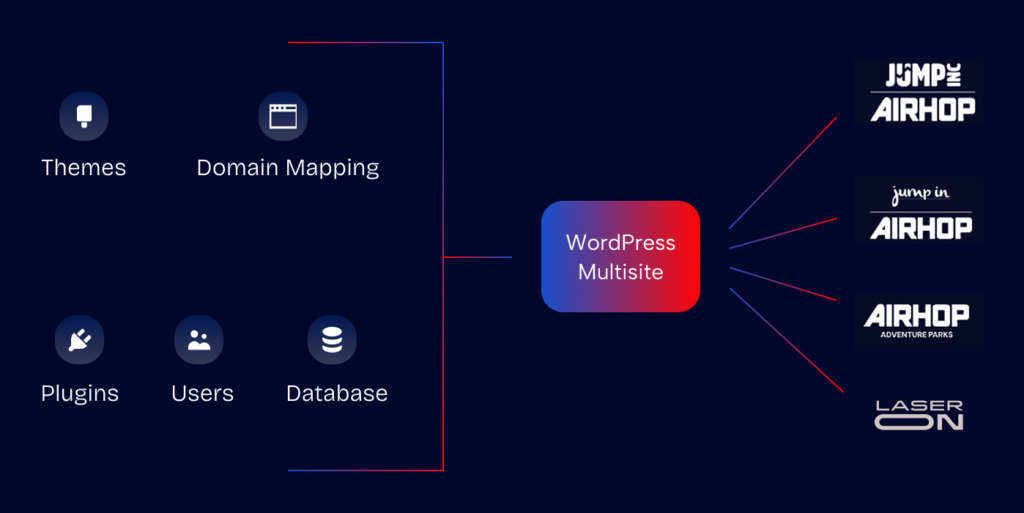
Hosting architecture for a Multisite network
Shared hosting fails at franchise scale. When one location page gets a traffic spike — a local news mention, a viral promotion — it consumes resources shared by every other subsite on the network.
Managed WordPress hosting with per-site resource allocation (WP Engine, Kinsta, Pressable) is the baseline. Beyond that:
- CDN deployed at the network level, not configured individually per subsite
- Staging environments for the network (not per-location) where design system updates are tested before rollout
- Automated backups per subsite — if a franchisee breaks something, you restore their subsite, not the entire network
Per-Location Pages: Structure, Local SEO, and Editorial Control
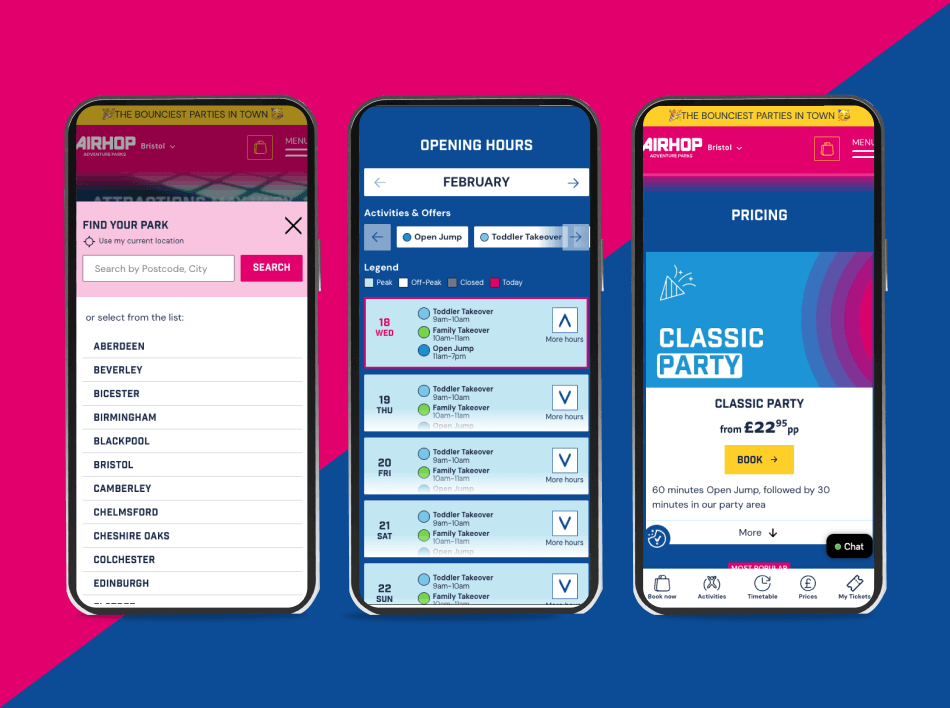
The per-location page is the core SEO asset of a franchise website. Done correctly, it ranks in the local pack for your most valuable searches in every market. Done poorly, it generates thin duplicate content that Google ignores.
Need this architecture already built?
IMADO Location Engine is our production-tested WordPress platform for multi-location brands, franchises and venue groups. Manage location data, pricing, opening hours, local SEO, schema, offers and content from one structured system — without rebuilding the same page for every city.
What every location page must contain
Every location page needs the following to compete in local search:
- NAP in structured data: Name, Address, Phone marked up with
LocalBusinessJSON-LD. This is how Google reads your location data for Maps and the local pack. - Unique local content: Not just an address swap on a global template. A minimum of 200–300 words of content specific to that location — services offered there, local context, team bios.
- Local social proof: Embedded Google or Yelp reviews pulled via API, or at minimum a link to the location’s review profile.
- Location-specific CTAs: “Call our Chicago team” converts better than a generic contact button.


Avoiding duplicate content across hundreds of locations
Template-based location pages are unavoidable at scale — you cannot write entirely unique content for 300 locations from scratch. The practical standard is 70–80% shared template structure with 20–30% unique local content per page.
Technical controls that prevent duplicate content penalties:
- Self-referencing canonical tags on every location page — each page declares itself as the canonical version
hreflangtags for networks spanning multiple countries or languages- Programmatic generation of unique meta titles and descriptions incorporating the city/region name
CMS governance: who edits what, and how
Role-based access in WordPress Multisite scopes franchisees to their own subsite. They cannot see or edit other locations’ content. But role scoping alone is not sufficient — you also need block-level locking in Gutenberg.
Locked blocks prevent franchisees from modifying brand-sensitive elements even within their own subsite. Header, footer, legal disclaimers, and global promotional banners are rendered as non-editable blocks on the franchisee’s editing screen. They can fill in their local content in the designated editable areas, and nothing else.
For networks where franchisees are creating new content (not just filling in templates), content approval workflows — either via native WordPress review or a plugin like PublishPress — add a corporate review step before franchisee content goes live.
Design System and Brand Consistency at Scale
A design system is not a style guide PDF. It is a functional component library built directly into WordPress that makes it structurally impossible for the network to drift off-brand.
Building with Gutenberg FSE (Full Site Editing)
Full Site Editing makes the design system native to WordPress. Instead of a child theme per location, you have:
- Template parts for header, footer, and shared layout sections — defined once, inherited by the entire network
- Custom block library built from brand components: the franchisee builds their local page from pre-approved blocks only, not from free-form editing
- Design tokens enforced at the theme level: brand colors, typography scales, and spacing values are defined in the theme and cannot be overridden by franchisees through the editor
This means a franchisee adding a “Meet Our Team” section to their location page is dragging in a pre-built Team Block — styled correctly, structured correctly, and scoped to only accept the content it needs (names, titles, photos). They cannot change the font, the colors, or the layout.
From Figma to franchise-ready WordPress
A properly executed franchise website build starts in Figma: every location page component is designed, documented, and annotated before a line of code is written. The Figma handoff specifies exactly which elements are locked (corporate design) and which are editable (franchisee content areas).
This design system translates into a custom Gutenberg block library. With a mature system in place, launching a new location site goes from a multi-week development task to a 1–2 day configuration task: create the subsite, assign the franchisee’s credentials, and let them fill in their content within the locked template structure.
See also: WordPress Multisite development
Technical Requirements: Performance, Security, and Core Web Vitals
A franchise website is only as strong as its weakest location page. A poorly performing subsite does not just rank poorly — it reflects on the whole domain.
Core Web Vitals across the network
Core Web Vitals (LCP, CLS, INP) need to be monitored and maintained at the location level, not just on the homepage. Our WordPress speed optimization service addresses these issues at the network level — not site by site. The most common performance problems on franchise location pages:
- LCP (Largest Contentful Paint): franchise location pages often include large, unoptimized photos (team headshots, store interiors) uploaded directly by franchisees. Without enforced image compression and lazy loading at the block level, LCP suffers as franchisees onboard their content.
- CLS (Cumulative Layout Shift): map embeds and review widgets loaded without explicit dimensions cause layout shifts. These are design system problems, not content problems — they need to be fixed in the block templates.
- Database performance: WordPress Multisite shares database tables across subsites. Unoptimized queries on a large network (100+ subsites with active content) can cascade into site-wide slowdowns. Regular database optimization and object caching (Redis or Memcached) are not optional at this scale.
Security across a WordPress Multisite network
A single compromised plugin in a Multisite network can expose every subsite on that network. This makes plugin governance and security monitoring more critical than in single-site WordPress:
- Plugin installation rights are restricted to super admin only — franchisees cannot add unapproved plugins to their subsite
- All plugin updates are staged and tested on a network staging environment before rollout
- A network-level WAF (Cloudflare or Sucuri) provides a first layer of protection before requests reach WordPress
- Automated malware scanning runs per subsite on a schedule — not just the homepage
How to Choose a Franchise Web Design Agency
The most common failure mode in franchise website projects is hiring an agency with strong single-site WordPress experience but no franchise-specific architecture knowledge. They propose technically sound solutions for a single location and scale them incorrectly.
Questions to ask before signing
- Show me a Multisite network you have built. Not a case study — the actual admin panel, the role configurations, the block locking setup. Any agency that has done this before can show it.
- How do you handle plugin updates across 50+ subsites? The answer should involve staging environments, rollback procedures, and an update schedule — not “we push updates manually.”
- What is the process for launching a new location site? With a mature system, the answer should be hours to days, not weeks.
- How is CMS governance configured? The answer should include specific WordPress role assignments and Gutenberg block locking — not vague language about “franchisee access.”
- Who owns the code and infrastructure after launch? You should own everything — no proprietary systems that lock you into that agency forever.
Red flags
- “We’ll just clone the site for each location.” Separate installs per location are a maintenance disaster at scale: every security update, every design change, every plugin upgrade requires multiplying the work by the number of locations.
- No discussion of local SEO architecture before design starts. URL structure, canonical tags, and schema markup decisions affect SEO in ways that cannot be fixed post-launch without significant rework.
- Vague answers about scalability. “We build scalable websites” is not an answer. Ask for specifics: hosting architecture, update management protocol, Multisite vs. single install, and what the cost per new location launch looks like at month 6 vs. month 1.
FAQ
How much does franchise website design cost?
A properly architected WordPress Multisite franchise build typically starts at $15,000–$50,000 for the network foundation: design system, Multisite configuration, CMS governance setup, and the first 10–20 location templates. Per-location costs drop significantly as the template system matures. Agencies quoting under $10,000 for a full franchise network are almost certainly delivering individual site clones, not a scalable network.
How long does a franchise website project take?
Network foundation (Multisite architecture, design system, CMS governance configuration): 6–14 weeks. First location batch (10–20 sites launched with the founding franchisees): additional 4–6 weeks. After the system is mature, new location launches can be completed in 1–3 days. The upfront investment in architecture directly reduces the per-location cost and timeline for every site launched after it.
Should each franchise location have its own WordPress install or use Multisite?
Separate installs are only justified when franchise locations operate under distinctly different brand identities. For same-brand networks – which describes the vast majority of franchises – separate installs create compounding maintenance overhead, inconsistent security across the network, and fragmented SEO authority. Every location adds another install that needs to be updated, monitored, and backed up independently. WordPress Multisite eliminates that overhead while still giving franchisees meaningful control over their local content.
Can franchisees edit their own pages without breaking the design?
Yes – with Gutenberg block locking configured correctly. Franchisees can update their local phone number, address, team bios, service hours, and local promotions through a standard WordPress editor experience. They see an editing interface with clearly marked content areas. Brand-controlled elements (header, footer, global navigation, legal pages) are visible but not editable. This requires deliberate setup – it is not the default WordPress behavior.
Franchise Website Design Starts With Architecture, Not Aesthetics
The franchise brands with the strongest web presence – consistent local rankings, fast location launches, low maintenance overhead — all have one thing in common: they made the right architecture decisions before they designed a single page.
WordPress Multisite, properly configured with a locked design system, role-based CMS governance, and location-level SEO built into the template structure, is the foundation that makes all of it possible. The design that sits on top of it can be as distinctive as the brand needs it to be.
If you are evaluating how to build or rebuild your franchise website network, our franchise web development team can walk you through the architecture decisions specific to your network size and franchise model — before any design work begins.
Let’s build something exceptional
Tell us about your project – we’ll help you launch a fast, scalable, SEO-optimized WordPress platform built for growth.