 Ask Chatgpt to summarize Is WordPress Secure? 2026 Agency Security Guide
 Ask Grok to summarize Is WordPress Secure? 2026 Agency Security Guide
 Ask Claude to summarize Is WordPress Secure? 2026 Agency Security Guide
 Ask Perplexity to summarize Is WordPress Secure? 2026 Agency Security Guide
 Ask Gemini to summarize Is WordPress Secure? 2026 Agency Security Guide
WordPress can be secure, but not by default in the way most buyers mean it. In 2025, the ecosystem saw 11,334 new vulnerabilities, while only 6 low-priority issues were found in WordPress core, which tells you the platform itself is strong and the surrounding ecosystem is where risk concentrates.
Asking “is wordpress secure” is the wrong question. The right question is how do you make a WordPress site secure for a specific use case?
That distinction matters in enterprise work. A brochure site with a small editorial team has a very different risk profile from a WooCommerce store, a franchise multisite, or a headless content platform tied into CRMs, ERPs, and marketing automation. The software at the center may be the same, but the attack surface changes with your architecture, plugin choices, hosting stack, user permissions, and operating discipline.
The WordPress core is very secure. The primary risk, and the focus that deserves your budget and attention, sits in the plugins, themes, integrations, and hosting decisions wrapped around it.
Most popular advice gets this wrong. It treats security like a one-time checklist. Install a plugin. Turn on two-factor authentication. Run updates. Job done. That approach works right up until it doesn’t, usually when a vulnerable plugin, a rushed deployment, or an over-permissioned user account opens a path into a live site.
Professional WordPress security is ongoing risk management. It’s a set of operating practices that match the value of the site, the sensitivity of the data, and the complexity of the stack. If you run revenue, customer data, lead generation, or editorial operations through WordPress, security isn’t a plugin category. It’s part of delivery, maintenance, and governance.
Table of Contents
The Right Question to Ask About WordPress Security
The useful question isn’t whether WordPress is secure in the abstract. It’s whether your implementation is secure enough for the business it supports.
A lot of teams want a binary answer because binaries are easy to buy against. Yes, use WordPress. No, avoid it. That framing breaks down fast in practice. A carefully maintained WordPress platform with vetted plugins, restricted access, monitored logs, and disciplined release workflows can be a safer choice than a custom CMS no one patches properly. The reverse is also true. A neglected WordPress install with plugin sprawl and weak operational controls becomes risky quickly.
Security depends on what you’re protecting
Start with business context, not software tribalism.
If the site only publishes public content, your main concerns are uptime, spam abuse, SEO poisoning, and unauthorized admin access. If the site processes orders, stores customer records, syncs inventory, or exposes internal content through APIs, the stakes change. The security conversation shifts from “can it be hacked?” to questions like these:
- What data matters most: Customer details, order data, unpublished content, internal documents, or API credentials.
- What would downtime cost: Lost orders, ad spend waste, SEO damage, or support overload.
- Who can change the site: Internal editors, agency partners, freelancers, developers, or third-party integrations.
- How fast can the team respond: Minutes, hours, or only when someone notices a problem manually.
Security work starts with asset value and operational reality, not platform reputation.
That’s why mature teams treat WordPress security as a living process. They review access, limit unnecessary extensions, monitor behavior, stage updates, and maintain recovery paths. They don’t assume a hardening plugin has “solved security.”
The site is only as secure as its weakest layer
In enterprise WordPress, breaches rarely come from one dramatic Hollywood-style exploit. They usually come from ordinary operational drift.
A plugin stays installed after a campaign ends. An old admin account remains active after a contractor leaves. A payment extension hasn’t been reviewed in months. A staging site runs with weak controls. A host provides generic perimeter defense, but no application-level visibility. None of those decisions look catastrophic on their own. Together, they create exposure.
A better way to think about WordPress security is this:
| Layer | Typical risk |
|---|---|
| Core platform | Usually low when updated |
| Plugins and themes | High, especially when poorly maintained |
| Hosting and server setup | Moderate to high depending on controls |
| User access and workflow | High if permissions are loose |
| Monitoring and response | High impact if absent |
This is why security is never “finished.” The architecture evolves, people change, vendors change, and new vulnerabilities appear. Your controls have to keep pace.
The Secure Core and The Risky Ecosystem
The cleanest way to understand WordPress security is to separate core from ecosystem.
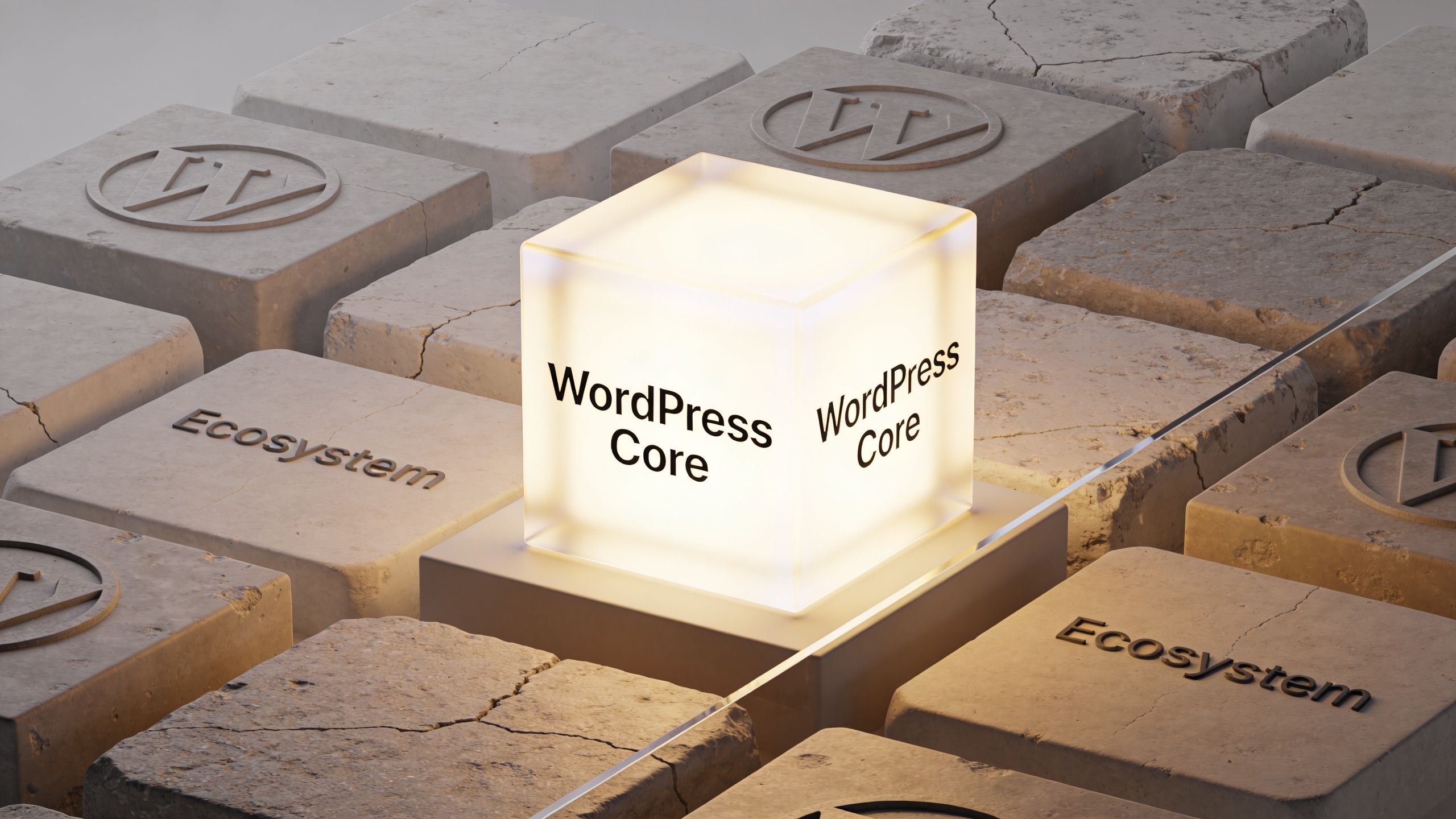
WordPress core is the fortified center. Plugins, themes, third-party code, and marketplace add-ons are the outer districts where governance is uneven, code quality varies, and visibility drops fast. Teams that focus only on the WordPress name miss the actual risk boundary.
In Patchstack’s 2026 WordPress security whitepaper, the ecosystem recorded 11,334 new vulnerabilities in 2025. 91% were in plugins, while WordPress core had only 6 low-priority vulnerabilities. The same report notes that 17% of total vulnerabilities were high severity, which makes them attractive targets for automated exploitation.
Why core is usually not the problem
Core benefits from scrutiny, predictable maintenance, and a mature security process. It’s widely used, heavily tested, and updated by a dedicated project with strong visibility. That doesn’t make it immune to flaws, but it does make it far less chaotic than the extension market around it.
For enterprise clients, this matters because it changes where security work belongs. You don’t need to be suspicious of WordPress because it is popular. You need to be suspicious of unvetted code attached to WordPress.
That means asking harder questions during delivery and maintenance:
- Who maintains this plugin: An active vendor, a hobby project, or nobody obvious.
- What business function does it control: Checkout, forms, SEO, redirects, user management, or content workflows.
- Can the same requirement be met with custom code: Sometimes fewer dependencies are safer than stacking plugins.
- What happens if the vendor disappears: Can your team patch, replace, or remove it cleanly.
Why the ecosystem creates most of the danger
Plugins and themes are where convenience collides with exposure. They add business value quickly, but each one expands your attack surface. Some ship good code and regular patches. Others don’t. Premium marketplaces add another challenge because external researchers often have less visibility into those products, which slows community review.
Practical rule: Every plugin should be treated as a vendor relationship, not a shortcut.
That mindset changes how agencies and in-house teams build sites. Instead of asking “what plugin can do this,” they ask “what is the safest maintainable way to deliver this feature?”
A small number of well-supported extensions, chosen deliberately, is easier to secure than a stack of overlapping tools. The same principle applies to themes. If a theme bundles page builders, sliders, custom widgets, and admin utilities you don’t fully need, it also bundles risk you now have to manage.
What this means for decision-makers
If you’re evaluating WordPress for an enterprise use case, don’t treat “WordPress security” as one thing. Separate it into two judgments:
- Do I trust the core platform? In most professional assessments, yes.
- Can my team govern the ecosystem around it? That answer depends on process, architecture, and discipline.
That second answer determines outcomes. Not the logo in the footer.
Common WordPress Attack Vectors and Vulnerabilities
Attackers usually don’t break in through exotic methods. They go after repeatable weaknesses that show up across thousands of sites.
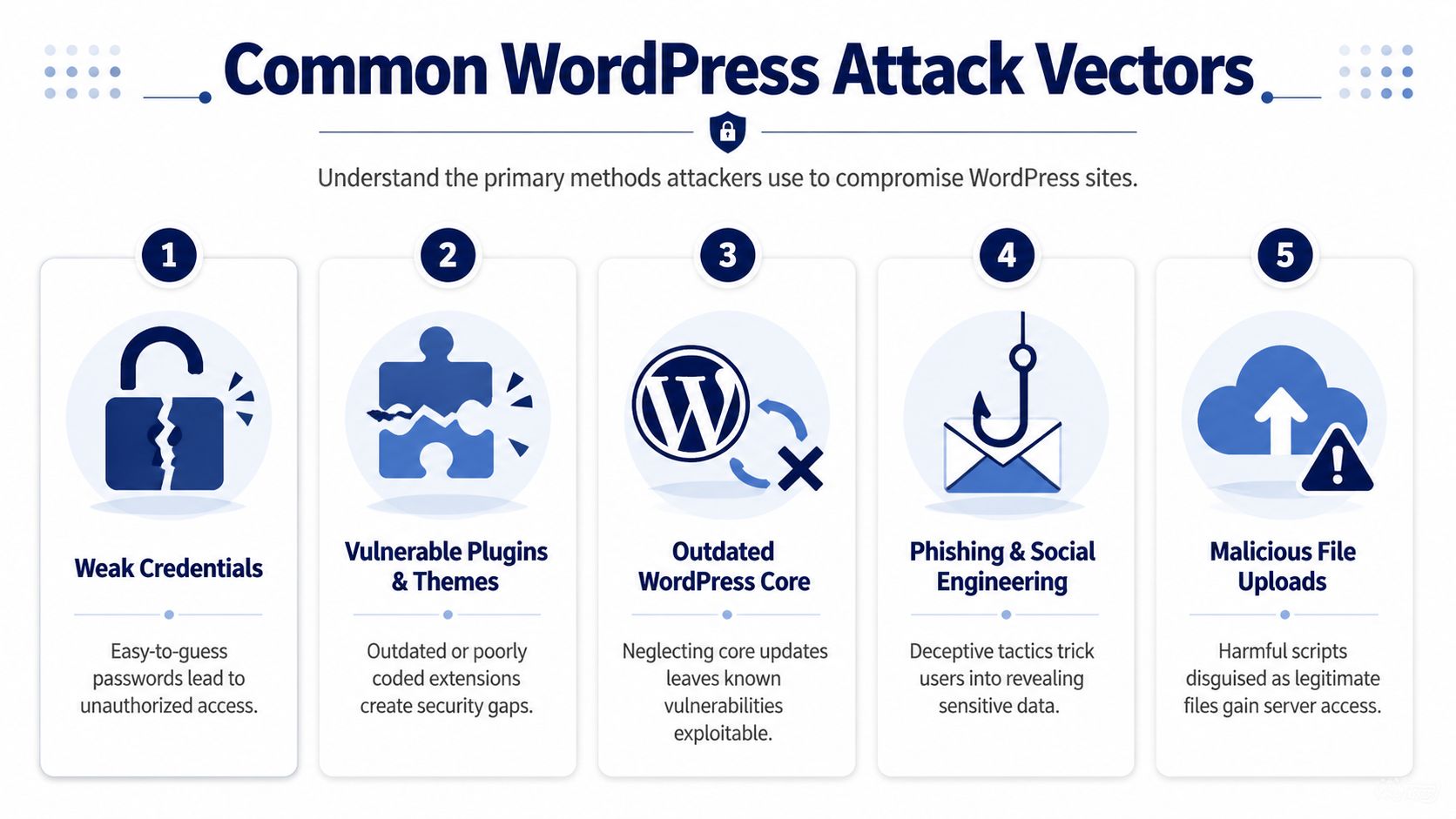
That’s why WordPress attacks feel relentless. In AIOSEO’s WordPress statistics roundup, Wordfence reported blocking 159 billion password brute-force attempts in one year, with an average of 90,000 attacks per minute globally. The same source notes that 8% of hacks come from weak passwords, while known vulnerabilities in outdated plugins and themes remain a primary path in.
Weak credentials and exposed logins
This is still one of the most ordinary failure points. Admin accounts with recycled passwords, dormant users, broad privileges, and no login hardening give attackers a simple target.
Brute-force traffic is not advanced. It’s volume. Attackers test credentials at scale and wait for the sites with weak hygiene. If a site also lacks two-factor authentication, IP reputation controls, or login monitoring, that traffic has more room to succeed.
What works:
- Enforcing strong passwords across all privileged accounts
- Removing unused users instead of leaving old accounts in place
- Restricting admin access to only the people who need it
- Adding 2FA for administrators, shop managers, and developers
What doesn’t work:
- Assuming obscurity helps because the login URL was renamed
- Leaving shared agency logins active
- Granting administrator access when editor or custom roles would do
Vulnerable plugins and themes
This is the category that causes the most concern in real projects. Plugins handle forms, SEO, ecommerce features, redirects, sliders, backups, memberships, and custom blocks. They also introduce code paths your team didn’t write and may not fully inspect.
Outdated components are especially dangerous because attackers automate checks for known vulnerabilities. Once a flaw is public, lagging sites become easy targets.
Most compromises aren’t “WordPress got hacked.” They’re “a specific component in a specific stack was left exposed.”
That’s why plugin inventory matters. If your team can’t quickly answer which plugins are installed, who approved them, and what they’re for, your control posture is weak.
Injection, scripting, and file upload abuse
Not every incident starts with a stolen password. Some start with insecure input handling. A vulnerable form handler, media uploader, or custom admin tool can allow malicious payloads into the application.
Common patterns include:
- SQL injection, where unsafe input reaches database queries
- Cross-site scripting, where attacker-controlled scripts run in a user’s browser
- Malicious file uploads, where a server accepts a file it shouldn’t trust
These flaws are dangerous because they often chain into larger problems. A low-level vulnerability in a plugin can become admin compromise, data exposure, spam injection, or malware deployment.
Social engineering and operational mistakes
The technical exploit gets attention. The human mistake often enables it.
A fake plugin update notice, a phished admin credential, an exposed backup file, or a developer reusing a privileged account across clients can all undo expensive security work. This is why mature WordPress security includes process, not just software.
A simple way to brief teams on attack vectors is to tie each one to a control:
| Attack vector | Best first control |
|---|---|
| Weak passwords | 2FA and password policy |
| Outdated plugin | Patch workflow and plugin review |
| File upload abuse | Restrictive validation and least privilege |
| XSS or injection | Code review and WAF coverage |
| Phishing | Account hygiene and staff training |
Proactive Hardening and Mitigation Strategies
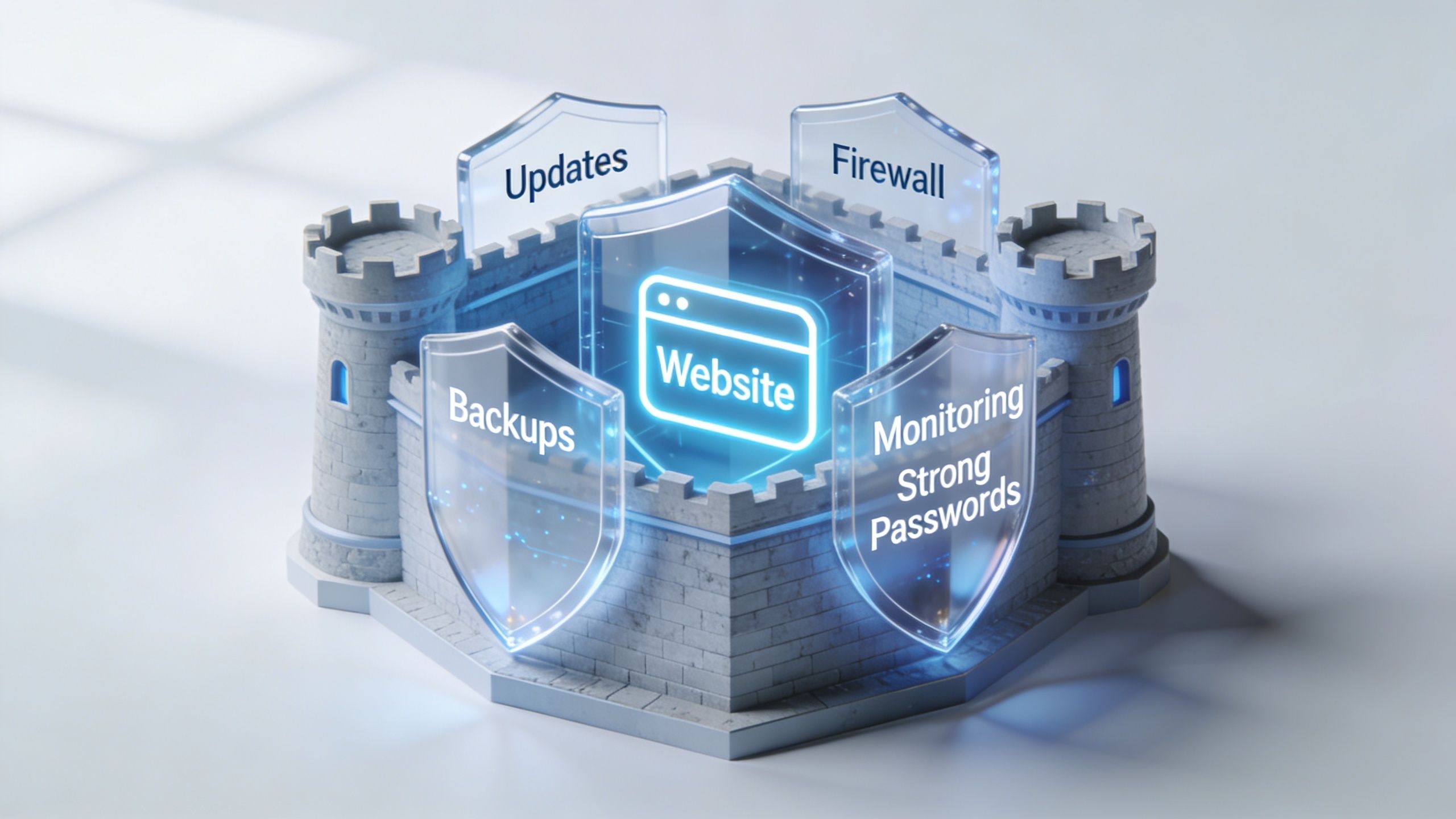
Security isn’t a product you install. It’s a stack of controls that reduce the odds of compromise and limit damage when something slips through.
That matters because the plugin layer moves fast. According to Search Engine World’s summary of current WordPress security data, 96% of WordPress vulnerabilities originate from third-party plugins, and 20% are weaponized within six hours of public disclosure. Traditional hosting defenses often fail to stop those rapid exploits, which is why teams need automated scanning and fast patch workflows.
Start with the controls that remove easy wins
The first layer is boring, and that’s exactly why it works. Attackers prefer weak targets.
At minimum, every serious WordPress deployment should have:
- Role discipline. Administrators should be rare. Editors, shop managers, and custom roles should handle day-to-day work wherever possible.
- Patch ownership. Someone must own updates, testing, rollback checks, and release timing.
- Backup separation. Backups should live off-server and be tested for restoration.
- Environment separation. Production changes shouldn’t be trialed directly on the live site.
- Plugin governance. New extensions need approval criteria, not impulse installs.
This is also the layer where many teams overestimate hosting. Good hosting helps. It doesn’t replace application security. If your host blocks commodity traffic but your site runs a vulnerable plugin with broad permissions, you still have a problem.
Build an application layer that assumes disclosure will happen
A practical WordPress defense model assumes vulnerabilities will be disclosed publicly and scanned for quickly. Your job is to reduce the window between disclosure and protection.
That means using a combination of:
- A web application firewall
- Vulnerability monitoring
- Automated alerting for plugin disclosures
- Staged deployment paths for urgent patching
- Security headers and hardened upload handling
- Audit logs for user and plugin changes
Teams that need a broader perspective beyond WordPress-specific controls can also borrow from general application security practice. These expert insights for app security are useful because they reinforce the same principle: secure software comes from layered controls, disciplined releases, and tight access management.
For WordPress-specific tooling, compare products based on workflow fit, not just feature lists. If you’re evaluating scanners, WAFs, or hardening suites, this review of WordPress security plugins is a practical place to compare what each type of tool helps with.
Don’t treat malware cleanup as the plan
Reactive cleanup is expensive and disruptive. It can restore service, but it’s not a strategy.
The stronger model is prevention first, containment second, recovery third. That changes what you invest in. Instead of spending all your attention on post-breach scanning, you spend it on things that narrow the attack path: plugin review, role restrictions, automated patch visibility, and release discipline.
Here’s a useful operational split:
| Layer | What to implement |
|---|---|
| Foundation | 2FA, backups, role restrictions, update ownership |
| Application | WAF, security headers, plugin vetting, audit logs |
| Server | Hardened hosting, modern PHP, isolated environments |
| Operations | Monitoring, incident runbooks, tested restore process |
A short walkthrough helps make the point:
What works and what usually disappoints
Some security habits consistently pay off. Others sound good in proposals but don’t hold up under pressure.
Works well:
- Reducing plugin count where custom development is safer and easier to govern
- Using managed update workflows with testing and rollback readiness
- Alerting on file, user, and configuration changes
- Limiting who can install plugins or edit code
Usually disappoints:
- Relying on a single plugin as the whole security plan
- Turning on every hardening toggle without understanding operational side effects
- Buying premium hosting and assuming it accounts for the application
- Running emergency updates directly in production without a process
The goal isn’t to make WordPress “unhackable.” The goal is to make compromise harder, detection faster, and recovery cleaner.
Security for Advanced WordPress Architectures
The answer to is wordpress secure changes once the architecture gets more complex. WooCommerce, multisite, and headless setups don’t just scale features. They scale consequences.
The security posture that’s acceptable for a simple content site often falls apart when you add customer data, networked sites, custom roles, APIs, and editorial teams spread across business units.
WooCommerce needs tighter operational control
A WooCommerce store isn’t just a website. It’s a transactional system with customer records, order workflows, account logins, payment dependencies, and often a web of fulfillment or ERP integrations.
The practical risks are straightforward:
- Customer account abuse
- Checkout or payment plugin exposure
- Admin misuse through broad privileges
- Outdated extensions affecting order flows
- Integration failures that expose sensitive business operations
In these environments, the most effective controls tend to be conservative ones. Restrict who can manage extensions. Separate merchandising permissions from system administration. Watch for unusual order behavior and suspicious admin actions. Keep custom code isolated and documented so emergency patching doesn’t break revenue-critical logic.
Multisite changes the blast radius
Multisite is efficient for franchises, publishers, universities, and multi-location brands. It also changes how mistakes spread. A weak plugin decision or over-permissioned account can affect far more than one property.
Governance takes precedence over convenience. Standardize approved plugins. Centralize update ownership. Document what site-level admins can and cannot do. If different departments need flexibility, give them curated options instead of unrestricted installation rights.
For organizations running complex networks, enterprise planning matters as much as technical hardening. This overview of enterprise WordPress solutions is useful because it reflects the broader operational model these builds require, not just the CMS layer.
In multisite, one bad decision rarely stays local.
Headless reduces one attack surface and introduces another
Headless WordPress deserves a more nuanced answer than it usually gets. It can improve security, but only if the team understands what it changes.
As Cisco Umbrella’s analysis of WordPress security exposure notes, a headless architecture significantly reduces the attack surface by eliminating public-facing PHP endpoints. That matters in enterprise environments because those endpoints are a common path for lateral movement and command-and-control style malware behavior.
The trade-off is that headless shifts your attention:
- API authentication becomes more important
- Token management matters more
- Front-end supply chain risk becomes more visible
- Preview workflows and editorial permissions need more design
- Monitoring must cover both the content backend and the delivery layer
Headless isn’t automatically “more secure.” It is often easier to harden in specific ways, especially for high-traffic, distributed, or multilingual builds where you want tighter separation between content management and public delivery.
Match architecture to threat model
A smart enterprise security posture starts by mapping architecture to operational risk:
| Architecture | Main security concern |
|---|---|
| Standard monolith | Plugin and admin surface |
| WooCommerce | Transactional integrity and extension risk |
| Multisite | Cross-site governance and permission sprawl |
| Headless | API security and token discipline |
The best design is usually the one your team can operate cleanly. Security degrades when architecture is more complex than the people maintaining it.
Effective Monitoring and Incident Response Plans
Even a well-run WordPress stack needs an incident plan. Not because failure is certain, but because uncertainty without a process turns manageable incidents into expensive ones.
That lesson shows up clearly in the NVD entry for CVE-2026-3906, a WordPress core flaw that allowed low-privilege users to access private post data through a REST API permissions issue. The takeaway isn’t panic about core. It’s that even low-privilege paths can matter, and teams need monitoring that catches abnormal behavior quickly.
Before anything happens
Monitoring should answer three questions fast: what changed, who changed it, and what happened next.
For WordPress, that usually means:
- Audit logs for user activity, plugin changes, and privilege changes
- File change monitoring for core files, themes, plugins, and uploads
- Database and application monitoring for unusual write patterns
- Uptime and performance alerts that catch operational symptoms early
- Backup validation so restores aren’t theoretical
Least-privilege access matters here too. If subscriber or editor roles can trigger behavior they shouldn’t, your logs need to make that visible.
Watch for activity that is valid syntactically but wrong operationally. That’s where many serious incidents hide.
During an incident
Teams make bad decisions when they improvise under pressure. A runbook prevents that.
A practical response sequence looks like this:
Confirm the signal
Check whether the alert reflects a real change, a user action, or a false positive.Contain first
Restrict access, disable the affected component, or isolate the environment before investigating thoroughly.Preserve evidence
Keep logs, timestamps, and change history intact. Don’t overwrite the trail in a rush to “clean up.”Assess scope
Determine whether the issue affects one site, one user role, one plugin, or the wider environment.Eradicate carefully
Remove malicious code, revoke access, patch the vulnerable path, and verify there isn’t persistence elsewhere.
If your team doesn’t have the internal capacity to handle cleanup and forensic triage, specialist support matters. For active compromise or suspicious code, a dedicated WordPress malware removal service gives you a clearer path than ad hoc troubleshooting.
After recovery
The site coming back online isn’t the end of the incident. It’s the start of the useful part.
Run a post-incident review that answers:
- Which control failed first
- Why the issue wasn’t blocked earlier
- Whether permissions were too broad
- How quickly the team detected and contained it
- What process change prevents a repeat
It is in this context that many organizations improve sharply. Not because they were breached, but because they stopped treating recovery as success. Real success is learning enough to avoid the same path twice.
A Prioritized Security Checklist for Teams and Agencies
Most WordPress security lists fail because they flatten everything into one long set of tasks. That’s not how teams work. You need priorities.
The checklist below is built for agencies, in-house teams, and enterprise stakeholders who need to decide what gets done now, what gets scheduled next, and what belongs in ongoing governance. If you also work across regulated or operationally sensitive environments, broader frameworks for protecting data for UK SMEs can help align WordPress controls with wider business risk management.
Prioritized WordPress Security Checklist
| Priority | Task | Area of Focus |
|---|---|---|
| Critical | Enforce 2FA for all privileged users | Access control |
| Critical | Remove unused admin and developer accounts | Access control |
| Critical | Establish plugin approval and review process | Plugin governance |
| Critical | Keep core, plugins, and themes on a managed update schedule | Patch management |
| Critical | Maintain tested off-server backups | Recovery |
| Critical | Restrict who can install plugins or edit code | Change control |
| High | Deploy a web application firewall | Application protection |
| High | Enable audit logging for user and plugin changes | Monitoring |
| High | Separate staging from production workflows | Release management |
| High | Review user roles and custom capabilities regularly | Least privilege |
| High | Harden file upload handling and media permissions | Application security |
| High | Standardize approved plugins across client or multisite portfolios | Governance |
| Medium | Add security headers and review CSP where appropriate | Browser-side hardening |
| Medium | Reduce dependency sprawl through custom development where justified | Architecture |
| Medium | Monitor for unusual database or REST API behavior | Detection |
| Medium | Review headless API authentication and token handling | Advanced architecture |
| Medium | Run post-incident reviews after every security event | Operational improvement |
How to use the checklist properly
Don’t assign this list to one person and hope for the best. Split ownership across roles.
A useful division looks like this:
- Engineering owns updates, deployment controls, custom code review, and API security.
- Operations or DevOps owns backups, hosting posture, monitoring, and alerting.
- Marketing or editorial leads own user hygiene, content workflow discipline, and access requests.
- Agency leadership or product owners own plugin governance and vendor decisions.
That structure matters because WordPress security breaks when everyone assumes someone else is covering it.
The best first move for most teams
If your current process is informal, start with three actions:
- Audit all plugins and users
- Turn privileged access into a controlled process
- Document how emergency patching and restoration work
Those three steps usually reveal the biggest gaps fastest. They also force the conversation away from “what plugin should we install?” and toward “how do we operate this platform safely over time?”
That’s the right conversation. It’s also the only one that scales.
If your team needs senior support to tighten WordPress security without slowing down releases, IMADO works on the engineering side of the problem: secure builds, maintenance workflows, plugin governance, monitoring, and incident support for complex WordPress, WooCommerce, multisite, and headless platforms.
Let’s build something exceptional
Tell us about your project – we’ll help you launch a fast, scalable, SEO-optimized WordPress platform built for growth.