 Ask Chatgpt to summarize Magento to WordPress: Your 2026 Migration Guide
 Ask Grok to summarize Magento to WordPress: Your 2026 Migration Guide
 Ask Claude to summarize Magento to WordPress: Your 2026 Migration Guide
 Ask Perplexity to summarize Magento to WordPress: Your 2026 Migration Guide
 Ask Gemini to summarize Magento to WordPress: Your 2026 Migration Guide

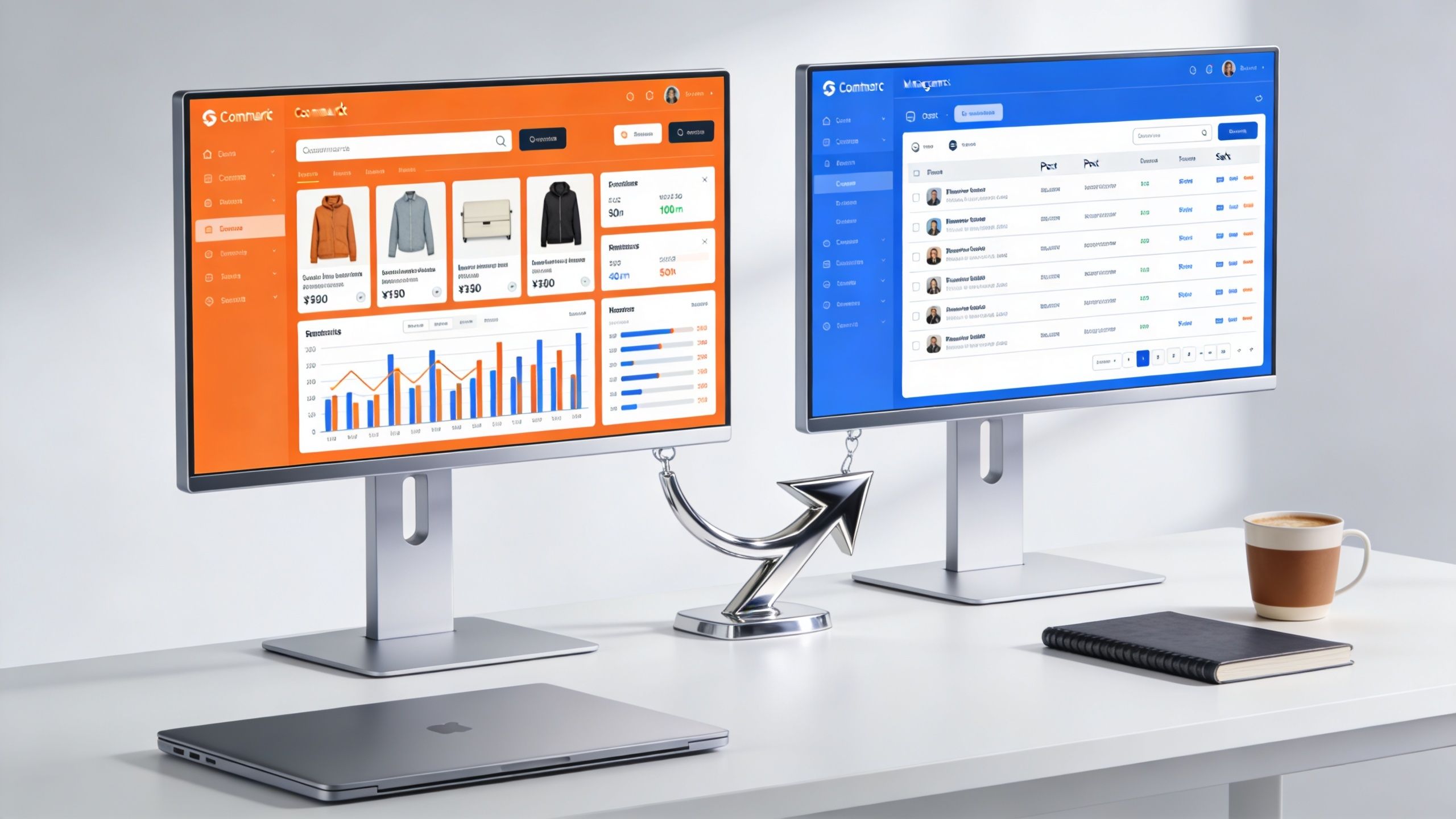
You’re usually not considering a magento to wordpress move because the current store is “broken.” You’re considering it because the business around the store has changed. Marketing needs pages live faster. Content teams want control without filing tickets. Product teams want simpler release cycles. Leadership wants less money tied up in routine maintenance.
That’s the essential context for this migration. The platform decision is rarely just technical. It’s operational. A Magento store that made sense when the business needed heavier commerce infrastructure can become expensive friction when the company has shifted toward content, SEO, campaign velocity, and a more manageable ecommerce stack.
The other mistake I see is treating migration like a finish line. It isn’t. A successful magento to wordpress project gets you onto a platform your team can use, then turns that platform into a growth engine through performance work, SEO continuity, editorial speed, and disciplined post-launch optimization.
Table of Contents
Strategic Planning Before You Migrate
A magento to wordpress project should start with a business case, not a plugin shortlist.
Magento is a serious commerce platform, but many teams outgrow its fit before they outgrow ecommerce itself. One practical driver is the gap in complexity and cost. A migration analysis notes that professional Magento-to-WordPress projects commonly range from $3,000 to $30,000, depending on catalog complexity, custom functionality, and integrations, and frames the move as strongest for businesses that have become more content-driven and want more editorial agility and SEO control without a heavyweight stack (Magento to WordPress migration analysis).

That’s why the strongest migrations aren’t framed as “we want WooCommerce.” They’re framed as:
- Marketing needs independence: landing pages, editorial content, and campaign updates can’t wait on specialist developers.
- Operations need less drag: every routine change in Magento has started to feel heavier than the business justifies.
- SEO needs cleaner ownership: teams want direct control over metadata, content architecture, and publishing workflow.
- Leadership needs a lower-maintenance platform: not necessarily a cheaper one on day one, but one with less ongoing technical dependency.
Define the migration in business terms
If stakeholders can’t answer why they’re moving, the project will drift into feature-by-feature arguments. That usually leads to copying old complexity into a new CMS.
Set a short list of outcomes before any scoping begins:
Publishing speed
How quickly can marketing launch category copy, guides, campaign pages, and seasonal collections?Commerce fit
Is the store still operationally complex enough to justify Magento, or has the catalog and checkout flow become simpler over time?Performance baseline
What does the new platform need to support in terms of page speed, template weight, and frontend maintainability?Ownership model
Which tasks should the internal team manage directly after launch, and which still need engineering support?
Practical rule: If your only reason for migrating is “WordPress is easier,” you don’t have enough justification. If the reason is “our current platform slows content, releases, SEO work, and routine operations,” that’s a business case.
Decide what kind of company you are now
A lot of failed migrations come from planning around the company you were when Magento was selected, not the company you are now.
Ask the blunt questions:
- Are you now content-led with commerce attached?
- Has your catalog simplified?
- Do you still need Magento-grade complexity across pricing, attributes, store views, and custom workflows?
- Is your growth model driven more by organic search, editorial content, paid landing pages, and CRO than by platform-level commerce customization?
If the answer is yes, WordPress can be the right operating system for the next phase. But only if you plan for the next phase now. That means performance budgets, SEO governance, plugin policy, and post-launch optimization should be in scope from day one, not treated as cleanup work later.
Mapping Your Magento Functionality to WordPress
Most migration overruns start here. Not in code. In assumptions.
Teams say, “We just need products and design moved over,” then discover halfway through that Magento was handling discount logic, layered filtering, custom product attributes, ERP syncs, review workflows, customer group behavior, and content widgets no one documented. If you don’t audit function by function, your budget is fiction.
Build a feature inventory before discussing solutions
Start with an export of every active Magento extension, every custom module, and every third-party integration. Then review the site as a user and as an admin. The goal isn’t just to list tools. It’s to identify business functions.
Split the inventory into five buckets:
Revenue-critical
Checkout, payments, shipping, taxes, product rules, pricing logic, account flows.Operations-critical
ERP sync, inventory updates, fulfillment integrations, CRM connections, transactional email.SEO-critical
URL behavior, metadata management, schema handling, canonicals, redirects.Content-critical
Landing pages, blog, resource library, reusable content blocks, editorial workflowsLegacy or questionable
Features that exist because they were added years ago, not because they still matter.
Honest pruning pays off at this stage. Migration offers the perfect opportunity to retire bad ideas that became permanent.
Use replacement logic, not one-to-one thinking
Magento extensions don’t “transfer” to WordPress. Their job transfers, sometimes to WooCommerce core, sometimes to a plugin, sometimes to custom code, and sometimes to nothing because the business no longer needs it.
Here’s a practical mapping table to start from.
| Magento Functionality | WordPress/WooCommerce Solution | Notes & Considerations |
|---|---|---|
| Product catalog management | WooCommerce products, categories, attributes, variations | Complex attribute sets may need cleanup before import |
| CMS pages and marketing content | Native WordPress pages and block editor | Usually a major gain for editorial teams |
| Blog extension content | Native WordPress posts, categories, tags | Rebuild templates with SEO and internal linking in mind |
| Checkout and cart | WooCommerce core plus targeted extensions | Avoid stacking overlapping checkout plugins |
| Payment gateways | WooCommerce payment gateway plugins | Reconfirm tokenization, refunds, and settlement workflows |
| Shipping rules | WooCommerce shipping settings or dedicated shipping plugins | Custom Magento logic may require custom development |
| Customer reviews | WooCommerce reviews or review plugin | Check moderation workflow and structured data output |
| Custom fields and product metadata | ACF or custom post meta | Decide what must remain editable by non-technical users |
| Promotions and coupons | WooCommerce coupons or promotion plugins | Rewrite complex Magento rules carefully |
| ERP / CRM integrations | API integration, middleware, or custom plugin | Map field ownership clearly to avoid sync conflicts |
Decide what gets a plugin, custom code, or retirement
Use this filter:
- Choose a plugin when the requirement is common, well-supported, and unlikely to create lock-in headaches.
- Choose custom development when the workflow is specific to your business, especially around integrations or non-standard product logic.
- Retire the feature when nobody can defend its business value.
A lot of teams underestimate how much cleaner the future stack becomes when they stop trying to preserve every artifact of the old one.
For stores with broader replatforming needs, a dedicated e-commerce site with WordPress approach can help structure the rebuild around actual business workflows instead of plugin accumulation.
The correct question isn’t “What’s the WordPress equivalent of this Magento module?” It’s “Does this business function still deserve to exist, and if so, what’s the simplest reliable way to deliver it?”
Watch the hidden complexity
Three areas cause repeat trouble:
Promotions logic
Magento stores often carry layered discount rules that were built over time. Rebuilding them loosely in WooCommerce can create pricing errors.Product filtering and attributes
WordPress can handle complex catalog structures, but imported taxonomy sprawl creates UX and performance problems fast.Integration ownership
If Magento currently acts as the source of truth for part of the business, you need to explicitly redesign that ownership model before launch.
Function mapping is where scope becomes real. Do it with discipline, and the rest of the project gets easier. Skip it, and the migration becomes a chain of expensive surprises.
The Core Data Migration Process
At the center of every magento to wordpress migration are three assets: products, customers, and orders. If those move cleanly, the store has a foundation. If they don’t, launch day becomes damage control.
A migration guide focused on execution frames these three as the core business entities typically moved via API or plugin, and notes that WooCommerce handles catalogs of fewer than a few thousand simple products without issue, with performance concerns becoming more pronounced at larger scale (Magento to WordPress data migration guide).
Choose the migration method based on data shape
There isn’t one correct method. There’s a correct method for your catalog and your risk tolerance.
Plugin-based migration works when the data model is straightforward. Standard products, standard customer accounts, and ordinary order history can often move this way with less effort.
API-led migration is better when you need control over mapping, validation, and retries. This is often the safer route when the Magento store has custom attributes or non-standard relationships.
Custom scripts make sense when the catalog is messy, the destination model is opinionated, or the store has years of legacy data that needs transformation rather than blind copying.
The wrong choice usually comes from trying to save money by using a generic tool on a non-generic store.
Migrate in passes, not in one shot
A clean process usually looks like this:
First pass for structure
Move categories, products, attributes, media references, customer records, and historical orders into a staging store.Validation pass
Check SKU integrity, variation relationships, stock logic, customer role mapping, tax behavior, and order totals.Business review pass
Merchandising, support, and operations teams review real records, not just sample screenshots.Final delta sync
Close the gap between the last staging import and launch by syncing fresh orders and customer changes.
Migration discipline matters more than migration tooling. A mediocre tool with strong validation beats a flashy importer nobody audits.
Handle the awkward data early
Some issues should be confronted in planning, not discovered in QA:
- Product variations: Magento configurable products don’t always map neatly to WooCommerce variable products if the original attribute model is inconsistent.
- Customer passwords: platform differences often force password reset flows. Plan the customer communication around that.
- Order history: decide whether historical orders need to be fully operational in WooCommerce or primarily preserved for reference and support.
- Media quality: migrations often reveal duplicate images, broken references, or old naming conventions that should be cleaned up.
Don’t import technical debt as if it were valuable data
If Magento contains obsolete attributes, bad taxonomy, duplicate products, or inconsistent customer metadata, don’t carry it all forward. Teams often treat import completeness as success. It isn’t.
Success is moving the data the business still needs, in a structure the new platform can support cleanly. That gives you a WordPress store that can be maintained, extended, and optimized instead of one that starts life already weighed down by old decisions.
Preserving SEO Equity and URL Structures
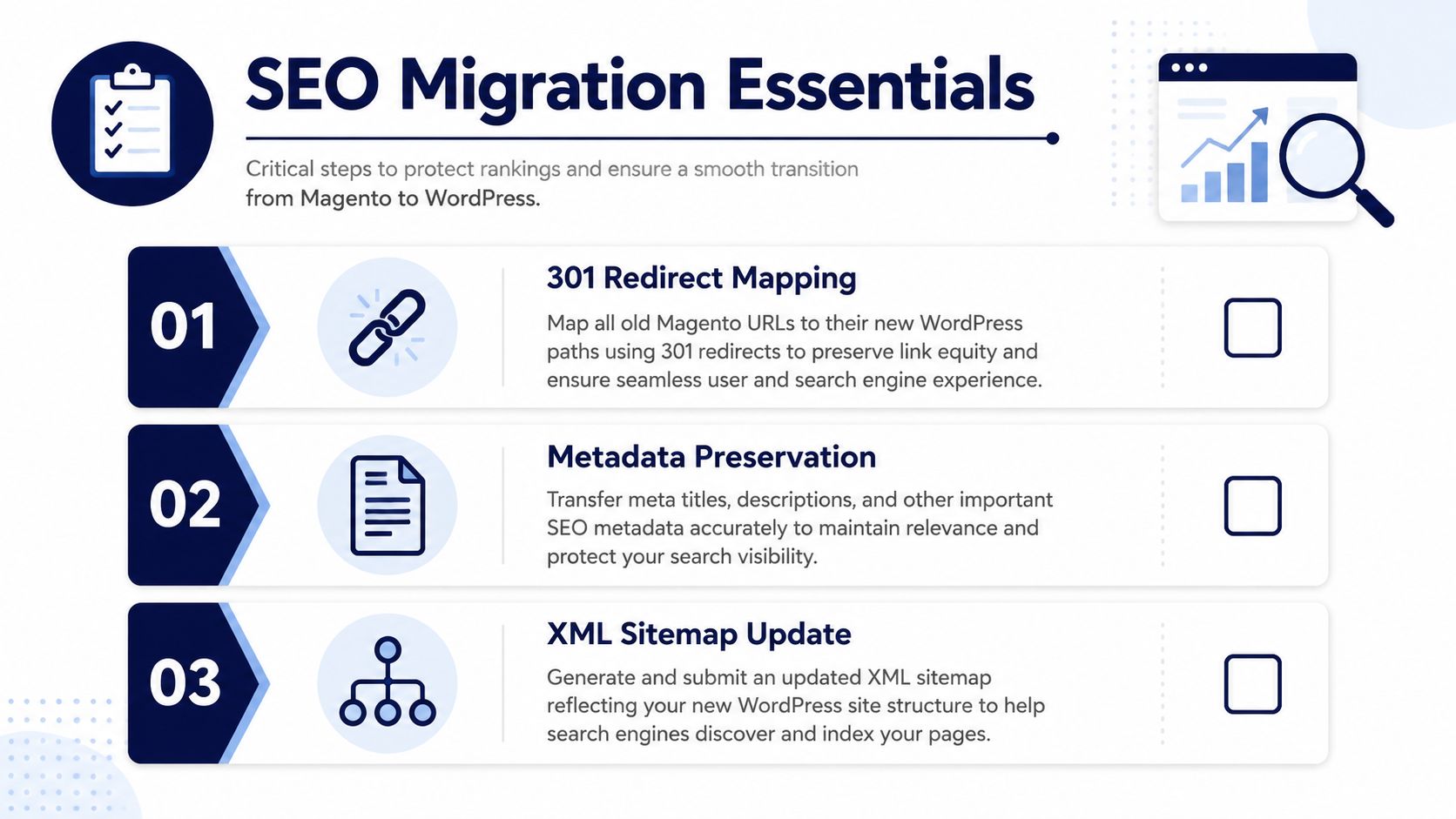
“Set up redirects” is the most common SEO advice in a platform migration, and it’s not enough.
For a large catalog, redirects are only one part of the underlying problem. The harder issue is deciding what the new site should keep, merge, canonicalize, de-index, or retire when Magento’s architecture was built around layered navigation, faceted URLs, old category trees, and product variants that don’t map neatly into WordPress and WooCommerce.
A migration-focused analysis points out that post-migration SEO continuity is especially difficult when thousands of Magento URLs, layered navigation pages, and product variants collapse into a different information architecture, with added risk across localized content (post-migration SEO continuity for Magento stores).
Audit URL intent, not just URL count
A raw URL export won’t tell you what deserves preservation.
Run a proper audit that classifies pages by purpose:
- Primary revenue pages such as product and category URLs
- Editorial pages that attract links and organic discovery
- Filter or faceted pages that may have indexed historically but don’t deserve one-to-one recreation
- Legacy pages that should be retired instead of migrated blindly
A disciplined website audit process helps here because the core issue isn’t technical matching. It’s deciding what role each URL plays in the new architecture.
Build a redirect map with business logic
One-to-one redirects are ideal when the destination page serves the same intent. But many Magento stores carry URL sprawl that shouldn’t survive.
Use these rules:
- Redirect to the closest equivalent page when intent remains the same.
- Consolidate near-duplicate pages when multiple old URLs now map to one stronger destination.
- Retire low-value URLs intentionally instead of forcing irrelevant redirects.
- Preserve high-authority pages carefully if they’ve historically earned links or rankings.
A bad redirect map often looks “complete” in a spreadsheet while still being wrong for users and search engines.
SEO continuity comes from preserving intent and structure, not from preserving every URL at all costs.
Canonicals, internal links, and taxonomy cleanup
The migration is your chance to stop repeating old architecture mistakes.
If Magento created indexable filter states or weak category hierarchies, don’t rebuild them by habit. Rework:
- category depth
- product-to-category relationships
- internal links from blog and guides to commercial pages
- canonical rules for variants and overlapping category paths
- XML sitemap inclusion policy
Search engines reassess the new site through its internal linking and page relationships, not just through redirect files.
Stabilize before making major SEO edits
After launch, teams often panic and start changing titles, templates, copy, and URLs at the same time. That muddies the signal. If rankings move, no one knows whether the cause is migration fallout or the pile of edits made afterward.
The better pattern is simple:
- launch with a validated redirect and metadata plan
- monitor crawl behavior and indexation
- fix true errors first
- hold major structural SEO experiments until the site has stabilized
That discipline is what turns a migration from an SEO risk into an SEO cleanup opportunity.
Testing, Launch, and Rollback Procedures
Launches fail when teams treat testing as a final checkbox instead of a controlled risk exercise.
By the time you reach launch week, every major decision should already be frozen. New feature requests, design tweaks, and late plugin additions are the fastest path to instability. This phase is about proving that the new store behaves correctly under realistic conditions, then cutting over in a sequence the whole team understands.
Run UAT by business workflow
Generic QA misses the defects that matter. User Acceptance Testing should follow real paths taken by customers, support teams, marketers, and operations staff.
Use a shared checklist that covers:
- Browse to buy: category navigation, search, filters, add-to-cart, coupon application, checkout, order confirmation
- Account actions: registration, login, password reset, address book, order history
- Store operations: refunds, order status updates, taxes, shipping methods, transactional emails
- Content publishing: page editing, blog workflow, preview, scheduling, reusable blocks
- Integration behavior: payment gateways, CRM flows, ERP syncs, analytics events
Don’t rely on developers alone to sign this off. Merchandising, support, and marketing need to validate their own workflows in staging.
For teams that need a refresher on safe pre-launch environments, a proper staging site workflow keeps this validation isolated from the live store.
Sequence the launch like an operations event
The cleanest launches are boring. That’s the goal.
A practical cutover runbook usually includes:
Content and code freeze
Stop non-essential changes on both source and destination.Backup and snapshot verification
Confirm recovery points exist and are accessible.Final data sync
Pull late customer, product, and order changes from Magento.Smoke tests in production
Validate checkout, email, core page rendering, and admin access immediately after cutover.War room communications
Keep a single channel for decisions, issues, owners, and resolution timing.
Write the rollback plan before launch day
A rollback plan isn’t pessimism. It’s professional hygiene.
Document in advance:
- what conditions trigger rollback
- who has authority to call it
- what data must be preserved if the site reverts
- how customer service will communicate during disruption
- which integrations must be paused or reconciled afterward
If you can’t explain your rollback criteria in one short meeting, you’re not ready to launch.
Keep the first hours calm and narrow
Right after cutover, don’t start “improving” things. Watch the basics. Can users browse, pay, receive confirmations, and reach support? Are orders entering the expected flow? Are admins able to manage content and operations without errors?
A controlled launch window protects revenue better than a heroic one.
Post-Launch Optimization and Performance Tuning
The migration isn’t the ROI. What you do after the migration is the ROI.
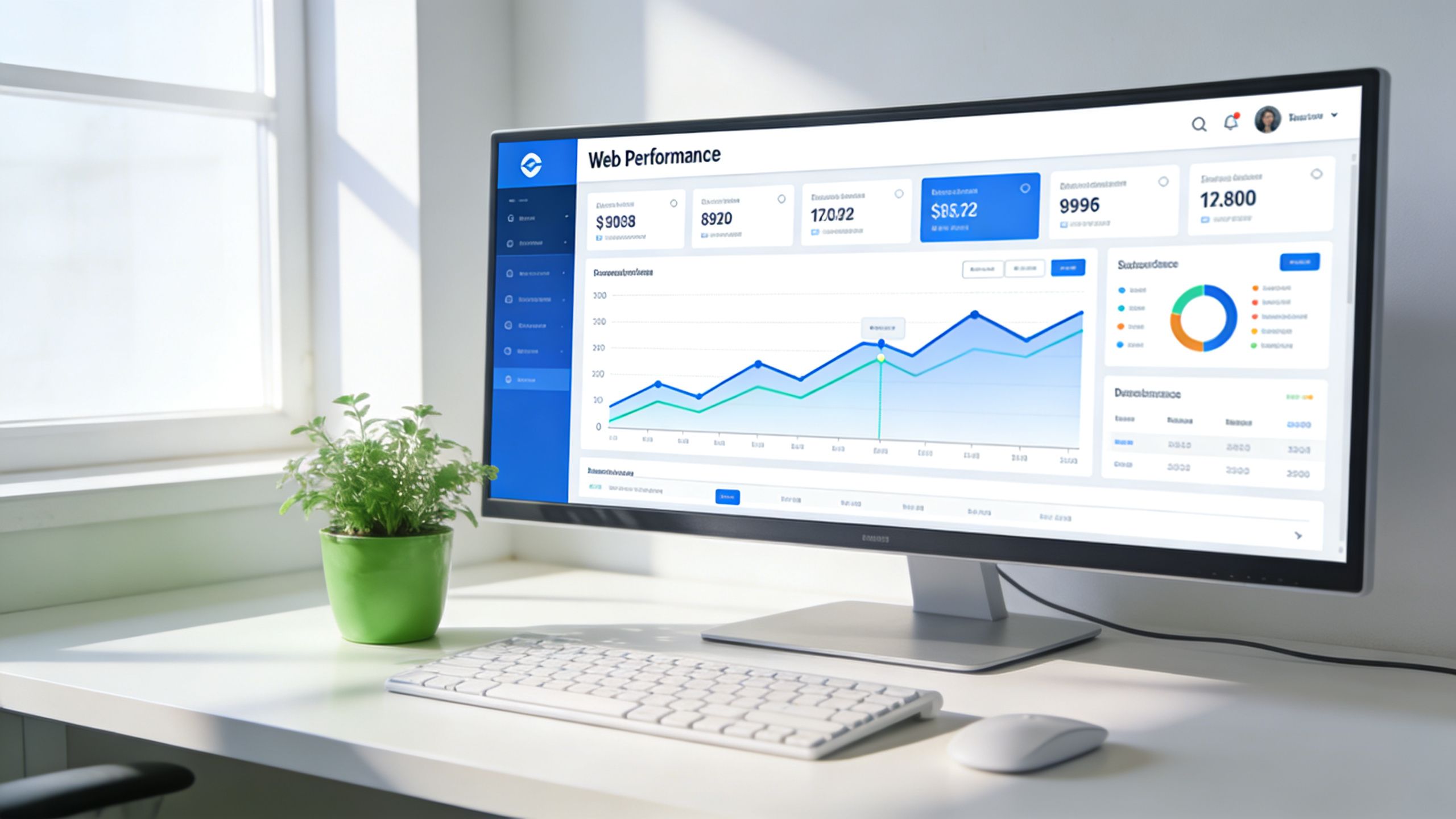
Too many teams spend months getting off Magento, launch the new WordPress build, and then treat optimization as optional. That wastes the biggest advantage of the move. WordPress gives you a more flexible operating model. The payoff comes when you use that flexibility to improve performance, editorial throughput, search visibility, accessibility, and conversion behavior over time.
Treat the first phase after launch as stabilization plus acceleration
The first weeks should have two parallel tracks.
The first is stabilization. Watch crawl behavior, checkout reliability, plugin conflicts, form submissions, search functionality, cache behavior, and template rendering. Fix defects fast, but avoid random redesign decisions.
The second is acceleration. Start building the performance and UX baseline that the old platform may have made harder to achieve. That means measuring page templates, tightening frontend assets, improving media handling, and cleaning up interaction-heavy areas like PDPs, category pages, and checkout.
Focus on Core Web Vitals where they affect business outcomes
Post-launch performance work should be tied to page types and user flows, not abstract score chasing.
Usually that means:
- Homepage and campaign pages need disciplined media handling and lightweight blocks.
- Category pages need careful filtering UX without frontend bloat.
- Product pages need stable layouts, fast image rendering, and restrained third-party scripts.
- Checkout needs as little friction as possible, both visually and technically.
The plugin stack matters here. Every convenience plugin adds cost somewhere. For stores evaluating the trade-offs, this guide to WordPress plugins for ecommerce is useful because the issue isn’t plugin quantity alone. It’s whether each plugin earns its place.
The fastest way to ruin a good migration is to rebuild Magento’s complexity with a pile of WordPress plugins.
Accessibility and maintainability should move with performance
A faster store that’s hard to use still leaves money on the table.
Post-launch tuning should include:
- keyboard and focus-state checks
- form clarity and error handling
- semantic heading structure
- contrast and button state consistency
- reusable block governance for editors
That’s how a migration becomes a platform upgrade, not just a platform change. Marketing publishes faster. Users find what they need more easily. Engineers inherit a cleaner system. Performance work becomes repeatable instead of reactive.
A useful reference point for what continuous improvement looks like in practice is this walkthrough:
Build an optimization cadence, not a one-time cleanup
The best post-migration teams work in cycles:
- review technical issues from monitoring
- prioritize revenue-impacting template improvements
- reduce script and plugin overhead
- refine internal linking and content templates
- test UX adjustments on key commercial paths
That’s where the strategic value of magento to wordpress shines. You’re not just escaping complexity. You’re creating a platform your team can keep improving without turning every change into a development project.
Timeline, Budgeting, and Realistic Cost Models
The honest answer to “How much does a magento to wordpress migration cost?” is still “it depends,” but that doesn’t mean the answer should be vague.
Budget becomes predictable when you stop treating the project as a website redesign and start treating it as a set of cost drivers. Earlier in this guide, the cited migration analysis established a broad project range. What matters now is understanding what pushes your project toward the lower or higher end of that range.
The main variables that move cost
The biggest pricing drivers are usually these:
Catalog complexity
Not just product count, but variation logic, attributes, tax behavior, and media quality.Functionality replacement
Every Magento extension has to be replaced, rebuilt, or retired. Custom business logic raises scope fast.Design expectations
Migrating into an off-the-shelf theme is a different budget from building a custom block-based frontend.Integration load
ERP, CRM, shipping systems, payment workflows, and reporting connections all add implementation and testing time.SEO migration depth
A small brochure-style commerce site isn’t comparable to a catalog with complex historical URL behavior.
Build a cost model in layers
A practical budget usually has four layers:
| Budget Layer | What It Covers | Common Mistake |
|---|---|---|
| Discovery and audit | feature inventory, data mapping, SEO audit, solution design | Underfunding this and paying for change requests later |
| Build and migration | theme development, WooCommerce setup, import work, integrations | Assuming imported data will be clean without remediation |
| QA and launch | UAT, launch planning, rollback prep, production validation | Treating testing as optional or compressing it into a few days |
| Post-launch support | defect resolution, tuning, monitoring, iteration | Ending the budget at go-live |
The hidden cost is almost always the fourth layer. Teams budget for migration and forget the operating transition.
There’s a useful parallel in adjacent digital risk work. If you’ve ever priced cleanup work after a preventable issue, the economics look familiar. This breakdown of corporate reputation protection pricing is relevant because it shows the same pattern: reactive work costs more when planning was thin and remediation starts after the damage.
Be realistic about timeline pressure
Timelines usually slip for human reasons, not technical ones. Stakeholders discover undocumented requirements. Content approvals stall. Integration owners respond late. Legal and compliance reviews appear at the end instead of the start.
A realistic plan protects against that by separating:
- Audit and scope confirmation
- Build and migration work
- Business validation
- Launch preparation
- Post-launch support
If you compress all of that into one deadline with no decision gates, the project may still launch, but quality drops first.
The cheapest migration on paper often becomes the most expensive migration in operation.
The right budget model doesn’t just answer what launch costs. It answers what it takes to get onto WordPress cleanly enough that the team can benefit from being there.
Frequently Asked Migration Questions
Decision-makers usually ask the same set of questions once the technical conversation settles down. The right answers are short, but they need to be blunt.
The direct answers
| Question | Answer |
|---|---|
| Is magento to wordpress a downgrade? | It can be if your business still depends on Magento-level complexity. It’s a smart move when the store has become more content-led, operationally simpler, and harder to justify from a maintenance standpoint. |
| Can WooCommerce handle a serious store? | Yes, when the catalog, integrations, and product logic are scoped realistically and the build is engineered properly. Problems usually come from bad architecture, bloated plugins, or unclear ownership, not from WooCommerce existing. |
| What data absolutely must be planned first? | Products, customers, and orders. After that, focus on product attributes, media, customer account behavior, and historical order handling. |
| Can we keep our rankings? | You can preserve a lot of SEO equity if you plan redirects, canonical rules, metadata, and architecture carefully. You can also lose visibility quickly if you treat SEO as a launch-day checkbox. |
| Should we copy every Magento feature? | No. Migration is the right moment to retire features that add complexity without adding business value. |
| Is the migration finished at launch? | No. Launch starts the next phase. The real return comes from stabilization, Core Web Vitals work, accessibility improvements, content velocity, and conversion tuning. |
| Should we use plugins or custom development? | Use plugins for standard, durable requirements. Use custom development where the workflow is unique or the integration is business-critical. Don’t force everything into plugins just because they exist. |
| What’s the biggest planning mistake? | Treating the move like a design project instead of an operating model change. If the team doesn’t define future ownership, governance, and optimization cadence, the new platform will inherit old problems. |
A practical final filter
Before approving the move, ask these three questions internally:
- Will WordPress let our team ship faster without lowering control?
- Are we removing complexity the business no longer needs, or just relocating it?
- Do we have a post-launch plan for performance, SEO monitoring, and continuous improvement?
If those answers are clear, the migration usually has a strong foundation.
If you’re still debating platform fit, data shape, or how to scope the rebuild without carrying old technical debt forward, IMADO can help evaluate the migration path, map requirements into WordPress and WooCommerce, and define a launch plan that includes post-launch optimization rather than stopping at go-live.
Let’s build something exceptional
Tell us about your project – we’ll help you launch a fast, scalable, SEO-optimized WordPress platform built for growth.