 Ask Chatgpt to summarize Mastering ADA Compliance WordPress for Accessibility
 Ask Grok to summarize Mastering ADA Compliance WordPress for Accessibility
 Ask Claude to summarize Mastering ADA Compliance WordPress for Accessibility
 Ask Perplexity to summarize Mastering ADA Compliance WordPress for Accessibility
 Ask Gemini to summarize Mastering ADA Compliance WordPress for Accessibility
More than 40% of the web runs on WordPress. That scale is exactly why accessibility problems in WordPress deserve a stricter process than a quick plugin install and a green scan report.
For agencies, the main issue is not WordPress itself. It is the stack built on top of it. Themes, page builders, form plugins, popups, sliders, membership tools, WooCommerce extensions, and custom blocks can each introduce accessibility failures that are easy to miss during normal QA. A simple marketing site and a feature-heavy commerce build may both run on WordPress, but they do not carry the same remediation effort, testing depth, or long-term maintenance cost.
That difference matters.
WordPress core gives teams a decent starting point, but compliance work is usually won or lost in implementation details. I have seen sites pass an automated scan on published pages while key user paths still fail under keyboard testing, screen reader testing, or error recovery in forms and checkout. Agencies that treat ADA compliance as a one-time task usually end up paying for the same fixes twice.
A sustainable approach uses automation for coverage, manual testing for the issues scanners miss, and code-level remediation where plugins cannot solve the problem cleanly. That is the standard for high-stakes WordPress projects, especially when the site supports lead generation, ecommerce, account access, or public services.
Table of Contents
Why WordPress Accessibility Matters More Than Ever
Accessibility failures now carry operational, reputational, and legal costs that agencies cannot treat as edge cases. Recent reporting on website accessibility litigation has shown continued pressure on site owners, and settlement costs are high enough to turn a neglected audit into a budget problem fast. For agencies managing WordPress builds, that risk sits inside everyday delivery decisions such as theme selection, component behavior, plugin approvals, and release QA.

The business case goes further than avoiding complaints or legal review.
Accessible WordPress sites are usually easier to use, easier to maintain, and easier to extend without breaking key user flows. Clear heading structure helps content teams publish consistently. Predictable focus states and keyboard behavior reduce friction in navigation, forms, and checkout. Better labels and error handling lower abandonment for users who are in a hurry, on mobile, using assistive technology, or trying to recover from a mistake without starting over.
That matters in real client work because accessibility debt rarely stays isolated. A modal that traps keyboard focus can block lead capture. A form plugin that fails to expose errors properly can hurt conversion. A page builder layout that looks fine visually but breaks heading hierarchy creates cleanup work for editors on every new page. These are delivery problems, not abstract compliance theory.
Accessibility affects product quality and maintenance costs
Teams that push accessibility to the end of a project usually pay for it twice. The first cost is remediation after launch. The second is ongoing rework because the underlying patterns never changed.
In WordPress, that shows up quickly:
- Content publishing becomes more reliable when editors have rules for headings, alt text, table use, and descriptive links.
- Component libraries stay usable when buttons, menus, tabs, accordions, and forms have defined interaction patterns instead of plugin-by-plugin behavior.
- Commerce and lead-gen paths hold up better when validation, error messaging, and focus management are built into QA.
- Third-party tools create less risk when agencies review widgets, popups, chat tools, and embed code before they reach production.
I have seen plenty of sites with acceptable scan scores that still failed in the places that mattered most. Search overlays masked structural issues. Checkout forms broke under keyboard-only testing. Promotional popups interrupted focus order. Those failures do not show up clearly if the team treats accessibility as a plugin setting instead of a build standard.
WordPress makes good accessibility possible, but not automatic
WordPress core has improved over time, and a careful build can start from a solid foundation. The problem is the surrounding stack. Custom themes, page builders, WooCommerce customizations, event plugins, form builders, and account portals all add their own markup, scripts, and interaction patterns. One weak implementation can undermine an otherwise well-built site.
That is why ada compliance wordpress work needs an agency-grade process. Automated scans help with coverage. Manual testing catches interaction failures and reading-order issues. Code-level remediation fixes the source instead of hiding symptoms behind overlays or one-click patch plugins.
For high-stakes sites, that trade-off is unavoidable. The goal is not to make a report look clean for a week. The goal is to keep the site usable through content changes, plugin updates, redesigns, and feature releases.
Planning and Scoping Your Compliance Project
Most accessibility projects go wrong before anyone opens WAVE or axe. They go wrong in scoping. Teams say they want an accessible WordPress site, but they don’t define the target standard, the system boundaries, or the user journeys that matter most.
If you’re starting fresh, set the target first. WCAG 2.2 AA is the practical benchmark for most business websites. It gives you a clear standard for design, development, content, and QA without drifting into unrealistic “perfect for every edge case” language. AAA can be valuable in specific contexts, but it’s not a realistic baseline for most commercial WordPress projects.
Know what A, AA, and AAA actually mean
A quick way to frame the levels:
| Level | What it means in practice | How to treat it |
|---|---|---|
| A | Basic accessibility requirements | Minimum floor, not an end state |
| AA | Broadly accepted operational target for most sites | Default target for agency delivery |
| AAA | More advanced requirements that aren’t always feasible site-wide | Use selectively where appropriate |
You don’t need a philosophical debate about standards. You need a delivery target everyone can work against. Designers need it for color, states, and component behavior. Developers need it for semantic structure and interaction. Content editors need it for headings, links, and media.
Define the scope before you define the fixes
An accessibility audit can cover an entire site, but many agency engagements work better when scoped by templates and critical flows. That keeps the project tied to how the site works.
Start by identifying:
- Core templates such as home, archive, single post, landing page, search, and contact.
- Critical journeys like product discovery, add-to-cart, checkout, account login, and lead form submission.
- Shared components including navigation, modals, accordions, sliders, tabs, and notification banners.
- Third-party dependencies such as payment gateways, embedded forms, booking tools, maps, and chat widgets.
Accessibility defects are often systemic, making their impact widespread. If one custom Gutenberg block is broken, it may be broken across dozens of pages. If one popup pattern traps focus, the issue can affect every campaign landing page.
Practical rule: Scope by reusable patterns first, then by high-risk pages. That’s usually where the fastest remediation gains come from.
Build a realistic project brief
A usable compliance brief should answer four questions:
- What standard are we meeting
- Which pages, templates, and components are in scope
- Who owns fixes across design, code, and content
- How will compliance be validated and maintained
Without those answers, accessibility projects become vague cleanup exercises. One team fixes contrast. Another team installs a toolbar. Content keeps publishing inaccessible PDFs. The site looks improved, but the underlying risk remains.
For new agency partners, this is where experienced engineering input pays off. A scoped project doesn’t just control cost. It tells you whether you need theme changes, block refactors, plugin replacement, content remediation, or all four.
A Hybrid Approach to Auditing Your WordPress Site
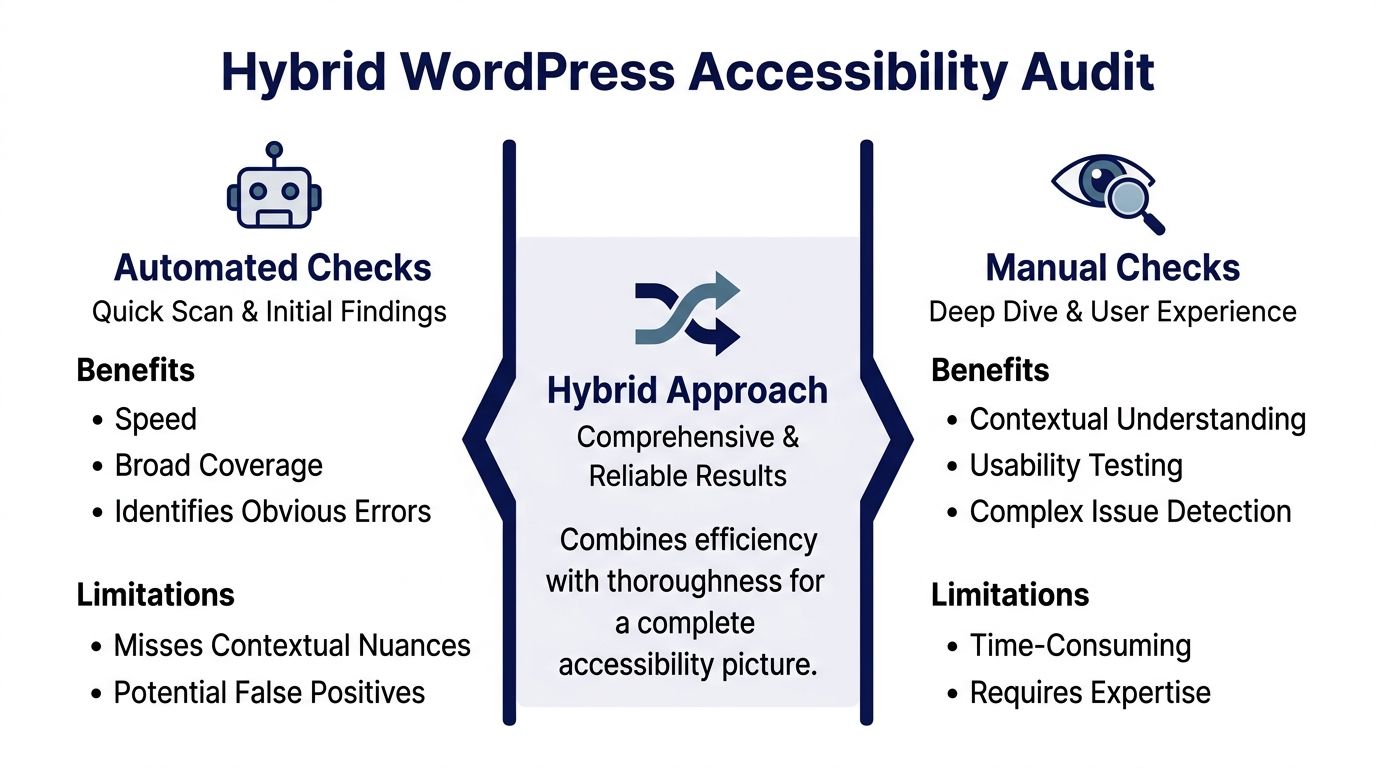
Accessibility audits fail when teams trust a single method. If you only run automated scans, you miss real user barriers. If you only do manual spot checks, you miss scale and repeatability. A dependable audit uses both.
A 2025 WebAIM analysis of one million homepages found that WordPress sites averaged 50.0 detectable accessibility errors per page, with 94.8% failing WCAG conformance, and that automated scans only catch 30 to 40% of issues. That’s why manual testing is not optional, as summarized in Be Accessible’s accessibility statistics review.
What automated tools are good at
Automated tooling is the fastest way to establish a defect baseline. Tools like WAVE, axe, browser DevTools audits, and WordPress scanners can surface recurring errors across templates and content types.
They’re useful for catching patterns like:
- Missing alt text on images and featured media
- Empty or vague links that don’t expose useful purpose
- Form labeling problems in standard fields
- Obvious contrast failures in text and UI controls
- Heading structure mistakes on templated pages
For agency delivery, automated scans are especially helpful during discovery and regression testing. They tell you where to look first and whether recent releases introduced obvious breakage.
But they don’t tell you whether a checkout flow is understandable when read with a screen reader. They don’t tell you whether a modal traps focus in a way that blocks task completion. They don’t tell you whether the page order still makes sense when CSS fails or content reflows under zoom.
What manual testing catches that tools miss
Manual testing exposes the experience, not just the code. That’s where the expensive accessibility problems usually live.
A practical manual audit for WordPress should include:
- Keyboard-only navigation through menus, search, forms, filters, modals, tabs, and checkout
- Screen reader checks with NVDA or VoiceOver on core templates and user journeys
- Focus management review for popups, drawers, AJAX updates, and validation errors
- Reading order review for custom blocks, columns, and visually reordered layouts
- Content sanity checks for heading logic, link purpose, and media alternatives
The agency-grade version of this work goes deeper. It tests form recovery, dynamic updates, cart interactions, account areas, and any custom React or JavaScript behavior layered into Gutenberg or WooCommerce.
A plugin can report code symptoms. It can’t tell you whether a blind user can complete checkout without confusion.
Why plugins help, and where they stop
WordPress accessibility plugins can be useful. They can flag issues in the dashboard, speed up editor feedback, and automate a narrow set of improvements. That’s valuable. It is not the same thing as compliance.
What doesn’t work: installing an accessibility plugin or overlay and calling the project done.
The plugin myth is dangerous because it shifts the team’s attention away from actual remediation. If your theme outputs broken markup, your custom block has no keyboard support, or your payment extension injects unlabeled fields, no scanning plugin will magically solve the underlying implementation problem.
A practical audit stack for agencies
For most WordPress projects, a workable audit stack looks like this:
| Audit layer | Main purpose | Typical tools |
|---|---|---|
| Automated scans | Baseline defect discovery and repeated checks | WAVE, axe, WordPress audit plugins |
| Template review | Verify semantic markup and reusable patterns | Browser inspection, code review |
| Journey testing | Validate real task completion | Keyboard testing, NVDA, VoiceOver |
| Remediation verification | Confirm fixes hold after deployment | Re-scan plus manual QA |
If you need a formal process for complex projects, WCAG compliance audits for WordPress environments are typically most effective when they review templates, shared components, editorial patterns, and critical user paths together rather than as isolated pages.
Remediating Common WordPress Accessibility Failures
Once the audit is complete, the work shifts from diagnosis to engineering. Many teams often lose momentum at this point because remediation is less glamorous than scanning. It means changing templates, replacing plugins, rewriting block markup, and tightening editorial controls. That’s the actual job.
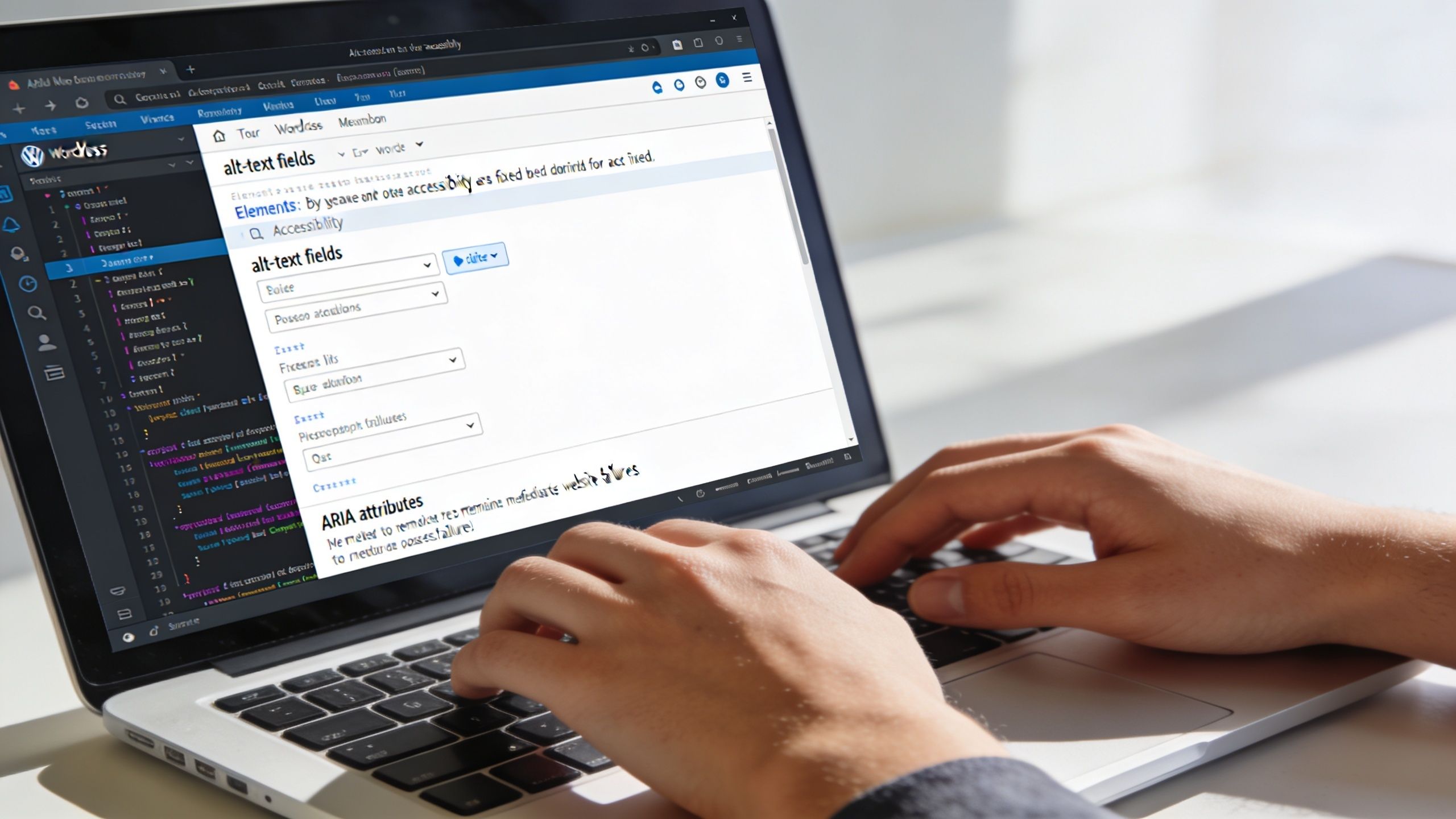
A stronger remediation workflow relies on manual testing because screen reader review uncovers 50 to 70% more issues than automation alone. Common fixes include enforcing one H1 per page, adding descriptive alt text where it’s missing on 40 to 60% of images, and correcting color contrast where 30% of audited themes fail the 4.5:1 ratio, according to Themeisle’s WordPress ADA compliance guide.
Fix the theme before you chase edge cases
If the theme layer is structurally weak, content-level fixes won’t hold. Start with the markup your templates generate every time.
Check these first:
- Heading hierarchy. Each page should have one H1, then a logical descent through H2 to H6. Page builders and custom templates often skip levels or duplicate H1s.
- Landmarks and semantics. Use proper header, nav, main, aside, and footer regions. Don’t use generic divs where semantic elements are appropriate.
- Visible focus states. Keyboard users need a clear focus indicator on links, buttons, fields, toggles, and custom controls.
- Skip links. Give keyboard and screen reader users a reliable way to bypass repeated navigation.
A lot of agencies inherit themes with accessibility-ready marketing language but poor implementation. The fix is often a child theme or custom theme refactor, not another plugin.
Make custom blocks behave like real interface components
Gutenberg and FSE can support good accessibility, but custom blocks often break it. The usual problems are clickable divs, missing labels, broken tab order, and controls that look interactive but don’t expose proper semantics.
When a block acts like a button, use a button. When it opens or closes content, expose state properly. When it updates content dynamically, think through focus and announcements.
For example, if you build a custom accordion block:
- use actual button elements for toggles
- connect the button to the panel with appropriate attributes
- ensure keyboard activation works predictably
- keep heading structure intact if the accordion sits inside a content section
The same applies to tabs, product filters, mini carts, and modal promos. In ada compliance wordpress work, custom blocks are often where polished design and weak semantics collide.
Engineering shortcut to avoid: adding ARIA to bad HTML instead of fixing the HTML first.
Audit plugins by behavior, not by brand
Plugin choice matters, but plugin behavior matters more. A popular form builder can still output inaccessible labels in a specific implementation. A popup plugin can still trap focus. A search enhancement can still break keyboard flow.
Review high-risk plugin categories first:
| Plugin type | Common failure | Better remediation path |
|---|---|---|
| Forms | Missing labels, unclear errors, weak focus handling | Rebuild field output or replace the plugin |
| Popups | Focus trap failures, inaccessible close controls | Refactor modal behavior or remove intrusive use |
| Menus | Hover-only disclosure, broken keyboard support | Replace walker logic or rebuild navigation |
| Sliders | Auto-rotation, poor controls, confusing announcements | Pause by default or replace with simpler UI |
If the plugin fights accessibility, replace it. Agencies waste a lot of time trying to patch around vendor code that wasn’t built with WCAG in mind.
Treat media and content as part of remediation
Developers often fix templates while editors keep publishing inaccessible content. That split guarantees regression.
Content remediation usually includes:
- Descriptive alt text for meaningful images
- Empty alt attributes for decorative images
- Clear link text that makes sense out of context
- Transcript and caption review for video and audio assets
- Structured headings inside the editor, not just visual styling
For teams managing publishing workflows, a practical reference like this accessible WordPress websites developers checklist helps align theme, block, and editorial standards into one process.
A short walkthrough can help teams visualize what to look for during remediation:
Fix the checkout and account areas early
On WooCommerce sites, don’t leave checkout until the end. That’s where inaccessible labels, vague validation, dynamic totals, coupon reveals, and payment widgets create the highest business risk. A homepage scan won’t tell you whether a customer can complete a purchase independently.
Review these areas with keyboard and screen reader testing:
- Shipping and billing forms
- Validation messages and error recovery
- Coupon and promo code interactions
- Cart updates and quantity controls
- Payment gateway fields and embedded steps
If those flows are broken, the site may look compliant in a dashboard report while failing users where revenue happens.
Building a Sustainable Accessibility Workflow
Accessibility work degrades unless you build operational controls around it. The launch version of the site might be clean. Then a plugin update changes markup, a campaign team adds a broken popup, or an editor pastes in a PDF link with no context. A few months later, the audit is stale and nobody knows what regressed.
That’s why mature teams treat accessibility like performance or security. It lives inside release management, QA, and content operations.
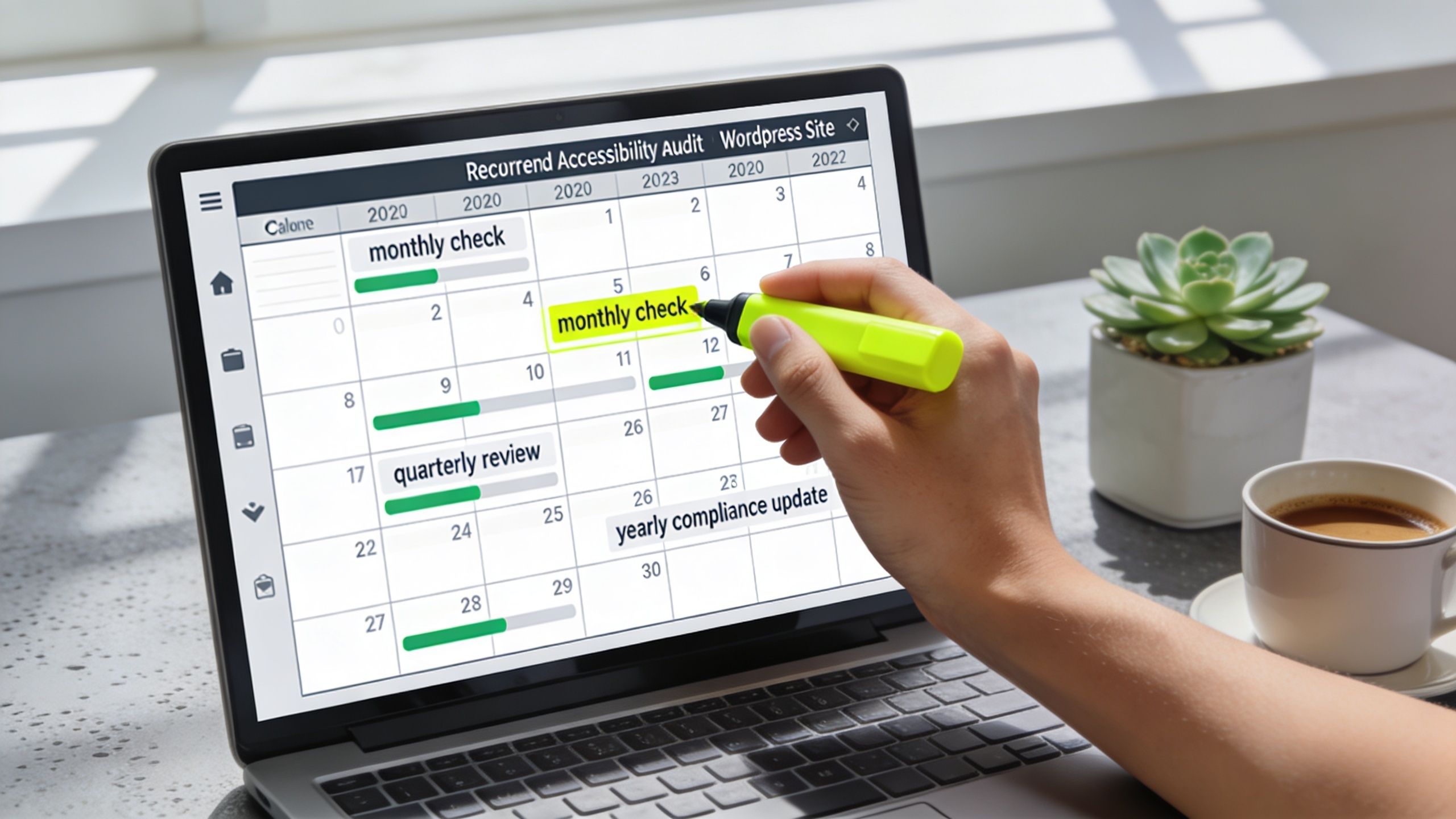
Enterprise multisite setups using a benchmarked remediation and monitoring workflow have achieved 92% sustained compliance over 12 months, including monthly scans via cron jobs and KPI tracking such as 100% alt-text compliance. The same benchmark notes that 50% of regressions are caused by un-updated plugins, as outlined in A11Y Collective’s remediation workflow summary.
Put accessibility checks into the deployment process
If your team already has staging, code review, and deployment controls, accessibility belongs there too.
A practical workflow usually includes:
- Pre-merge review for semantic HTML, keyboard support, labels, focus order, and component behavior
- Staging scans using automated tools against templates and key journeys
- Manual regression checks on navigation, forms, modals, filters, and checkout after major releases
- Post-release monitoring for new errors introduced by plugins, embeds, or content changes
This doesn’t need to be bureaucratic. It needs to be repeatable. If accessibility only gets checked during annual audits, you’ll keep paying to rediscover the same categories of issues.
Give editors rules they can actually follow
Many regressions don’t come from engineers. They come from normal publishing behavior. Editors add image-heavy landing pages, paste styled headings in the wrong order, use vague anchor text, or upload media without equivalent alternatives.
Create a short editorial standard that covers:
- How to write alt text
- When an image should be decorative
- How headings should be nested
- How to name links so they make sense out of context
- What to do before embedding third-party media
This gets more important when teams publish audio and video content regularly. For example, when content teams experiment with synthetic narration, resources on how content creators use AI voices can help them think through media workflows, but they still need accessibility review for transcripts, captions, and player behavior inside WordPress.
If your content process can publish inaccessible media in one click, your engineering fixes won’t stay fixed for long.
Track a few signals instead of chasing perfect dashboards
You don’t need a giant accessibility scorecard to maintain standards. You need a few checks that reveal drift early.
Useful signals include:
| Workflow area | What to watch |
|---|---|
| Content quality | Missing alt text, skipped headings, vague links |
| Component health | Focus visibility, keyboard operation, modal behavior |
| Plugin risk | Recent updates, outdated extensions, markup changes |
| Revenue flows | Form completion, checkout usability, account access |
For agencies handling multisite or white-label support, operations discipline matters more than one-off heroics. A sustainable ada compliance wordpress practice is less about a perfect audit day and more about keeping the platform from regressing every time the site evolves.
Legal Risks and When to Call an Expert
There’s a point where DIY accessibility work stops being efficient. That point arrives faster than many teams expect, especially once WordPress complexity starts stacking up. A simple site with a stable theme and a disciplined content team can often make solid progress internally. A multisite franchise platform, multilingual WooCommerce store, or API-heavy marketing stack usually can’t.
A major reason is structural risk. Guides often overlook the unique ADA challenges in multisite and WooCommerce environments, where third-party themes and plugins cause 84% of accessibility issues, and those issues multiply across a network. For multi-location enterprises and scaling retailers, plugins also falter at scale, which makes expert audits and custom remediation for integrations like ERPs and payment gateways critical, as outlined in NWS Digital’s WordPress accessibility discussion.
When internal teams can handle it
An in-house team can usually manage the work if these conditions are true:
- The theme is custom or well-controlled, with no heavy page-builder dependency
- The plugin stack is limited, and the team can replace weak plugins when needed
- Editors follow publishing standards, and someone reviews accessibility before launch
- Developers can test manually, not just run scanners
That setup still requires discipline. But it can work.
When expert support becomes the practical choice
External support is worth bringing in when the accessibility problem is tied to architecture, scale, or business-critical flows rather than isolated defects.
Common triggers include:
- WooCommerce with custom checkout logic, payment extensions, subscriptions, or account-area customization
- WordPress multisite networks where one broken component repeats across many locations
- Third-party integrations such as CRMs, ERPs, booking engines, and embedded lead systems
- Headless or heavily customized Gutenberg builds where interaction patterns need code-level review
- Agency teams under delivery pressure that need senior engineering capacity without pausing launches
A specialist doesn’t just find errors. They help you decide which defects are systemic, which components need rebuilding, and which vendors or plugins should be removed from the stack entirely.
The right time to call an expert is before the project becomes a loop of scan, patch, regress, repeat.
Legal exposure isn’t only about lawsuits
The legal risk shows up before formal litigation. It can arrive as demand letters, procurement friction, public-sector requirements, or enterprise buyer scrutiny during due diligence. Accessibility also reaches content operations. If your site publishes video, teams should understand the difference between captions and subtitles because media compliance often gets mishandled in CMS workflows. A concise explainer on closed captioning vs subtitles is useful for marketing and editorial teams reviewing media standards.
For businesses with serious platform complexity, a formal WordPress accessibility audit service usually makes sense when internal teams need a clear remediation roadmap tied to templates, integrations, and ongoing maintenance rather than another generic report.
The core decision is straightforward. If your site is simple, controlled, and rarely changes, internal remediation may be enough. If accessibility failures can affect revenue, compliance, or multiple business units at once, expert help is a risk management decision, not a luxury.
If you need engineering support for ada compliance wordpress, IMADO can help with WordPress accessibility audits, remediation planning, custom theme and block fixes, WooCommerce accessibility work, and ongoing maintenance processes that reduce regressions over time.
Let’s build something exceptional
Tell us about your project – we’ll help you launch a fast, scalable, SEO-optimized WordPress platform built for growth.