How much does a WooCommerce store cost? At IMADO, a store built on an adapted template starts at $3,740 and a custom-designed store starts at $7,700. That is the price of the build. Your total WooCommerce cost also includes hosting, paid extensions, ongoing support and payment provider fees.
The final price depends on what your store needs. We quote a custom data migration or an integration with your business systems, such as an ERP, separately.
Key takeaways
- The WooCommerce plugin itself is free. You pay for design, development, hosting, paid extensions and running the store.
- IMADO offers two options: a store built on an adapted template or a custom-designed store.
- The cost of an ERP integration depends on where the data comes from, which way it syncs, how many exceptions there are and how much testing it needs.
- Plan your budget for the first year and for three years separately. Include license renewals and fees that grow with your sales.
What does a WooCommerce store cost beyond the license?
WooCommerce does not charge a subscription for the core plugin or take a share of store revenue. Development, hosting, selected extensions and payment processing can still be paid items. The official WooCommerce pricing page separates these items, but its sample global rates are not a quote for a specific store.
This distinction matters, because “WooCommerce is free” describes the license for the core software. It says nothing about how much work it takes for customers to find a product, choose a variant, pay and receive the order, and for your team to process it.
A store budget has three parts:
- Build: analysis, design, configuration or development, product data, integrations, testing and launch.
- Maintenance: hosting, paid license renewals, backups and monitoring, updates, support and planned development.
- Cost of sales: payment provider fees and, in some setups, licenses that depend on the number of stores or on usage.
Not every item appears in every project. Your own team can prepare product data, and a store that only uses standard payment methods does not need a custom ERP integration. The quote should therefore state exactly what is included and what is not. If you are planning a company website without online sales, see how much a website costs and how we scope it.
What starting prices does IMADO publish?
IMADO publishes two WooCommerce options: a store based on an adapted template and a store designed and developed from scratch. You will find the starting price, a currency switcher and a description of both scopes in the cards below. The prices come from the published IMADO WooCommerce offer, not from averaged market price lists.
The adapted template card lists template customization, checkout, payments, shipping, analytics, testing and launch support. The custom option adds desktop and mobile design and custom development. The scope details are part of the published cards, and anything outside the list needs to be agreed separately.
The starting price does not mean every store will fit within it. Nor does it mean it covers any number of products, migrating a large catalog, a custom ERP integration, an unusual checkout or several markets. If you need something outside the listed scope, ask for it as a separate item in the quote.
A “from” price helps you check whether the basic model of working together fits your needs. It does not replace a brief. Before you accept a quote, ask for each requirement to be assigned to the core scope, to optional extras or to work that may only become clear after analysis.
What affects the cost of building a WooCommerce store the most?
The build cost grows with the number of store elements that need to be designed, connected to your business processes and checked against real scenarios. The number of SKUs is only one variable. What often matters more is where the data comes from, who updates it and what the store should do when two systems show different information.
Analysis and scope before design
Before the quote, it is worth defining what the store will sell, in which markets and how an order is fulfilled after payment. A good brief answers questions about team roles, the source of prices and stock levels, shipping, returns and the systems your company already uses.
If these decisions remain open, the agency has to allow time to clarify them or quote several options. This is not a “consulting surcharge”. Without a defined process, it is hard to judge whether to use an existing plugin, build an integration or leave part of the operations in the ERP system.
Design, catalog and checkout
An adapted template may be enough if the product layout, categories and purchase path match how your customers choose what to buy. A custom design makes sense when the store needs different views, configurators, product bundles or unusual checkout steps.
Data also affects the budget. A one time import of a well organized catalog is different from preparing the file, mapping categories, photos, attributes and variants, and migrating data from an old store. The number of products alone does not tell you what state the descriptions, prices, SKUs or variants are in.
Checkout is also best priced by behavior, not by name. Standard form fields are a different scope from conditional shipping methods, guest checkout, B2B logic, multiple shipping addresses or special invoicing rules.
Payments, shipping and integrations
Setting up a ready payment gateway is different from a solution that has to reconcile order status with your accounting system or recover a payment after an ambiguous response from the provider. Shipping works the same way: one standard method is not the same as labels, rules based on package size, several warehouses and automatic carrier selection.
For a U.S. store, name the carrier and payment setup in the quote. WooCommerce Shipping documents label support for USPS, UPS, DHL Express and FedEx, while WooCommerce payment gateways include options such as Stripe and PayPal. Confirm whether the work covers live rates, label creation, refunds and order or inventory sync, because each flow adds configuration and testing.
For an integration with an ERP or warehouse system, you need to decide which system is the source of truth for products, prices, stock and orders. Then you agree in which direction data flows, how often it syncs and what the system should do after an error. Some integrations use ready modules, while others need extra logic and monitoring.
Keep the integration as a separate item in the quote, apart from the cost of the store itself. This makes it easier to decide whether the integration is needed before launch or can come in a later phase.
Markets, B2B and technical requirements
Multiple languages, currencies, custom price lists for partners, order thresholds or wholesale orders add extra rules. They have to be reflected in products, the cart, payments and the data sent to your business systems. If you plan to sell abroad, write it into the requirements from the start, even if the first phase covers one market.
Performance and security requirements also depend on how the store is used. High campaign traffic, frequent catalog syncs and complex queries create a different load than occasional updates to a small catalog. The quote should state what the agency measures and tests, rather than stopping at a general “high performance” label.
Finally, there is acceptance. Agree who supplies content and data, which test scenarios are required, who approves the results and which fixes are part of the contract. A store can look finished and still fail a test with a coupon, a partial refund or a lost connection to the warehouse system.
How much does it cost to maintain a WooCommerce store?
The monthly cost of maintenance is not one fixed rate for every store. In your budget, list infrastructure, licenses, support and development separately, and calculate transaction fees according to the terms of your chosen provider.
Hosting is chosen to match the store’s requirements, traffic and how checkout is handled. Infrastructure may need to grow when traffic rises or integration tasks use up application resources. When you compare offers, also check backups, monitoring, the restore procedure and who is responsible for updates.
For licenses, include not only the purchase but also renewals and who owns the account. A plugin may be billed yearly, and its cost may depend on the number of domains or the feature tier. It is also worth agreeing what happens if your company cancels a service: will the store keep working or lose an important feature?
Technical support can include controlled updates, monitoring, troubleshooting and development work. Before you compare plans, check the number of hours or the scope of requests, the response time and how larger changes are billed. WooCommerce maintenance at IMADO covers support for a live store and its key processes.
Payment provider fees are a separate item. They depend on the provider, the payment method, the country and the contract terms, so you should not enter one fee for WooCommerce as a whole. The official WooCommerce site points out that payments are handled by the processor you choose, with its own fees. In your budget scenario, use the price list of the provider you actually plan to sign with.
How much does a WooCommerce store cost in the first year and over three years?
The cost of the first year is the one time build and data preparation plus twelve months of fixed costs, agreed support and forecast transaction fees. In a three year plan, do not count the build again, but include further renewals, traffic growth and planned changes.
The model below is a spreadsheet to fill in with figures from quotes, not a calculator or a sample IMADO quote. To compare scenarios, use the same assumptions: one market and currency, prepared product data, standard payments and shipping, known hosting and license terms, and a sales forecast based on your company’s data. Do not assume that provider prices or order volumes will stay the same. Note these assumptions in the spreadsheet.
| Budget item | First 12 months | Three year horizon | Where to get the figure |
|---|---|---|---|
| Design and build | One time amount from the accepted quote | Count the same amount once | Scope, exclusions and payment terms |
| Data preparation or migration | Enter it if it is not part of the build | Add a separate migration only if one is planned | Volume and state of the data and who is responsible for the import |
| Hosting and infrastructure | Cost for the agreed period | Renewals and any change in specification | Quote from your chosen provider |
| Licenses and extensions | Purchase or first renewal | Every renewal during the plan | Licenses the store actually needs |
| Support and development | Agreed plan or work schedule | Renewals and approved changes | Support contract and development backlog |
| Payment processing | Forecast from the number and value of transactions | A separate sales forecast for each year | Terms of your chosen provider |
The formula is simple: the first year total equals the build, migration, infrastructure, licenses, support and transaction fees. The three year total is the one time build and migration plus fixed and transaction costs calculated for each year. If the store changes market, provider or purchase process, add that work to the year in which it will happen.
For example, compare two options without giving them a made up total. The basic option assumes a ready catalog, one market, standard payments and shipping, and no migration. The growth option adds data preparation and ERP sync. The price difference then comes from the extra scope and data flow testing, not from an arbitrary “integration rate”. Your team can go through each item and enter its own quote or invoiced cost.
How do you compare quotes for a WooCommerce store?
You can only compare two quotes when they describe the same result and state who is responsible for each element. Ask for the cost to be split into core scope, options and work outside the contract.
In each quote, check:
- the number and type of designed views, including product, category, cart and checkout;
- who prepares, cleans up and imports products and their variants;
- which payments, shipping methods and order tests the agency will set up;
- which data the ERP or warehouse integration exchanges, in which direction and how it handles errors;
- who provides hosting, backups, paid licenses and their renewals;
- how testing, acceptance, launch, warranty and handover of access work;
- what later support covers and how changes outside the agreed scope are priced.
Also ask for acceptance criteria that can be checked. For example: a test order should appear in the ERP with the agreed status and customer data. A criterion like this says more than a general line such as “ERP integration”.
Price should not be the only line in your comparison table. A quote without migration can look cheaper until it turns out that the catalog, photos or redirects have to be ordered separately. If the uncertainty only concerns an add on, ask for it to be quoted as an optional phase. You do not have to expand the scope of the whole project right away.
When is a template enough, and when do you need custom development?
A store built on an adapted template is enough when the standard product page and checkout match the way you sell, and your company does not need a custom data flow. In return, you accept the limits the template sets.
Choose a custom-designed store when performance and customer experience matter to you. You decide what the path from product to order looks like and how checkout works. You do not have to work around template limits, because the code is written for your store, not for the many different uses a template has to cover.
Start with questions about orders, not with a technology comparison. Does the customer buy a standard product or configure a bundle? Do prices and availability come from one system? Are payment and shipping standard? Does your team want to edit product pages without a developer?
If the answers fit the standard path, a store built on an adapted template can be a sensible start. If the store has different price lists for partners, several warehouses, a custom checkout or its own sync logic, that logic has to be designed and tested. A custom build is not always the better choice. Do not pay for features your team will not use, but do not force your process into a template that cannot support it either.
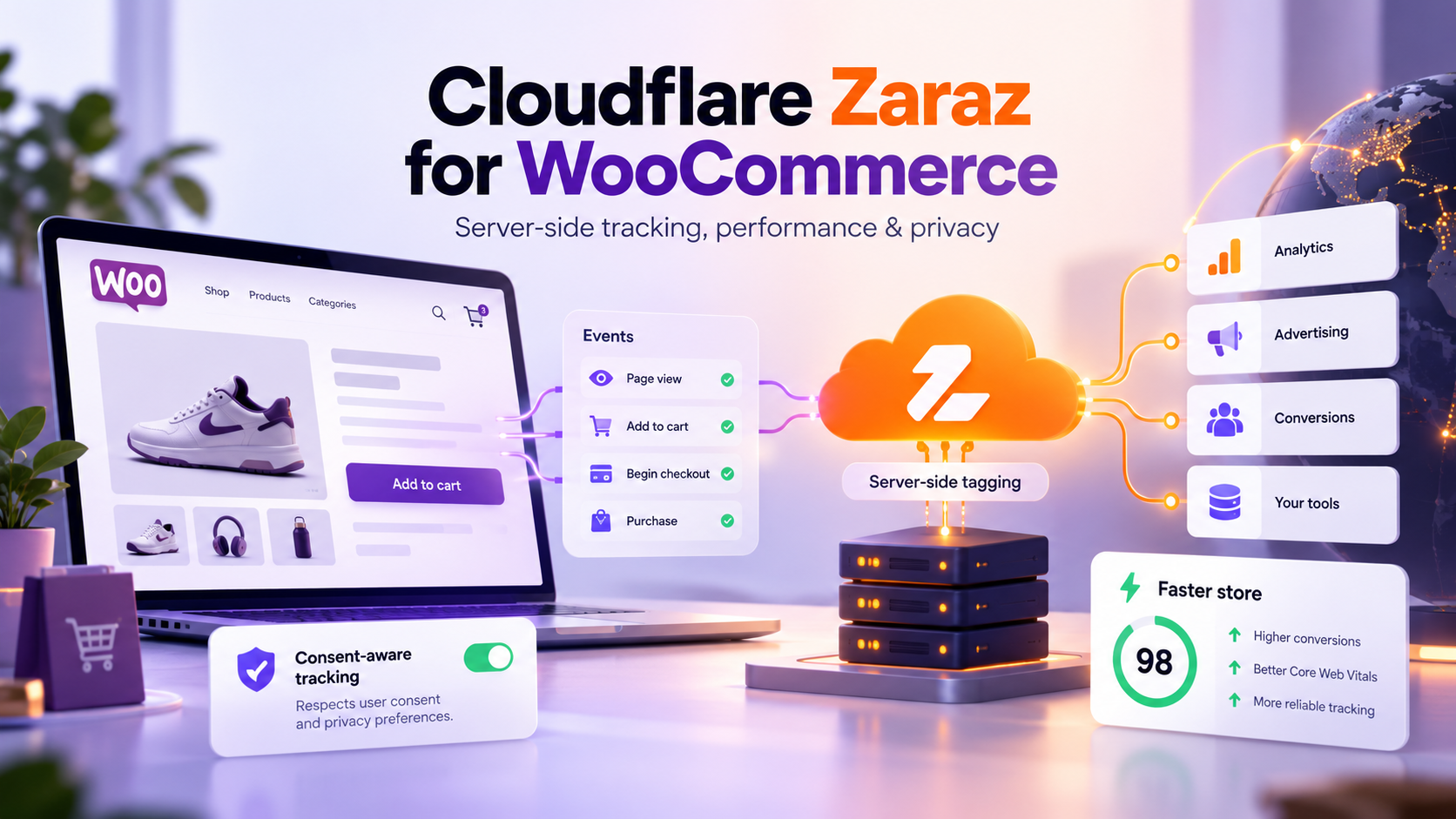
In both options, the analytics setup also affects the final price. Server-side tracking works best. Ad blockers in the browser then cut off fewer events, and your order data is more complete. We explain how this works in WooCommerce in our article on Cloudflare Zaraz for WooCommerce.
Setting up Redis as an object cache is also part of the quote. Redis keeps the results of frequent database queries in memory, so the server does not have to run them again every time. Cloudflare configuration affects the price too. Its CDN and cache deliver pages and media files from servers closer to your customers, and the WAF, bot protection and DDoS protection filter traffic before it reaches the store. You can also store product images in Cloudflare R2, outside the store’s server.
FAQ: common questions
How much does a WooCommerce store cost?
In IMADO pricing, a store built on an adapted template starts at $3,740 and a custom-designed store at $7,700. The final price depends on data, checkout, integrations and work after launch. A custom integration or migration needs a separate quote.
Is the WooCommerce plugin free?
The core WooCommerce software is available without a monthly subscription or a revenue share for the platform. A store can still need paid hosting, extensions, development, support and payment processing.
How much does it cost to run an online store each month?
There is no single rate. Add up hosting, license renewals, agreed support and development work, and calculate payment provider fees separately, based on your sales forecast and the provider’s terms.
How do I calculate the cost of a WooCommerce store in the first year?
Add the one time build and any migration to twelve months of infrastructure, licenses and support, plus forecast transaction fees. Fill your spreadsheet with figures from specific quotes, not averages from price lists that cannot be compared.
How much does it cost to build a WooCommerce store?
The build covers the work agreed in the quote. In a simpler setup, that can mean adapting a template, checkout, payments, shipping and testing. A custom project can add UI design, custom development, migration or integrations. The name “WooCommerce store” alone does not define the scope.
What is the difference between WordPress and WooCommerce?
WordPress is a content management system, and WooCommerce is a plugin that adds online store features to a WordPress site. The distinction matters for pricing, because setting up a company website and launching online sales involve different processes.
For more on what to prepare before you start selling, see the WooCommerce documentation on building a store.
Start by defining the sales process, data and integrations the store has to handle on launch day. Only then compare quotes and add the cost of ongoing support. This split gives you a budget you can come back to as your company develops the store.