
 Ask Chatgpt to summarize WordPress and GDPR: A Practical Implementation Guide 2026
 Ask Grok to summarize WordPress and GDPR: A Practical Implementation Guide 2026
 Ask Claude to summarize WordPress and GDPR: A Practical Implementation Guide 2026
 Ask Perplexity to summarize WordPress and GDPR: A Practical Implementation Guide 2026
 Ask Gemini to summarize WordPress and GDPR: A Practical Implementation Guide 2026

You inherit a WordPress site after launch, not before. The brand is happy with the design, traffic is growing, and then the uncomfortable questions arrive. Which plugins collect personal data. Which forms store submissions. Which scripts fire before consent. Which vendor receives checkout data. No one is fully sure.
Most WordPress and GDPR work starts there.
On modern builds, compliance is not a legal footer exercise. It is an engineering discipline. You are tracing data flows, reducing unnecessary collection, controlling script execution, documenting lawful processing, and making sure operational processes still work when a user asks for their data or asks for deletion.
WordPress gives you useful primitives for this. It became GDPR-capable with WordPress 4.9.6 in May 2018, but it does not comply by default, and fines can reach up to 20 million euros or 4% of annual turnover according to Termly’s WordPress privacy guide (https://termly.io/resources/articles/wordpress-data-privacy-compliance-guide/). In practice, that means core helps, but the agency, product team, host, plugin stack, and integration layer still carry most of the implementation burden.
Table of Contents
Moving Beyond the Cookie Banner
A cookie banner is often the most visible part of GDPR remediation, but it is rarely the hard part.
The difficult aspect is the architecture behind it. If your site loads analytics, embeds, A/B testing scripts, CRM forms, support chat, and custom JavaScript from scattered theme files, the banner only masks a deeper problem. Consent becomes performative if the page has already leaked data before the user makes a choice.
That is why WordPress and GDPR should be treated as a shared responsibility model. WordPress core gives you privacy tooling and a platform that can support compliant workflows. Site owners and developers still decide which data gets collected, which plugins are trusted, how long records are retained, where exports are sent, and whether third parties receive personal data at all.
A technically mature team asks different questions than “Which plugin adds a banner?”
They ask:
- What data enters the system through forms, account creation, comments, checkout, analytics, and support tools.
- Where that data lands in WordPress tables, plugin tables, logs, caches, SaaS dashboards, and external APIs.
- What can be removed because it is not essential.
- What must wait for consent before the browser loads it.
- How a DSAR will be fulfilled without manual hunting across ten systems.
A clean compliance implementation does not start with styling the banner. It starts with reducing the number of things the banner needs to govern.
Teams that approach GDPR this way often end up with a better site, not just a safer one. Fewer trackers. Cleaner plugin decisions. Clearer ownership. Better trust.
The GDPR Audit and Privacy by Design Framework
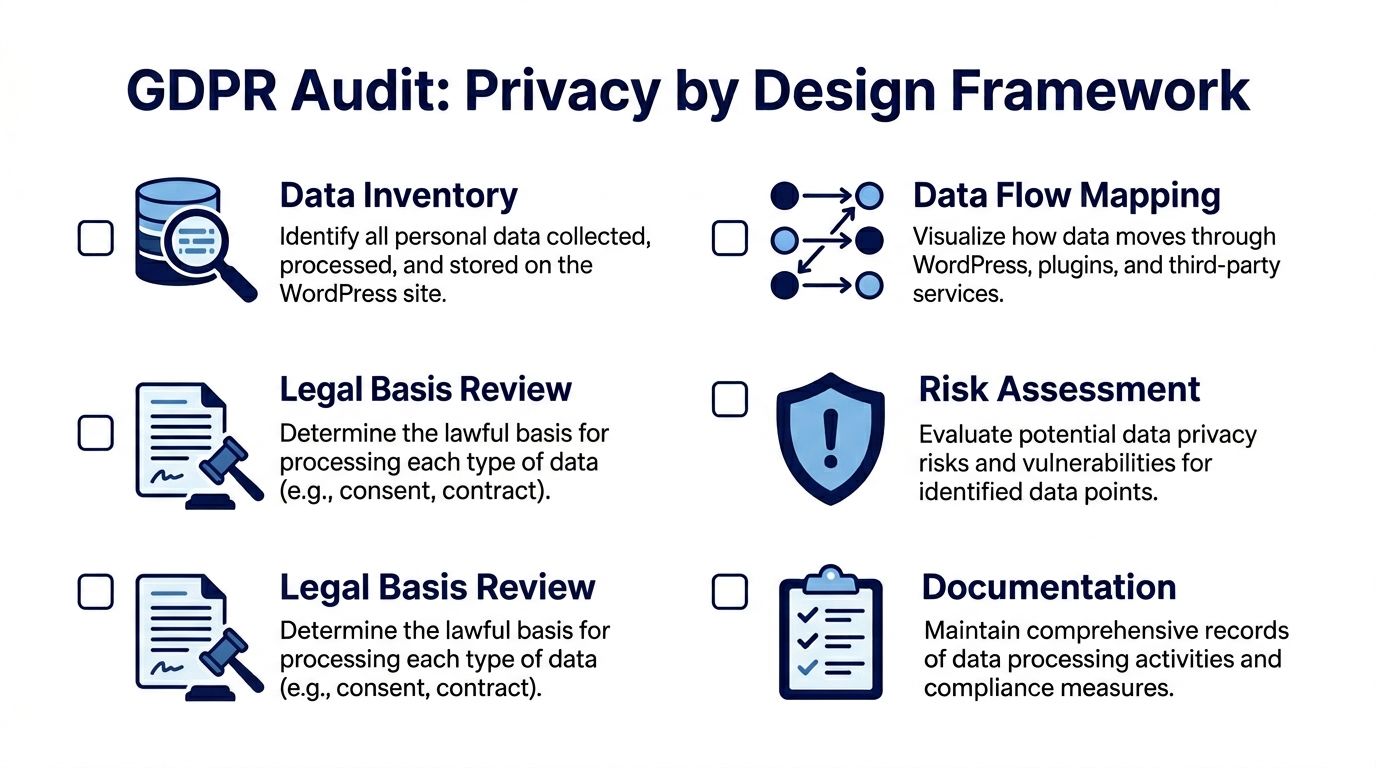
Most failed remediation projects skip the inventory step. They install a CMP, update the privacy page, and assume the job is done. It is often not.
A proper audit is the foundation. Usercentrics notes that 70% of sites fail compliance due to unconfigured plugins, and that a structured process including scans, classification, and CMP integration can reduce tracking volume by 60-70%. The same resource also notes that non-compliance fines for small sites averaged €20,000 in 2023 (https://usercentrics.com/knowledge-hub/wordpress-gdpr/).
Start with the live stack
Do not trust plugin lists from procurement documents or old handover notes. Audit the running environment.
Use WP-CLI to establish the baseline:
- List active plugins: Run
wp plugin list --status=activeand compare the result against what the client believes is installed. - Check mu-plugins and custom code: Many tracking and integration behaviors live outside the standard plugin screen.
- Inspect theme functions and block patterns: Custom scripts often appear in
functions.php, theme options, or injected header/footer fields. - Review tag managers carefully: One approved container can hide many unapproved tags.
This is also the point where I typically build a spreadsheet or system diagram with five columns: data source, personal data collected, storage location, legal basis, and downstream recipients. That document becomes more useful than the banner configuration itself.
If you need a technical review process for inherited builds, a senior-led workflow like a technical website audit is often the difference between finding obvious issues and finding the dangerous ones.
Map ingress, processing, and storage
A WordPress site rarely stores data in one place. Personal data can enter through user registration, comments, WooCommerce checkout, contact forms, newsletter forms, event plugins, support widgets, booking tools, and analytics tags.
Track each source through the stack:
| Area | Questions to answer |
|---|---|
| Core WordPress | Are user accounts, comments, or media fields storing personal data unnecessarily? |
| Form plugins | Are submissions stored in the database, emailed, sent to CRM tools, or all three? |
| WooCommerce | Which customer, order, and checkout fields are retained, and for how long? |
| Analytics | Is data first-party and anonymized, or sent to external processors? |
| Third-party embeds | Do video, map, chat, or social widgets load before consent? |
The point is not documentation for its own sake. The point is to identify collection paths you can remove or defer.
Privacy by design often means deleting capabilities you do not need, not adding more privacy plugins.
Classify what is essential and what is not
One of the biggest engineering mistakes is treating every script as “required for the business.” It often is not.
Classify each tracker and script into practical categories:
Strictly necessary
Needed for core site functions such as authentication, cart state, security, or consent storage.Analytics
Traffic measurement, product analytics, heatmaps, experimentation tools, and attribution scripts.Marketing
Ad pixels, remarketing tags, affiliate tracking, and social ad integrations.Embedded third parties
Video players, maps, social feeds, customer support widgets, review widgets.
This classification matters because it drives both your consent logic and your script loading model. It also keeps the privacy policy grounded in the actual implementation. If your legal text describes one stack but production runs another, you have already lost control.
For policy drafting, it helps to compare your implementation against a well-structured detailed Privacy Policy so your documentation reflects actual processing categories, retention logic, and user rights in plain language.
Review lawful basis and risk before implementation
Developers frequently stop at “we found the scripts.” That is only part of the job.
You also need to ask:
- Why is this data processed at all
- Does the site need to store it
- Can the same outcome be achieved with less personal data
- Does an external vendor receive it
- Can loading be deferred until consent
- Does the site have a process to respond if a user asks for export or erasure
Privacy by design becomes useful here. A contact form that emails the team without saving submissions in the database may be easier to justify and manage than a form plugin that stores every entry indefinitely. A self-hosted analytics setup may be simpler than a heavily customized external analytics stack. A delayed YouTube embed can be safer than loading the player on page render.
Re-audit after every meaningful change
Inherited sites drift. New campaigns add pixels. Marketing tools insert widgets. Plugin updates introduce fresh trackers.
A one-time audit is not enough. Teams need a repeatable re-audit process tied to plugin updates, new integrations, redesigns, and checkout changes. If that sounds operational rather than purely technical, that is because it is. GDPR hardening only works when engineering and maintenance are linked.
Configuring WordPress Core and Essential Plugins
Once the audit is complete, the implementation work gets more precise. This stage is not about adding as many privacy plugins as possible. It is about configuring the existing stack so that data collection, consent, and user rights are handled predictably.
WordPress core gives you a useful baseline for data export and erasure. The problem is that many builds never wire the surrounding plugins and custom tables into that process.
Use core privacy tools properly
Since WordPress 4.9.6, the privacy tools in the admin are strong enough to support real workflows if the site is built carefully.
The first review point is the built-in export and erasure flow under Tools. That means checking whether:
- user data in custom plugins is registered with the exporter
- custom post types expose personal data in ways your team has considered
- plugin-specific records can be erased without breaking operational records that must remain
- cache layers and generated exports are handled securely
If a plugin stores personal data but does not integrate with the core exporter and eraser, that gap needs engineering work. In advanced builds, I typically treat plugin privacy support as a selection criterion, not a nice bonus.
A practical pattern is to review every plugin that stores user-originated data and ask a simple question: does it participate in the site’s export and erasure workflow, or does it create a parallel data silo.
Harden the obvious collection points
Most WordPress sites collect personal data through forms long before the team thinks about checkout or analytics.
Contact forms, quote forms, lead magnets, support forms, and newsletter signups need deliberate handling:
- Add explicit consent only where it is appropriate. Do not throw a generic checkbox onto every form. The copy should match the processing purpose.
- Limit stored submissions. If the business does not need a long archive in the database, disable it or shorten retention.
- Minimize fields. Remove data points the business cannot justify.
- Separate operational and marketing consent. A download request is not blanket permission for future campaigns.
- Review email notifications. Form plugins often email personal data broadly to shared inboxes.
For Gravity Forms, Contact Form 7, WooCommerce forms, and similar tools, the key risk is not the form itself. It is the hidden chain behind it. Submission storage, spam filtering services, CRM pushes, webhook relays, and file uploads all expand the processing footprint.
The safest form architecture is typically the one with the fewest destinations after submit.
Later in the section, it helps to see implementation decisions in motion:
Choose a CMP that logs decisions, not just banners
A Consent Management Platform should do more than block a few cookies. On serious WordPress builds, the CMP becomes part of the application architecture.
Weak CMP implementations often fail in one of three ways:
| Weak pattern | Why it fails | Better approach |
|---|---|---|
| Banner only | Scripts still load before or around consent | Block at source and load conditionally |
| Binary accept model | No granular categories or audit trail | Separate analytics, marketing, and embeds |
| Plugin defaults | Categories and scripts are misclassified | Map each script to actual purpose and trigger |
A strong CMP setup should include:
Granular categories
Essential, analytics, marketing, and external media are common starting points.Prior blocking
Non-essential scripts should not execute until the consent state allows them.Consent logging
If you cannot show what the user chose and when, the implementation is weak.Script-level governance
The system should control scripts loaded by the theme, plugins, tag manager, and custom code.Revision handling
If categories or purposes change, the CMP should let you manage renewed consent cleanly.
The trade-off is real. Strict blocking can affect attribution, reporting continuity, and some frontend behaviors. But a softer setup that allows early script execution is not a real compromise. It is just non-compliance with nicer UX.
Make script loading conditional in code
Senior WordPress engineering matters more than plugin settings in this context.
Many sites install a CMP and then keep injecting scripts globally through theme options, hardcoded templates, or a tag manager. The banner looks compliant, while the implementation leaks.
Safer patterns include:
- wrapping non-essential scripts in consent-aware conditions
- delaying embed rendering until opt-in
- replacing third-party embeds with placeholders
- moving custom analytics triggers behind a consent event
- ensuring block-based components do not enqueue tracking assets by default
If you build custom Gutenberg blocks, this control gets easier. You can render placeholders server-side, load replacement assets only after opt-in, and avoid loading third-party code for users who decline.
Do not ignore plugin defaults
A large amount of GDPR trouble on WordPress comes from plugins that are “installed correctly” but “configured lazily.”
Examples include:
- form plugins storing entries indefinitely
- analytics plugins collecting more than the site needs
- newsletter plugins pre-ticking optional boxes
- security or activity log plugins retaining user-level records without a clear policy
- WooCommerce extensions syncing data to external services as soon as they are activated
Plugin defaults are built for convenience and broad compatibility. Compliance requires site-specific decisions. That difference matters.
Taming Analytics and Third-Party Integrations
Analytics is where WordPress and GDPR often gets contentious. Stakeholders want visibility, marketers want attribution, and engineering wants a setup that does not break reporting every time consent settings change.
The problem is not measurement itself. The problem is whether the site can measure performance without collecting more personal data than necessary or sending it to vendors before a user has made a valid choice.
First-party analytics versus external tracking
For many content sites, a privacy-first analytics model is the cleanest answer.
The key distinction is this: according to GetButterfly’s WordPress analytics compliance guide, anonymized, first-party traffic data collection is generally allowed without consent, while tracking individual users through cookies or external services requires explicit user consent (https://getbutterfly.com/gdpr-ccpa-pecr-wordpress-analytics-compliance/).
That changes the technical decision tree.
If the business needs trend reporting, top pages, referrers, device patterns, and campaign-level visibility, a first-party analytics approach can reduce risk and implementation overhead. Plugins such as WP Statistics are described there as operating without cookies and storing data directly in WordPress rather than sharing it with third parties.
If the business depends on ad platform optimization, audience building, cross-device attribution, and deep ecommerce integration, the stack becomes harder. At that point, consent architecture is not optional. It is the product requirement.
GA4 and Consent Mode v2 in real builds
GA4 is frequently presented as a settings problem. In practice, it is an integration problem.
Pantheon’s GDPR resource notes that post-2024 GA4 mandates demand cookieless tracking, that fines for GA4 misconfigurations surged 150% in 2025-2026, and that only 25% of WooCommerce sites use compliant Consent Management Platforms (https://pantheon.io/learning-center/wordpress/gdpr). That is why ecommerce teams get into trouble. The site may have a banner, but checkout-related scripts, upsell flows, or embedded vendor pixels still run in ways nobody fully audited.
Consent Mode v2 adds a further challenge. It is not enough to “turn it on.” You need to ensure:
- consent states are passed correctly before analytics and ad tags initialize
- denied users do not trigger full tracking behavior
- WooCommerce events respect the same consent model across product, cart, checkout, and post-purchase steps
- custom scripts and tag manager rules do not bypass the CMP
That last point is where many projects fail. The main analytics container may be configured correctly, but a sales plugin injects an extra pixel, a theme loads a remarketing script globally, or a checkout extension fires conversion events from its own template hooks.
If your CMP controls GA4 but not the other scripts around GA4, your implementation is incomplete.
Embedded services are often the hidden leak
Agencies frequently focus on analytics and forget the rest of the frontend.
Common offenders include:
- YouTube embeds that connect before the user interacts
- Google Maps loaded on contact pages by default
- Social feeds injected through widgets or page builders
- Chat tools that initialize on every page
- Review and booking widgets that pull scripts from third-party CDNs
A safer pattern is to render placeholders first. Load the asset only after the relevant consent category is accepted or after a clear user action where that behavior is part of the experience.
This requires coordination between design and engineering. Placeholders need to be usable and branded. The user should understand what will load and why.
Decide what reporting is worth the complexity
A practical analytics decision often involves subtraction.
Ask the client or internal team which reports they actively use. If a dashboard exists only because it might be useful one day, it should not drive architecture. Many sites can remove heatmaps, social pixels, affiliate tools, and duplicate analytics scripts with little business downside.
A smaller stack is easier to defend, easier to maintain, and easier to explain in your privacy documentation.
Advanced Scenarios for WooCommerce and Multisite
Standard GDPR advice breaks down when the site is not a simple brochure build. WooCommerce and multisite change the risk profile because they create more data states, more user journeys, and more cross-system dependencies.
WooCommerce is a data lifecycle problem
A WooCommerce store does not just collect order data. It creates a long-lived record across checkout, transactional email, payment processing, stock systems, shipping providers, refunds, support, analytics, and often an ERP or CRM.
That means the primary question is not “is checkout compliant.” The question is whether the store can explain and control the customer data lifecycle from first session to final retention state.
Review the lifecycle in sequence:
Pre-purchase behavior: Product views, cart actions, wishlist tools, abandoned cart plugins, and recommendation engines often start collecting before a customer buys anything.
Checkout submission: Name, address, email, and order metadata flow through WooCommerce, gateway providers, transactional systems, and integrations.
Post-purchase operations: Order history, support records, returns, marketing automation, and ERP syncs extend the storage footprint.
Retention and deletion: Some records must stay for operational or legal reasons. Others should not remain indefinitely just because a plugin saved them.
The trade-off is infrequently technical simplicity versus legal purity. It is often operational necessity versus uncontrolled duplication. A store can have a legitimate reason to retain order information while still reducing abandoned cart records, unused custom checkout fields, or stale marketing syncs.
DSARs on stores fail in predictable places
On WooCommerce builds, DSAR problems frequently come from incomplete scope.
Teams export core account data and miss:
- guest order records
- plugin-level customer notes
- form submissions tied to support or returns
- CRM or ERP copies created by integration plugins
- cached or queued copies in adjacent systems
If the store has custom integrations, include those in the data map and in the DSAR playbook. Otherwise the team ends up proving that WordPress exported what WordPress knew, while missing what the store processed.
A retention policy also needs to be specific enough to govern commerce records. A practical reference point for documenting those rules is a clear Data Retention Policy, especially when the business needs to separate mandatory operational retention from optional marketing storage.
Multisite creates consent and jurisdiction problems
Multisite is a different category of challenge because one technical platform can serve different regions, teams, languages, and legal contexts.
WP Consent notes that WordPress multisite networks are used by 20-30% of enterprise installations, that user data can flow network-wide through shared databases, and that 40% of multisite operators are unaware of this risk (https://wpconsent.com/beginners-guide-to-wordpress-and-gdpr-compliance/).
That matters because standard CMP plugins typically think in single-site terms. Enterprise multisite does not.
A few hard questions appear quickly:
- If a user account exists on one regional subsite, what data becomes visible or processable on another?
- Does consent collected on one locale govern scripts on another locale?
- Are analytics or user records aggregated centrally in a way that undermines local minimization?
- Does one privacy policy try to cover operationally different subsites that process data differently?
For many agencies, out-of-the-box compliance plugins stop being enough at this point. Custom engineering becomes necessary.
For teams building regional or franchise platforms, patterns from wordpress multisite development are often more relevant than generic compliance tutorials because the architecture itself changes the compliance boundary.
Patterns that work better on multisite
The safest multisite implementations often adopt some combination of these patterns:
| Pattern | Why it helps |
|---|---|
| Site-specific consent configuration | Keeps script categories and behavior aligned with each subsite’s actual stack |
| Locale-aware privacy content | Prevents one generic policy from describing several different processing models |
| Restricted shared user assumptions | Avoids treating one network identity as blanket consent across all properties |
| Central governance with local exceptions | Gives the platform team control without forcing every site into the same processing model |
What does not work is assuming network activation equals network compliance. In multisite, centralization is useful for governance, but dangerous if it hides site-level differences in processing.
Operationalizing Compliance with DSARs and Maintenance
A site is not compliant because the launch checklist was completed. It is compliant when the team can operate the system consistently under change.
DSAR handling is the clearest test. When a user asks for access or erasure, the site either has a repeatable workflow or it does not.
WPWorld’s guide on WordPress GDPR compliance notes that DSAR failures commonly involve delayed responses, with an average 45-day overrun in 30% of cases, and incomplete scopes that miss plugin data, with a 65% failure rate. It also notes that 25% of EU WordPress sites were fined in 2024 for DSAR mishandling (detailed guide to ensuring WordPress GDPR compliance).
Build a DSAR workflow your team can run
The most reliable workflows have clear ownership. Legal or account managers should not be hunting through plugin tables. Developers should not be making ad hoc policy decisions during a live request.
Use a repeatable sequence:
Verify identity
Confirm the requester before exposing or erasing anything. Email-token or authenticated account flows are safer than manual inbox exchanges.Compile data from all relevant systems
Include core records, plugin data, commerce records, form entries, and integrated systems identified during the audit.Export or erase through controlled tools
Use WordPress core where possible, then cover the gaps with plugin integrations or custom handlers.Log actions and timestamps
Keep an audit trail of request intake, verification, export, erasure, and completion.Confirm completion clearly
The user should understand what was delivered or deleted, and what was retained for legitimate operational reasons if applicable.
A DSAR process fails long before the deadline if nobody owns the full data scope.
Maintenance is part of the compliance architecture
The compliance state of a WordPress site changes whenever the codebase changes.
Plugin updates, campaign scripts, theme modifications, checkout extensions, and marketing experiments can all introduce new processing without a formal review. That is why maintenance needs privacy controls built into it.
A practical operating rhythm often includes:
- Re-audits after meaningful updates to detect new trackers or changed script behavior
- Consent regression testing on key templates such as homepage, landing pages, blog posts, product pages, cart, and checkout
- Privacy review for new plugins before activation, not after
- Retention reviews for forms, logs, exports, and commerce records
- Staff guidance so account managers, marketers, and developers know when a new tool changes the compliance footprint
Security maintenance is part of this too. A vulnerable plugin that exposes personal data is not a separate concern from GDPR. It relates directly to the obligation to handle personal data securely. That is why ongoing workflows around updates, monitoring, incident response, and change review matter as much as the initial remediation. A structured service approach such as maintain and secure WordPress reflects the actual operating model these sites need.
Keep documentation close to implementation
Documentation gets stale when it is written once and stored in a legal folder nobody revisits.
Keep the following artifacts current:
- data flow map
- script inventory by category
- plugin list with privacy impact notes
- DSAR runbook
- retention rules
- vendor list and processing notes
- privacy policy change log
When those documents track the live platform, compliance becomes easier to defend and easier to maintain.
Conclusion Your Path to Resilient Compliance
Strong WordPress and GDPR work looks like strong engineering. The site collects less, exposes less, depends on fewer unchecked vendors, and gives the team cleaner operational control.
That is why the best compliance projects do not stop at banners, plugin toggles, or legal text. They redesign data flows, make consent enforceable in code, account for WooCommerce and multisite complexity, and turn DSAR handling into a routine process instead of a panic event.
Clients notice the difference. So do internal teams. A platform that treats privacy as part of quality feels more deliberate, more secure, and more trustworthy.
Treat GDPR as an ongoing engineering standard. The result is not just lower risk. It is a WordPress platform that is easier to maintain, easier to scale, and easier to stand behind.
If your team needs senior help untangling a complex plugin stack, hardening WooCommerce flows, or governing multilingual multisite builds, IMADO provides the kind of engineering support agencies and in-house teams typically need when compliance becomes an architectural problem instead of a checkbox.
Let’s build something exceptional
Tell us about your project – we’ll help you launch a fast, scalable, SEO-optimized WordPress platform built for growth.