 Ask Chatgpt to summarize WordPress Monthly Maintenance Your Essential Guide
 Ask Grok to summarize WordPress Monthly Maintenance Your Essential Guide
 Ask Claude to summarize WordPress Monthly Maintenance Your Essential Guide
 Ask Perplexity to summarize WordPress Monthly Maintenance Your Essential Guide
 Ask Gemini to summarize WordPress Monthly Maintenance Your Essential Guide

At its core, WordPress monthly maintenance is the routine servicing that keeps your website secure, fast, and running without a hitch. It’s the digital equivalent of a tune-up for your car—an essential process to protect your investment, not just an IT chore. This is a core business strategy for preventing expensive disasters and making sure your site is always performing at its peak.
Table of Contents
Why Your Website Needs Regular Maintenance
Think of your WordPress site as a high-performance vehicle. You wouldn’t drive it for years without oil changes, tire rotations, and regular inspections, then act surprised when it breaks down. Your website, a complex piece of software, demands the same consistent care. Without it, you’re just driving toward a predictable and costly failure.
This isn’t just about “keeping the lights on.” It’s a disciplined routine of technical check-ups designed to stop problems before they ever start.
The diagram below maps this out perfectly, comparing fundamental site maintenance tasks to routine vehicle servicing.
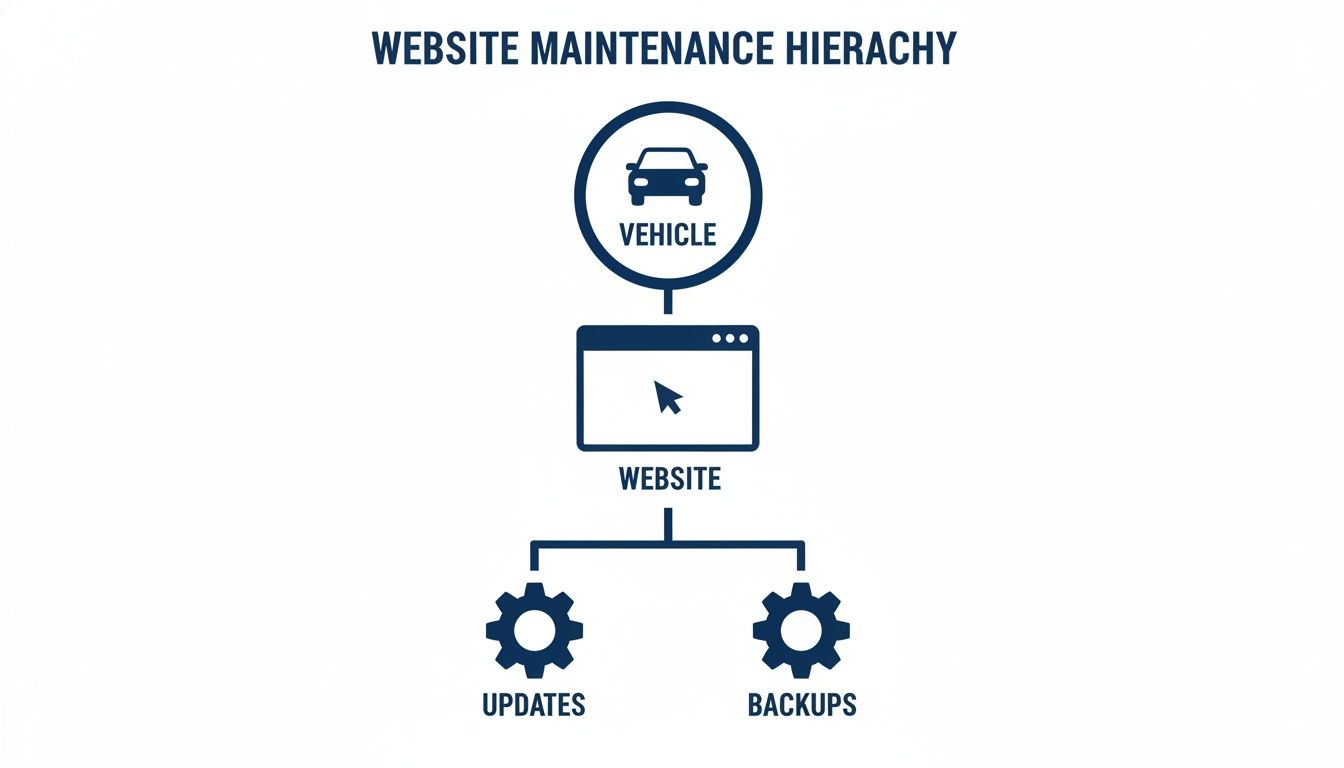
Just as a car needs a solid engine and reliable tires, your site depends on its core components—like updates and backups—to function correctly.
The Real Risks of Neglect
Putting off regular maintenance exposes your business to serious, often devastating, consequences. It’s never a matter of if something will go wrong, but when. The digital environment is in constant flux, with new security threats popping up daily and software evolving at a breakneck pace.
A website is a living entity, not a static brochure. Neglecting it is like leaving your physical storefront unlocked overnight with the cash register open. Proactive maintenance is the security guard, the janitor, and the mechanic all rolled into one.
Without a structured maintenance plan, you’re inviting severe vulnerabilities. These aren’t just technical headaches; they have a direct, measurable impact on your brand reputation and your bottom line.
Here are some of the most critical risks:
- Devastating Security Breaches: Outdated plugins and themes are the #1 entry point for hackers. A breach can lead to stolen data, a damaged brand, and getting blacklisted by Google.
- Plummeting SEO Rankings: Slow site speed is a major ranking penalty. A neglected site with a bloated database and broken links will watch its search rankings drop, becoming invisible to potential customers.
- Catastrophic Data Loss: Without reliable, tested backups, a server crash or a malicious attack could wipe out your entire website—years of content, customer records, and transaction history gone in an instant.
- Poor User Experience: Broken features, slow-loading pages, and security warnings send visitors running. A recent study found that 47% of users expect a page to load in two seconds or less and will abandon sites that don’t.
From Reactive Repairs to Proactive Growth
Ultimately, WordPress maintenance shifts your entire approach from reactive to proactive. Instead of frantically paying for expensive emergency repairs after a hack or crash, you invest in a predictable process that prevents those emergencies from happening in the first place. This is the crucial difference between a thriving online presence and a digital liability. As you’ll see in our complete guide, there are many effective ways to maintain and secure your WordPress site.
A professional maintenance plan turns an unpredictable cost center into a strategic investment. By ensuring your site stays secure, fast, and reliable, you build a stable foundation for growth. It frees up your team to focus on what they do best—creating content, marketing, and serving customers—confident that the underlying technology is solid. That peace of mind is the core value of an enterprise-grade service, which fuels growth by getting technical distractions out of the way.
The Ultimate WordPress Maintenance Checklist
A real WordPress monthly maintenance plan is a lot more than just hitting the “update” button and hoping for the best. It’s a disciplined, structured process that protects your site from every angle. Think of this checklist as the benchmark for what professional care actually looks like.
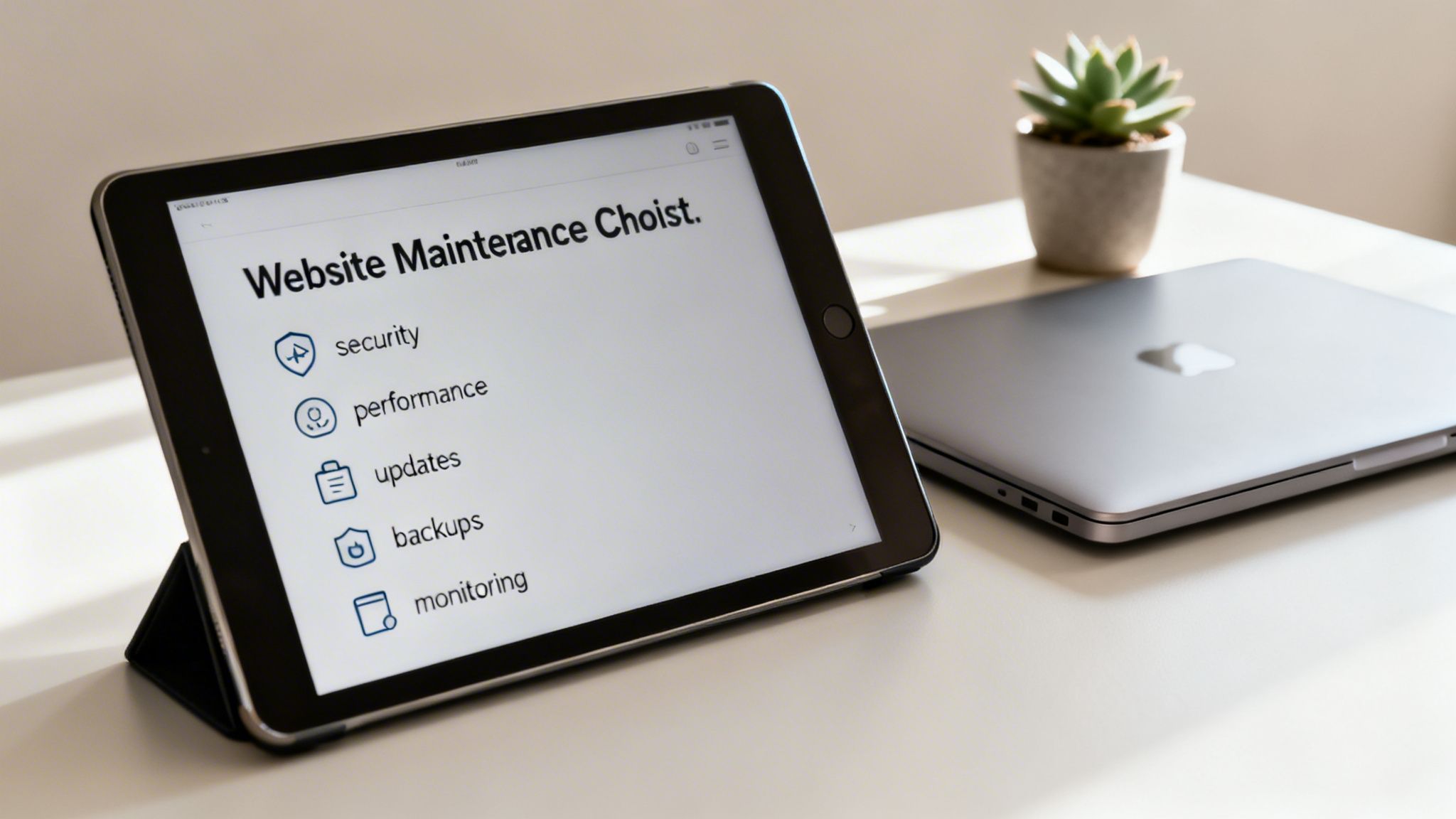
A well-executed plan is built on five core jobs, each one addressing a critical part of your site’s health and ability to perform.
Proactive Security Hardening
Security isn’t a one-and-done setup; it’s a constant state of defense. A single hacked blog post might seem minor, but one vulnerability can quickly compromise an entire server. The goal of proactive hardening is to make your site an unattractive, difficult target.
A solid security routine includes:
- Firewall Integrity Checks: Regularly confirming your Web Application Firewall (WAF) rules are active and blocking common attack patterns.
- Malware and Vulnerability Scanning: Running deep, server-side scans to find hidden malware or known vulnerabilities in your code—not just surface-level plugin checks.
- User Access and Permissions Audits: Reviewing all user accounts, especially admin-level ones. This means enforcing strong password policies and killing off old or unused accounts that create unnecessary risk.
A professional maintenance plan assumes threats are constant. The objective isn’t just to react to a hack, but to build a defense so resilient that most attacks fail before they even start.
Consistent Performance Optimization
A fast website directly impacts user experience and your SEO rankings. Performance work is about keeping your site fast and responsive as it gets bigger with new content and more traffic. Just installing a caching plugin isn’t enough.
Real performance work includes:
- Database Optimization: Your WordPress database is like a filing cabinet that gets messy over time. Regular optimization means cleaning out old post revisions, spam comments, and expired transients to keep database queries fast.
- Core Web Vitals Analysis: Monitoring key metrics like Largest Contentful Paint (LCP), First Input Delay (FID), and Cumulative Layout Shift (CLS). This helps spot specific problems, like slow-loading images or jumpy page elements, that frustrate users.
- Caching Configuration and Tuning: Verifying that page, object, and browser caching are all working correctly. A pro will fine-tune these settings to balance speed with content freshness, ensuring the right assets are cached for the right amount of time.
This ongoing tuning is what separates a truly fast site from one that’s just quick for a little while after setup. If your site’s health is a concern, you can get a detailed picture by commissioning a comprehensive WordPress website audit service to pinpoint specific areas for improvement.
Safe and Methodical Updates
Botching updates is one of the top reasons WordPress sites break. A professional process never involves clicking “update” on a live site without testing first. This methodical approach stops conflicts from taking your entire site offline.
The process should always look like this:
- Staging Environment Testing: All updates—for core, plugins, and themes—are first applied on a private copy of your site (a staging environment).
- Conflict Resolution: The staging site is tested thoroughly to find any visual bugs, broken features, or new errors caused by the updates.
- Scheduled Live Deployment: Only after everything is confirmed safe are the updates pushed to your live website, usually during off-peak hours to minimize any disruption.
Redundant Backups and Recovery Drills
Backups are your last line of defense, but they’re worthless if they don’t work when you need them. A reliable backup strategy requires redundancy and regular testing to prove you can recover from anything, whether it’s a server crash or a malicious attack.
Key components are:
- Redundant Storage: Daily or real-time backups should be stored in at least two off-site locations (like Amazon S3 and a separate cloud provider).
- Disaster Recovery Protocol: Your maintenance partner must have a documented, battle-tested plan for restoring your site from a backup.
- Regular Restoration Tests: Periodically, a backup is restored to a staging server to confirm its data is intact and the recovery process actually works.
Continuous Health Monitoring
You can’t fix a problem you don’t know exists. Continuous monitoring gives you the data to catch small issues before they become big emergencies. One blog owner found that in just one year, 266 links on their site had to be removed because they were broken, hijacked, or led to pages that no longer existed.
This final pillar covers:
- Uptime Monitoring: Automated checks run every few minutes to make sure your site is online. If it goes down, your team should get an instant alert.
- Broken Link Checks: Monthly scans of the entire site to find and fix broken internal and external links that hurt both user experience and SEO.
- Form and Transaction Tests: For e-commerce or lead-gen sites, this means regularly testing key conversion paths—like contact forms and checkout processes—to make sure they’re working.
While many providers offer these services, industry data from the 2021 WordPress Maintenance Survey shows a clear difference between basic and premium plans. Foundational tasks like updates and backups are almost universal, showing up in 90.79% and 84.11% of entry-level plans. But the more advanced, hands-on work is far more common in higher-tier packages: security cleanups are in 75.99%, uptime monitoring in 74%, and performance optimization in 68% of premium offerings.
How WordPress Maintenance Pricing Actually Works
How can one agency charge $50 a month for WordPress monthly maintenance while another quotes $5,000? It’s a massive price gap that makes it tough to compare services on an apples-to-apples basis.
The honest answer is that the price you pay is a direct reflection of the expertise you’re buying, the process behind the work, and the business outcomes you can expect. It’s not just “maintenance”; it’s a decision between basic automation and a dedicated engineering partner.
Let’s break down how the market is structured so you know exactly what you’re paying for.
The Basic Tier: Automated Upkeep
This is the entry-level tier, usually priced under $100 per month. These plans are built for simple sites – think personal blogs or basic “brochure” websites with little to no special functionality. The main selling point here is convenience through automation.
Services in this tier almost exclusively rely on software to get the job done.
- Automated Updates: A system automatically applies updates to your plugins, themes, and WordPress core. Human oversight is minimal, which means conflicts can and do slip through.
- Automated Backups: Your site gets backed up daily to the cloud. The catch? Restoring from that backup often requires manual work and comes with an extra fee.
- Basic Security Scans: These are surface-level checks for common, known malware. They’re better than nothing but can easily miss more sophisticated or zero-day threats.
The basic tier is a volume game. Providers use software to manage hundreds or thousands of sites with a tiny support team. This model is fine if a few hours of downtime isn’t a crisis, but it’s a huge gamble for any business-critical website.
The Standard Tier: Professional Oversight
Moving up, the standard tier typically runs from $150 to $500 per month. This is where you start paying for human expertise on top of the automation. It’s a solid fit for most small businesses, lead-generation sites, and blogs that are starting to get serious traction.
The key difference is the layer of professional oversight.
At this level, you’re not just paying for software; you’re paying for a technician’s time and experience. They use a safe staging environment to test updates before deploying them to your live site, dramatically reducing the risk of a crash.
Here’s what you get that the basic tier lacks:
- Safe Staging Updates: A technician clones your site to a staging server, runs all the updates there first, and looks for any issues before touching your live site.
- Security Monitoring and Cleanup: These plans go beyond simple scans. If your site does get hacked, they’ll often include the service to clean it up.
- Developer Support: Most plans bundle in a small amount of developer time (usually 1-2 hours) for small fixes, content changes, or troubleshooting.
This tier strikes a much healthier balance between cost and risk. It provides a real safety net that pure automation simply can’t offer. You can see how we structure our own plans on our pricing page.
The Enterprise Tier: Strategic Partnership
Enterprise-level service is for businesses where the website is a mission-critical, revenue-generating machine. We’re talking high-traffic e-commerce stores, complex multisite networks, and SaaS platforms. Pricing starts around $500 and can easily run into the thousands per month.
At this level, WordPress monthly maintenance stops being a checklist and becomes a proactive, strategic partnership. You aren’t just buying upkeep; you’re retaining a senior engineering team focused on growing the business.
To help you find the right fit, here’s a quick comparison of the service tiers you’ll find on the market in 2026.
Typical WordPress Maintenance Service Tiers in 2026
| Service Tier | Typical Monthly Cost | Best For | Core Services Included |
|---|---|---|---|
| Basic | $30 – $100 | Personal blogs, simple brochure sites | Automated updates, automated backups, basic security scans. |
| Standard | $150 – $500 | Small businesses, lead-gen sites | Human-led safe staging updates, malware cleanup, some developer support. |
| Enterprise | $500 – $5,000+ | E-commerce, high-traffic platforms | Proactive performance tuning, strategic consulting, dedicated engineering time. |
This table shows the clear progression: from hands-off automation to a fully integrated engineering partnership.
Enterprise services include everything from the lower tiers, plus a focus on proactive growth:
- Proactive Performance Optimization: Continuous monitoring and tuning of Core Web Vitals, database queries, and server configuration to keep the site fast.
- Strategic Consulting: You get access to senior engineers who advise on site architecture, scalability planning, and technical SEO to help you hit your business goals.
- Dedicated Engineering Time: You get a block of hours for your team to use on new features, custom development, or paying down technical debt.
The ROI here is undeniable. For a business operating at scale—say, an e-commerce store doing $30,000+ in monthly revenue—this investment is a no-brainer. Research shows sites like these can lose around $1,000 per day of downtime, which makes a premium maintenance plan an economic necessity, not a luxury.
Choosing the right plan comes down to one thing: an honest assessment of your site’s business value. Overpaying for a simple blog is wasteful, but underinvesting in a critical asset is just asking for a disaster.
Finding the Right Maintenance Partner
Choosing a partner for WordPress monthly maintenance is a big strategic decision, one that goes way beyond just technical tasks. For digital agencies and established businesses, this isn’t about offloading a chore. It’s about finding a partner who can protect your revenue, unlock new growth, and add serious engineering muscle to your team.

The right choice comes down to your specific business model. Are you an agency that wants to expand your service offerings? Or an in-house team that needs to scale engineering power without the hiring overhead? Let’s look at the partnership models that actually work.
Partnership Models for Growth
Not all maintenance providers are built the same. The best ones offer flexible ways to work together that slot right into your business goals. Two of the most common—and effective—models are white-label partnerships and on-demand engineering.
1. White-Label Partnerships for Agencies
If you’re a digital agency, offering solid maintenance is a no-brainer. A white-label partnership lets you sell expert WordPress care under your own brand. You own the client relationship, while a specialized crew like IMADO does all the heavy lifting behind the scenes.
This approach brings a few huge wins:
- New Recurring Revenue: It builds a stable, predictable income stream that strengthens your agency’s bottom line.
- Increased Client Retention: You create stickier, long-term client relationships by delivering value long after a site launches.
- Complete Client Solution: You become a true one-stop shop, covering everything from design to long-term support. That’s a powerful market position.
A white-label partnership is more than just outsourcing. It’s a strategic alliance. It lets you scale your services instantly without having to build an entire maintenance department from the ground up.
2. On-Demand Engineering for In-House Teams
For businesses with their own technical teams, a maintenance partner can act as a force multiplier. This model, sometimes called staff augmentation, gives you senior-level expertise right when you need it. You get the skills without the long, expensive process of hiring more full-time staff.
For more on how this works, check out our guide on outsourcing WordPress maintenance to keep your site running smoothly.
This is the perfect fit for:
- Accelerating Projects: Add senior engineers to your team to get that critical project over the finish line.
- Clearing Technical Debt: Finally tackle that backlog of performance fixes, code refactoring, or platform updates your team never has time for.
- Accessing Specialized Skills: Bring in an expert for a tough challenge like headless WordPress, advanced security hardening, or e-commerce scalability.
Vetting a Potential Partner
Once you know which model fits, it’s time to vet potential partners. Your goal is to find a team with the technical chops, solid processes, and clear communication to feel like a true extension of your own crew.
When you’re digging in, look at the kind of WordPress plugins for agencies they use. It can tell you a lot about how they operate and what they can offer.
Here are the questions you absolutely need to ask:
- Process and Workflow: How do you handle updates? Do you use a staging environment? What’s your disaster recovery plan, and have you actually tested it?
- Technical Depth: Can you show me complex sites you manage, like multisite, headless, or high-traffic e-commerce? Who is really doing the work—senior engineers or junior techs?
- Communication and Reporting: What does your monthly report look like? How do you communicate during an emergency? Who is my dedicated point of contact?
The answers will tell you if you’re looking at a basic, automated service or the kind of enterprise-grade partnership that fuels growth. Simple blogs might only run $20–$75 per month, but high-revenue corporate sites can easily command $200–$4,500 or more. For agencies, this pricing reality creates a clear opportunity to build high-value resale packages.
Ultimately, the right partner isn’t a vendor. They’re an engineering-focused team like IMADO, built from the ground up to support your growth, protect your assets, and help you hit your biggest goals.
The IMADO Difference in Enterprise Maintenance

When your revenue is on the line, “good enough” WordPress monthly maintenance just won’t cut it. A lot of providers can run through a checklist, but the gap between a basic plan and a real enterprise partnership comes down to the expertise, process, and proactive thinking behind the work.
That’s where we come in.
We built our maintenance service around senior engineering talent. We don’t rely on junior staff or pure automation; our approach is hands-on and strategic. Your website isn’t another ticket in a queue—it’s a critical asset managed by seasoned pros who get the business impact of every technical choice.
Proven Expertise with Complex Platforms
Standard maintenance plans are fine for a simple blog, but they often fall apart when faced with anything more complex. Our team thrives on that complexity. We have proven, hands-on experience managing and optimizing the kind of sophisticated digital platforms that other providers simply aren’t equipped to handle.
Our core strengths include:
- Multilingual and Multisite Networks: Running a network of connected sites means understanding shared resources, user permissions, and how plugins behave across the board. We deliver consistent performance and security for your entire portfolio.
- High-Traffic E-commerce: For WooCommerce stores, our maintenance goes way beyond just running updates. We zero in on database efficiency, lock down payment gateway integrations, and architect for peak traffic events like Black Friday.
This depth of experience means we’re not just fixing what’s broken. We anticipate the unique challenges that come with complex builds and put solutions in place to prevent problems from happening in the first place.
An enterprise-grade maintenance partner doesn’t just apply updates; they bring a level of architectural foresight that protects and enhances your investment. We act as stewards of your platform’s long-term health and scalability.
An Obsessive Focus on Performance and Security
For ambitious brands, performance isn’t a nice-to-have; it’s a core feature. We treat it that way. Our process moves well beyond basic caching to deliver real, measurable gains in speed and responsiveness, obsessing over the metrics that actually matter to your users and to search engines.
Here’s how we approach it:
- Core Web Vitals Optimization: We constantly monitor and improve Largest Contentful Paint (LCP), Interaction to Next Paint (INP), and Cumulative Layout Shift (CLS) to guarantee a superior user experience.
- Advanced Security Hardening: We go deep, implementing over 30 specific security measures. This includes everything from HTTP security headers and content security policies to file integrity monitoring and proactive threat blocking.
- Architecting for Scalability: We analyze your site’s architecture to find and kill bottlenecks, making sure it can handle sudden traffic spikes and future growth without skipping a beat.
A Partnership Built on Proactive Communication
Ultimately, what really defines the IMADO difference is our commitment to being a true partner, not just a vendor. You see it in our structured workflows, our radically transparent reporting, and our proactive communication.
You’ll get detailed monthly reports that spell out every single task performed—from updates and backups to performance metrics and security scans. No guesswork.
When an issue does come up, you have a direct line to the senior engineers who can not only fix it but also explain the root cause and the steps we’re taking to make sure it doesn’t happen again. That level of accountability is the cornerstone of our service.
For brands whose revenue and reputation depend on their digital platforms, this distinction is everything. Choosing IMADO means you’re investing in a dedicated engineering team that is just as committed to your business outcomes as you are.
Frequently Asked Questions
When you’re looking into WordPress monthly maintenance, a few final questions usually come up. Getting straight answers is the only way to make a good decision and really grasp the value of having pros look after your site.
Can I Do WordPress Maintenance Myself?
You absolutely can handle some of the basics, like hitting “update” on a few plugins. But that’s a bit like changing the oil in your car—it’s a necessary task, but it doesn’t tell you if the transmission is about to fail. You’re missing the deep diagnostics.
A professional service doesn’t just update things; they test every single update in a safe staging environment first. This is a huge deal, as it prevents the kind of site-breaking conflicts that happen all the time when you update a live site directly. We also use advanced security and performance monitoring tools that go way beyond what’s practical for a DIY approach.
If your website is a critical business asset, outsourcing this work minimizes risk and frees up your team to focus on growth, not just upkeep.
What Happens If My Site Is Hacked on a Plan?
This is where you discover the real quality of your maintenance plan. A top-tier partner isn’t just reactive. They include proactive security hardening from day one, implementing over 30 specific measures to prevent breaches before they happen.
In the rare case an attack does get through, a comprehensive plan guarantees an immediate incident response. This isn’t a surprise extra fee; it’s a core part of the service.
The response process is immediate and methodical:
- Rapid Malware Cleanup: We hunt down and remove all malicious code.
- Clean Backup Restoration: Your site is restored from the latest uninfected backup.
- Vulnerability Patching: We find and secure the entry point to stop it from happening again.
Basic plans often treat a hack as a costly emergency project. Enterprise-grade plans include cleanup, ensuring a fast resolution that protects your revenue and brand.
How Much Developer Support Is Included?
This is a big one, and it varies a lot between plans. It’s critical to know exactly what you’re paying for.
- Basic Plans: Almost always include zero developer hours. They’re built for automated tasks and nothing more.
- Mid-Tier Plans: Might offer an hour or two, good for small fixes or minor content tweaks.
- Enterprise Plans: These provide a retainer of senior engineering hours for strategic work—think performance optimization, building new features, or complex integrations.
The right amount of support depends on your business goals. If you have a simple, static website, minimal support might be enough. But if your site is an active part of your business that needs to evolve, a dedicated block of developer time is much more efficient than paying for ad-hoc projects.
What Should I Expect in a Maintenance Report?
You deserve total transparency. A solid monthly report isn’t a “nice-to-have”; it’s a non-negotiable part of any professional service. It should clearly summarize everything that was done.
A good report gives you a detailed log of every plugin, theme, and core file that was updated. It also includes security scan results, backup logs, and key performance metrics like uptime and site speed.
If developer time is part of your plan, the report should break down exactly how those hours were spent. This gives you a clear, honest picture of your site’s health and the tangible value you’re getting each month.
Ready to protect your most valuable digital asset with enterprise-grade engineering? IMADO delivers proactive WordPress monthly maintenance that keeps your site secure, fast, and primed for growth. Explore our maintenance services and get peace of mind today.
Let’s build something exceptional
Tell us about your project – we’ll help you launch a fast, scalable, SEO-optimized WordPress platform built for growth.