 Ask Chatgpt to summarize WordPress Expert for Hire: Your 2026 Guide
 Ask Grok to summarize WordPress Expert for Hire: Your 2026 Guide
 Ask Claude to summarize WordPress Expert for Hire: Your 2026 Guide
 Ask Perplexity to summarize WordPress Expert for Hire: Your 2026 Guide
 Ask Gemini to summarize WordPress Expert for Hire: Your 2026 Guide
Your WordPress site is probably no longer a brochure. It runs lead flow, content operations, ecommerce, localization, partner pages, and internal publishing workflows. When that site gets slow, brittle, or impossible to extend, the problem isn’t “we need a developer.” The problem is that prior decisions stacked up into technical debt.
That’s why generic advice about hiring a freelancer falls apart for serious teams. If you’re looking for a wordpress expert for hire, you’re not trying to fill a coding gap. You’re trying to reduce delivery risk, protect SEO, keep editors productive, and make sure the next rebuild doesn’t create the same mess again.
Table of Contents
Why “Just Hire a WordPress Developer” Is Bad Advice
A small marketing site can survive a loosely managed build. A growth-stage SaaS site, a WooCommerce store, or a multilingual multisite setup can’t.
Most hiring content online points buyers toward freelance marketplaces and one-off task execution. That advice fits small fixes. It doesn’t fit agency overflow, white-label delivery, enterprise integrations, or a content platform that has to stay stable while teams keep shipping.
The operational gap is substantial. A 2025 WP Engine survey found that 62% of agencies struggle with capacity during peak projects, and Clutch.co data suggests individual freelancers carry 40% higher project delay risk than agency-augmented teams according to WP Fix It’s summary of hiring trends. If you’re leading delivery, that difference shows up in missed launch windows, rushed QA, and expensive rework.
The Core Hiring Question
The wrong question is, “Who can build this?”
The right question is, “Who can own the engineering risk behind this?”
That changes everything. You stop screening for surface skills like “knows Elementor” or “has built WordPress sites before.” You start looking for someone who can:
- Translate business goals into architecture that editors can use
- Handle scale and complexity without overloading the codebase
- Work inside existing delivery processes if your internal team or agency already has one
- Protect future flexibility so the next integration or redesign doesn’t require a rebuild
Practical rule: If your site affects revenue, lead generation, customer onboarding, or multi-team publishing, hire for architecture and process, not just implementation speed.
What bad hiring usually looks like
The pattern is familiar.
A company hires cheap help for a redesign. The build leans heavily on page builders and plugins because that gets screens out quickly. A few months later, performance drops, checkout bugs appear, content editors start working around the CMS instead of with it, and every “small update” turns into a dev ticket.
That isn’t a WordPress problem. It’s a hiring and scoping problem.
A serious engagement should give you more than shipped templates. It should give you a stable codebase, clear ownership, realistic estimates, and a partner who can support growth after launch. That matters even more when your need is ongoing capacity, not a one-time project.
Scoping Your Project for Success
Most failed hires start with a bad brief.
If you send out a vague request like “we need a faster site” or “we want a custom WooCommerce build,” you’ll get vague proposals back. Some will look cheap because they ignore the hard parts. Others will look expensive because the vendor is pricing in uncertainty.
The fix is simple. Scope the work before you shop for talent.
Start with business outcomes
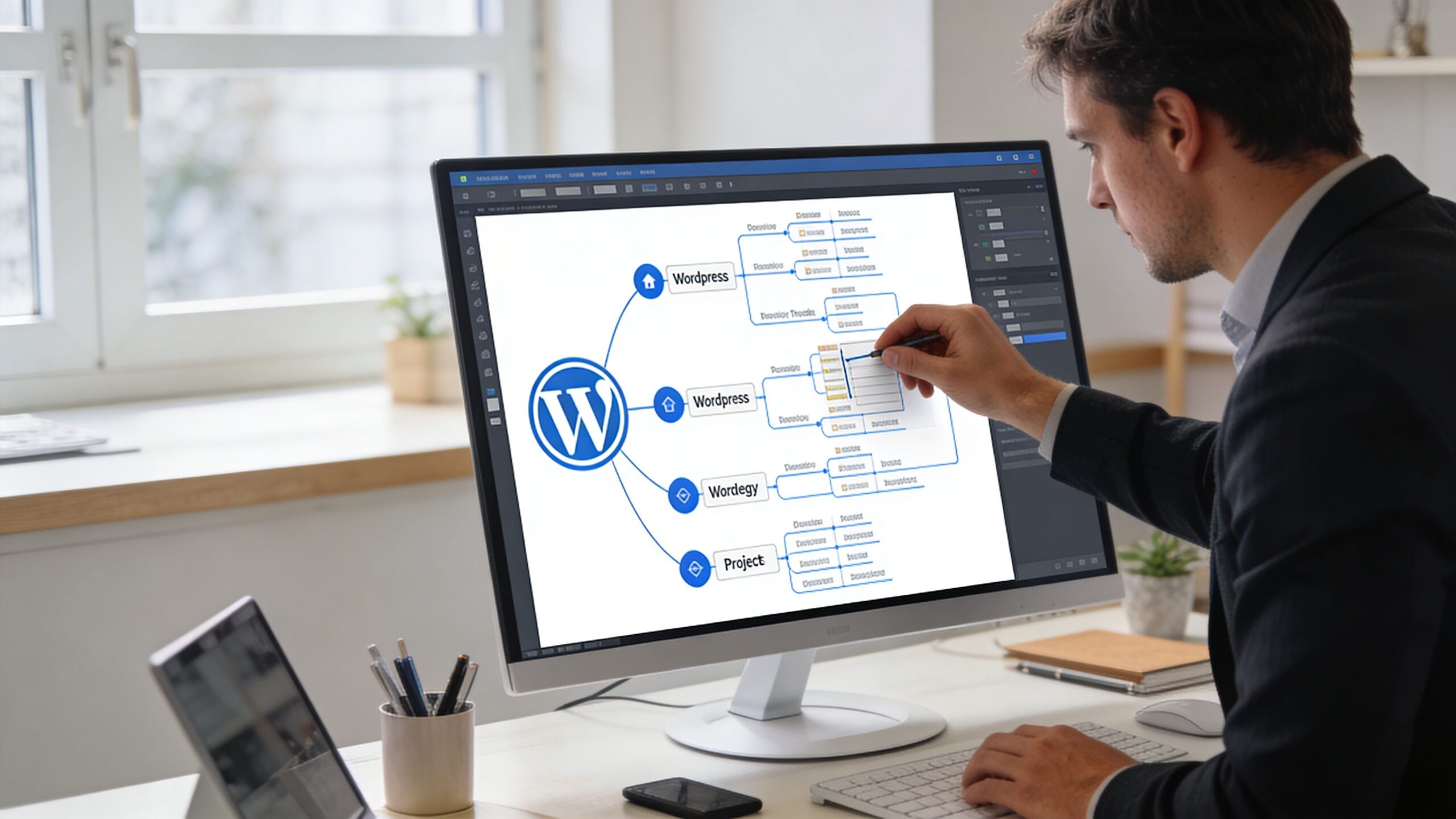
Don’t begin with plugins or themes. Begin with business outcomes and operational constraints.
For example:
- Lead generation might require flexible landing page creation, CRM syncing, form routing, and clean analytics events.
- Editorial scale may require custom post types, taxonomies, role-based workflows, and reusable Gutenberg blocks.
- Ecommerce growth often means product filtering, checkout customization, ERP synchronization, stock logic, and performance work around cart and account flows.
- Global expansion can require multilingual publishing, multisite governance, translation workflows, and regional content ownership.
A good scope turns those business needs into technical decisions.
Define the content model early
Many teams encounter issues at this point. They jump into design comps before deciding how content should be structured inside WordPress.
That causes expensive reversals later.
Experts recommend defining custom post types, taxonomies, and API endpoints early to avoid 30% to 50% scope creep in under-scoped projects.
A proper content model answers questions like:
- What content types exist
News, case studies, locations, products, events, documentation, team profiles, or custom entities specific to your business. - How content relates
Which items connect to each other. For example, products to industries, locations to service pages, or resources to authors and topics. - What editors can control
Reusable fields, design limits, approval roles, visibility settings, and localization rules. - What other systems need access
CRM, ERP, search, analytics, mobile apps, or a headless frontend.
Under-scoped projects almost always look cheaper in the proposal stage. They become expensive during implementation.
Audit what you already have
Before hiring, inspect the current site like an engineer, not like a brand team.
Use tools such as Google PageSpeed Insights and GTmetrix to benchmark performance. Review plugin sprawl, template inconsistencies, indexing issues, editor pain points, and any custom code that only one developer understands.
If the site already exists, gather:
- Performance snapshots from desktop and mobile
- Plugin inventory with notes on what’s essential versus legacy
- Template map showing page types and ownership
- Integration list covering forms, CRM, ERP, search, payments, and analytics
- Known failure points like checkout friction, translation issues, staging problems, or deployment delays
If you need a formal starting point, a structured WordPress website audit service helps turn a vague “something’s wrong” feeling into a list of architecture, performance, SEO, and maintenance issues you can hire against.
Write requirements that an engineer can estimate
A useful scope document doesn’t need to be huge. It needs to remove ambiguity.
Include these sections:
- Project objective
State what the site must accomplish for the business. - User groups
Buyers, editors, admins, marketers, store managers, franchise owners, translators, or regional teams. - Content structure
CPTs, taxonomies, block requirements, reusable fields, search facets. - Functional requirements
Ecommerce rules, subscriptions, gated content, account areas, forms, filtering, multilingual behavior. - Integrations
CRM, ERP, payment systems, maps, booking engines, analytics, support tools. - Non-functional requirements
Accessibility expectations, performance targets, security standards, deployment flow, uptime sensitivity. - Success criteria
What “done” means operationally, not just visually.
If AI-assisted support is part of your roadmap, define that now too. Teams treat it as a later add-on, but it affects content design, support workflows, and integration planning. A resource like this guide to a smart chat bot for WordPress can help you think through what needs to be structured in the CMS before implementation starts.
Decide what is fixed and what is flexible
Every project has hard requirements and negotiable ones. Separate them.
A hard requirement might be a multilingual architecture, ERP integration, or a custom product finder. A flexible requirement might be a secondary animation system or a lower-priority editor convenience.
That distinction matters when proposals come back. The right expert will challenge weak assumptions and protect the core scope instead of saying yes to everything.
Choosing Your Engagement Model
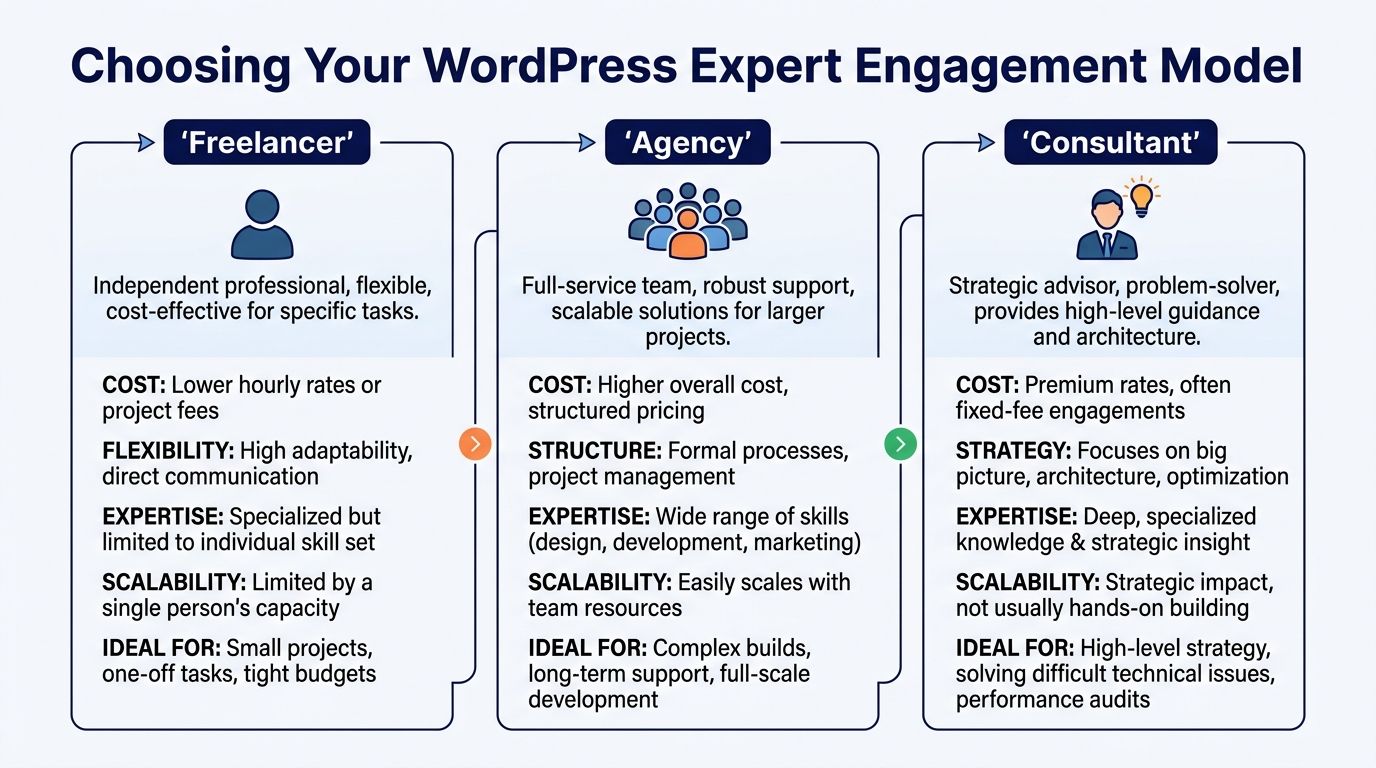
Not every WordPress engagement should be staffed the same way. The right model depends on complexity, internal capacity, and how much delivery ownership you want to keep.
If you only need a contained task, a freelancer may be fine. If the work spans architecture, design systems, QA, deployment, and post-launch support, a full-service agency makes more sense. If your internal team already has product ownership but needs extra engineering power, staff augmentation is the cleanest option.
What the rate card does and doesn’t tell you
The market is broad. WordPress expert rates range from $20 to $250+ per hour, while general freelance marketplace pricing lands around $41 to $60 per hour, and vetted platforms charge $80 to $120 per hour while saving companies 10 to 15 hours per candidate in hiring time according to Fiverr’s WordPress developer cost guide.
That spread is real, but it can mislead buyers.
A lower hourly rate can hide a lot of cost:
- more oversight from your internal team
- weaker estimation
- shallow QA
- slower debugging
- less documentation
- limited support after launch
A higher rate can be cheaper if the expert reduces management load and avoids avoidable mistakes.
Engagement Model Comparison
| Factor | Freelancer | Full-Service Agency | Staff Augmentation (IMADO) |
|---|---|---|---|
| Best fit | Small contained tasks | Full builds with broad ownership | Teams that need added senior engineering capacity |
| Management overhead | High. You manage direction, QA, and process | Lower. The agency manages more of the workflow | Shared. Your team keeps control while added engineers plug in |
| Scalability | Limited to one person’s bandwidth | Strong for multi-discipline delivery | Strong when roadmap volume changes |
| Specialization access | Depends on the individual | Broader bench across performance, architecture, QA, and integrations | Focused access to engineers matched to your stack and workflow |
| Delivery continuity | Risk if the person becomes unavailable | More resilient because work is distributed across a team | More resilient than solo hiring, especially for ongoing capacity |
| Best for white-label needs | Weak | Common | Common |
| Cost visibility | Can appear low upfront, less predictable later | Higher upfront, more structured | Predictable if scope and resourcing are clear |
Freelancer when speed matters more than systems
A strong freelancer can be a good hire for:
- plugin conflict resolution
- block tweaks
- a simple theme extension
- short-term bug fixing
- a narrowly scoped migration task
This model breaks down when the project requires coordinated discovery, architecture decisions, QA discipline, deployment process, and support continuity.
Freelancers also vary widely in how they document work. That matters if your team needs maintainable code, not just a finished ticket.
Full-service agency when you want ownership transferred
An agency is the right fit when:
- your brief still needs shaping
- design and engineering have to move together
- launch risk is high
- you need post-launch support baked in
- multiple specialties are required at once
This model costs more than hiring one person, but it removes a lot of internal burden. For many teams, that’s the point.
Staff augmentation when your team already has momentum
Staff augmentation is different. You keep roadmap ownership, product context, and internal process. The outside team supplies the missing senior engineering capacity.
That works well when:
- your marketers already know what needs to ship
- your product or engineering lead wants direct control
- your agency has overflow work
- your ecommerce team needs implementation support without changing vendors
- you need white-label delivery behind an existing client relationship
For teams evaluating this route, this breakdown of dedicated team vs staff augmentation and finding your perfect fit is useful because the actual trade-off isn’t just cost. It’s ownership, process fit, and how quickly added engineers become productive inside your stack.
The best engagement model is the one that matches your internal operating model. Not the one with the cheapest hourly line item.
Consultant versus implementer
Some companies searching for a wordpress expert for hire may need a consultant first.
That happens when the hard problem is not coding. It’s deciding between:
- monolithic WordPress and headless
- multisite and single-site architectures
- custom blocks and page-builder dependency
- plugin extension and custom plugin development
- patching the current build or rebuilding cleanly
In that case, architecture guidance before implementation can save a lot of money. But don’t confuse strategy with delivery. If a consultant designs the path, someone still needs to execute it well.
How to Identify a True WordPress Expert
Portfolios don’t tell the whole story. Plenty of developers can assemble attractive pages. Far fewer can build a WordPress platform that stays fast, secure, and maintainable after content editors, marketers, and third-party systems start using it daily.
That’s the distinction you should care about.

Portfolio signals that matter
Don’t just ask, “Have they built sites like ours?”
Ask better questions.
Open live examples. Check if they feel fast. Inspect whether page layouts rely on generic templates or whether the team built structured editorial systems. Review how consistent the design patterns are across templates. Test forms. Look at mobile behavior. If ecommerce is involved, run through category pages, cart, and checkout.
A weak portfolio shows the same warning signs:
- heavy page-builder usage on every project
- no evidence of custom blocks or custom plugin work
- inconsistent editing experience across templates
- weak accessibility patterns
- obvious plugin patchwork around core functionality
According to Codeable’s agency benchmarks, agencies delivering custom WooCommerce and headless solutions report 92% client retention, and experts avoid pitfalls like over-reliance on page builders, which fail 40% of mobile audits, and inadequate caching, which contributes to 55% of WooCommerce cart abandonment.
Those numbers align with what engineering teams see in practice. Bloated frontends and weak infrastructure don’t fail in staging. They fail under real traffic, editor load, and conversion pressure.
Technical depth to verify
A true expert should be comfortable discussing WordPress as a software platform, not just as an admin panel.
Look for competence in these areas:
- Modern PHP
Object-oriented PHP, sensible architecture, dependency management, and code organization that won’t collapse during future changes. - WordPress core concepts
Hooks, filters, template hierarchy, custom post types, taxonomies, REST API behavior, and plugin interoperability. - Gutenberg and block development
Not just using blocks. Building custom blocks that match editorial needs and keep payloads lean. - JavaScript for modern builds
React matters for Gutenberg and many headless or hybrid implementations. - Database awareness
They should understand query patterns, meta usage, and what causes slow admin screens or archive pages. - Caching strategy
Browser caching, page caching, object caching, CDN use, and WooCommerce-specific exceptions. - Security hardening
Access control, update policy, plugin vetting, environment separation, and deployment hygiene. - Accessibility and QA discipline
WCAG-aware implementation, keyboard testing, semantic markup, and realistic regression checks.
Ask them to explain trade-offs, not tools
Anyone can list familiar plugins. That’s not expertise.
Ask questions like:
- When would you avoid a page builder entirely?
- How do you structure reusable Gutenberg blocks for editors who need flexibility without layout drift?
- What would make you choose multisite over a single install?
- How do you approach caching on a WooCommerce store with dynamic cart behavior?
- What usually causes WordPress admin slowdown on content-heavy sites?
The right candidate will answer in trade-offs. They’ll talk about maintainability, editor experience, payload size, integration constraints, and long-term support. The wrong one will answer with product names only.
A senior WordPress engineer should be able to explain why a decision is right, where it breaks, and what it will cost to change later.
Watch for process maturity
Technical skill alone isn’t enough if the work has business consequences.
A dependable expert should show evidence of:
- scoped discovery before estimates
- Git-based workflow
- staging discipline
- deployment process
- issue tracking hygiene
- QA checklists
- communication habits around blockers and change requests
Many “good coders” fail at this point. They can build. They can’t operate in a delivery environment with stakeholders, deadlines, and evolving requirements.
Red flags that usually lead to rework
Use this as a quick filter during calls and proposal reviews.
- Everything is solved with plugins
Plugins are part of WordPress. Overuse is the problem. - No mention of editor experience
If they only talk about frontend output, editors will pay the price later. - No opinion on performance
Serious engineers have one. - No process for updates and maintenance
That’s a risk signal, not an omission. - No ability to discuss failed projects
Experienced people have war stories and lessons.
You’re not looking for perfection. You’re looking for judgment.
Running a Bulletproof Hiring Process
Once you’ve defined the work and know what expert-level capability looks like, the hiring process itself needs structure. Loose interviews produce false confidence. A disciplined process exposes how someone thinks, communicates, estimates, and handles messy realities.
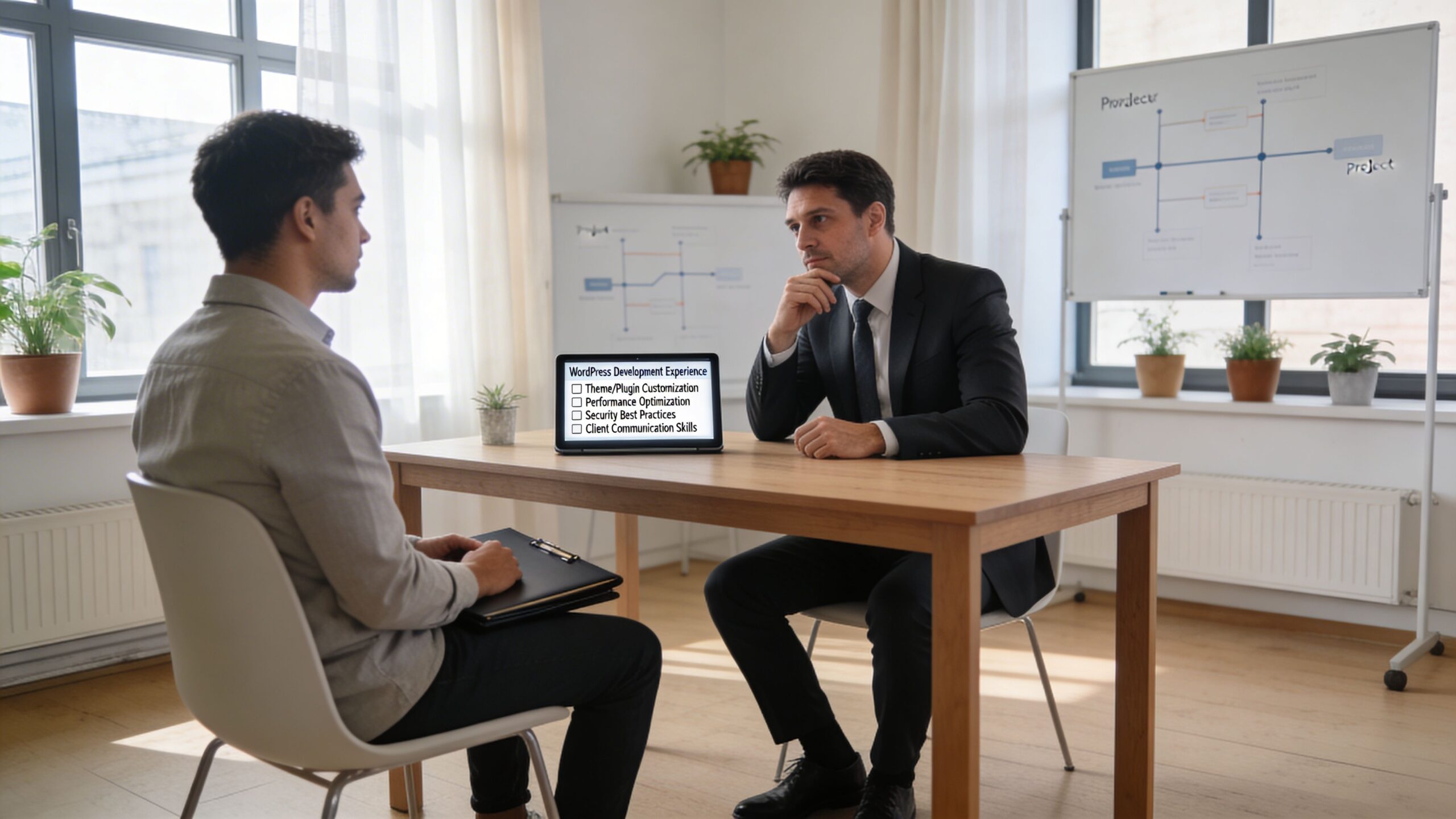
Start with a short candidate set. Then test for real delivery behavior.
Match the evaluation to the project
The hiring bar should rise with complexity.
Per Codeable’s breakdown of WordPress developer compensation and project scope, a simple site may take 5 to 20+ hours, while a custom ecommerce build can require 100+ hours, and specialists in headless architecture or performance optimization charge $100 to $150 per hour. If you’re paying for high-impact expertise, your screening process should verify it.
That means no trivia-driven interviews and no generic coding puzzles. Test candidates on the kind of work they’d do for you.
Better interview questions
A good interview should force concrete reasoning.
Try questions like these:
- You inherit a WordPress site with plugin sprawl, poor performance, and no documentation. What do you audit first, and why?
- How would you decide between custom Gutenberg blocks and a page-builder-heavy setup for a marketing team that needs speed?
- Describe a WooCommerce performance issue you’d expect to appear only after launch. How would you catch it earlier?
- How do you handle a stakeholder request that conflicts with performance or maintainability?
- What do you need in discovery before you’ll commit to an estimate?
These questions reveal sequencing, communication style, and whether the candidate has worked through real constraints before.
Use paid practical tests
A short paid exercise is far more useful than a long abstract challenge.
Good test options include:
- Build a small custom Gutenberg block with defined editor controls and frontend output
- Debug a slow query or template bottleneck from a sanitized staging environment
- Review an existing plugin stack and recommend what to keep, replace, or custom-build
- Write a mini technical approach for a multilingual content model or an ERP integration
Keep the task close to production reality. You want to see how the person frames assumptions, communicates edge cases, and documents decisions.
Don’t hire the person who solves only the happy path. Hire the one who identifies what could fail before it does.
Require a serious RFP or RFI response
For larger engagements, a lightweight email thread isn’t enough. Ask for a structured response.
Your request should cover:
- Architecture approach
Monolithic, headless, multisite, or hybrid. Ask why. - Content modeling
CPTs, taxonomies, blocks, editor workflow. - Performance plan
Caching, asset handling, image strategy, frontend discipline. - Security and release process
Repository access, staging, deployment controls, rollback. - QA approach
Functional testing, browser coverage, accessibility checks. - Support model
Post-launch issue handling, maintenance, response expectations. - Reporting cadence
Who communicates status, risks, and decisions.
If you’re refining your overall engineering hiring workflow, this guide on the 10 pillars of a best practice recruitment process for elite engineers is a useful reference because it aligns with what strong technical screening should do: reduce guesswork, tighten evaluation criteria, and make decisions based on evidence instead of charisma.
Compare candidates on judgment, not charm
A polished presenter can still be a weak delivery hire.
Score candidates on:
- clarity under ambiguity
- quality of assumptions
- depth of trade-off analysis
- code and architecture reasoning
- communication reliability
- realism in estimates
- maintainability mindset
This is a helpful point to pause and review how others think about recruiting rigor in technical roles:
Run references the right way
Don’t ask references if the developer was “good to work with.” Everyone gets polite references.
Ask:
- What type of project did they handle?
- Where did they add the most value?
- Where did they need support?
- How did they manage scope changes?
- Would you trust them on a business-critical launch again?
Specific questions produce useful answers. Generic ones produce social niceties.
Securing the Partnership and Planning for the Future
Hiring the expert isn’t the finish line. It’s the point where operational discipline starts to matter most.
A lot of WordPress projects go wrong after the statement of work is signed. Ownership is vague. Access is messy. Scope changes aren’t controlled. Maintenance is treated as optional. Then the site launches into a support vacuum.
That’s avoidable if the partnership is structured correctly from day one.
Get the contract details right
For serious WordPress work, the contract should cover more than price and timeline.
It should define:
- Intellectual property ownership
Who owns custom code, designs, and deliverables at each stage. - Scope boundaries
What is included, what counts as change, and how change requests are approved. - Payment structure
Milestones, retainers, or monthly capacity arrangements. - Confidentiality
Access to customer data, staging data, internal documentation, and business logic. - Support obligations
What happens after launch, how defects are triaged, and what response standards apply. - Exit terms
Repository transfer, credential handoff, documentation delivery, and transition support.
For enterprise WordPress, this isn’t legal padding. It’s delivery protection.
Treat security and access as part of onboarding
The fastest way to create risk is to handle credentials casually.
Use named accounts. Limit permissions by role. Keep code in a shared repository with clear ownership. Separate production, staging, and local workflows. Document who can deploy, who can approve releases, and how emergency access works.
This matters even more for ecommerce, multilingual publishing, and multisite environments where more users, plugins, and business rules increase the blast radius of mistakes.
Put maintenance into the plan before launch
If your chosen expert has no clear post-launch plan, assume the site will decay.
WordPress sites need ongoing work:
- core and plugin updates
- compatibility checks
- uptime monitoring
- security reviews
- performance tuning
- incident response
- database housekeeping
- editorial support for new requirements
That’s one reason enterprise teams prefer agency-style relationships after launch. For multilingual or multisite projects, scope creep can occur in 70% of projects using hourly freelancers, while agency models with clear SLAs and ongoing maintenance can reduce technical debt by 35%, according to Upwork’s multisite hiring market summary.
Those projects don’t fail because WordPress can’t support them. They fail because no one owns the system after release.
Build a working rhythm, not just a handoff
A healthy partnership has an operating cadence.
That includes:
- weekly or biweekly delivery reviews
- a shared backlog with priorities
- release notes
- environment discipline
- issue severity definitions
- maintenance windows
- performance and security checks
If your team needs that ongoing structure, a defined WordPress monthly maintenance arrangement is more practical than buying support ad hoc. The point isn’t to keep a vendor busy. It’s to keep your site stable while the business keeps changing.
The cheapest post-launch model is the one that prevents emergencies, not the one that responds to them.
What strong partnerships look like
The best expert relationships feel boring in the right way.
There’s clear ownership. Delivery is predictable. Risks are surfaced early. Editors know what they can control. Marketing can launch without breaking templates. Engineering decisions are documented. The site improves over time instead of drifting into fragility.
That’s what companies should mean when they search for a wordpress expert for hire. Not a pair of hands. A partner who can support a business-critical platform through change.
If you need senior WordPress engineering support for a custom build, white-label delivery, wp staff augmentation, or long-term maintenance, IMADO works with agencies, in-house teams, and growth-stage brands that need structured scoping, modern WordPress architecture, and reliable delivery.
Let’s build something exceptional
Tell us about your project – we’ll help you launch a fast, scalable, SEO-optimized WordPress platform built for growth.