 Ask Chatgpt to summarize WordPress Security Audit: The Complete Agency Playbook
 Ask Grok to summarize WordPress Security Audit: The Complete Agency Playbook
 Ask Claude to summarize WordPress Security Audit: The Complete Agency Playbook
 Ask Perplexity to summarize WordPress Security Audit: The Complete Agency Playbook
 Ask Gemini to summarize WordPress Security Audit: The Complete Agency Playbook
A WordPress site can move from “known issue” to “actively targeted” faster than a typical status meeting concludes. In 2025, 11,334 new WordPress vulnerabilities were disclosed, the weighted median time from disclosure to mass exploitation was 5 hours, and 87.8% of WordPress-specific exploits bypassed standard hosting firewalls according to this WordPress security analysis.
That changes the job. A wordpress security audit isn’t a plugin review, a dashboard screenshot, or a once-a-quarter malware scan. It’s a risk exercise, a technical inspection, and a remediation plan tied to business impact.
Teams often still audit only the WordPress layer. They check update status, maybe scan for malware, and call it done. That’s where attackers benefit from your blind spot. A hardened admin panel doesn’t help much if the server underneath it is exposed, misconfigured, or carrying software debt outside WordPress itself.
Table of Contents
Why Your Current Security Checklist Is Dangerously Incomplete
Most checklists fail because they’re written for convenience, not for incident response. They focus on obvious tasks like updating plugins, enabling a firewall, and rotating passwords. Those steps matter, but they don’t add up to a complete wordpress security audit.
The problem is structural. Teams often treat WordPress security as an application-only issue, even though the attack path rarely respects those boundaries. Attackers use weak plugins, stale accounts, exposed files, lax permissions, and server misconfigurations in combination. A checklist that inspects only one layer creates false confidence.
If you want a useful outside perspective on how broad a website review should be, the MD TECH TEAM website security advice is a good reminder that security work has to extend past surface-level scans and into operational controls, recovery readiness, and validation.
Practical rule: If the audit output is just a list of outdated plugins, you didn’t perform an audit. You performed inventory.
A professional-grade playbook works differently. It starts with business context, maps the assets that matter, establishes audit boundaries, runs automated tooling for baseline visibility, then verifies the risky areas manually. It also inspects the hosting environment, because WordPress itself may be clean while the web server, operating system, or access model is not.
That distinction matters when you’re talking to clients or internal stakeholders. “Is WordPress secure?” is the wrong question. The better one is whether the whole delivery stack is secure enough for the business risk it carries. For a concise framing of that broader question, this look at whether WordPress is secure is useful context before you start the audit itself.
Phase 1 Scoping the Audit and Assessing Business Risk
The first mistake new team leads make is opening a scanner before they’ve defined what they’re auditing. That wastes time and muddies the report. Scope determines what access you need, what counts as a finding, and which issues deserve immediate escalation.
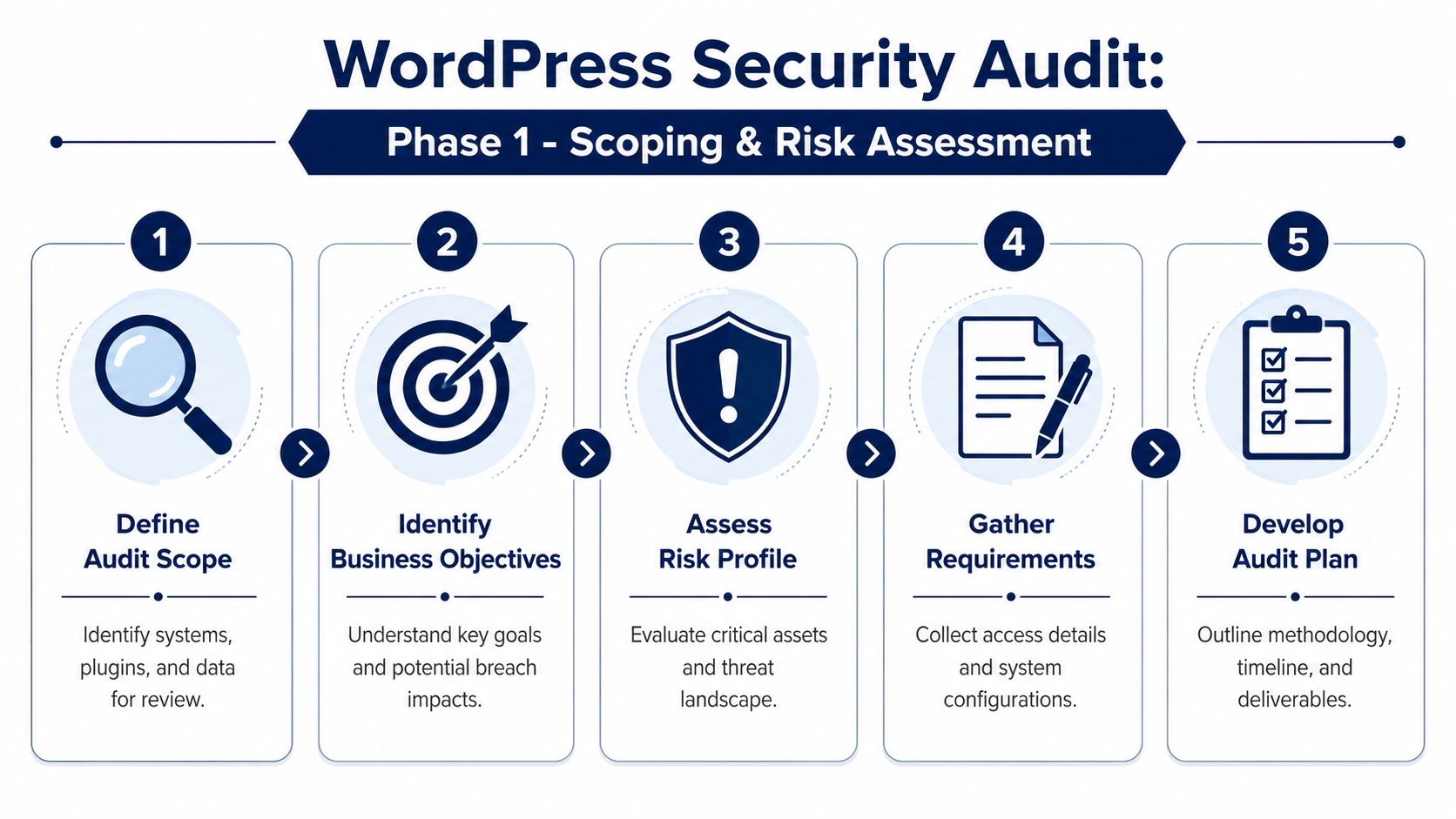
Start with the real asset inventory
A usable inventory is more than the plugin list from /wp-admin. It should include active and inactive plugins, themes, mu-plugins, custom code, must-use integrations, cron jobs, environment-specific configuration, user accounts, third-party services, and hosting dependencies.
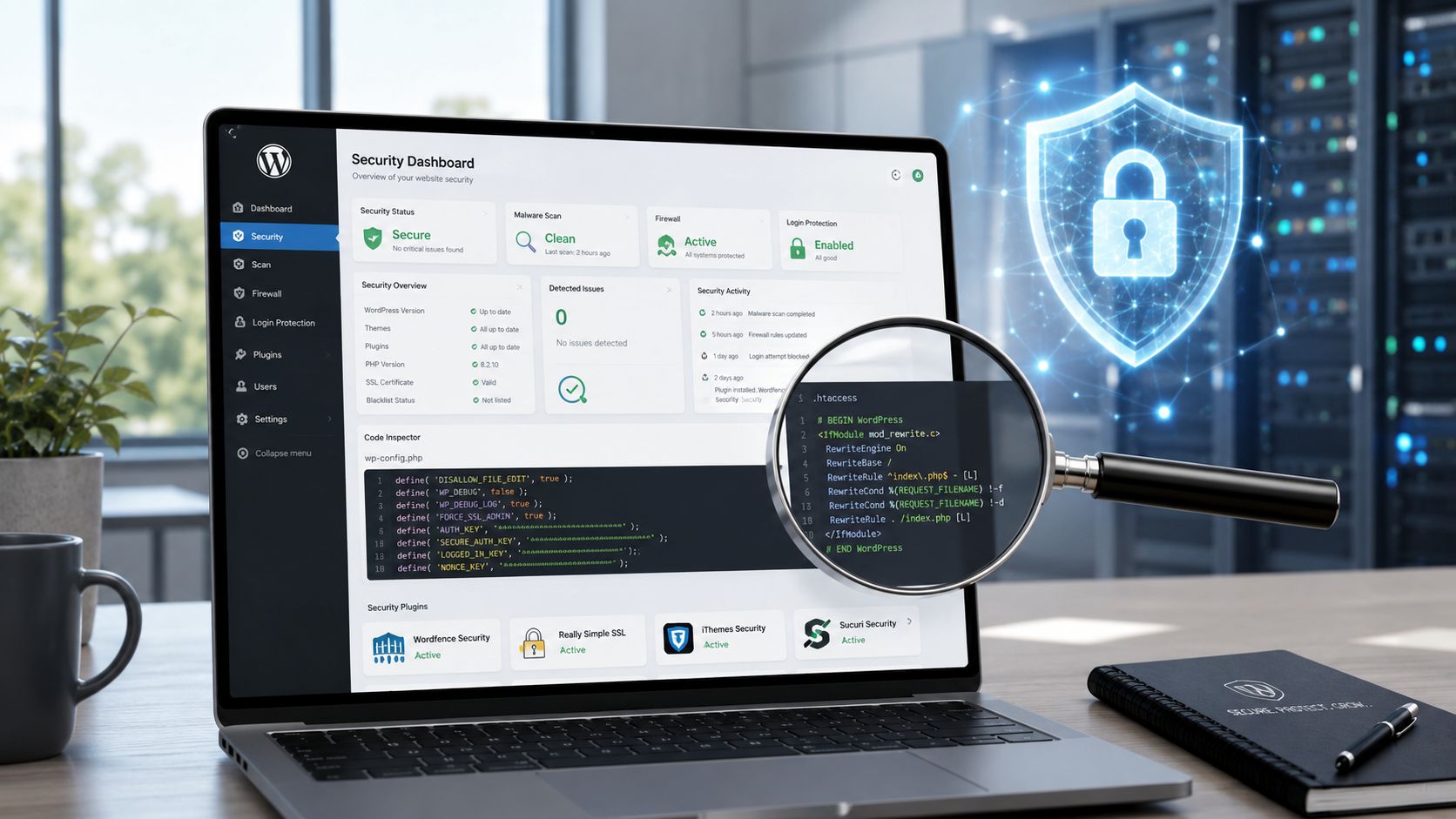
SentinelOne’s audit methodology is directionally correct here. A WordPress security audit should begin with a complete inventory, then move into automated scans and manual file review, including files such as wp-config.php and .htaccess, because hidden injections and encrypted strings often survive basic tooling, as described in SentinelOne’s WordPress security audit guidance.
Use an inventory worksheet that captures at least these categories:
- Application components: WordPress core version, active theme, child theme, custom plugins, premium plugins, and anything inactive but still present on disk.
- Access footprint: Admins, editors, developers, vendors, support users, and any shared credentials that still exist.
- External dependencies: Payment gateways, CRM connections, ERP middleware, CDN, WAF, SMTP provider, analytics tags, and API keys.
- Infrastructure elements: Hosting provider, web server, PHP runtime, scheduled jobs, staging environments, backup locations, and logging stack.
Inactive software belongs in scope. Dormant code still runs no business value and can still create exposure.
Identify the business crown jewels
Not every finding has equal weight. An outdated gallery plugin on a brochure site isn’t the same as a weak admin account on a WooCommerce store tied to customer records and payment workflows.
I usually sort business risk into four buckets:
| Area | What to identify | Why it matters |
|---|---|---|
| Sensitive data | Customer records, form submissions, order details, employee data | Breach impact is immediate and often legal or contractual |
| Revenue systems | Checkout, subscriptions, booking flows, lead routing | Downtime directly affects cash flow |
| Brand surfaces | Homepage, login pages, high-traffic landing pages | Defacement and malware damage trust quickly |
| Operational dependencies | APIs, automations, editorial workflows, backups | Hidden failures slow recovery and create downstream outages |
A wordpress security audit without business weighting tends to overreact to low-risk issues and underreact to the ugly ones. That’s how teams spend a week arguing about headers while an exposed admin path sits untouched.
The question isn’t “How many findings did we get?” It’s “Which findings can hurt the business fastest?”
Lock the Statement of Work before testing
Scoping also protects the relationship. A clean Statement of Work prevents drift and keeps everyone aligned on access, methods, exclusions, and deliverables.
Your audit scope should define:
- Systems included: Production, staging, multisite instances, subdirectories, and related web properties.
- Testing boundaries: Passive review, authenticated checks, malware scanning, configuration review, and whether safe exploit validation is allowed.
- Evidence standards: Screenshots, file excerpts, user-role exports, vulnerability references, and remediation notes.
- Report audience: Executive summary for stakeholders, technical appendix for developers.
- Escalation path: Who gets notified if the team uncovers active compromise during the audit.
This phase feels administrative, but it saves the technical work later. Most audit failures are really scoping failures that weren’t caught early enough.
Phase 2 Combining Automated Scans with Manual Checks
Automation gives you coverage. Manual review gives you judgment. You need both.
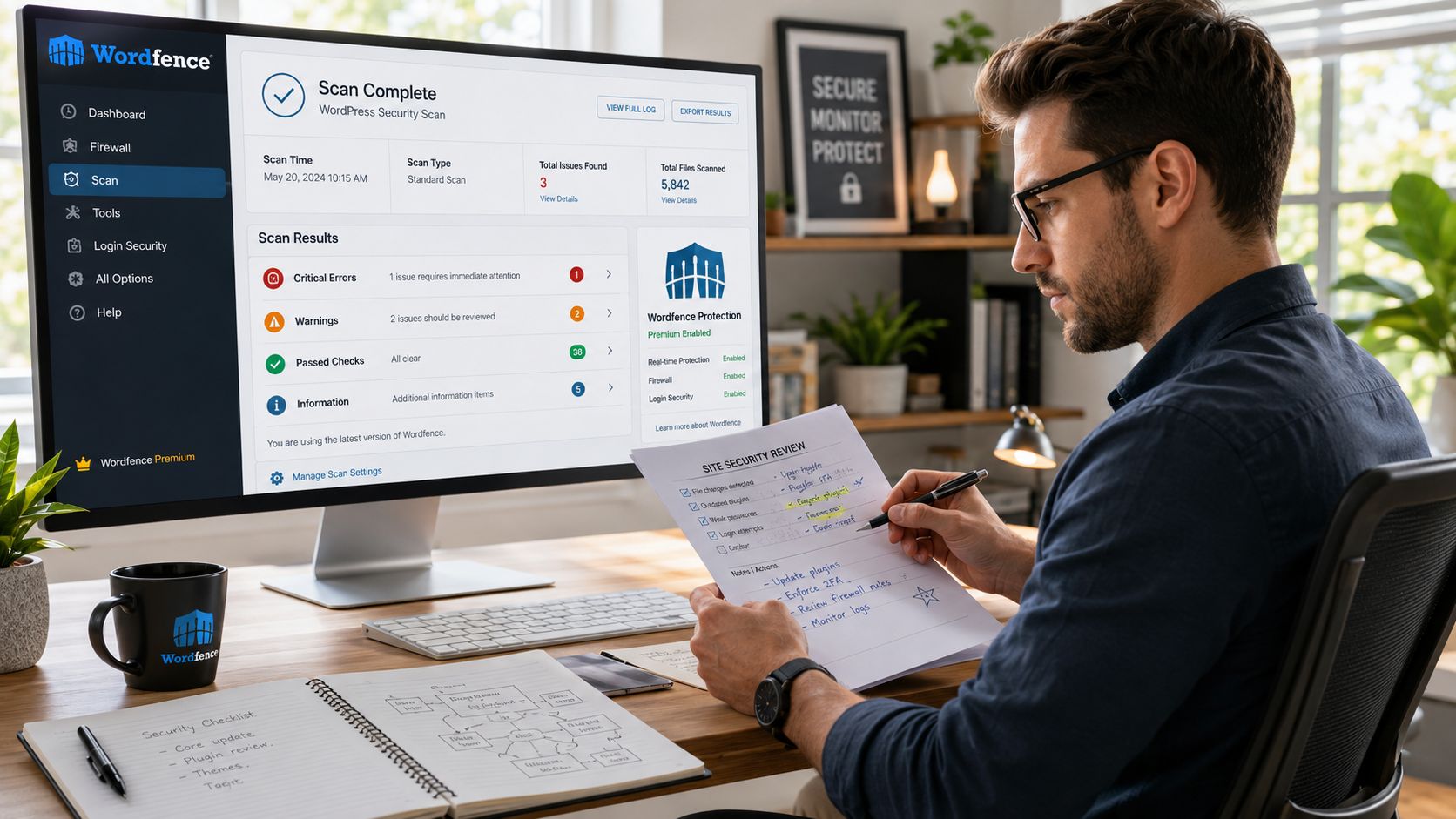
A lot of audits stop after running Wordfence, Sucuri, or WPScan. That’s useful, but it only establishes a baseline. Automated tools are good at known signatures, common misconfigurations, and version-based checks. They are not good at understanding why a custom deployment is risky, whether a role assignment reflects least privilege, or whether a snippet in functions.php is legitimate.
What automation should do for you
Use scanners early to find the obvious problems fast. A good baseline pass should look for vulnerable plugins, suspicious file changes, malware indicators, exposed configuration, and login abuse patterns.
Typical tool stack:
- Wordfence: Good for malware scanning, file change detection, firewall controls, and visibility inside WordPress.
- Sucuri: Useful for integrity monitoring and external-facing checks.
- WPScan: Strong for enumerating known plugin, theme, and core issues.
- Host-level tools: Whatever your platform provides for malware, process review, and log access.
If your team is comparing options, this review of WordPress security plugins is a practical starting point because the right stack depends on whether you need prevention, visibility, or response support.
What automation does well:
- Version matching: It spots outdated plugins and themes quickly.
- Signature checks: It catches many known malware patterns and suspicious modifications.
- Repetition: It can scan consistently across multiple environments without fatigue.
What it doesn’t do well:
- Context: It can’t tell whether a custom plugin is safe just because no public signature exists.
- Intent: It can’t distinguish a bad role model from a merely unusual one without human review.
- Edge cases: It often misses subtle backdoors hidden in legitimate files or encoded payloads inserted to blend in.
The manual checks that actually change outcomes
Once the scanners finish, the actual audit begins. Start with access.
Review users and privileges
Least privilege is still one of the fastest wins in WordPress security. Audit every account, not just administrators. Look for old employees, agency accounts that should have expired, support logins left behind after launch, and users whose role exceeds their job.
Questions to ask:
- Does this user still need access?
- Is admin required, or would editor or shop manager be enough?
- Are there shared accounts with no accountability?
- Are there service accounts that can be restricted or retired?
This review often uncovers risk that vulnerability scanners will never flag.
Inspect critical files directly
The high-value files deserve eyes on them. Review wp-config.php, .htaccess, functions.php, custom plugin bootstrap files, and any code that loads early in the request lifecycle.
Look for:
- unfamiliar includes
- obfuscated or encoded strings
- redirects inserted into theme files
- custom user creation hooks
- permission changes that shouldn’t be there
- hardcoded secrets in code or config
Field note: A scan can tell you a file changed. A manual review tells you whether that change is a deployment artifact, a rushed patch, or a backdoor.
Validate file permissions and filesystem hygiene
Permissions aren’t glamorous, but they matter. SentinelOne’s methodology specifically calls for checking file permissions and using manual inspection to catch what tools miss. Review whether sensitive files are restricted appropriately and whether writable paths are tighter than they need to be.
Also check for filesystem clutter:
- Inactive themes and plugins: Remove them, don’t just deactivate them.
- Old backup archives in web-accessible paths: These are easy to forget and painful to discover during incident response.
- Temporary developer files: Debug scripts, test imports, SQL dumps, and abandoned deployment artifacts shouldn’t live on production.
Build a repeatable review sequence
If you want your team to perform consistent audits, give them a fixed order. Mine usually looks like this:
- Export inventory
- Run automated scans
- Review users and roles
- Check critical files
- Validate permissions
- Inspect logs and recent changes
- Document findings with proof
- Confirm whether each issue is exploitable, merely weak, or already remediated
That order matters because it moves from broad visibility to narrow verification. It also avoids the common trap of chasing scanner noise before you understand the environment.
Phase 3 Auditing Beyond WordPress at the Server Level
This is the gap most “complete” guides still miss.
Many teams secure wp-admin, install a firewall, tighten plugin hygiene, and assume the stack is covered. It isn’t. The web server, operating system, runtime, exposed services, and network-facing configuration often create easier attack paths than WordPress itself.
MiniOrange makes the key point clearly. Most WordPress audits stop at the application layer, while the underlying OS and web server go largely unchecked. Their write-up also notes that 90% of WordPress compromises stem from incorrect configurations and bad plugins, which is exactly why server hardening belongs inside the audit, not outside it, as covered in MiniOrange’s WordPress security audit article.
What to inspect outside WordPress
A server-level review should verify whether the environment supports the security controls you think you have. This includes the web server config, system packages, service exposure, TLS posture, scheduled jobs, reverse proxy behavior, and account separation.
Use this as your minimum checklist:
- Web server configuration: Review Apache or Nginx rules for directory access, request handling, access to sensitive paths, and unnecessary exposure.
- Operating system state: Check package update posture, supported software versions, and whether unused services are still enabled.
- Open services and ports: Confirm that only required services are reachable.
- TLS and certificate setup: Verify that certificate deployment is current and the implementation matches your policy.
- File ownership and execution paths: Make sure application files, uploads, and deploy directories follow a clean privilege model.
- Proxy and CDN behavior: Confirm that caching, origin restrictions, and request forwarding don’t undermine login or admin protection.
- Backups and log locations: Ensure recovery assets and logs aren’t sitting in the same failure domain as production.
Why this changes the audit outcome
Server-level issues often explain why a site keeps getting reinfected after “cleanup.” If the team removes the malicious plugin but leaves weak file ownership, an exposed service, or poor isolation in place, the attacker just returns through the same infrastructure weakness.
That’s one reason enterprise WordPress work requires platform thinking, not just CMS familiarity. Teams handling larger estates, multilingual installs, or multi-environment workflows usually need tighter operational controls than a standard site build. For organizations working at that level, enterprise WordPress solutions typically matter because architecture and security operations overlap in practice.
A clean WordPress admin doesn’t prove a clean hosting environment. It only proves where you looked.
Phase 4 Prioritizing Remediation and Delivering the Report
An audit becomes valuable only when people can act on it. Raw findings are not a deliverable. Prioritized remediation is.
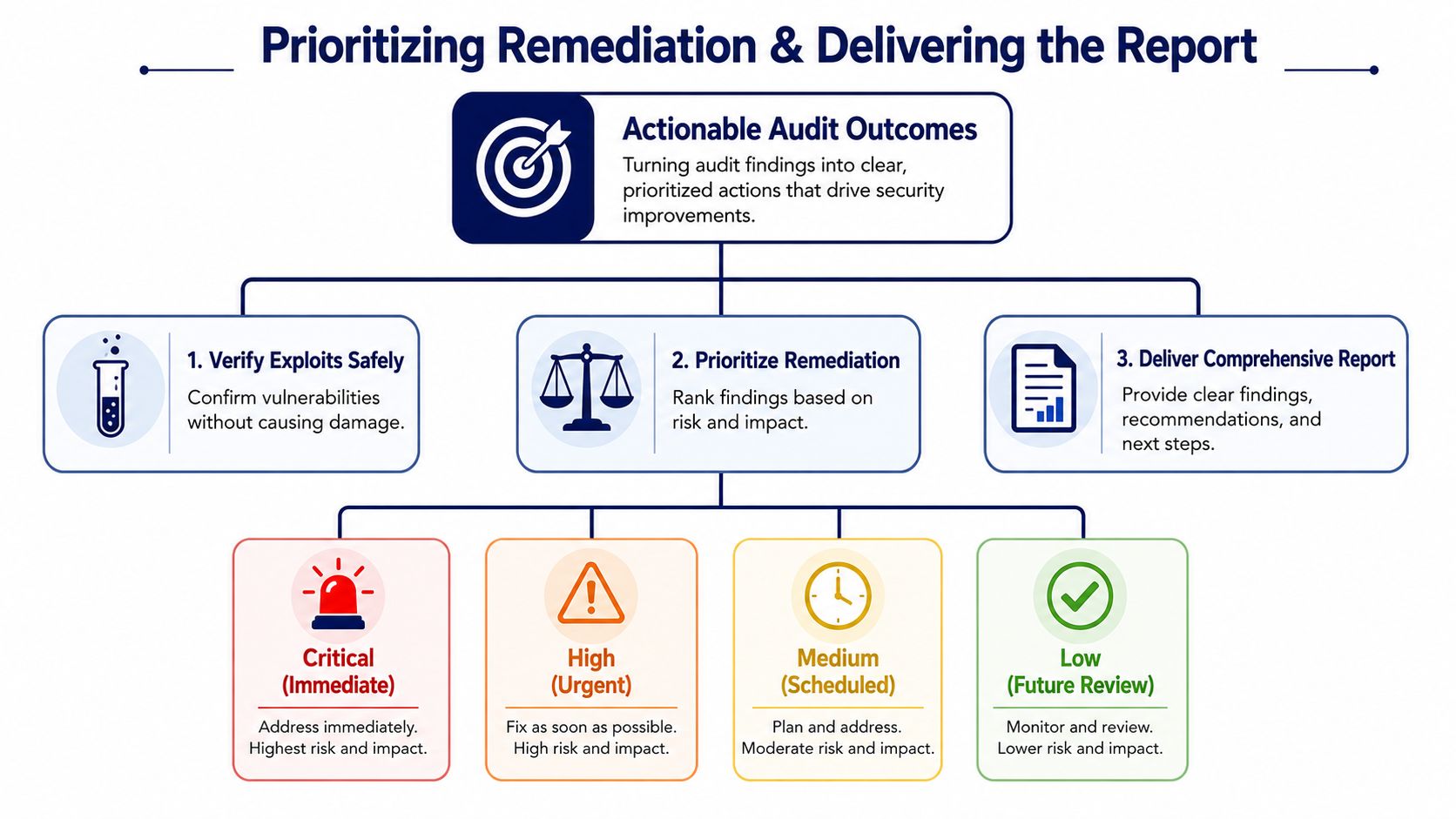
The first step is verification. Don’t label everything “critical” because a scanner did. Confirm whether the issue is present, whether it is reachable in the current environment, and whether the exploit path is realistic. Safe validation matters because remediation teams lose trust fast if the report contains false positives.
Prioritize by risk and effort
I don’t use giant scoring models for most WordPress engagements. They create the illusion of precision and slow down action. A compact matrix works better.
| Priority | Business impact | Technical reality | Typical action |
|---|---|---|---|
| Critical | Direct compromise, active abuse, or exposure of sensitive functions | Clear exploit path or evidence of compromise | Fix immediately and monitor |
| High | Serious impact if abused, even if not currently exploited | Reachable weakness with credible path | Schedule urgent remediation |
| Medium | Real weakness but limited blast radius or dependencies | Needs conditions to be abused | Fix in planned sprint |
| Low | Hardening issue or low-likelihood path | Limited practical exposure | Track for future review |
In these cases, practical judgment beats automation. A dormant plugin with a known issue may outrank a noisy scanner warning if it sits on a privileged production site and nobody owns it. A moderate server misconfiguration may outrank a plugin update if it undermines several controls at once.
Fix the issues that repeatedly cause breaches
SoftX highlights two findings that show up constantly in WordPress audits: teams leave dormant plugins in place, and they skip MFA. Their guidance also notes that sites implementing MFA have significantly higher success rates at preventing unauthorized access, which makes MFA one of the highest-value remediation items in a typical WordPress environment, as described in SoftX’s WordPress security audit checklist.
That maps well to what works in the field. Start with the remediations that reduce exposure broadly:
- Remove dormant code: Inactive plugins and themes should be deleted, not ignored.
- Enforce MFA: Prioritize admin users, privileged editors, and vendor accounts first.
- Tighten roles: Reduce overprivileged accounts and retire stale access.
- Patch with intent: Update what’s necessary, then test the business-critical flows immediately after.
- Reset trust where needed: If compromise is suspected, rotate credentials, salts, and keys as part of recovery.
A short walkthrough can help teams align on what “actionable” means:
Write two reports, not one
One report should serve stakeholders. Another should serve the implementation team.
Executive summary
Keep it brief and commercial. It should answer:
- What risks are material to the business?
- Is there any evidence of active compromise?
- Which issues need immediate attention?
- What operational gaps increase future risk?
Executives don’t need stack traces. They need business exposure, remediation sequencing, and ownership.
Technical remediation report
This version should be explicit enough that an engineer can work directly from it.
Include:
- Finding title and location
- Evidence
- Why it matters in this environment
- Steps to remediate
- How to verify the fix
- Any dependencies or rollback considerations
Delivery standard: If the developer reading your report still has to ask what file, what user, what system, or what sequence is involved, the report isn’t finished.
One practical option for teams that need outside review capacity is to use a specialist service such as IMADO’s WordPress website audit service, alongside tools like Wordfence or Sucuri, when internal resources are thin or the environment includes custom engineering that deserves a deeper pass.
Phase 5 Building a Long-Term Security Maintenance Plan
A wordpress security audit is a snapshot. Security posture is what happens after the snapshot.
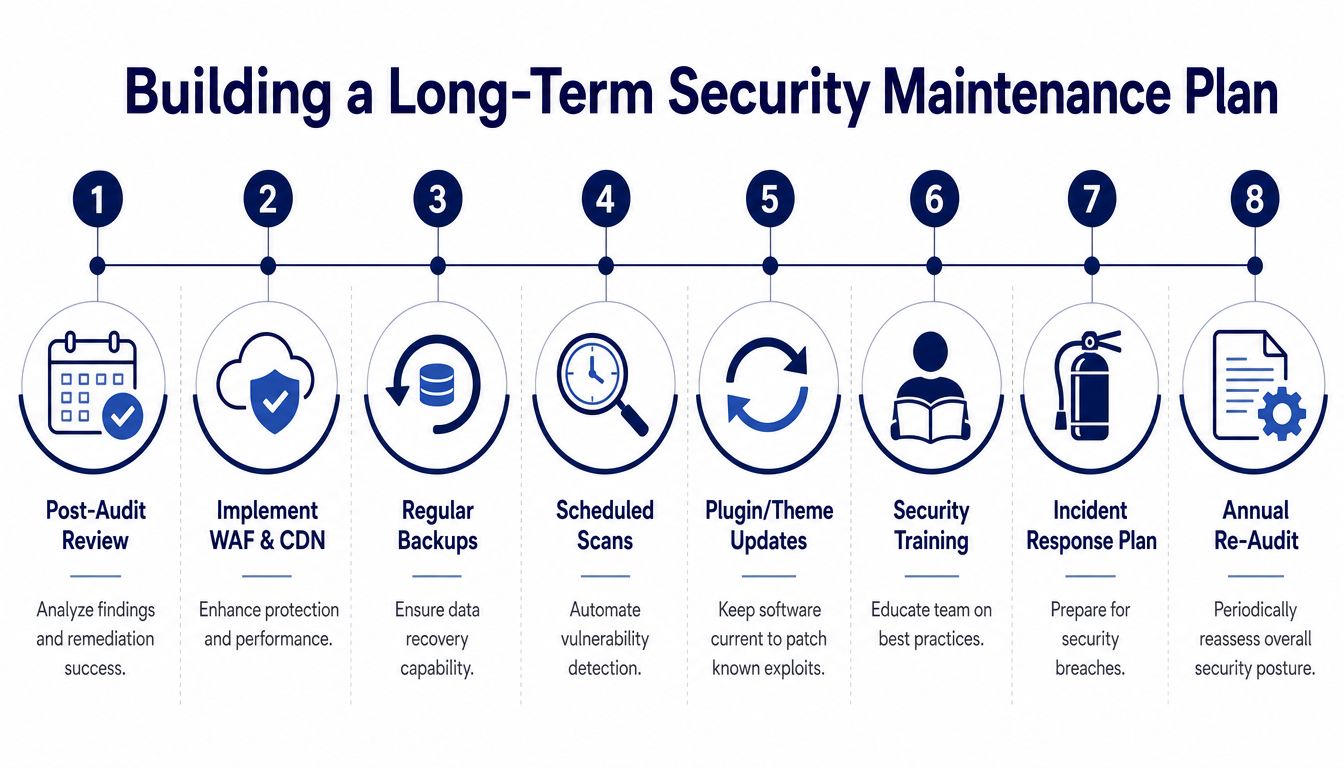
Teams get into trouble when they treat remediation as a project with an end date. WordPress environments change constantly. Plugins update, staff changes, integrations expand, and business workflows create new access paths. If the audit doesn’t turn into an operating rhythm, the same classes of issues come back.
What the maintenance plan should include
A workable plan has recurring controls, assigned owners, and documented response steps. At minimum, include:
- Scheduled patching: Core, plugins, themes, PHP runtime, and server software need coordinated updates with post-update checks.
- Regular scanning: Keep automated visibility on malware indicators, vulnerable components, and suspicious changes.
- Log review: Authentication events, plugin changes, file modifications, and system anomalies should be reviewed by someone accountable.
- Backup verification: Don’t just create backups. Test restore procedures and confirm storage separation.
- Access governance: Review user roles, vendor access, and temporary privileges on a recurring basis.
- Incident response plan: Document who acts, who communicates, and how containment and recovery decisions are made.
Melapress’s 2025 survey makes the business case plain. The average recovery cost for a small business after a breach is $14,500, while proactive protection costs approximately $8 per month, and only 1 in 4 professionals has a documented breach recovery plan, according to Melapress’s WordPress security survey.
Tie security maintenance to business operations
For commerce sites, maintenance can’t stop at technical controls. Security and compliance often intersect in fulfillment, payment handling, customer data retention, and restricted product workflows. If your WooCommerce operation has shipping constraints or regulated product flows, this checklist for regulatory shipping compliance steps is a useful example of how operational process audits and security controls reinforce each other.
The mature model is simple. Security maintenance belongs in the same cadence as release management, content operations, and infrastructure review. If the site is important enough to monitor for uptime and conversions, it’s important enough to maintain for compromise prevention too.
For teams that need a standing operational framework rather than one-off cleanup, WordPress maintenance and support usually becomes the mechanism that keeps patching, monitoring, review, and response from slipping between departments.
WordPress Security Audit FAQs
How often should a full WordPress security audit happen
Run a full audit whenever the site has meaningful business exposure, custom code, multiple users, or sensitive integrations. Lighter automated scans should happen far more often than a full manual review. The exact cadence depends on change frequency, risk profile, and whether the site processes customer or payment data.
What’s the difference between a vulnerability scan and a wordpress security audit
A scan checks for known issues. A wordpress security audit adds scope definition, business risk assessment, access review, manual file inspection, server-level inspection, evidence collection, prioritization, and remediation planning. A scan produces alerts. An audit produces decisions.
Can this process be fully automated
No. Automation is good at baseline detection and repeat monitoring. It isn’t good at judging least privilege, reviewing custom code safely, verifying exploitability in context, or translating findings into business-priority remediation.
Why does recovery planning belong in the audit conversation
Because prevention eventually meets reality. Melapress reports that the average recovery cost for a small business after a breach is $14,500, proactive protection costs about $8 per month, and only 1 in 4 professionals has a documented recovery plan. That gap means many teams are underprepared when a breach occurs.
If your team needs a senior-engineer review of a WordPress stack, including the application layer and the hosting environment underneath it, IMADO can support audits, remediation planning, and ongoing maintenance workflows without turning the process into generic checkbox security.
Let’s build something exceptional
Tell us about your project – we’ll help you launch a fast, scalable, SEO-optimized WordPress platform built for growth.