 Ask Chatgpt to summarize Scaling Enterprise WordPress Ecommerce Stores
 Ask Grok to summarize Scaling Enterprise WordPress Ecommerce Stores
 Ask Claude to summarize Scaling Enterprise WordPress Ecommerce Stores
 Ask Perplexity to summarize Scaling Enterprise WordPress Ecommerce Stores
 Ask Gemini to summarize Scaling Enterprise WordPress Ecommerce Stores

Building a serious WordPress ecommerce store is about more than just installing WooCommerce. The real work happens before you write a single line of code—it’s about making the right architectural choices to avoid a costly rebuild in a year or two.
This is the blueprint phase. It’s where you translate business goals into a technical plan that can actually scale. Get this wrong, and you’re engineering technical debt from day one.
Table of Contents
Architecting Your Enterprise WordPress Ecommerce Foundation
The numbers show why so many teams bet on this stack. By 2026, WordPress and WooCommerce are on track to power 33.85% of the global e-commerce platform market. That’s a massive footprint, covering over 5.8 million active sites from tiny shops to huge enterprise operations.
But a successful project isn’t about following the crowd; it’s about making smart, foundational decisions early on.
Core Architectural Decisions
Your first and most critical decision is the architectural model. This choice will define everything from your development workflow and site performance to how your marketing team can even manage content. It’s a fundamental trade-off between simplicity, flexibility, and raw power.
This decision tree shows the main paths you can take.
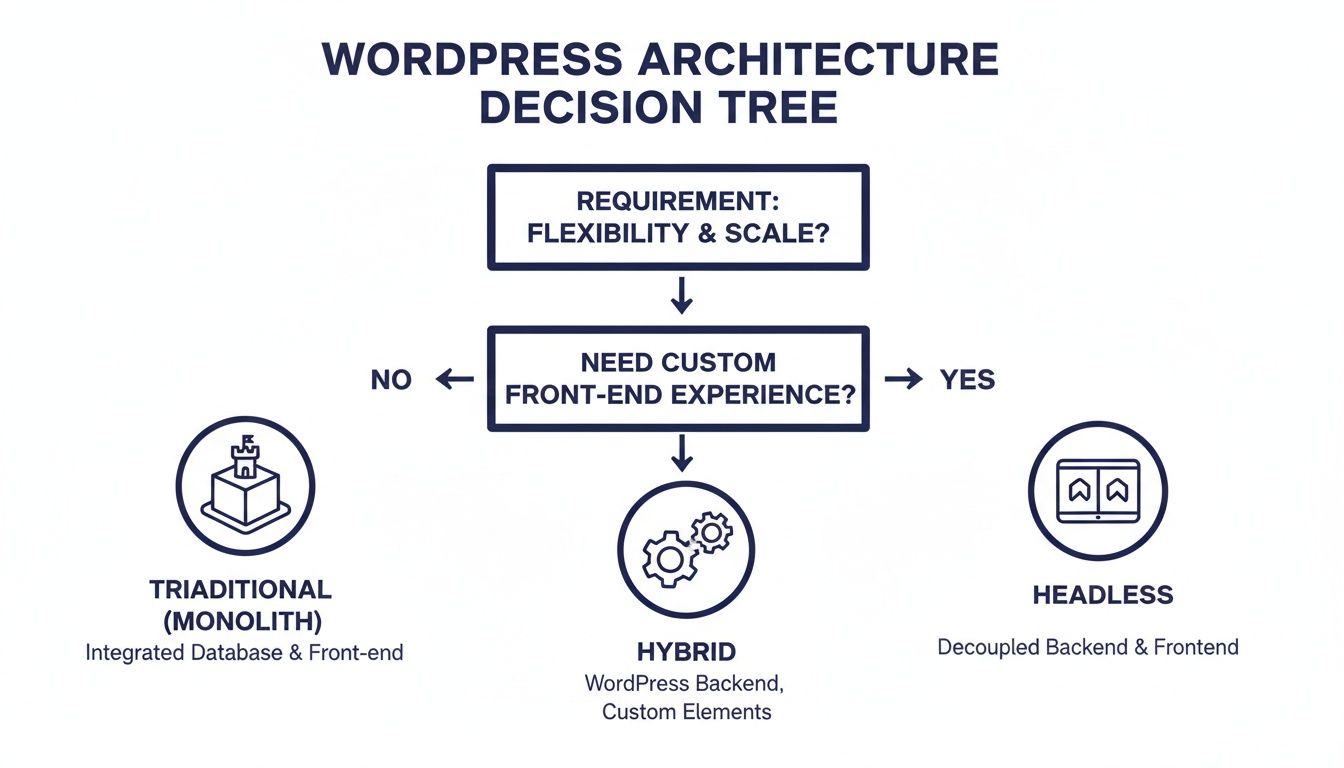
As you can see, the right answer depends on how much you need a custom front-end, your performance targets, and how your content teams work.
Let’s quickly compare these models to see where your project might fit best.
Architectural Choices For WordPress Ecommerce Stores
| Architecture | Best For | Key Benefits | Considerations |
|---|---|---|---|
| Traditional (Monolithic) | Standard e-commerce sites, content-heavy stores, and teams wanting rapid deployment and easy maintenance. | Fast to build, unified system, huge ecosystem of plugins and themes, lower initial complexity. | Tightly coupled front-end and back-end, can be less flexible for unique UX, performance can be a challenge at extreme scale. |
| Headless | Brands needing a highly custom, app-like user experience, omnichannel delivery, and top-tier performance. | Maximum front-end freedom (React, Vue, etc.), superior performance and Core Web Vitals, API-first approach for multiple channels. | Higher development complexity and cost, requires a separate front-end team/skillset, can break plugin compatibility (e.g., page builders). |
| Hybrid | Established stores needing to improve performance on specific user journeys without a full rebuild. | Targeted performance gains (e.g., a React-based checkout on a traditional site), balances flexibility with existing infrastructure. | Adds architectural complexity, requires careful integration between the two models, can be tricky to manage. |
Choosing an architecture isn’t just a tech-stack debate. It directly sets your budget, project timeline, and what’s possible two years from now. A headless build might be perfect for a brand that lives and dies by its unique UX, but a traditional build will get you to market faster and be simpler to manage.
Planning For Complexity Upfront
Beyond the core architecture, large-scale projects have other moving parts you have to plan for from the start. Trying to bolt these on later is a recipe for disaster and massive cost overruns.
For any enterprise store, you need a solid data strategy. A single source of truth for products, customers, and orders is non-negotiable if you want to avoid operational chaos, especially when you start connecting to an ERP. This is where a proper Master Data Management (MDM) solution comes into play.
Think about these common complexities now, not later:
- Multisite Networks: Do you need to run multiple storefronts for different brands, regions, or B2B vs. B2C channels? If so, you need a WordPress multisite network. It’s built for managing all of them from a single dashboard. We have a full guide on WordPress multisite development that dives into the specifics.
- Multilingual Support: Selling internationally is more than just running content through a translator. You have to handle different currencies, payment gateways, tax rules, and shipping logic for each region. Your theme and plugins must be built to handle this from day one.
Engineering The Core WooCommerce Experience
With the architecture decided, the real work begins: engineering the store’s engine. A high-performance WooCommerce setup isn’t about activating a plugin and calling it a day. This is the stage where enterprise WordPress ecommerce stores are made or broken through deliberate, expert configuration.
The platform’s scale is immense. WooCommerce has over 7 million active installations and runs on more than 5 million live websites. It’s the engine for 90-91% of all WordPress-based online stores, making it the default choice for a reason. You can dig into the data behind this dominance in this comprehensive WooCommerce statistics report for 2026.
This massive ecosystem is both a blessing and a curse. It offers endless resources but also encourages shortcuts. For an enterprise build, just picking off-the-shelf solutions is a recipe for poor performance and a clunky user experience.
Custom Block Development For Content Control
You need to move past generic page builders and rigid theme options. A modern, scalable store is built with a custom theme that embraces Gutenberg and Full Site Editing (FSE). This approach gives marketing teams genuine drag-and-drop freedom without the performance penalty of bloated, all-in-one plugins.
When we build custom Gutenberg blocks, we’re creating unique, on-brand components that serve specific business needs. Think of components like:
- “Featured Product” carousels that pull in custom metadata.
- “Shop the Look” grids that bundle multiple products from a single lifestyle image.
- Dynamic B2B “Quick Order” forms pre-populated for logged-in wholesale partners.
- Interactive “Product Comparison” tables that update instantly as a user makes selections.
This block-based toolkit means your content team can assemble complex, conversion-driven landing pages without a developer on standby. It puts the power in their hands while we, the engineers, maintain clean, optimized code underneath.
A custom block library is a strategic asset. It enforces brand consistency, speeds up content creation, and sidesteps the performance issues that plague most page builder plugins.
Configuring Complex Product Catalogs
WooCommerce is famous for its flexibility, but that flexibility is useless without careful configuration—especially for complex inventories. The default settings are built for simple shops, not the nuances of enterprise-level product data.
Let’s look at a couple of real-world examples from our projects:
- For a B2B parts distributor: We’re not just selling products; we’re selling components tied to schematics. A technician needs to find a specific bolt for a 2018 model XYZ machine in seconds. We achieve this by building out custom taxonomies for model and year, then integrating an advanced search tool that queries SKUs and compatibility meta fields.
- For a custom jeweler: A single ring design might spawn dozens of variations—not just “Small, Medium, Large.” We’re dealing with a matrix of metal types (Gold, Silver, Platinum), stones (Diamond, Sapphire), carat sizes, and ring sizes. WooCommerce’s default variation system can choke on this, often forcing us to develop a custom solution to manage hundreds of combinations without grinding the product page to a halt.
Properly handling this means getting deep into product attributes, taxonomies, and sometimes even custom post types to structure the data efficiently.
A Checklist Of Essential Store Settings
A launch can fail on the small details. Teams get so focused on the homepage design that they forget the store’s functional spine. Before any go-live, we double- and triple-check these often-overlooked areas.
- Tax and Shipping Zones: Are tax rules correctly configured for every single state, province, or country you ship to? Are your shipping rates accurate for every combination of weight, dimension, and destination? Get this wrong, and you’re either losing money or losing customers at checkout.
- Customer Account Pages: The default “My Account” area is boring and basic. We customize it to add real value. Think one-click reordering from past purchases, clear order tracking status, and a dead-simple returns process.
- Email Templates: Don’t send the plain, unstyled default WooCommerce emails. Every order confirmation, shipping notice, and password reset is a touchpoint with your brand. We code custom templates to ensure every email looks and feels like it came from your store.
Engineering the core WooCommerce experience is about building a robust, intuitive engine optimized for one thing: conversions. It’s the meticulous work here that turns a simple website into a true commerce platform.
Integrating Payments and Business-Critical Systems
A high-functioning WordPress ecommerce store is never just a website; it’s the digital hub of your entire operation. Once you’ve engineered the core experience, the real work begins: connecting it to the systems that handle money, inventory, and customer data.
This is where a simple shop becomes a synchronized, efficient commercial machine.
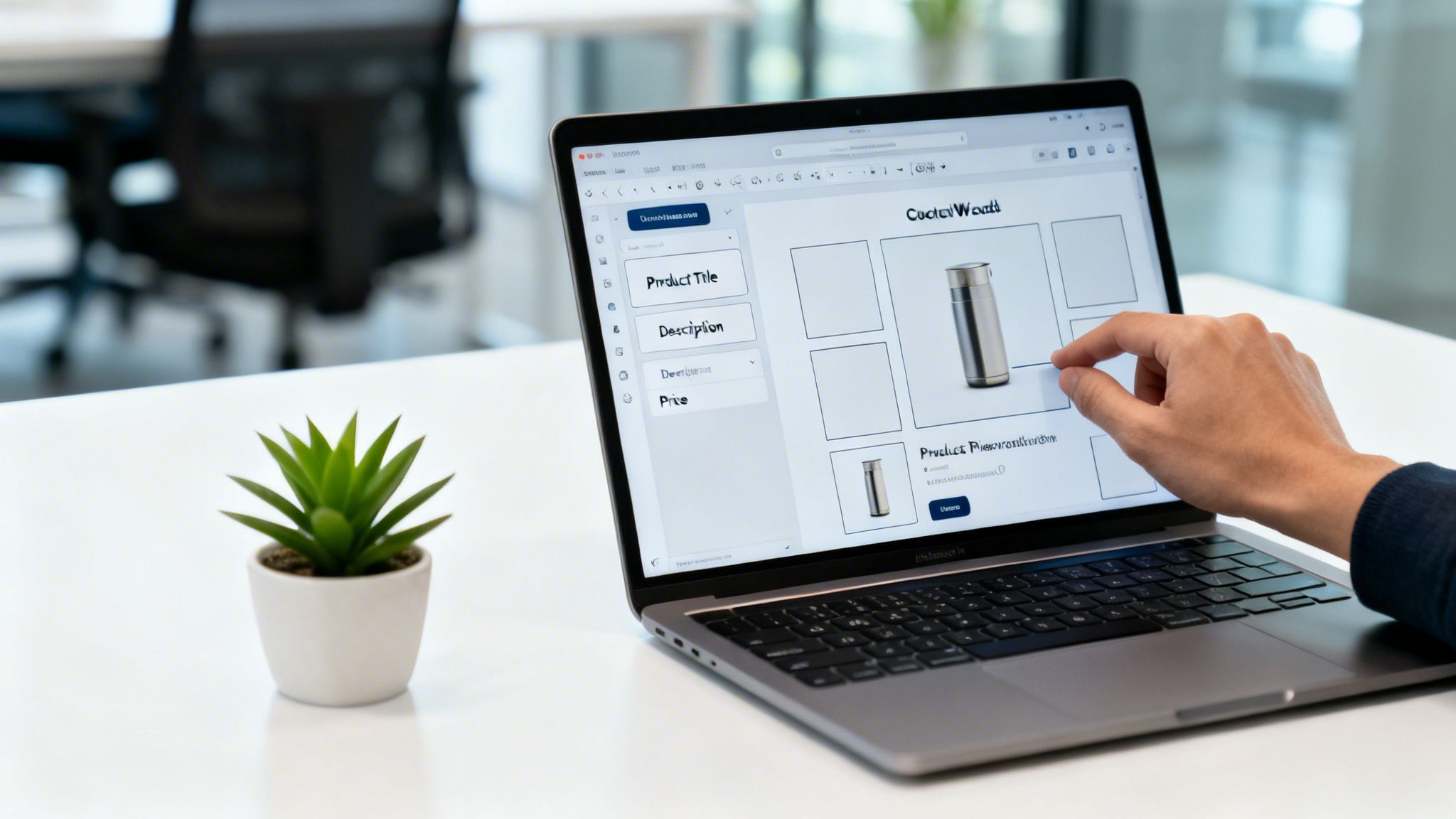
The flow of data from checkout to fulfillment has to be absolutely seamless. That means moving beyond basic payment setups and building robust, two-way connections to your most important back-office platforms.
Implementing Secure and High-Conversion Payment Gateways
The checkout is where you make or lose the sale. It’s that simple. While default options like PayPal are easy enough to get started with, enterprise stores need far more control over the user experience and processing fees. This is why most turn to solutions like Stripe or a custom payment processor.
Unlike Shopify, which often charges extra transaction fees for using third-party gateways, WordPress gives you complete freedom. You can integrate any processor without penalty, which can lead to significant savings on high-volume sales. The goal is a checkout that is both secure and frictionless.
- Direct On-Site Checkout: Keep customers on your domain. Period. Using a gateway with embeddable fields, like Stripe Elements, lets you build the credit card form directly into your checkout page. This builds trust and reduces friction—redirecting users off-site to pay is a known conversion killer.
- Alternative Payment Methods: Cater to modern buying habits by offering Apple Pay, Google Pay, and Buy Now, Pay Later (BNPL) options like Klarna or Affirm. These can be integrated directly into WooCommerce and are no longer optional for many demographics.
- Subscription and Recurring Billing: If you’re selling services or replenishable goods, a rock-solid subscription engine is non-negotiable. Your gateway and its integration must handle recurring payments, failed payment notifications (dunning), and customer-initiated plan changes without missing a beat.
A seamless checkout isn’t a luxury; it’s a core feature. Every added step or moment of confusion is an opportunity for cart abandonment. Optimizing this flow directly impacts your bottom line.
Integrating ERP and Inventory Management Systems
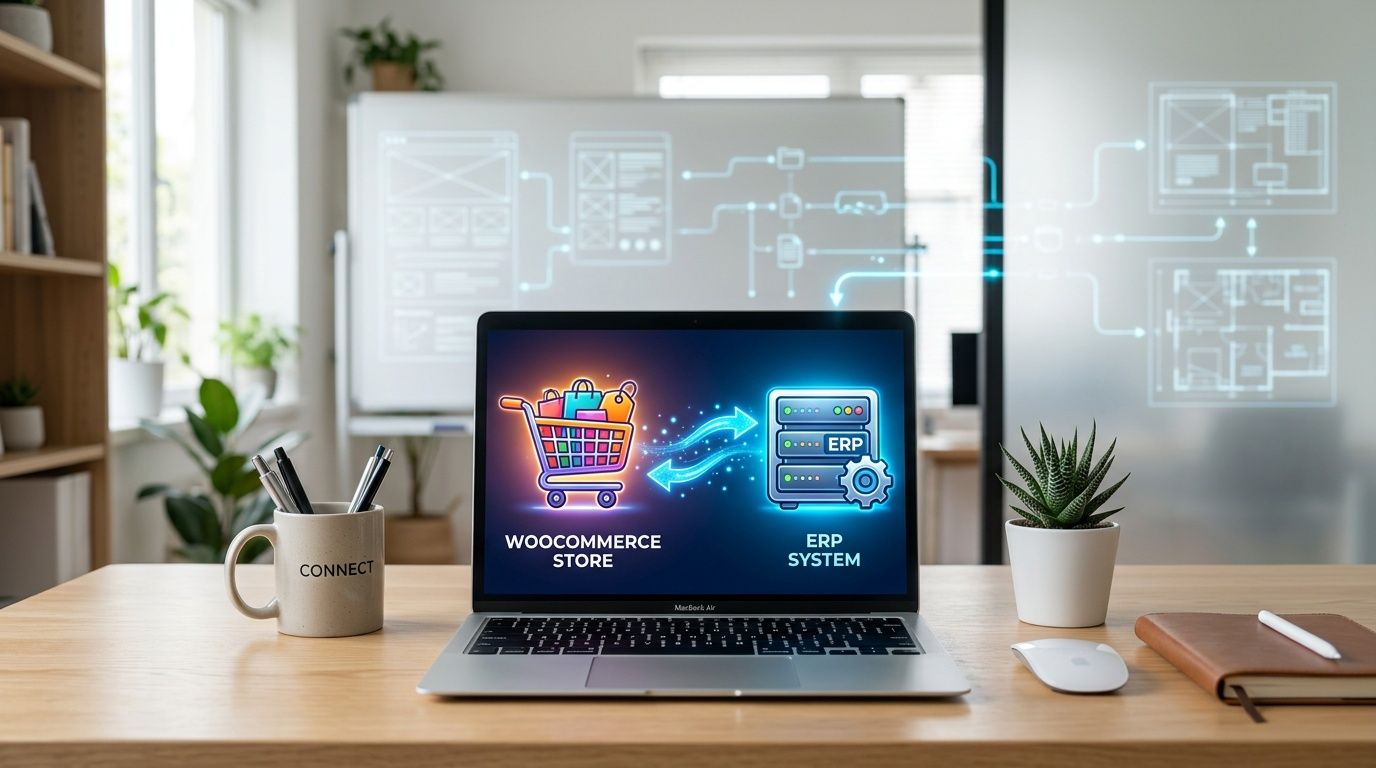
For any business managing physical products, especially across multiple warehouses or retail locations, manually updating inventory is a recipe for disaster. Real-time data synchronization between your WordPress store and your Enterprise Resource Planning (ERP) or inventory system isn’t just nice to have—it’s mandatory.
Think about a classic multi-location retailer. A customer in Chicago buys the last available unit of a popular jacket. A robust API integration should instantly update inventory levels not just on the website, but also in the central ERP. This prevents another customer in Miami from purchasing a product that’s already gone.
This two-way data flow is critical:
- Orders to ERP: When a new order is placed in WooCommerce, it should automatically create a sales order in the ERP, kicking off the pick, pack, and ship process.
- Inventory from ERP: As stock is sold in a physical store or received at a warehouse, the ERP updates its levels, and that data is pushed back to the website in near real-time.
- Product Data from ERP: For many businesses, the ERP is the source of truth for pricing, SKUs, and specifications. The integration ensures this data is accurately reflected on the storefront, eliminating manual updates.
Connecting these systems correctly is a complex but necessary step for scaling operations. Below is a checklist of the key systems to consider.
Essential Integrations Checklist
To build a truly automated ecommerce operation, you need to connect your store to the business systems that run everything behind the scenes. This table outlines the most critical integrations.
| System Type | Integration Purpose | Recommended Tools/APIs |
|---|---|---|
| Payment Gateway | Process payments securely, manage subscriptions, offer BNPL. | Stripe, Adyen, Braintree |
| ERP | Synchronize orders, inventory, product data, and financials. | NetSuite, SAP, Microsoft Dynamics |
| CRM | Unify customer data, track purchase history, and segment for marketing. | HubSpot, Salesforce, ActiveCampaign |
| Shipping & Fulfillment | Automate shipping labels, tracking, and rate calculation. | ShipStation, Easypost API, Shippo |
| Tax Compliance | Calculate and remit sales tax automatically based on location. | TaxJar, Avalara, Quaderno |
| Marketing Automation | Trigger abandoned cart emails, post-purchase follow-ups. | Klaviyo, Omnisend |
Each of these integrations eliminates manual work, reduces the risk of human error, and provides a more cohesive experience for both your customers and your internal teams.
Connecting Your CRM for a Unified Customer View
Your store is also a powerful customer data and lead generation tool. Integrating your WordPress site with a Customer Relationship Management (CRM) system like HubSpot or Salesforce is key to building long-term value.
This integration lets you do three crucial things:
- Capture New Leads: Every new customer account created during checkout can be automatically pushed as a new contact in your CRM.
- Track Purchase History: Link customer orders to their CRM profile. This gives your sales and support teams a complete view of their purchase history, average order value, and lifetime value at a glance.
- Segment Customers for Marketing: Use purchase data from WooCommerce to create highly targeted marketing segments in your CRM. You could easily build a list of customers who bought a specific product and send them a follow-up campaign for related items.
Robust integrations are what separate amateur shops from professional WordPress ecommerce stores. By building these connections, you eliminate manual data entry, reduce costly errors, and create a single, unified view of your business. Our guide on API integration solutions offers more depth on how these powerful connections are architected and built.
Optimizing For Performance And Core Web Vitals
In WordPress ecommerce, site speed isn’t just a technical metric; it’s a revenue lever. We’ve all seen the stats: a one-second delay can slash conversions by 7%. On a high-volume store, that’s not just a rounding error—it’s a serious dent in the bottom line. This is where solid engineering takes a standard build and turns it into a high-performance machine.
Getting there goes way beyond just installing a caching plugin and calling it a day. Real performance requires a deliberate, multi-layered strategy that covers everything from the server request all the way down to the pixels painting on your customer’s screen.
A Multi-Layered Caching Strategy
For dynamic sites built on WooCommerce, caching is your first and best defense against slow load times. A truly effective setup isn’t just about one type of cache; it’s about using the right tool for the right job.
- Page Caching: This is the most familiar type. It saves a static HTML copy of a page and serves it instantly to visitors, completely bypassing PHP and database queries. It’s perfect for mostly static content like your homepage, about page, or blog posts.
- Object Caching: But what about the cart, checkout, or customer account pages? Page caching won’t work there. That’s where object caching comes in. Using a persistent backend like Redis or Memcached, you can store the results of heavy database queries in memory. This dramatically cuts database load and makes those “un-cacheable” dynamic pages feel much faster.
- Content Delivery Network (CDN): A CDN is non-negotiable. It distributes your static assets—images, CSS, JavaScript—to servers across the globe. When a customer in London visits your site, the files are served from a London server, not one in Los Angeles. The difference in latency is huge.
For any serious ecommerce store, this trifecta isn’t a “nice-to-have.” It’s the absolute foundation for a scalable architecture. Try to handle a flash sale without it, and your server will quickly tell you what’s missing.
Speed isn’t just about passing a test; it’s about perception. A snappy, responsive site feels more professional and trustworthy. That confidence translates directly into higher conversion rates and customers who come back.
Achieving Excellent Core Web Vitals
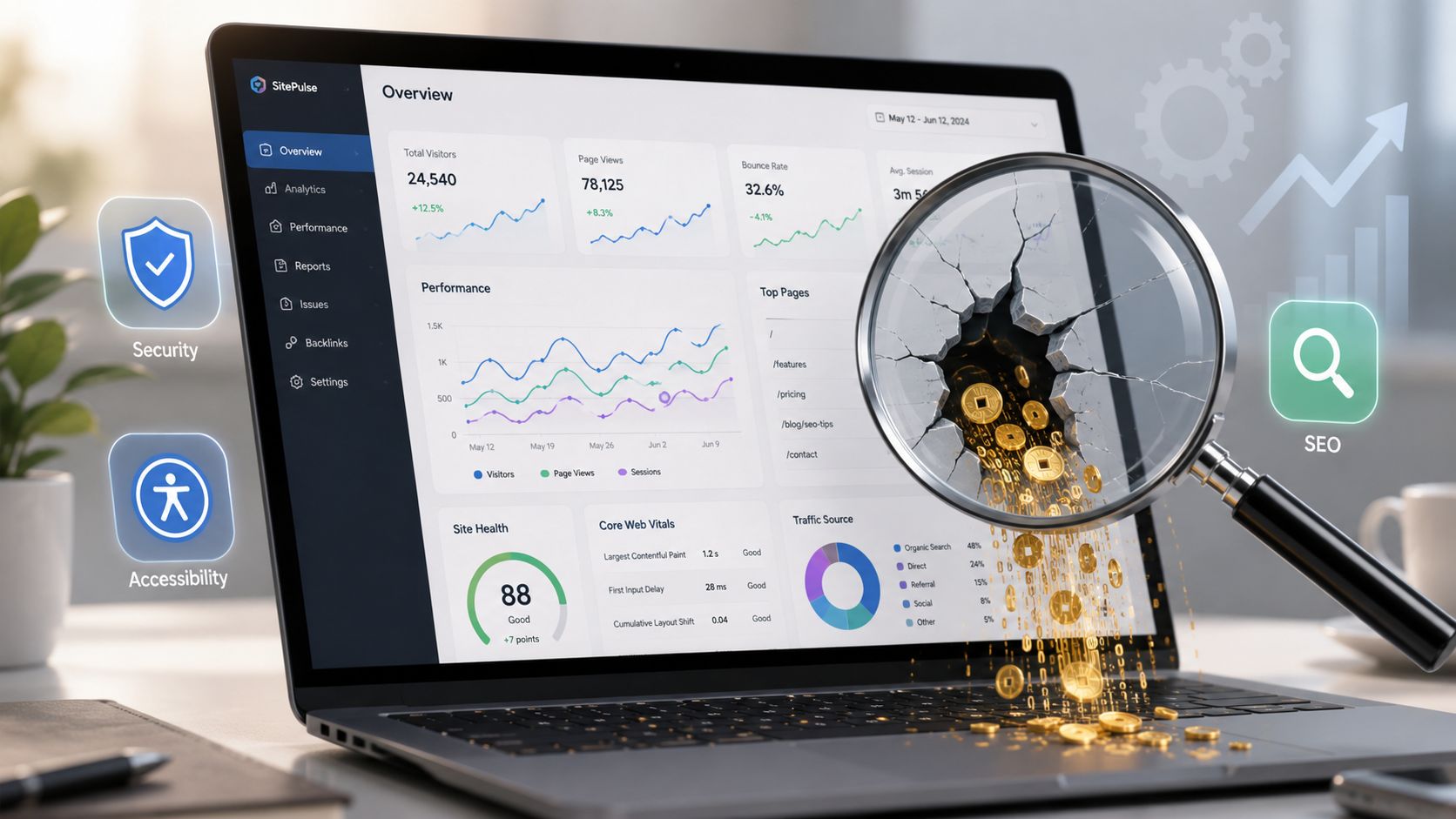
Google’s Core Web Vitals are user-centric metrics for a reason—they measure actual user experience. Bad scores don’t just ding your SEO; they pinpoint real friction in your customer’s journey. On an ecommerce site, you have to nail this on your “money pages”: product and category pages.
Largest Contentful Paint (LCP)
LCP measures how fast the largest visual element on the page loads. On a product page, this is almost always your main product image or gallery.
- How to Fix It: Preload your LCP image. Adding
<link rel="preload">to your page’s<head>for that specific image tells the browser to fetch it with high priority. - Don’t Forget: Always use modern image formats like WebP, serve responsive images with
srcset, and compress them properly. And while lazy loading is great for below-the-fold images, never lazy load your LCP image.
First Input Delay (FID) / Interaction to Next Paint (INP)
FID, and its successor INP, measure responsiveness. Think about that tiny delay after a customer clicks “Add to Cart.” If it’s too long, it feels broken.
- How to Fix It: Defer or delay non-critical JavaScript. All those third-party scripts for analytics, live chat, and social media can block the main thread, making your site feel sluggish. Let them load after the page is interactive. Our guide on how to improve Core Web Vitals dives deeper into these techniques.
Cumulative Layout Shift (CLS)
CLS measures visual stability. We’ve all experienced it: you go to click a button, and just then, a cookie banner loads and pushes the whole page down. It’s incredibly frustrating.
- How to Fix It: Always declare
widthandheightattributes for your images, ads, and video embeds. This lets the browser reserve the exact space for the element before it even loads, preventing that jarring content jump.
Beyond the purely technical, don’t overlook how visual presentation impacts the user journey. Optimizing your product imagery and layout can also significantly improve ecommerce conversion rates. By systematically tackling caching, images, and Core Web Vitals, you build a store that isn’t just fast—it’s a genuine pleasure to use.
Pre-Launch: Securing, Testing, and Deploying Your Store
Your store is built, integrated, and optimized. Now for the steps that separate a professional build from an amateur one. This is where you transform a great technical project into a stable, trustworthy business.
This isn’t just a checklist; it’s your playbook for building a resilient, accessible, and high-performing e-commerce platform that’s ready for real customers.

Layer Your Security Defenses
Don’t just install a security plugin and call it a day. For an e-commerce store, security is a multi-layered strategy, not a single tool. A breach doesn’t just cause technical problems; it shatters customer trust you can’t easily get back.
Your security posture has to be proactive. Get these layers in place before you even think about going live.
- Web Application Firewall (WAF): A WAF is your frontline security guard. It inspects incoming traffic and blocks common attacks like SQL injections or cross-site scripting (XSS) before they ever touch WordPress. A service like Cloudflare or Sucuri is non-negotiable for a serious store.
- Malware Scanning: While a WAF handles external threats, malware scanners look for malicious code that might have found its way into your site’s files or database. Run automated, regular scans to catch infections early.
- Strict User Roles: This is simple but critical. Never give anyone more access than they absolutely need. A content manager has no business in your payment gateway settings. Adhere strictly to the Principle of Least Privilege.
Your store’s security is only as strong as its weakest link. Force strong password policies, enable two-factor authentication (2FA) for all admin-level accounts, and limit login attempts. These aren’t optional—they shut down the most common ways attackers get in.
Build for Every Customer
Accessibility isn’t a “nice-to-have” or a compliance task you check off a list. It’s smart business. An accessible site is usable by more people, including the 26% of adults in the United States with some form of disability.
That’s a massive market to ignore. It also makes for a better user experience for everyone. Your baseline is the Web Content Accessibility Guidelines (WCAG). Here’s what that means for your store in practice:
- Describe Your Product Images: Use descriptive alt text for every product image. Screen readers use this to tell a user what’s there. “Red knee-length wool coat with a belt” is useful; “IMG_4012” is not.
- Keyboard-Only Navigation: Can a customer browse products, select a size, add to cart, and check out using only their keyboard? Test it. All interactive elements must be fully functional with just the Tab and Enter keys.
- Label Your Forms Clearly: Placeholder text is not a label. Every single field in your checkout and account forms needs a programmatically linked
<label>. - Check Your Color Contrast: Text must be clearly readable against its background. Low contrast is a major barrier for users with visual impairments.
An inclusive store is simply a better store. It’s one where every potential customer can browse, select, and buy without hitting a wall.
The Pre-Launch Testing Gauntlet
Before you let a single real customer through the door, you need to try to break your own site. A rigorous testing protocol is about more than just finding bugs—it’s about validating that the entire customer journey is smooth, fast, and reliable.
Your testing has to cover three distinct areas:
- User Acceptance Testing (UAT): Get real people—ideally from your target audience—to use the site. Give them a goal, like “Find a blue t-shirt under $30, add it to your cart, and use a coupon code.” Their feedback is gold, often exposing friction points your dev team is blind to.
- Cross-Browser and Device Testing: It works on your developer’s Mac in Chrome? Great. Does it work on an old Android phone using Firefox? Or Safari on an iPad? Your store needs to be functional and look good everywhere.
- Load Testing: Your site runs fine with a few people on it. But what happens when a Black Friday email blast sends 5,000 users to the site in ten minutes? Load testing tools simulate this traffic to find performance bottlenecks before they crash your site during your biggest sale of the year.
Deployment and Long-Term Vigilance
Going live should be boring. A well-planned deployment—moving the site from a staging environment to the live server—should be a predictable, repeatable process. Sync your data, run a final check of the checkout process on the live server, and flip the switch.
But launch day isn’t the finish line. It’s the starting line.
From this point on, your job is to protect your investment. This means ongoing monitoring and maintenance to keep the store secure, fast, and stable. That includes a regular cadence of plugin and core updates, continuous security scanning, uptime monitoring, and performance checks. The goal is to ensure the store stays just as solid as it was on day one.
Answering the Tough Questions on Enterprise WordPress Ecommerce
Even the most buttoned-up project plan comes with questions. Stakeholders always want to know about cost, timelines, and risk. Drawing from years of leading these projects, here are the real answers to the questions that come up every time we scope a large-scale WordPress ecommerce build.
We’ll get straight to the point on budget, timelines, and how to find a team that can actually deliver.

What Is a Realistic Budget for a Custom WordPress Ecommerce Store?
This is always the first question, and the honest answer is that the budget is a direct reflection of your project’s complexity.
A basic site using a premium theme might land in the $15,000 to $30,000 range. But for a true enterprise platform with a bespoke theme, custom block library, and critical API integrations, you should plan for a starting budget of $75,000 to $150,000. Complex builds can easily exceed this.
The main cost drivers are almost always the same:
- Custom Design & Theme Development: A ground-up, unique design is a much larger investment than customizing an existing theme.
- API Integrations: Connecting to your ERP, CRM, or PIM is specialized engineering work that adds significant cost.
- Data Migration: Moving thousands of products, customers, and historical orders from a legacy platform is a detailed, high-stakes process.
How Long Will an Enterprise Build Take?
Like the budget, your timeline is tied directly to the scope. A more straightforward store can often be designed, built, and launched in three to four months.
For a complex enterprise project, especially a headless build or one with heavy integrations, a six-to-nine-month timeline is far more realistic. Some can take even longer.
The biggest variable isn’t just the development work. It’s the time spent on client feedback cycles, content population, and thorough user acceptance testing. A decisive stakeholder team and a well-defined scope are your best tools for keeping the project on track.
Don’t mistake speed for quality. A rushed launch often leads to technical debt, security holes, and performance problems that cost more to fix later than they would have to build correctly from the start.
Why Not Just Use Shopify or Another SaaS Platform?
Platforms like Shopify are fantastic for getting a simple store online quickly. They abstract away the hosting and security, which is a major draw for many businesses. But that simplicity comes with hard limits that enterprise clients often can’t work around.
The decision to use WordPress comes down to two things: flexibility and ownership.
With WordPress, you own your code, your data, and the entire user experience. There are no platform-imposed limits on product variants, no financial penalties for using a third-party payment gateway, and no ceiling on custom functionality.
For a business where the website is a core asset for content marketing, complex commerce, and lead generation, WordPress is often the only platform that can deliver on every requirement without forcing a compromise.
How Do I Choose the Right Development Partner?
Picking your development partner is the single most critical decision you’ll make. A great portfolio is a start, but you need to dig deeper into their actual process.
Here’s what to ask:
- What does your discovery and scoping process look like? A good partner invests heavily upfront to understand your business goals before a single line of code is written.
- How do you approach performance and security? They should have a clear, proactive strategy for Core Web Vitals, caching, and infrastructure hardening—not just reactive fixes.
- Can you show me examples of complex API integrations? Ask for specifics on ERP or CRM projects they’ve completed.
- What happens after launch? A website launch is the starting line, not the finish. Ensure they offer structured maintenance and support plans to protect your investment.
You’re not just hiring a vendor; you’re looking for a team that functions as an extension of your own. The right partner brings senior engineering expertise to the table and builds a platform that is designed to grow with your business.
If you’re looking for a partner with proven expertise in building and scaling enterprise WordPress ecommerce stores, IMADO offers senior-level engineering and a transparent process to help you achieve your goals. Contact us today to discuss your project.
Let’s build something exceptional
Tell us about your project – we’ll help you launch a fast, scalable, SEO-optimized WordPress platform built for growth.