 Ask Chatgpt to summarize WordPress for Nonprofits: Top Choice in 2026
 Ask Grok to summarize WordPress for Nonprofits: Top Choice in 2026
 Ask Claude to summarize WordPress for Nonprofits: Top Choice in 2026
 Ask Perplexity to summarize WordPress for Nonprofits: Top Choice in 2026
 Ask Gemini to summarize WordPress for Nonprofits: Top Choice in 2026
A lot of nonprofit teams are in the same spot right now. The website technically exists, but nobody fully trusts it. Staff hesitate to edit pages because layouts break. Donation forms work on one device and feel awkward on another. Campaign traffic spikes, then performance slips at the exact moment attention is hardest to earn.
That tension usually comes from treating the site like a design project instead of an operating platform. For nonprofits, the website has to do more than look credible. It has to support fundraising, volunteer recruitment, event promotion, accessibility, reporting, and day-to-day publishing without creating constant technical debt.
WordPress remains one of the strongest options for that job. Not because it’s trendy, but because it gives nonprofits a practical balance of editorial control, extensibility, and cost discipline. The question isn’t whether WordPress can run a nonprofit site. It can. Instead, the question is how to architect it so it stays fast, secure, usable, and affordable as the organization grows.
Table of Contents
Your Digital Mission Control Center
Most nonprofit websites fail in ordinary ways, not dramatic ones. A staff member can’t update the homepage without calling a developer. A campaign landing page takes too long to publish. A mobile donation form asks for too much information and results in lost intent. Nothing looks catastrophic in isolation, but each friction point pulls attention away from the mission.
A nonprofit site should work more like an operations desk than a brochure. It should let the communications team publish quickly, the development team launch fundraising pages without rework, and leadership trust that the platform can handle campaign traffic and public scrutiny.
What leadership should expect from the platform
If you’re evaluating WordPress for nonprofits, start with the outcomes you need:
- Reliable fundraising paths so a visitor can move from story to donation without confusion.
- Clear editing workflows so staff can update content without breaking templates.
- Accessible page structures so supporters using assistive technology can engage.
- Room to grow when you add events, chapters, multilingual content, or integrations later.
That last point matters more than many teams realize. The cheapest site to launch often becomes the most expensive site to maintain. A stack of mismatched plugins, a bloated theme, and unclear governance can turn simple updates into recurring cleanup work.
A nonprofit doesn’t need the most complex website. It needs the one that keeps working when staff time is limited and campaign pressure is high.
WordPress fits well when the organization wants ownership and flexibility without committing to a rigid proprietary platform. It can support simple informational sites, but it also scales into donation systems, event workflows, membership areas, and chapter-based publishing models.
For teams that need a more structured build than a template-led setup, IMADO’s nonprofit website development and design services are one example of a WordPress-focused implementation path built around accessibility, scalability, and operational clarity.
Why WordPress is the Default Choice for Nonprofits
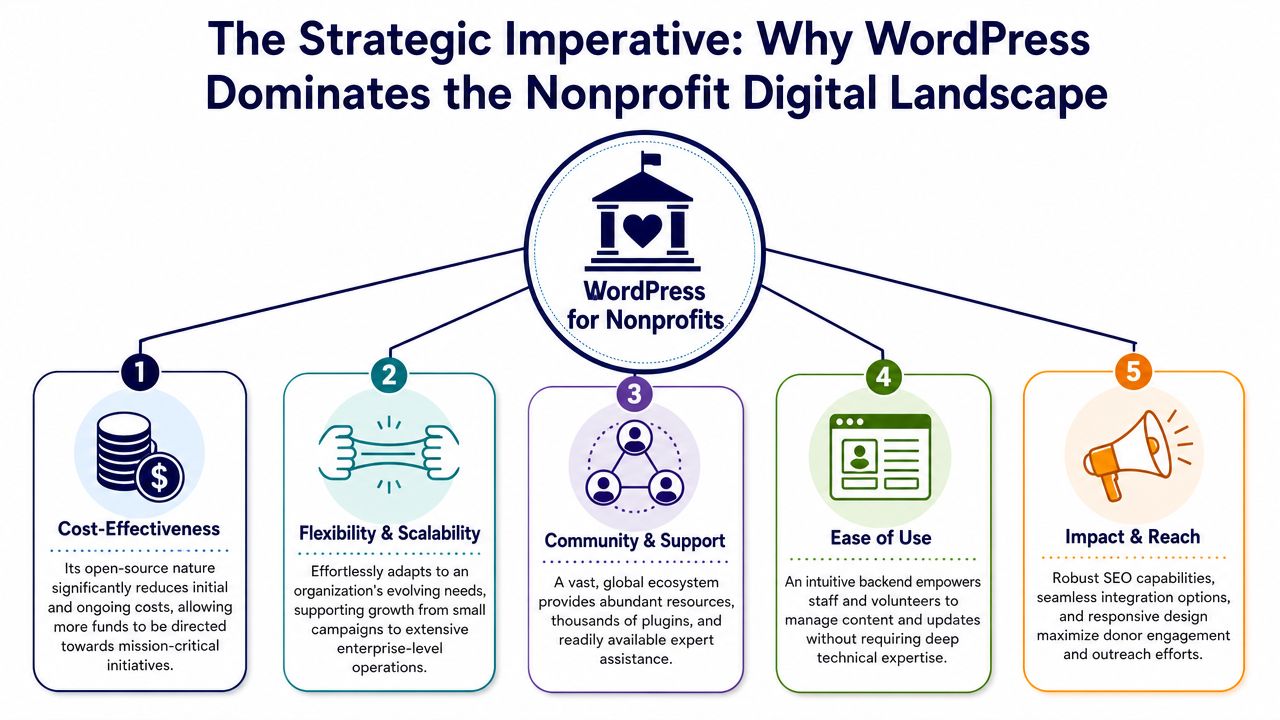
WordPress became the default in the nonprofit sector for structural reasons. It reduces dependency on a single vendor, gives teams access to a large implementation market, and supports a wide range of organizational models without forcing a rebuild every time requirements change.
A widely cited benchmark says 60% of nonprofits globally use WordPress as their website CMS, which is one reason it has become a common digital foundation for mission-driven organizations, according to Kanopi’s WordPress for nonprofits analysis. That matters less as a popularity contest and more as a risk signal. A platform used this broadly tends to have deeper documentation, more hiring options, more established workflows, and fewer dead ends.
The real value is ecosystem depth
Leadership teams often ask whether WordPress is “good enough” for a serious nonprofit. In practice, that’s the wrong test. The better test is whether the platform can support your current operations and still remain manageable after your next round of growth.
WordPress usually passes that test because it gives nonprofits access to:
- A broad talent pool. You’re not limited to one vendor’s certified partner network.
- A large library of themes and plugins. That shortens time to implementation for common needs.
- Editorial familiarity. Staff turnover is easier to manage when the platform is already widely understood.
- Scalable deployment patterns. A small local group and a large multi-program organization can both use the same core CMS with different architecture decisions.
This is why WordPress often holds up better over time than simpler website builders. Those tools can work for very small organizations, but they become restrictive when fundraising, advocacy, content operations, and integrations start intersecting.
Open source changes the cost conversation
The strongest financial argument for WordPress isn’t “free software.” It’s control over total cost of ownership. Open-source platforms let nonprofits choose where to spend. You can invest in performance, accessibility, design systems, or integrations based on mission priorities instead of paying for a closed platform’s fixed roadmap.
That doesn’t mean WordPress is automatically cheap. Poorly governed WordPress can become expensive fast. But with disciplined architecture, it gives teams a cleaner long-term cost profile than platforms that charge for basic flexibility.
A useful comparison point comes from adjacent mission-driven organizations. If your team is also weighing operational systems beyond the website, HolyJot’s software comparison is a helpful example of how to evaluate software choices through workflow fit, not just feature lists.
Board-level question: If your agency disappeared tomorrow, could another qualified WordPress team take over without rebuilding the site?
With WordPress, the answer is often yes. That portability matters. It lowers vendor lock-in, protects institutional continuity, and gives leadership more control when the organization’s needs change.
What doesn’t work
WordPress stops being a smart choice when teams adopt it without standards. Common mistakes include:
| Decision | Why it causes trouble |
|---|---|
| Choosing a theme because it “looks done” | Heavy themes often constrain performance and editing flexibility |
| Installing plugins without governance | Feature overlap creates maintenance and security problems |
| Letting every page become custom | Content teams lose consistency and campaigns slow down |
| Skipping documentation | Staff knowledge leaves with the last contractor |
Used well, WordPress isn’t just a CMS. It becomes the nonprofit’s digital operating layer.
Essential WordPress Features for Mission Impact
The value of WordPress for nonprofits shows up in the feature set you can operationalize without custom-building everything from scratch. One industry source reports more than 58,000 plugins, which is why WordPress can support accessibility, CRM connections, payments, search, and social publishing even when the internal team has limited engineering bandwidth, as noted by Nonprofit Megaphone’s review of WordPress add-ons. The catch is that modularity only helps when the stack stays disciplined. A lightweight theme and proper caching usually outperform a bloated design with a pile of optimization plugins trying to compensate.
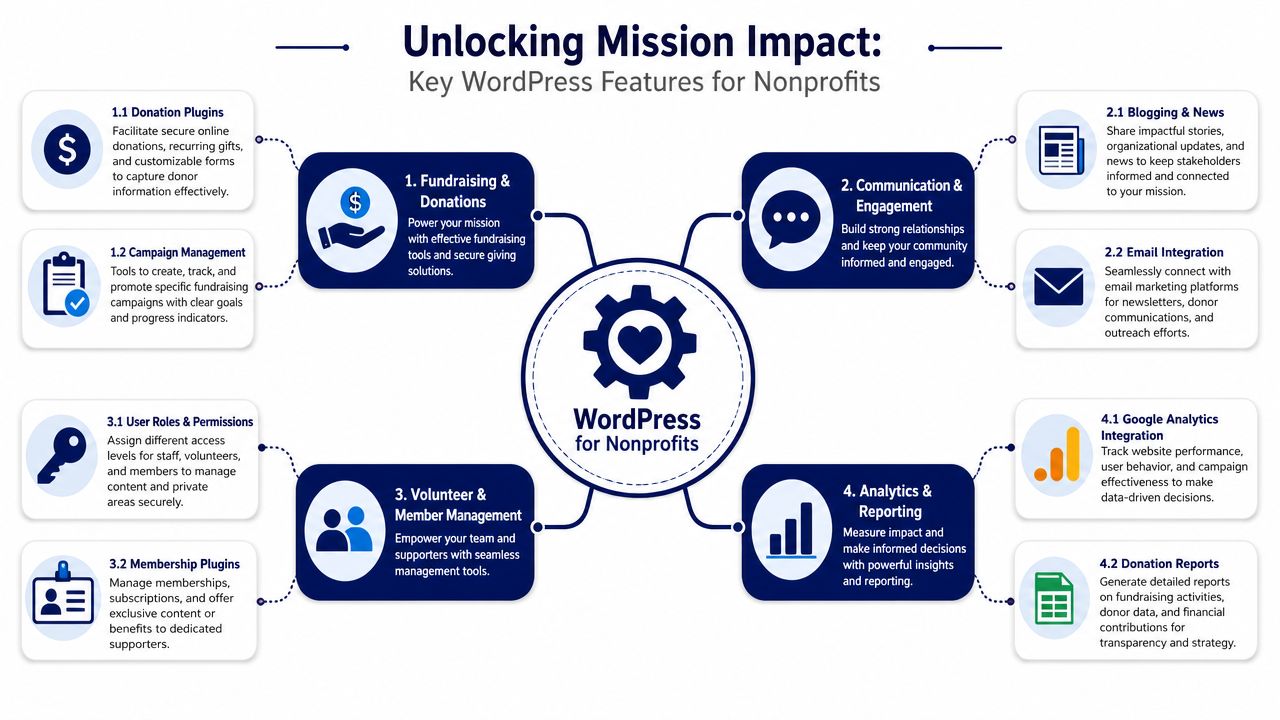
Donations that reduce friction
Donation flow design is where many nonprofit websites underperform. The form may technically accept payment, but that isn’t the same thing as making giving easy.
For most nonprofits, the essential requirements are straightforward:
- Recurring donation support so supporters can give on an ongoing basis.
- Stripe and PayPal integration because familiar payment options reduce hesitation.
- Mobile-responsive forms with only the fields you need.
- Automated tax receipts so finance and donor stewardship work doesn’t become manual.
Those are the transaction features that matter most in practice, and they’re highlighted in Barn2’s guidance on WordPress for nonprofits. WordPress is technically practical here because the core software is free and can run on low-cost hosting, with that same source citing typical hosting at about $5–15 per month. That doesn’t remove implementation cost, but it does keep infrastructure overhead within reach for smaller organizations.
Practical rule: If the donation form asks for information your staff won’t actually use, remove it.
A donation page should also match the campaign story that led the visitor there. Generic giving pages undercut intent. Stronger setups use campaign-specific headlines, short supporting copy, and a clear default path for one-time or recurring gifts.
Volunteer, member, and event workflows
WordPress becomes more valuable when you stop isolating functions. Volunteer forms, event registration, and member content should connect to the same editorial system and, where possible, the same supporter data model.
That can include:
- Volunteer intake forms tied to program-specific pages
- Event calendars and registration flows linked from campaigns and newsletters
- Member or supporter portals using roles and permissions to protect private content
- CRM sync layers so form submissions don’t live in silos
For organizations exploring broader community-driven fundraising, how peer fundraising helps creators is a useful external read because it explains the mechanics of supporter-led fundraising in a way that often translates well to nonprofit campaign planning.
Accessibility is part of feature planning
A nonprofit site isn’t complete because the plugin list is complete. Accessibility has to shape how those features are implemented. Donation widgets, accordions, event listings, and modal forms need keyboard support, readable labels, logical heading structure, and consistent error handling.
That’s why accessibility review should happen during feature selection, not after launch. Teams that need to tighten that part of the stack can use resources like WordPress ADA compliance guidance to evaluate common problem areas in themes, plugins, and front-end patterns.
A short explainer on nonprofit WordPress setup is useful here:
The feature stack that usually works
Not every nonprofit needs the same stack. But the healthiest builds usually prioritize:
| Functional area | What to prioritize |
|---|---|
| Fundraising | Clean forms, recurring giving, familiar payment gateways |
| Publishing | Reusable page templates, strong story blocks, editorial permissions |
| Events | Registration tied to campaign pages and follow-up communications |
| Supporter management | CRM-aware forms and data handoff |
| Accessibility | Tested components, not just plugin promises |
What doesn’t work is chasing novelty. A nonprofit site gets stronger when each feature earns its place and fits a clear operational process.
Advanced Capabilities for Growth and Outreach
A nonprofit website doesn’t stay small just because the team wants simplicity. Campaigns expand. Programs multiply. Chapter pages appear. Event operations move online. The site starts carrying real organizational load, and weak technical decisions surface quickly.
One benchmark reported that nonprofit websites receive an average of 12,708 website visitors per month and see a 60–70% bounce rate, while a healthier bounce rate is typically 40% or lower, according to NPTech for Good’s website statistics for nonprofits. Those figures are a useful wake-up call. They suggest that many nonprofit sites are losing people before trust, action, or conversion has time to form.
Performance is not a vanity metric
For leadership, site speed should be read as an operational issue. Slow pages make campaigns less efficient, reduce the value of paid or earned traffic, and create friction in donation paths.
The biggest causes are usually familiar:
- Overbuilt themes that ship excessive front-end code
- Unoptimized media uploaded directly from design tools
- Plugin sprawl that adds scripts and styles to every page
- Weak template discipline where each landing page gets assembled differently
When bounce rates are already high, you don’t need abstract arguments for optimization. You need faster first impressions, clearer page hierarchy, and fewer steps between message and action.
If a supporter clicks an appeal and lands on a page that loads slowly, asks too much, or buries the call to action, the problem isn’t traffic. It’s architecture.
Accessibility and security support trust
Accessibility is often framed as compliance, but nonprofits should treat it as reach. If your mission depends on public participation, every barrier excludes a potential donor, volunteer, advocate, or beneficiary.
Security belongs in the same conversation. Nonprofits handle donor data, supporter identities, and reputational trust. A compromised site doesn’t just create cleanup work. It damages confidence at the exact level where organizations can least afford ambiguity.
A solid WordPress security posture usually includes role discipline, careful plugin review, update management, backup routines, and monitoring. For teams reviewing that side of the platform, WordPress security guidance for site owners is a practical reference point.
Multilingual and multisite decisions
Growth often forces a structural choice. Should one WordPress installation serve all programs and regions, or should the organization split properties apart?
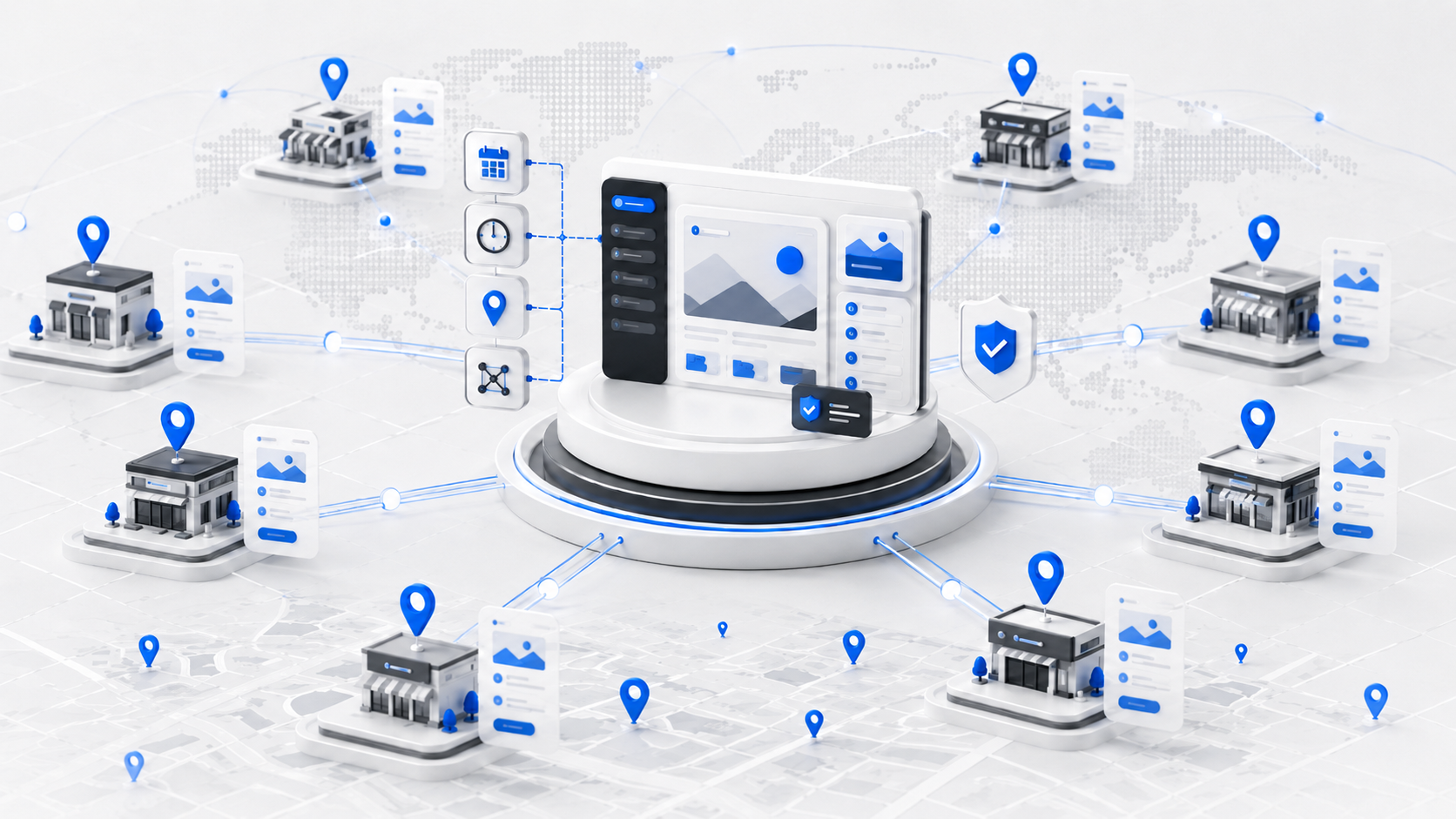
A multisite setup is useful when chapters or regional teams need local autonomy under shared governance. This configuration resembles one headquarters with multiple branch offices. Branding, codebase, and standards can stay centralized, while each chapter controls its own publishing.
A multilingual setup solves a different problem. It’s about serving the same organization across different languages, ideally with translated templates, localized calls to action, and region-aware content governance.
For event-driven nonprofits, the public website also needs to connect smoothly to real-world attendance workflows. If your team runs in-person fundraising, Non-profit fundraiser QR check-in is a relevant example of how check-in operations can be optimized without turning the website into a disconnected island.
What leadership should insist on
A growth-ready nonprofit WordPress platform should answer four questions clearly:
- Can staff publish without engineering help for routine work?
- Can the site stay fast when campaign traffic rises?
- Can donor and supporter interactions happen securely?
- Can the architecture expand without starting over?
If the answer to any of those is shaky, the website isn’t just underpowered. It’s consuming mission capacity.
Modern WordPress Architectures for Nonprofits
Most nonprofits don’t need a cutting-edge architecture. They need the right one. The wrong technical model creates either unnecessary complexity or long-term limitations, and both are expensive.
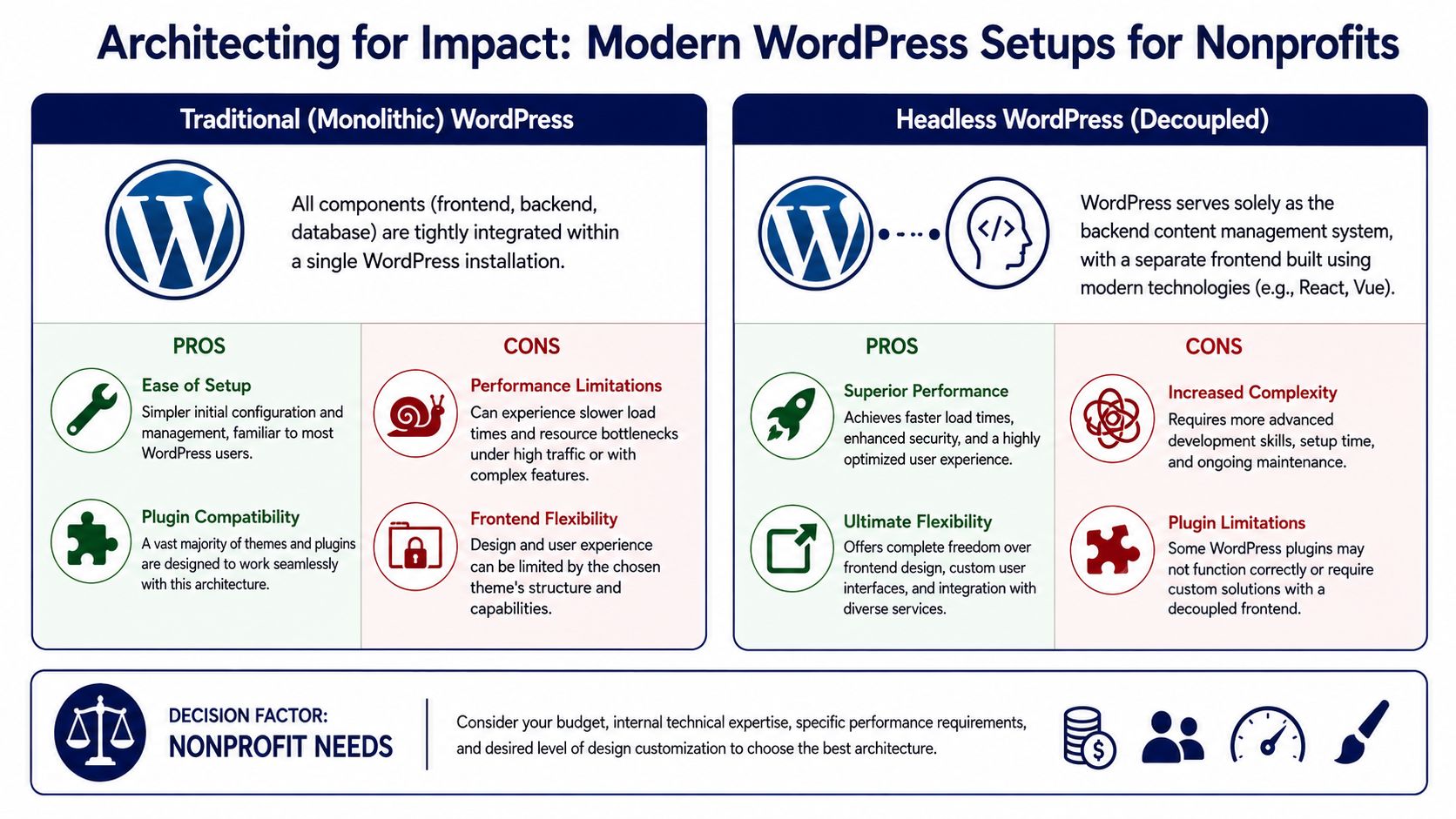
For most organizations, the modern default is still a well-built monolithic WordPress setup using the Block Editor, Gutenberg blocks, and increasingly Full Site Editing. That approach keeps content management and front-end delivery in one system. It’s easier to train on, easier to maintain, and generally more compatible with the broader plugin ecosystem.
Gutenberg and Full Site Editing as the practical default
Gutenberg matters because it changes who controls the website. Instead of sending every layout change through a developer, staff can work with reusable blocks, locked templates, and content patterns that preserve consistency.
That creates a better editorial model when it’s implemented carefully:
- Reusable blocks keep campaign sections consistent
- Template locking prevents accidental layout damage
- Pattern libraries speed up page building for non-technical staff
- Global styles reduce one-off design drift
The best comparison is a set of approved building materials. Staff can assemble pages quickly, but they aren’t pouring new foundations every time they publish.
This is also where many organizations should simplify. A modern block-based build often ages better than a page-builder-heavy installation loaded with proprietary shortcodes and fragile visual controls.
When headless WordPress makes sense
A headless architecture separates WordPress from the public-facing front end. WordPress remains the content backend, while a separate application, often built with React or another modern framework, renders the site.
That model can be powerful, but it isn’t a default recommendation.
Use headless when you have needs like:
| Architecture fit | Better choice |
|---|---|
| Standard fundraising, publishing, events, and forms | Monolithic WordPress |
| Highly customized front-end experiences | Headless WordPress |
| Omnichannel content delivery across multiple apps | Headless WordPress |
| Limited technical staff and standard workflows | Monolithic WordPress |
The simplest analogy is this: monolithic WordPress is a well-designed office where the front desk and operations team work in the same building. Headless is a specialized setup where the operations team stays in one building and the public-facing experience runs from another. That can be more powerful, but coordination gets harder.
WooCommerce and revenue diversification
Some nonprofits also need a store. That might mean merchandise, event tickets, digital resources, sponsorship items, or member products. WooCommerce can support that well inside WordPress, but only when the checkout flow, payment setup, and fulfillment logic are treated seriously.
What works:
- A narrow catalog tied to mission and campaigns
- Simple product data that staff can manage internally
- Checkout experiences that don’t compete with donation flows
- Clear reporting boundaries between earned revenue and fundraising
What doesn’t work is forcing every transaction type through the same process. Donations, memberships, ticketing, and merchandise often need different UX and back-office logic. WordPress can support all of them, but they shouldn’t be mashed into one confusing funnel.
How to choose
If your nonprofit needs strong editorial control, common integrations, and manageable maintenance, choose the modern monolithic route first. It’s usually the fastest way to a dependable platform.
Choose headless only when the organization has a clear front-end requirement that conventional WordPress can’t meet cleanly, and the team is prepared for the added development and maintenance burden. Headless can be excellent. It’s just not free flexibility.
Real-World Examples of WordPress in Action
The easiest way to judge WordPress for nonprofits is to look at fit by organizational shape, not by industry buzzwords. The platform works differently for a local shelter than it does for a national advocacy network.
Local organization with a lean team
A small animal rescue usually needs clarity more than complexity. The practical build is a straightforward WordPress site with a lightweight theme, a focused donation page, volunteer inquiry forms, adoption information, and an event calendar for community drives.
The critical decision isn’t which plugin has the most features. It’s whether staff can update urgent content fast. If intake rules change, a foster appeal needs to go live tonight, or a fundraiser needs a landing page before the weekend, the site has to support rapid publishing without layout risk.
Keep the stack boring where possible. Stable tools beat clever ones when a small team is doing communications, fundraising, and operations at the same time.
National advocacy group with chapter needs
A larger advocacy nonprofit has different problems. It may need a central brand, state-level campaign pages, issue-based content hubs, SEO governance, and supporter data moving into a CRM.
That’s where multisite or a strongly structured single-site architecture becomes valuable. The national office can control templates, shared components, legal pages, and governance standards. Regional teams can publish locally relevant updates without fragmenting the entire platform.
A healthy implementation would likely include:
- Shared page patterns for petitions, campaigns, and policy updates
- Permission-based editorial roles across teams
- CRM-connected forms for supporter intake
- Search-aware content structures so issue pages compound visibility over time
The WordPress advantage here is not just flexibility. It’s that the organization can standardize process without freezing local responsiveness.
International nonprofit with high publishing demands
A global relief organization has a much tougher brief. It may need multilingual publishing, region-specific content governance, high reliability during emergency traffic surges, and content delivery across more than one digital channel.
In that case, a headless or partially decoupled architecture can make sense. WordPress remains the editorial engine. A separate front end handles delivery performance, design control, and specialized user experiences. That can be the right choice when uptime expectations are strict and content teams operate across countries and languages.
The trade-off is operational maturity. This model requires stronger engineering practices, clearer documentation, and disciplined release management. Without that, the organization replaces one form of complexity with another.
The pattern across all three
The platform is the same. The architecture is not.
That’s why “WordPress for nonprofits” is too broad as a buying lens. Leadership teams should ask a narrower question: what publishing model, governance model, and transaction model does our mission require right now, and what will we need next? The right WordPress implementation starts there.
Your Next Steps to Launch or Migrate
A nonprofit website launch or migration should be treated like an operational transition, not a design refresh. The main risk isn’t that the colors come out wrong. The main risk is carrying old problems into a new system and hardening them into the new architecture.
The cleanest projects start with decision-making, not development.
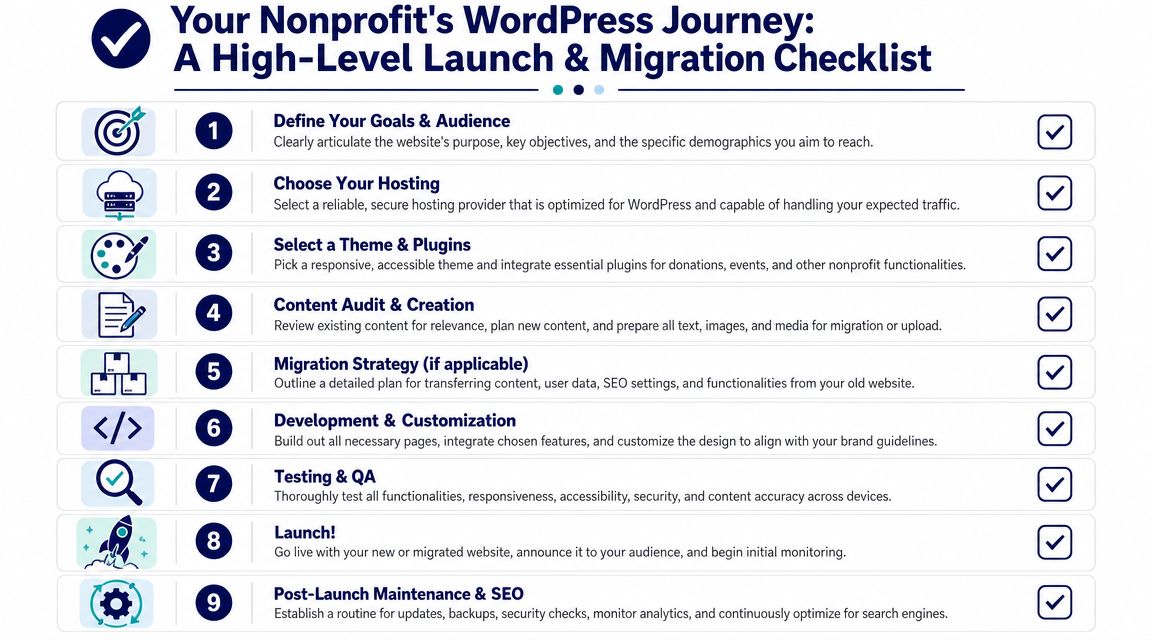
The checklist that prevents expensive mistakes
Use this as a leadership-level launch and migration checklist:
- Define the top actions the site must support. Donations, volunteer recruitment, program discovery, event signups, or chapter publishing all lead to different architecture choices.
- Audit current content before moving anything. Old PDFs, duplicate landing pages, and outdated program pages usually don’t deserve migration.
- Choose hosting based on operational needs. Reliability, backups, staging, and support quality matter more than a bargain headline.
- Decide what belongs in plugins versus custom code. If a feature is core to your mission, don’t bury it inside a tool you can’t govern.
- Create reusable content patterns. Campaign pages, donation pages, event pages, and program pages should share structure.
- Map integrations early. CRM, payment gateways, email platforms, event tools, and analytics should be planned before design lock.
- Test accessibility and mobile flows throughout the build. Don’t treat that as a final checklist item.
- Prepare governance after launch. Someone needs to own updates, permissions, plugin review, and publishing standards.
- Document the system. Staff turnover is guaranteed. Platform continuity has to be designed.
Where migrations usually go wrong
Most troubled WordPress migrations fail in one of three ways:
| Failure point | What it looks like |
|---|---|
| Content is migrated without strategy | The new site inherits clutter and weak page logic |
| Design leads architecture | The site looks polished but remains hard to manage |
| Launch is treated as the finish line | No maintenance plan exists for updates, QA, and performance |
That last one is where many nonprofits get trapped. WordPress is not high-maintenance when it’s engineered well, but it does need routine care. Core updates, plugin compatibility checks, backups, monitoring, and performance review are ongoing responsibilities, not one-time tasks. A structured support model such as WordPress maintenance and support can cover that operational layer when internal teams don’t have the bandwidth.
When outside engineering support makes sense
There’s a point where DIY stops being cost-conscious and starts becoming risky. That point usually arrives when the website needs custom integrations, chapter governance, multilingual content, advanced accessibility remediation, or a major migration from another platform.
For those builds, specialist engineering support helps because it reduces avoidable mistakes:
- Architecture gets decided before implementation
- Performance is designed in, not patched later
- Accessibility is built into components
- Editorial teams get clearer workflows
- Technical debt is controlled before it spreads
The nonprofit’s staff should spend their time on program delivery, stewardship, and communications. They shouldn’t have to become part-time platform engineers just to keep the website functional.
If your organization is planning a new build, a migration, or a cleanup of an overloaded existing site, IMADO is one option for WordPress engineering support with a focus on scalable architecture, accessibility, performance, and long-term maintainability.
Let’s build something exceptional
Tell us about your project – we’ll help you launch a fast, scalable, SEO-optimized WordPress platform built for growth.