
 Ask Chatgpt to summarize WordPress Migration Services: A Complete Guide for 2026
 Ask Grok to summarize WordPress Migration Services: A Complete Guide for 2026
 Ask Claude to summarize WordPress Migration Services: A Complete Guide for 2026
 Ask Perplexity to summarize WordPress Migration Services: A Complete Guide for 2026
 Ask Gemini to summarize WordPress Migration Services: A Complete Guide for 2026
A lot of teams start looking for WordPress migration services only after the site has already become a problem.
Marketing can’t launch pages without asking a developer to fix a brittle template. Updates get postponed because nobody is sure what will break. The site feels slower than it used to. Forms work on some pages and fail on others. Every change carries a little anxiety.
That usually means the website is no longer just a website. It’s operational infrastructure. When it starts failing, the business feels it in lead flow, campaign timing, support overhead, and internal confidence.
A good migration fixes that. A bad one just moves the same problems to a new server.
Table of Contents
When Your WordPress Site Becomes a Business Risk
The common scenario is simple. A company built a WordPress site a few years ago, added plugins as needs grew, changed hosts once or twice, and now nobody wants to touch production on a Friday.
At that point, the problem isn’t only technical debt. It’s business exposure. Sales depends on landing pages that load reliably. Marketing depends on forms, tracking, and publish workflows. Leadership depends on the site staying up during campaigns, launches, and seasonal demand. If the platform is unstable, every team starts working around it.
That is why migration should be treated like a continuity project, not an IT errand. The same thinking used in broader business continuity strategies applies here: identify what can’t fail, reduce single points of failure, and plan the transition so operations keep running while the underlying system changes.
Practical rule: If your team delays updates because the site feels fragile, you’re already paying the cost of not migrating.
I usually see three triggers push organizations to act.
- Performance is dragging the business down. The site is slow, the admin is sluggish, and traffic spikes expose hosting or caching weaknesses.
- Security and maintenance feel uncertain. Plugin updates pile up, PHP versions lag, and nobody has confidence in the rollback path.
- The editorial workflow has become hostile. Marketing needs flexibility, but the backend is cluttered with shortcodes, old builders, and undocumented custom code.
A planned migration changes the conversation. Instead of asking, “How do we move this site?” the better question is, “What needs to stay stable while we improve the platform?”
That shift is what separates a cheap transfer from a professional migration. One copies files. The other protects revenue, visibility, and operating continuity.
The Migration Spectrum From Simple to Complex
Some WordPress migrations are straightforward. Others are redesigns, rebuilds, and data projects disguised as hosting changes.
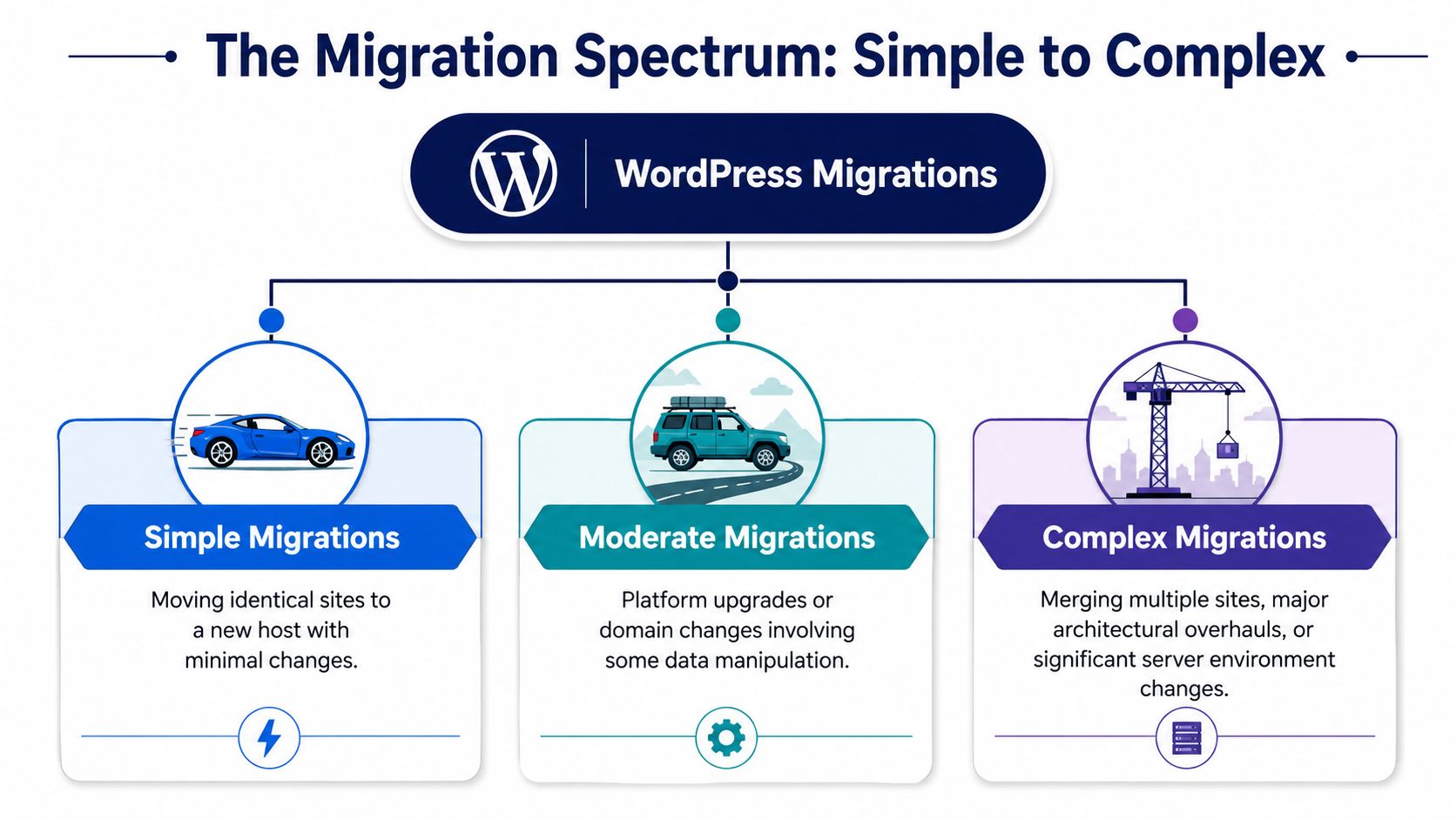
That distinction matters because buyers often ask for “website migration” as if it means one thing. It doesn’t. The fastest way to understand your own project is to think about moving house. A furnished studio across town is one kind of move. Relocating a warehouse, office, and archive is another.
Simple migrations
A simple migration is a host swap with minimal change. Same domain, similar server stack, same theme, same plugin set. The goal is stability, not transformation.
Migration plugins can assist, assuming the source site is healthy and the destination environment is compatible. Even then, “simple” doesn’t mean consequence-free. You still need backups, validation, and a rollback plan.
Moderate migrations
Moderate migrations add meaningful change. Common examples include a domain change, URL restructuring, a theme rebuild on the same CMS, or a move from a cluttered page-builder setup into a cleaner block-based build.
A lot of projects are underestimated; a team thinks it’s just a move, but the minute URLs change, templates change, and content needs cleanup, the work expands. If you’re also reconsidering architecture, this guide to converting a website to WordPress helps frame the broader transition, not just the transfer.
Complex migrations
Complex migrations involve architecture, data integrity, or platform-level change. Think WooCommerce stores with subscriptions, multisite networks, multilingual setups, custom integrations, or a shift into headless WordPress.
A useful way to classify the spectrum is this:
| Migration type | What changes | Main risk |
|---|---|---|
| Simple | Infrastructure | Missed environment mismatch |
| Moderate | Infrastructure plus structure | Broken URLs, missed dependencies |
| Complex | Infrastructure, structure, and business logic | Data loss, workflow failure, integration breakage |
Cheap WordPress migration services usually assume your project belongs in the first row. Enterprise-grade teams verify whether it actually belongs in the third.
That verification is where experienced engineers earn their fee. Complexity isn’t about page count alone. It’s about state, dependencies, and what happens if the site launches with silent failures nobody noticed in staging.
Your Pre-Migration Audit and Staging Checklist
A migration can fail before anyone touches DNS.
The pattern is familiar. A company hires a low-cost provider, the files get copied, the homepage loads, and everyone assumes the job is done. Two days later, order emails stop, a paid plugin will not activate on the new server, scheduled jobs are stuck, and support is sorting through issues that were present before launch. That is not a technical inconvenience. It is a business continuity failure.
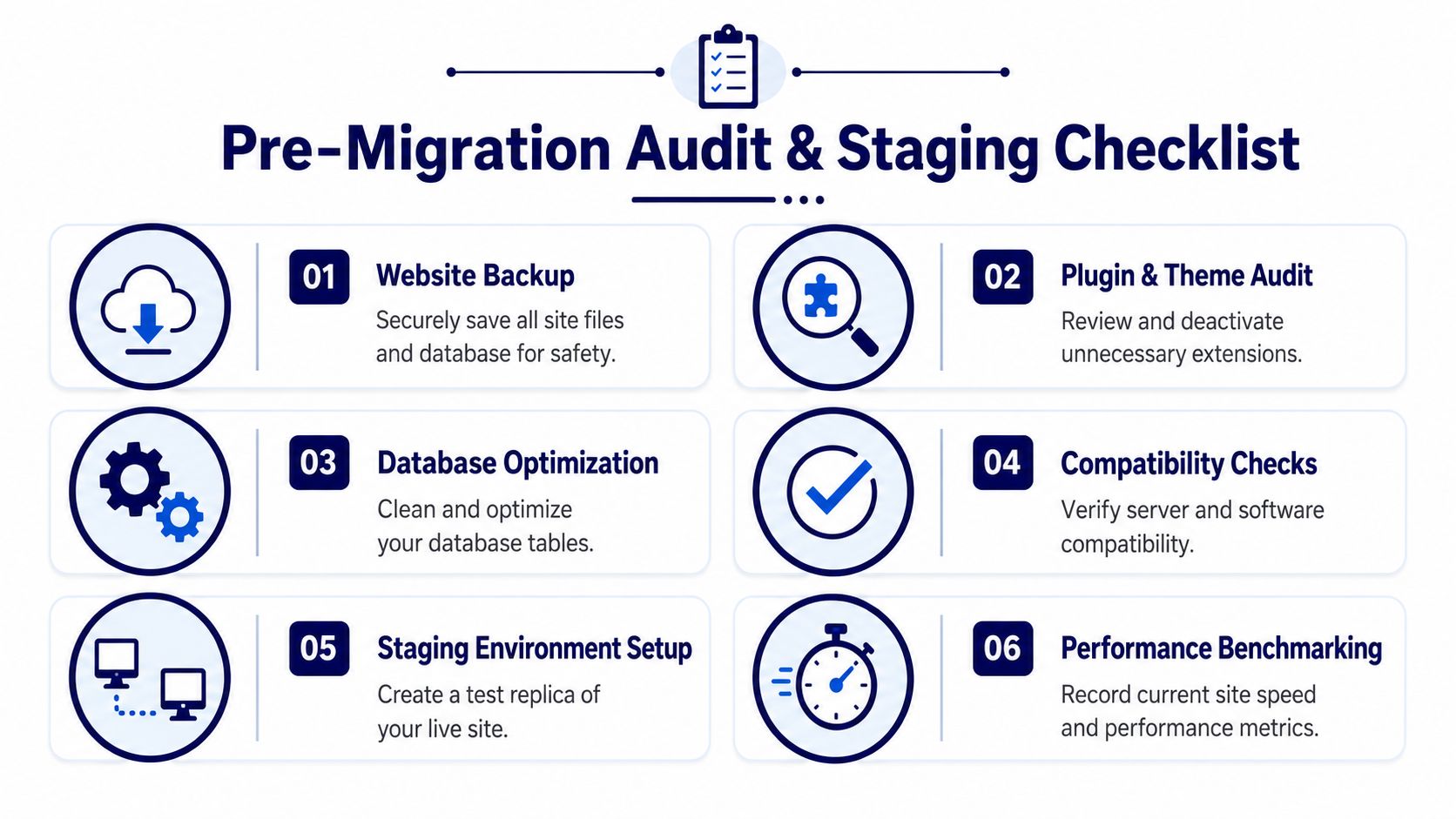
A proper pre-migration process reduces that risk before cutover. The work starts with an audit of what the site depends on, continues with backups that can be restored under pressure, and ends with a staging environment that behaves like production. Teams that skip those steps are not saving time. They are shifting risk into launch week. The same discipline shows up in broader engineering teams focused on mastering modern software development.
The audit should cover the application, the infrastructure, and the business processes tied to the site. That includes plugin compatibility, database size, file structure, server configuration, and operational dependencies that are easy to miss during a rushed handoff, as outlined in this migration service breakdown.
Audit what actually runs the site
Start with the dependency map.
That means more than listing plugins from the admin screen. You need active plugins, mu-plugins, theme dependencies, license-bound extensions, custom post types, cron jobs, external APIs, environment variables, wp-config overrides, and server rules that affect how the site behaves. Hidden dependencies usually cause the expensive failures. Order exports, form routing, search indexing, SSO, payment webhooks, and ERP syncs are common examples.
A useful audit answers questions like these:
- Which plugins generate revenue or support core operations, and which ones are legacy leftovers nobody has reviewed in years?
- Where does custom code live, in the theme, a custom plugin, the functions file, or snippets added directly by a previous agency?
- Which hosting assumptions matter, such as PHP version, memory limits, image processing libraries, Redis or object cache behavior, and cron configuration?
- Which content structures need validation, including menus, redirects, user roles, media paths, taxonomies, and language variants?
If those answers are unclear, the migration scope is unclear too.
Back up for recovery
Backups only matter if they shorten downtime.
A file-level backup and a database backup should both exist before migration. They should be stored off-site, timestamped, and easy to restore. If the rollback plan depends on someone improvising with a hosting panel during an outage, the backup process is incomplete.
A backup nobody has restored before is a theory, not a recovery plan.
Capture a baseline before any work starts. Record current performance, crawlability, form behavior, cron activity, and error logs. Without that baseline, every post-launch discussion turns into opinion. One team says the site feels slower. Another says it looks fine. Nobody can point to what changed.
Build staging like production
Staging needs to behave like the live environment closely enough to expose failures before customers do.
That means matching the stack where it counts. PHP version, database version, caching layers, rewrite rules, background jobs, and third-party integrations all affect whether a migration is safe to launch. If your team still uses a stripped-down test copy, review what an operational staging site is meant to protect against.
A staging workflow worth trusting usually includes:
- Content freeze planning. Define what can still change on the live site during the migration window and how those changes will be reconciled.
- Functional validation. Test forms, search, login flows, checkout paths, gated content, and admin tasks that staff use every day.
- Role-based review. Marketing, support, operations, and editors should validate their own workflows instead of relying on developer spot checks.
- Cutover rehearsal. Run the launch steps, rollback steps, responsibilities, and communication plan before the actual switch happens.
Cheap WordPress migration services often copy the visible site and ignore the operational layer underneath it. Enterprise-grade teams audit dependencies, test recovery, and use staging to reduce launch risk before revenue, search traffic, or customer trust is on the line.
Navigating Critical Technical Migration Hurdles
Most WordPress migration failures don’t happen because the idea was wrong. They happen because small technical issues were treated as details instead of launch blockers.
Professional WordPress migration services earn their value in this part of the project. They know which problems are cosmetic, which ones affect SEO, and which ones break business logic without obvious front-end symptoms.
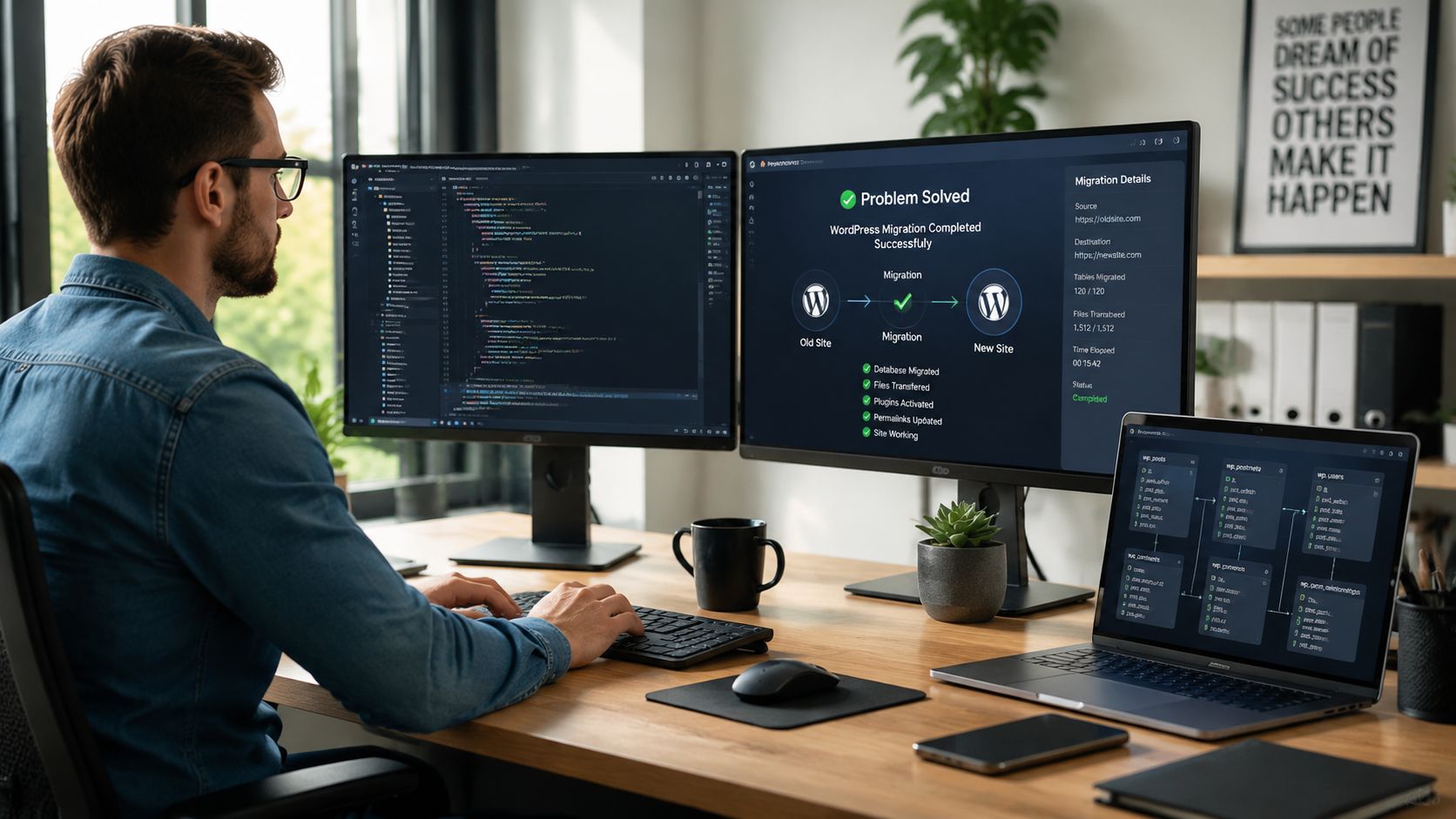
URL replacement that doesn’t corrupt data
A common mistake is treating URL updates like a simple text find-and-replace.
That works until serialized data is involved. WordPress stores some values in ways that depend on exact string lengths. If someone runs a careless database replacement, widgets, builder content, settings arrays, or plugin configurations can break in ways that only show up later.
The safe approach is to use tools that understand WordPress serialization and to validate the affected content types after replacement. That includes builder layouts, navigation structures, custom fields, and media references. The lesson is broader than WordPress. Teams that follow disciplined engineering habits tend to avoid these avoidable failures, which is why broader thinking around modern software development practices is relevant even in CMS work.
Redirects are not an SEO afterthought
When domains or URL structures change, the technical transfer is only half the job.
For those projects, migration quality is determined less by file transfer and more by post-move normalization: implement permanent 301 redirects, run database-wide search-and-replace for old URLs, and verify Search Console crawl and error signals after launch. Guidance on switching hosts without losing continuity also notes that DNS propagation commonly takes 24–48 hours, so the goal isn’t instant switching but maintaining service continuity while the new origin resolves globally.
That changes how you plan launch. You don’t assume every visitor will hit the new stack at the same moment. You design for overlap, consistency, and monitoring.
Operational insight: A migration launch window isn’t finished when DNS is updated. It’s finished when the new environment is stable under real traffic and the old paths are accounted for.
Media sync and missing files
Media failures are easy to miss in a superficial QA pass.
You open the homepage, the hero image loads, and everyone relaxes. Then a week later you discover missing inline images in old blog posts, broken PDF links in resource hubs, or thumbnails generated at the wrong size because image settings changed between environments.
The fix is unglamorous but necessary:
- Crawl for asset references. Don’t rely on spot-checking a few pages.
- Validate uploads structure. Confirm year/month paths, custom directories, and generated image sizes.
- Check CDN behavior. If the old site used a CDN or image optimization layer, verify that rewritten asset URLs still resolve properly.
- Test protected downloads. Member files, gated PDFs, and product documents often fail differently than public media.
A migration service that only says “all files transferred successfully” hasn’t finished the job. Availability at the filesystem level isn’t the same as correct rendering at the application level.
Plugin conflicts after environment change
Sites that look fine in staging can still fail after cutover because production traffic activates code paths that weren’t fully exercised.
This happens with cache plugins, security plugins, search plugins, dynamic pricing rules, geolocation logic, and anything dependent on scheduled tasks or external services. One of the first things I look for after launch is not visual fidelity. It’s whether background operations still run as expected.
A practical way to manage this is to classify plugins by risk:
| Plugin class | Typical migration concern | Validation focus |
|---|---|---|
| Caching and security | Different server behavior | Login, purge, access rules |
| SEO and redirects | Metadata and canonical handling | Indexability, redirect maps |
| Commerce and memberships | State and transaction flow | Checkout, renewals, access |
| Integrations | Credential or webhook mismatch | Data exchange, logging |
If you need a more tactical walkthrough for infrastructure-only moves, this guide on how to migrate a WordPress website to a new host is useful. But for larger projects, host migration is just one layer of the problem.
A short demo can help clarify where these issues show up during a real move:
Silent failure is the real enemy
The most dangerous migration bugs aren’t the ones that crash the homepage. They’re the ones that pass launch day and fail unnoticed afterward.
Examples include broken lead routing, missing transactional emails, coupon logic that no longer applies correctly, multilingual pages with the wrong canonicals, or search pages returning partial results. Cheap migration services often optimize for “site is live.” Good ones optimize for “site is operational.”
That difference is the whole game.
Advanced Migrations WooCommerce Multisite and Headless
At this point, one-size-fits-all migration advice falls apart.
A brochure site can tolerate a few minor issues during launch. A WooCommerce store, multisite network, or headless setup often can’t. The problem isn’t that these projects are impossible. It’s that many migration providers use the same checklist they use for simple sites, then act surprised when the edge cases are where the business lives.
WooCommerce is a data integrity project
With commerce, the homepage is not the hard part. Orders, subscriptions, tax logic, customer accounts, coupons, fulfillment flows, and integrations are the hard part.
A major gap in most migration advice is data integrity for complex commerce. Many guides gloss over historic order metadata, subscription renewal schedules, and custom checkout fields during cutover. That matters because WooCommerce powers over 3.6 million live stores, and migration risk rises as customization increases, as noted in this overview of WordPress migration challenges for commerce.
The right question isn’t “Can you migrate my store?”
It’s this:
What exactly is migrated, what is rebuilt, and what requires reconciliation after launch?
That answer should cover product data, order history, customer records, payment gateway settings, shipping rules, email templates, analytics events, ERP or accounting syncs, multilingual catalog behavior, and any logic implemented through custom code. If a provider answers in broad marketing language, they haven’t done enough of these projects.
Multisite is architecture, not just scale
Multisite migrations introduce a different category of risk. You’re not just moving content. You’re moving network behavior.
A network may include shared users, mapped domains, role differences across sites, shared plugins, unique theme customizations, and editorial teams that depend on consistent patterns. Even a technically correct migration can fail operationally if one subsite inherits the wrong settings or if domain mapping behaves differently after launch.
For teams planning a networked setup, understanding how to install WordPress Multisite helps clarify why migration planning has to account for shared infrastructure and site-specific exceptions at the same time.
A provider handling multisite should be able to explain:
- how network-wide plugins will be validated
- how site-specific media and uploads will be checked
- how mapped domains will be tested during cutover
- how user roles and permissions will be verified across the network
Headless changes the definition of done
Headless WordPress migrations are often underestimated because the CMS may move cleanly while the frontend application still depends on old assumptions.
The migration scope should include API behavior, preview workflows, cache invalidation, authentication, form handling, search indexing, and any frontend dependencies tied to WordPress data models. If the frontend expects one shape of content and the migrated backend delivers another, the site can appear healthy in the CMS while production pages degrade or break.
In these projects, “site launched” is not a meaningful milestone. “Frontend, CMS, and integrations behave consistently under production traffic” is the milestone.
That is why advanced migrations need engineering ownership, not just operator execution. The complexity isn’t visual. It’s systemic.
Vetting Your WordPress Migration Partner Costs and Questions
Most buyers ask the wrong first question.
They ask, “How much does it cost to migrate a WordPress site?” The more useful question is, “What does failure cost if the migration is under-scoped?”
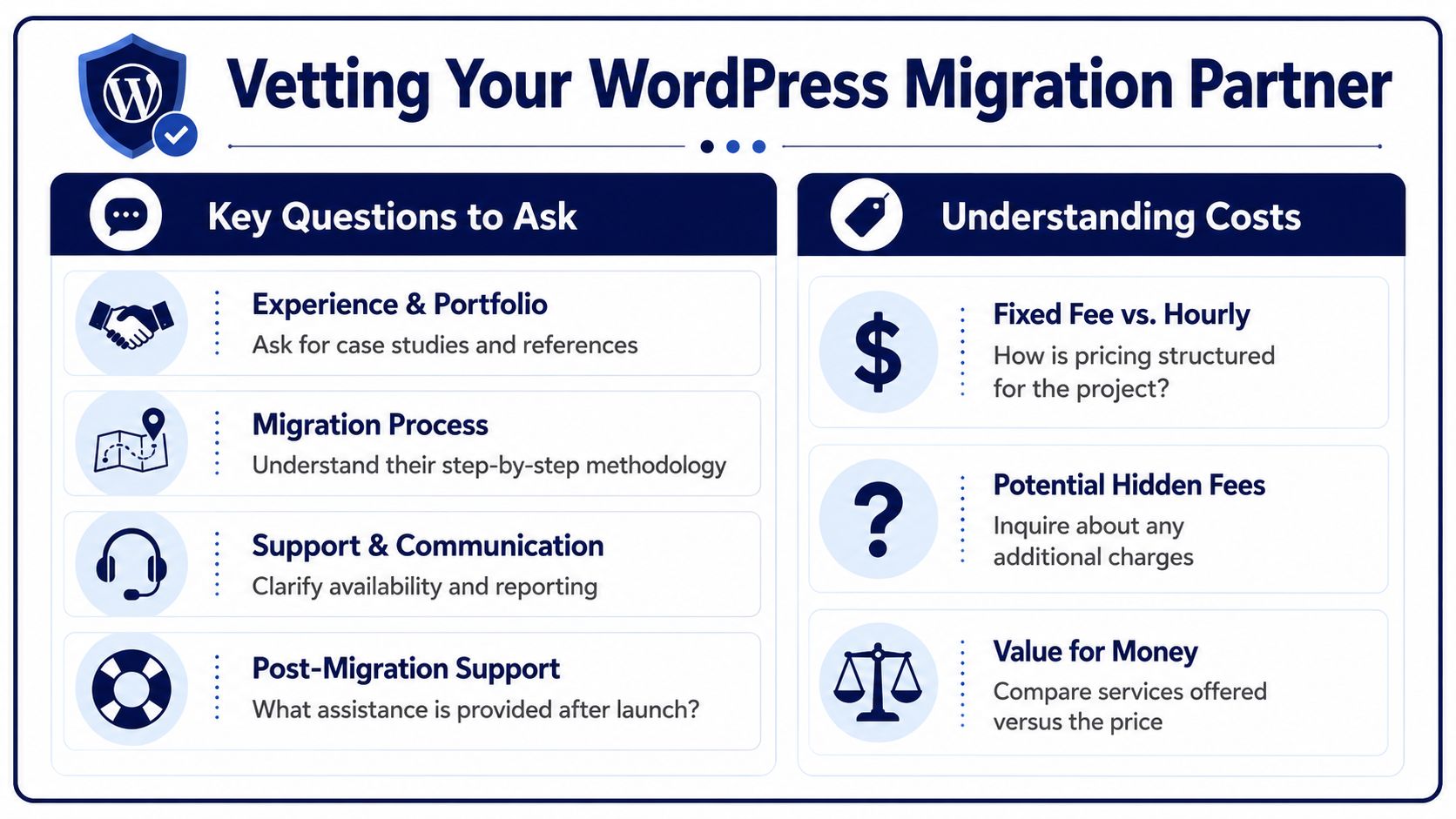
Professional WordPress migration costs commonly range from $200 to $2,000 depending on complexity, according to this industry guide on WordPress migration service pricing. That’s a useful benchmark, but it shouldn’t be read as a shopping shortcut. The lower end and the higher end are often solving very different problems.
What cheap migration usually buys
Low-cost providers often focus on the transfer itself. They export, import, update some settings, and hand the site back.
That can be enough for a small, simple project. It is not enough for a site with revenue dependence, search visibility concerns, custom workflows, or multiple stakeholders. The gap usually shows up in the work they didn’t include: audit depth, staging fidelity, redirect mapping, role-based QA, rollback readiness, and post-launch support.
Here is the practical distinction:
| Provider type | Usually includes | Often missing |
|---|---|---|
| Budget transfer service | Basic copy, install, limited checks | Business logic validation, rollback planning |
| Engineering-led migration partner | Audit, staging, controlled cutover, QA | Higher initial quote |
| Enterprise-support model | Migration plus ongoing maintenance | May require broader engagement |
Cost isn’t just labor. It’s risk allocation.
Questions that expose weak vendors
You don’t need to be a WordPress engineer to interview one well. You need questions that force specifics.
Ask these, and don’t accept vague answers:
- What is your rollback plan? If launch fails, how do they restore the previous working state?
- How do you handle staging validation? Ask who tests what, and whether non-developers are involved before cutover.
- What data do you migrate versus rebuild? This is critical for WooCommerce, memberships, multilingual sites, and custom integrations.
- How do you manage redirects and post-launch crawl issues? If URLs change, they should speak clearly about mapping and validation.
- What happens after launch? Clarify whether support ends at handoff or includes a stabilization window.
- Who performs the work? Sales teams often describe a senior process that junior operators don’t follow in practice.
If a vendor can’t explain failure handling in plain language, they probably don’t control it well under pressure.
What a serious migration proposal should contain
A credible proposal doesn’t need to be bloated, but it should be concrete.
Look for scope that names environments, testing responsibilities, cutover assumptions, backup handling, launch timing, and exclusions. If you’re evaluating implementation partners, providers like IMADO position migration as part of a broader engineering workflow that can include custom themes, WooCommerce, multisite, headless builds, and ongoing maintenance. That kind of fit matters when the move is tied to architecture cleanup, not just relocation.
A solid proposal should make these points easy to find:
- Discovery scope. What they audit before work begins.
- Environment plan. How staging and production are handled.
- Launch method. How they sequence cutover, validation, and fallback.
- Post-launch support. What they monitor and for how long.
- Change assumptions. What happens if the live site changes during the project.
Choose for consequence, not comfort
The cheapest provider often feels attractive because migration sounds temporary. But the effects of a poor migration can last much longer than the project itself.
Downtime hurts immediately. Broken redirects hurt over time. Silent logic failures hurt when customers or internal teams discover them before you do. That is why procurement should treat WordPress migration services less like moving furniture and more like replacing a critical system without interrupting operations.
If your site matters to revenue, lead generation, publishing, or customer access, price should be one filter. It shouldn’t be the deciding one.
Beyond the Launch Ensuring Post-Migration Success
Monday morning is when weak migrations get exposed.
Traffic is back to normal, editors are publishing, orders are coming in, and customers are resetting passwords. The site may have survived cutover, but that does not mean the migration succeeded. Success means the new environment holds up under real business activity without introducing hidden failure points.
This is the part cheap migrations skip. They treat launch as the finish line. Enterprise-grade work treats launch as the start of a monitored proving period, because many of the expensive problems appear only after real users, search crawlers, background jobs, and internal teams hit the system at the same time.
What to validate after go-live
Post-launch review needs an owner, a checklist, and a timeline. A quick homepage review will not catch the issues that cost revenue or create cleanup work for marketing, support, and operations.
Focus on the functions that carry business risk:
- Revenue paths. Checkout, cart updates, payment capture, subscription renewals, gated content, and account login.
- Lead flow. Forms, CRM routing, confirmation emails, spam controls, and thank-you pages.
- Search and discovery. Redirects, 404s, canonical tags, XML sitemaps, robots rules, and crawl behavior.
- Trust and security. SSL, mixed content, cookie behavior, admin access, role permissions, and firewall or CDN rules.
- Publishing operations. Editor logins, scheduled posts, media handling, plugin settings, and approval workflows.
- Background processing. Cron jobs, transactional email, imports, exports, webhooks, and third-party integrations.
Performance belongs in that review too. If the new stack is slower under live traffic, the migration created a new business problem even if the pages technically load. Teams should compare post-launch behavior against the benchmark established before cutover and investigate any regression in page speed, admin responsiveness, checkout flow, or cache performance.
Launch day shows availability. The next two to four weeks show whether the platform is dependable.
Stabilization is part of the migration
A professional migration plan includes a stabilization window after launch. That period is for monitoring logs, reviewing error reports, checking uptime, validating backups, and fixing issues that only appear in production conditions.
This matters more on complex builds. WooCommerce stores can have delayed payment callbacks, tax or shipping edge cases, and inventory sync problems that do not appear in staging. Multisite networks can expose domain mapping, user permission, and shared plugin conflicts only after different teams resume work. Headless setups can fail at the API, cache, or preview layer while the frontend still looks fine at first glance.
Good teams also watch for quieter failures. Search rankings can slip because redirect logic is incomplete. Support tickets can rise because password emails stop sending. Editors can lose time because media permissions or custom field behavior changed. None of those failures look dramatic at launch. All of them affect the business.
Migration should leave the organization with a cleaner operating baseline. Clear ownership, documented rollback points, verified backups, and known performance benchmarks make the site easier to run after the move. This constitutes the long-term return.
If you’re planning a WordPress migration and need senior engineering support for staging, cutover, WooCommerce data integrity, multisite, or post-launch stabilization, IMADO can help evaluate the scope and handle the move as an engineering project rather than a simple transfer.
Let’s build something exceptional
Tell us about your project – we’ll help you launch a fast, scalable, SEO-optimized WordPress platform built for growth.



