 Ask Chatgpt to summarize RTL Language Support WordPress: Developer’s Guide 2026
 Ask Grok to summarize RTL Language Support WordPress: Developer’s Guide 2026
 Ask Claude to summarize RTL Language Support WordPress: Developer’s Guide 2026
 Ask Perplexity to summarize RTL Language Support WordPress: Developer’s Guide 2026
 Ask Gemini to summarize RTL Language Support WordPress: Developer’s Guide 2026
At least 200 million internet users worldwide speak a right-to-left language, including Arabic, Hebrew, Persian, and Urdu, according to Torque Magazine’s overview of RTL in WordPress. That number changes how teams should think about RTL. It isn’t a localization edge case. It’s a core engineering requirement for any WordPress build meant to serve international audiences.
Good RTL support also exposes the difference between a theme that merely looks finished and a platform that’s production-ready. A homepage may survive a quick CSS flip. Navigation, product grids, block patterns, checkout states, admin workflows, and plugin UI usually won’t. That’s where most “RTL-ready” claims fall apart.
Table of Contents
Why Mastering RTL in WordPress is a Business Imperative
Ignoring RTL means excluding a large and commercially relevant segment of the web. For agencies, product teams, and enterprise content owners, that has direct consequences for reach, usability, and brand trust. If a site is unreadable, misaligned, or broken in Arabic or Hebrew, users don’t care that the English version is polished.
The business case goes beyond translation. Teams often budget for multilingual copy and then underinvest in layout direction, component logic, and QA. That creates a predictable failure pattern. Content gets translated, but the interface still behaves like an LTR product.
RTL is a platform quality issue
A WordPress site that handles RTL well usually handles many other things well too:
- Design systems are more reliable: Components rely on directional logic instead of hard-coded left/right assumptions.
- Editorial workflows are safer: Content teams can publish in multiple languages without patching layouts page by page.
- Plugin choices get better scrutiny: Teams stop assuming every addon will behave correctly under RTL conditions.
- Maintenance gets cheaper over time: Fewer one-off overrides pile up after launch.
That’s why RTL work belongs in architecture, not post-launch cleanup. It affects CSS strategy, block development, QA scope, WooCommerce behavior, and how you evaluate third-party dependencies.
Practical rule: If a project targets multilingual growth, RTL support should be treated like responsive behavior or accessibility. It’s not a feature add-on.
For agencies managing multiple client platforms, this also becomes an operational issue. The teams that build repeatable RTL patterns into their delivery process ship faster and break less. That matters whether you’re launching a single marketing site or handling ongoing WordPress website management services across a portfolio.
How WordPress Natively Handles RTL Languages
WordPress has mature native RTL behavior. It officially supports RTL formatting for major languages including Arabic, Hebrew, Urdu, Kurdish, and Persian, and WPML’s documentation on building RTL WordPress themes also points back to the long-standing standards theme developers are expected to follow.
That native support matters because you don’t need to invent a direction system from scratch. You need to understand the one WordPress already uses, then extend it correctly.
What happens when an RTL language is selected
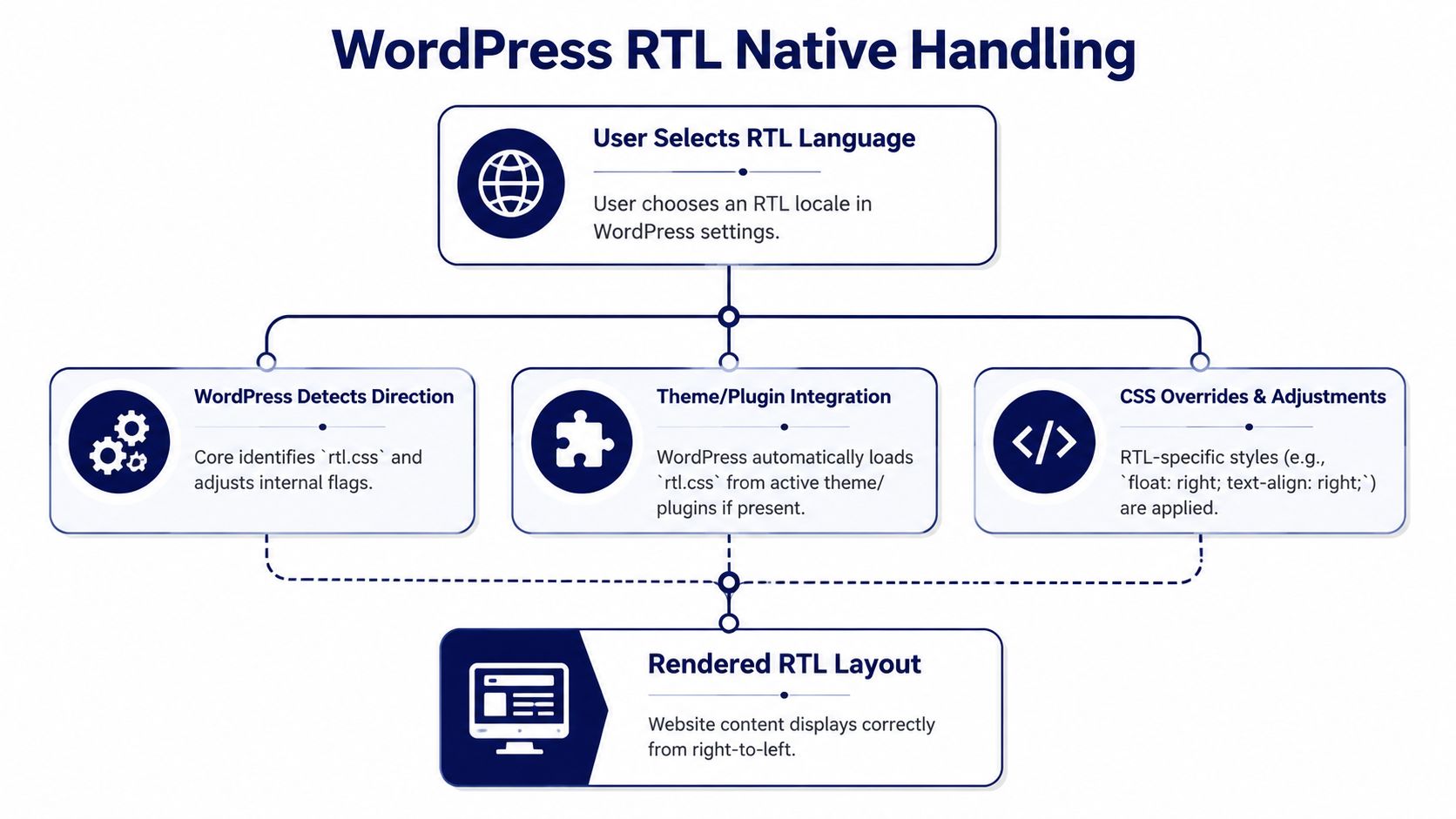
The basic flow is straightforward:
- A site admin chooses an RTL language in Settings > General.
- WordPress recognizes that locale as RTL.
- The rendered document receives RTL direction handling.
- If the active theme includes
rtl.css, WordPress loads it automatically.
That automatic loading is why so many older tutorials focus on rtl.css. They’re not wrong. They’re just incomplete for modern builds.
The core logic developers should use
In custom development, is_rtl() is still the correct conditional for loading RTL-specific assets or branching behavior inside PHP.
function mytheme_enqueue_styles() {
    wp_enqueue_style(
        'mytheme-style',
        get_stylesheet_uri(),
        array(),
        '1.0'
    );

    wp_style_add_data('mytheme-style', 'rtl', 'replace');
}
add_action('wp_enqueue_scripts', 'mytheme_enqueue_styles');
That replace flag tells WordPress to look for an RTL replacement stylesheet. If rtl.css exists, WordPress swaps it in when the site language is RTL.
For conditional extras, keep it explicit:
function mytheme_enqueue_rtl_overrides() {
    if ( is_rtl() ) {
        wp_enqueue_style(
            'mytheme-rtl-overrides',
            get_template_directory_uri() . '/assets/css/rtl-overrides.css',
            array(),
            '1.0'
        );
    }
}
add_action('wp_enqueue_scripts', 'mytheme_enqueue_rtl_overrides');
What WordPress does not do for you
Native RTL support doesn’t mirror every decision inside your theme or plugin stack. It won’t automatically fix:
- Custom flexbox direction rules
- Absolute positioning based on
leftandright - SVG arrows or directional icons
- Third-party plugin markup with hard-coded assumptions
- Block-specific layout logic in modern FSE themes
WordPress handles detection and stylesheet loading well. Most production bugs happen in the layers developers add on top.
That distinction is where solid RTL language support in WordPress starts. Core gives you the switch. Your theme, blocks, and plugin integrations still need disciplined engineering.
Building RTL-Ready Custom Themes and Plugins
Most RTL failures begin with a bad assumption: “We’ll build the normal theme first, then flip it later.” That approach works only on very simple layouts. On custom builds, it creates a long tail of exceptions.
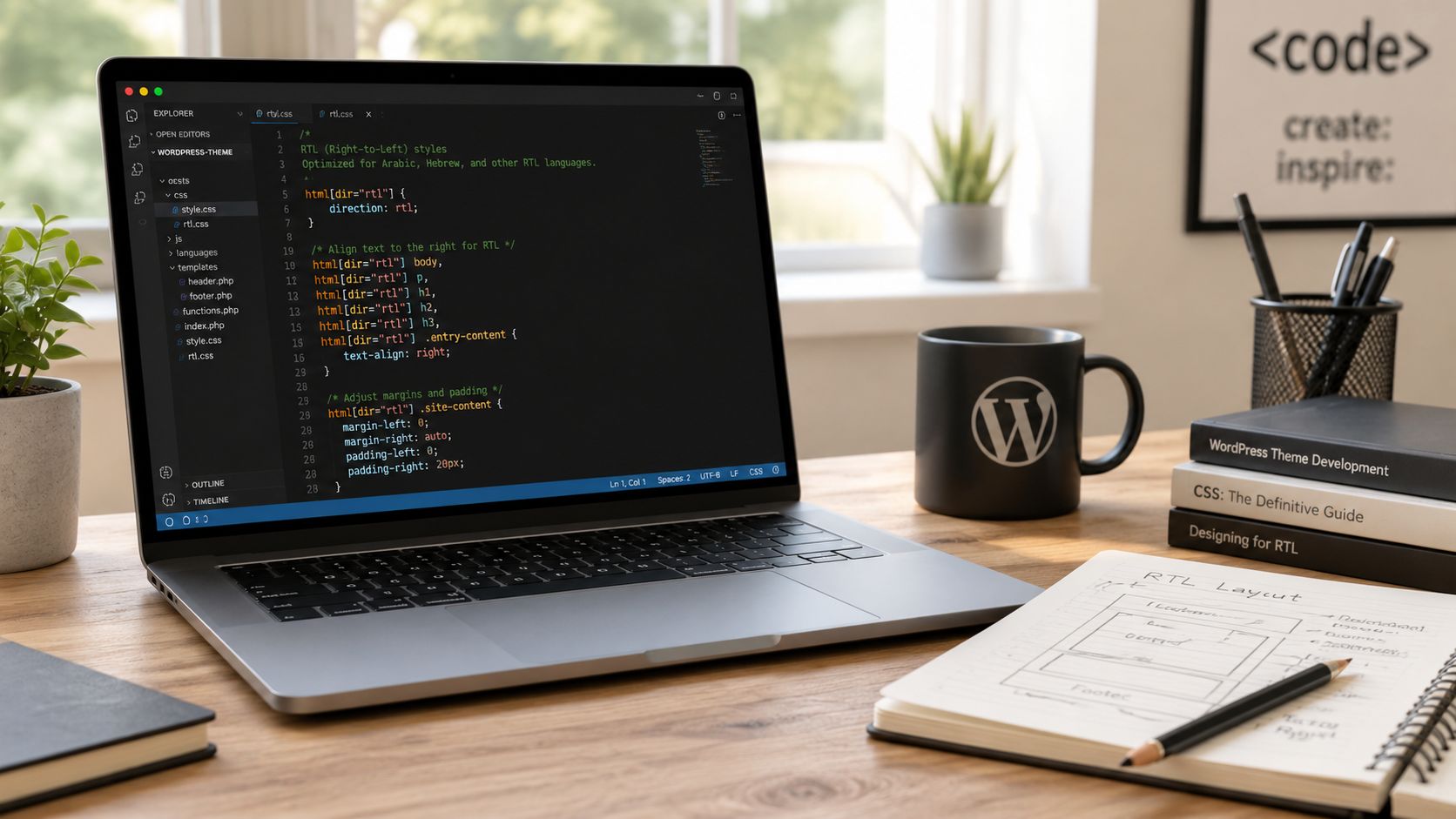
The reliable method is to design directional behavior into the component library from day one. WordPress’s theme localization documentation for RTL languages makes the fundamentals clear: create rtl.css, mirror horizontal CSS, and prefer logical properties where possible. That same guidance notes that using logical properties such as margin-inline-start instead of physical properties such as margin-left can reduce manual mirroring errors by approximately 75%.
Start with a real RTL stylesheet strategy
If your theme stylesheet is full of physical direction rules, rtl.css becomes a patch layer. If your base CSS already uses logical properties, rtl.css becomes much smaller and easier to maintain.
A weak pattern looks like this:
.card {
  margin-left: 24px;
  padding-right: 16px;
  text-align: left;
}
A better pattern looks like this:
.card {
  margin-inline-start: 24px;
  padding-inline-end: 16px;
  text-align: start;
}
That single change affects maintainability more than is often realized. It reduces override volume and lowers the odds that one component behaves differently from the rest of the system.
What still needs explicit RTL treatment
Even in well-structured CSS, some elements usually need direct RTL handling:
- Floats and legacy layout rules:
float: lefttypically needs an RTL counterpart. - Icons with directionality: carets, arrows, chevrons, and breadcrumb separators often need mirrored assets or transforms.
- Background images with spatial meaning: if the image implies direction, test whether mirroring is appropriate.
- Absolute positioning: replace
leftandrightwith inline logical positioning where possible. - Animation cues: slide-in panels and transitions can feel wrong even if the final position is correct.
Build components around
startandend, notleftandright. That habit removes a surprising amount of RTL cleanup.
A practical structure for custom themes
For custom themes, a clean stack usually includes:
| Layer | Purpose |
|---|---|
| Base stylesheet | Uses logical properties and direction-safe tokens |
rtl.css | Handles mirrored exceptions and legacy compatibility |
| Component overrides | Fixes directional assets, menus, sliders, and edge cases |
| PHP conditionals | Enqueues RTL-only assets when needed via is_rtl() |
That structure scales better than one huge rtl.css file with unrelated fixes jammed together.
If you’re building fully custom front ends, this is also where teams benefit from stronger custom WordPress theme development standards. RTL shouldn’t be a late QA discovery. It should be part of the component contract.
Plugin development needs the same discipline
Custom plugins often break RTL because developers focus on functionality and leave UI styling as an afterthought. In admin pages and frontend widgets, avoid hard-coded directional assumptions in:
- button groups
- field labels
- validation notices
- sortable tables
- modal close actions
- pagination controls
A useful walkthrough for the base mechanics is below, but don’t stop at the tutorial level. Production RTL means testing the plugin UI in real multilingual contexts.
RTL in the Block Editor and Full Site Editing
Classic RTL advice breaks down in modern block themes. That’s the gap many teams run into after moving from PHP templates to Full Site Editing. The old recipe, add rtl.css, flip some margins, and call it done, doesn’t cover how block layout, theme.json, global styles, and pattern composition behave under RTL.
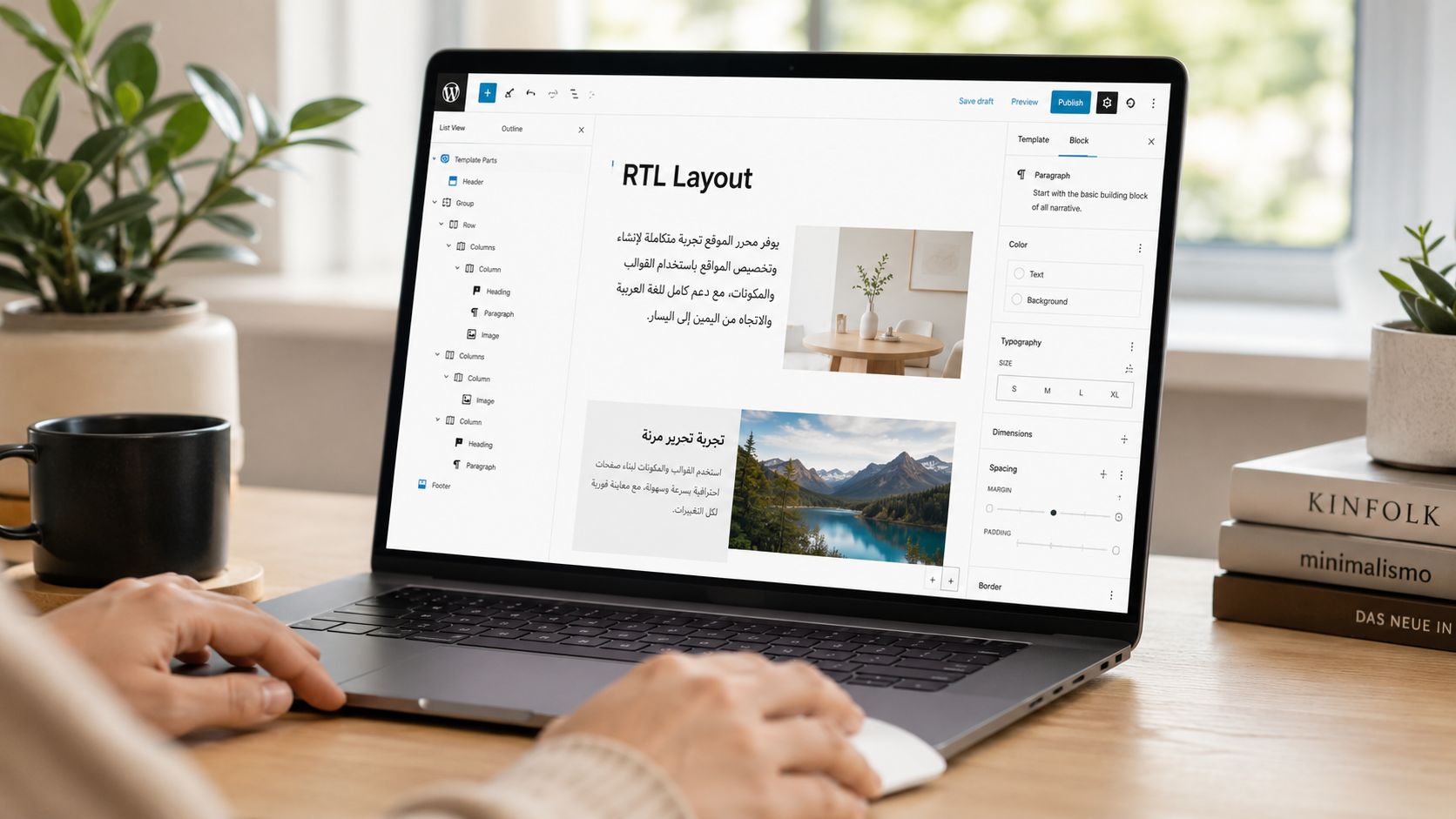
The scale of that gap is no longer minor. According to WordPress Block Editor documentation context referenced for modern block development, over 60% of new themes are built on FSE, and 45% of reported RTL bugs in customized FSE themes stem from incorrect margin and padding reversal in block templates.
Why block themes fail in different ways
In classic themes, directional issues usually live in template CSS. In block themes, they often come from the interaction between generated styles and block attributes. Common examples include:
- Row blocks that visually need reversed ordering
- Grid layouts whose
grid-template-areasstill imply LTR reading flow - spacing presets that look symmetric in the editor but not on the front end
- pattern markup that nests blocks in a way that exposes directional assumptions
- custom blocks that serialize alignment or spacing choices without RTL-aware logic
This is why older tutorials feel incomplete. They explain stylesheet replacement, but not block-specific behavior.
What works in FSE projects
Treat block themes as systems with multiple RTL decision points.
In theme.json, keep spacing, typography, and alignment choices as direction-neutral as possible. If your design language depends heavily on one-sided spacing, you’ll need more RTL overrides later.
In block CSS, prefer logical properties over physical ones just as you would in a classic theme. Block styles often get generated or layered, so every margin-left you leave behind becomes a more annoying override.
In block patterns, inspect the actual serialized markup. A pattern may look fine in one language and break when translated because the content length changes and directional spacing was too rigid.
A practical override model
For modern themes, I’ve found this separation reliable:
- Global direction-safe defaults: typography, spacing scale, and neutral layout rules
- Block-level RTL fixes: specific selectors for Row, Navigation, Columns, Query Loop variations, and custom blocks
- Pattern exceptions: only when a reusable pattern encodes visual order that shouldn’t be inherited automatically
Here’s the trade-off. If you push every RTL adjustment into one global stylesheet, maintenance gets messy. If you isolate too aggressively, you create selector sprawl. The middle ground is to keep most direction-safe logic in the base system and reserve explicit RTL overrides for blocks with visual ordering.
The editor preview is not enough. Test saved content, template parts, and front-end rendering separately. Block themes often diverge across those layers.
For teams adopting block themes broadly, it also helps to understand how Full Site Editing works in WordPress before setting RTL requirements. FSE changes where problems originate, which means your debugging workflow has to change too.
Solving RTL Challenges in WooCommerce and Multisite
RTL on a brochure site is mostly a layout problem. RTL on WooCommerce is a transaction problem. That’s why teams get nervous about it, often for good reason.
According to the WooCommerce Multilingual documentation context for multilingual commerce, a 2025 analysis found that 38% of high-traffic global stores reject full RTL implementation due to fears of broken checkout flows when mixed LTR and RTL language items are added to the cart. That fear usually points to one issue: mixed-direction content on the same screen.
Mixed-direction carts and checkout pages
A cart can contain an Arabic product title, an English SKU, a Latin-address shipping field, and payment gateway labels rendered by a third-party plugin. If all of that inherits one blanket text direction, something becomes hard to scan or outright broken.
The fix isn’t to force the whole cart into one direction. It’s to scope direction intentionally.
Use dir="rtl" and dir="ltr" at the content level where mixed language appears, especially in:
- Product names and variation labels
- Order review tables
- Customer-entered address fragments
- Transactional emails
- Gateway instructions and notices
That gives the browser a better basis for rendering text flow than CSS alone. It also helps screen readers interpret content more accurately.
What breaks most often in WooCommerce
In practice, the weak spots are usually:
| Area | Typical failure |
|---|---|
| Mini-cart | Icons, close actions, and quantity controls mirror inconsistently |
| Checkout fields | Labels align one way, placeholders another |
| Order tables | Column flow works, but mixed-language cell content becomes awkward |
| Payment methods | Gateway plugins inject LTR-only UI assumptions |
| Emails | Templates lose directional consistency across clients |
WooCommerce can support RTL well, but only if theme overrides, plugin templates, and checkout customizations are tested together. A pretty cart page in staging doesn’t prove the transaction flow is stable.
Multisite adds governance problems
Multisite complicates RTL because direction becomes a network concern, not just a theme concern. Some sites may be LTR, others RTL, and some bilingual. If you solve RTL with per-site hacks, the network becomes expensive to maintain.
A better approach is to centralize the direction-aware theme layer and keep site-specific customizations minimal. That means shared components, shared QA standards, and careful plugin approval. In networks with multilingual requirements, operational discipline matters as much as CSS.
For teams evaluating network architecture, installing WordPress Multisite correctly is only the starting point. The main challenge is enforcing direction-safe patterns across every site that inherits the stack.
QA Checklist, Accessibility, and Troubleshooting
Most RTL bugs are easy to miss if you only eyeball a homepage. A proper QA pass needs to cover layout, editor output, transaction states, third-party interfaces, and accessibility behavior. Many launches fail at this stage. Not because the team didn’t know what RTL is, but because nobody tested the system sufficiently.
The biggest recurring issue is plugin CSS. WordPress’s reference for is_rtl() highlights the conditional developers should rely on, and the documented implementation guidance around this pattern notes a common pitfall: third-party plugins often ignore is_rtl() checks, leading to 30% to 50% of layout shifts in RTL modes. It also notes that 65% of these failures are due to unmirrored flexbox directions or fixed left/right positioning.
A practical RTL QA pass
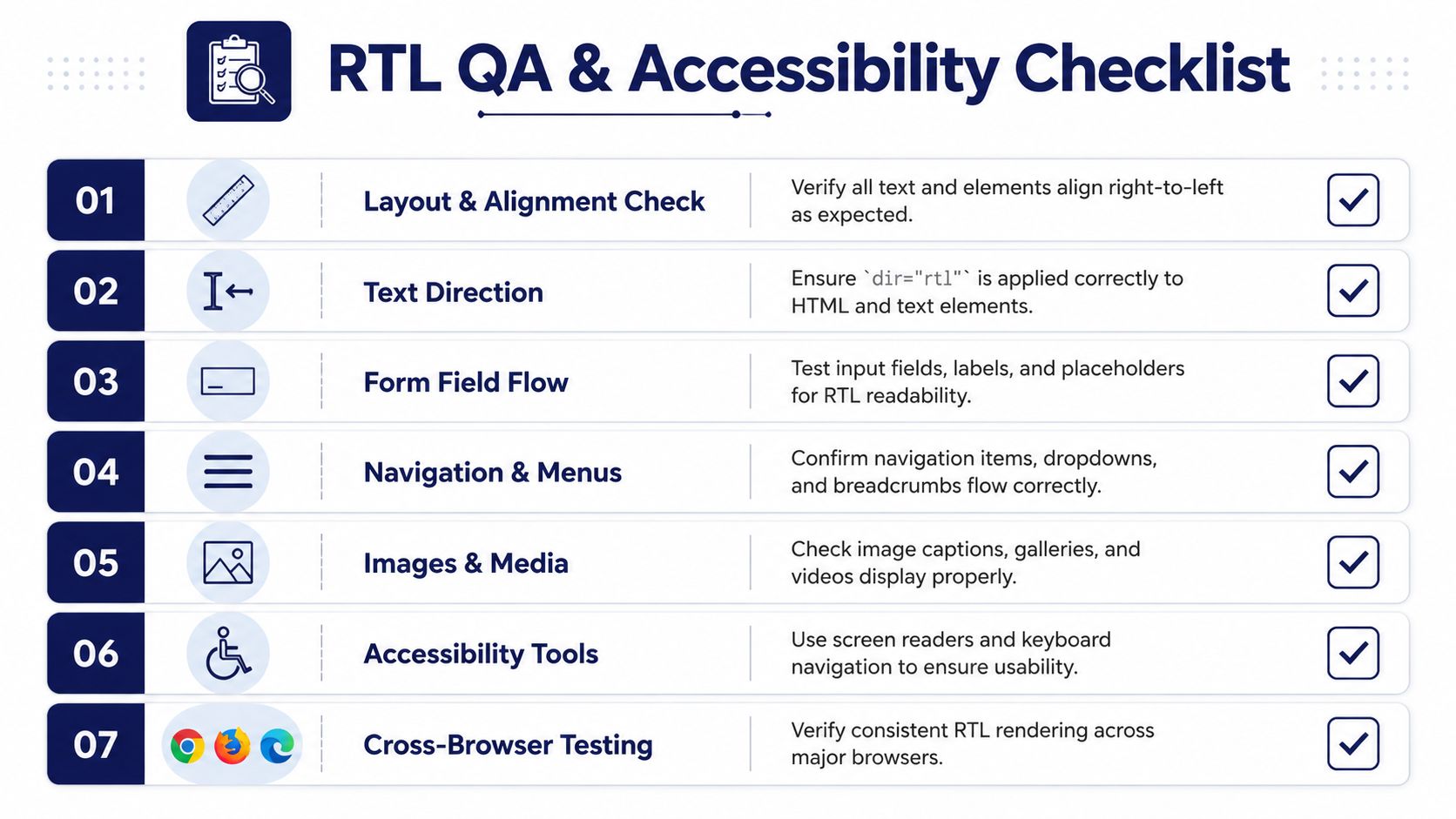
Use a repeatable checklist, not ad hoc browsing.
- Check document direction: Confirm the page and relevant content containers carry the correct
dirattribute. - Inspect navigation patterns: Menus, dropdowns, breadcrumbs, sliders, and pagination should read naturally in RTL.
- Test forms thoroughly: Labels, placeholders, validation messages, required markers, and inline help text often drift out of alignment.
- Review media and iconography: Arrows, carousels, accordions, and directional illustrations are frequent misses.
- Open editor-generated pages: Don’t just test hand-built templates. Test block patterns, reusable blocks, and translated post content.
- Run transaction flows: For WooCommerce, test cart, checkout, account pages, order emails, and payment error states.
- Cover admin workflows: Editorial teams need usable RTL behavior in the dashboard too, especially on multilingual sites.
Accessibility is part of RTL correctness
RTL support isn’t only visual. Correct directional markup improves how assistive technology interprets content. If mixed-language text appears inside the same interface and direction isn’t scoped properly, reading order can become confusing.
That’s why dir matters beyond CSS. Browsers and screen readers use it to understand text behavior. If you only flip alignment with styles, you can create a page that looks acceptable while still reading poorly through assistive tools.
Accessibility review should include keyboard navigation, screen reader checks, and mixed-direction content inside forms and tables.
How to fix the most common production bugs
When troubleshooting, start with the simplest question. Is the problem caused by missing RTL detection, or by CSS that ignores it?
A reliable sequence looks like this:
Confirm language and direction state
Make sure the site language is RTL and the document direction is correct.Inspect loaded assets
Verify thatrtl.cssor RTL-specific overrides are being enqueued.Search for physical CSS properties
Look formargin-left,padding-right,left,right, and directional transforms inside theme and plugin assets.Check flex and grid behavior
Many modern layout bugs come from row direction or positional assumptions, not text alignment.Scope plugin overrides carefully
If a plugin doesn’t support RTL well, add contained overrides rather than broad global hacks.
For stubborn third-party issues, conditional loading in functions.php is often cleaner than bloating your main stylesheet. In some cases, targeted RTL overrides tied to a plugin handle are the least fragile option.
The point of a strong rtl language support WordPress workflow isn’t to eliminate every custom fix. It’s to make sure those fixes are deliberate, testable, and easy to maintain.
If your team needs senior help with RTL, Gutenberg, WooCommerce, multilingual builds, or multisite architecture, IMADO provides engineering-led WordPress development and maintenance for organizations that can’t afford fragile theme work or patch-heavy launches.
Let’s build something exceptional
Tell us about your project – we’ll help you launch a fast, scalable, SEO-optimized WordPress platform built for growth.