 Ask Chatgpt to summarize What Is WordPress Development Services: Your 2026 Guide
 Ask Grok to summarize What Is WordPress Development Services: Your 2026 Guide
 Ask Claude to summarize What Is WordPress Development Services: Your 2026 Guide
 Ask Perplexity to summarize What Is WordPress Development Services: Your 2026 Guide
 Ask Gemini to summarize What Is WordPress Development Services: Your 2026 Guide
WordPress development services are professional engineering solutions that extend, customize, and maintain websites built on the WordPress platform, moving beyond simple themes to create scalable, secure, and high-performance business applications. That matters because WordPress powers 41.9% of all websites globally and represents approximately 600 million active web properties, which means for many companies, WordPress is no longer a small marketing tool. It is part of core business infrastructure.
A lot of teams start with a theme, a page builder, and a handful of plugins. That setup can work for a while. Then growth exposes the cracks. The site gets harder to update, plugin conflicts appear at the worst time, performance slips after every campaign, and basic requests like custom lead routing or ERP sync suddenly turn into major projects.
That’s usually the moment the primary question surfaces. Not “can WordPress do this?” but “what is WordPress development services, and when do we need it?”
For a CTO, the concern is architecture, technical debt, security, and integration risk. For a marketing director, it’s publishing speed, SEO readiness, campaign flexibility, and whether the site can support growth without constant firefighting. Professional WordPress development sits in the middle of those needs. It turns WordPress from a generic CMS install into a customized business platform.
Table of Contents
Introduction When Your WordPress Site Hits a Wall
The pattern is familiar. A business launches on WordPress because it’s flexible, fast to get live, and easy for content teams to use. A year or two later, the same site is carrying far more weight than it was designed for. It’s handling campaign landing pages, multiple integrations, editorial workflows, international content, product catalogs, and pressure from SEO and paid acquisition teams to move faster.
The trouble isn’t WordPress itself. The trouble is usually that the site was assembled, not engineered.
WordPress has become foundational infrastructure at internet scale. As of June 2026, it powers 41.9% of all websites globally, up from 21% in 2014, and represents approximately 600 million active web properties, according to WPZOOM’s WordPress statistics roundup. That kind of adoption changes the conversation. When a platform supports well over one-third of the web, the question is no longer whether it’s capable. The main issue is whether the implementation is fit for the business using it.
Practical rule: A WordPress site “hits a wall” long before the platform does.
That distinction matters. Many companies blame WordPress when they’re really dealing with poor theme architecture, plugin sprawl, no staging process, weak QA, or a codebase that no one wants to touch. Professional development services exist to solve those problems deliberately. They cover planning, custom engineering, performance work, integrations, security hardening, and long-term maintenance.
If your team keeps saying things like “we can’t change that without breaking something” or “we need a workaround because the plugin won’t support it,” you’re already in professional services territory.
Defining Professional WordPress Development
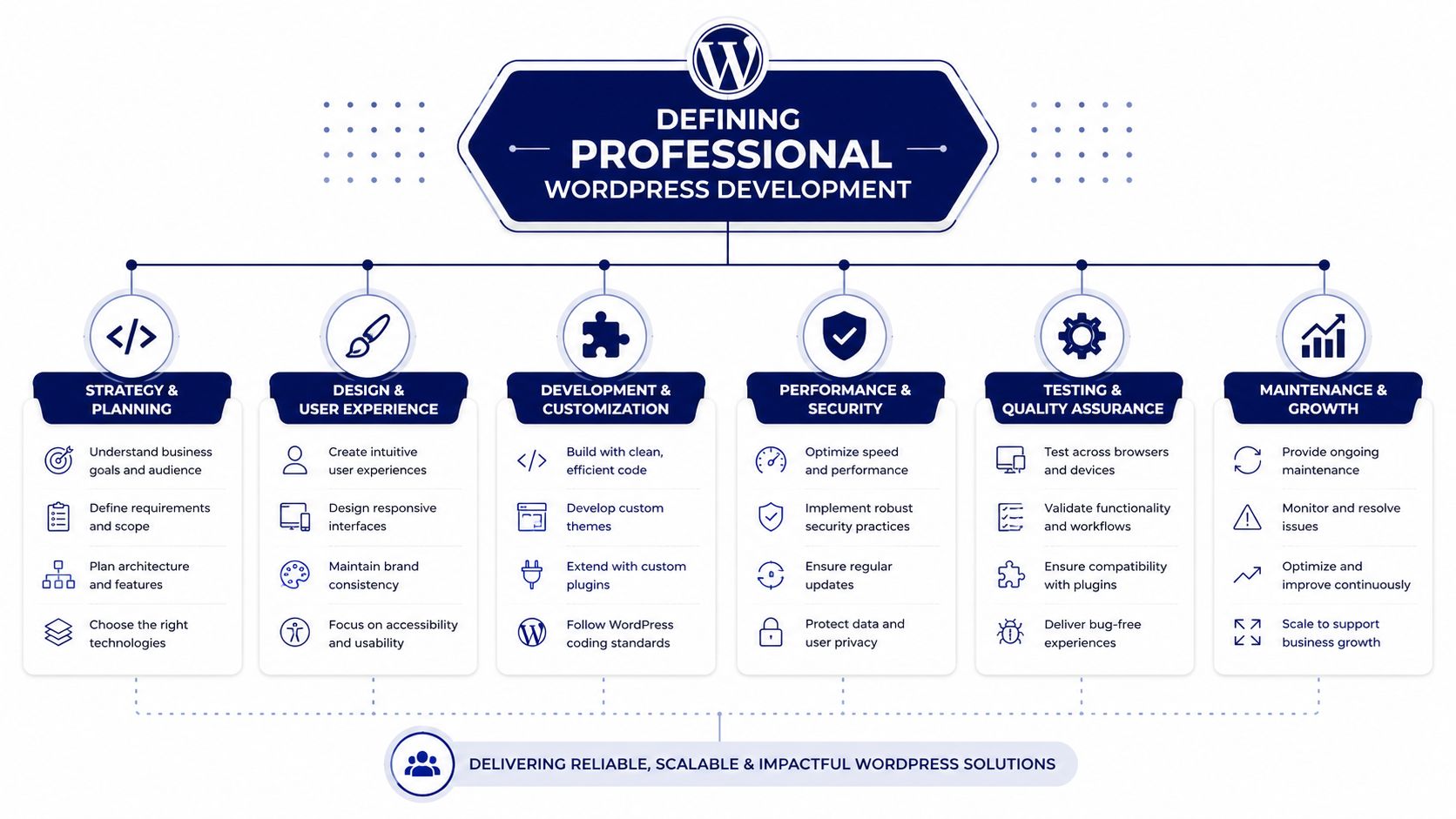
Installing a premium theme and adjusting colors is not the same thing as professional WordPress development. One is assembly. The other is software engineering.
A simple way to explain it is this. Off-the-shelf WordPress setup is like building flat-pack furniture from a box. It’s efficient, affordable, and good enough for common use cases. Professional development is closer to hiring an architect and contractor to design a building around how your business operates. The materials might look familiar, but the result is structurally different.
It’s not just site management
Professional development starts when the team stops treating WordPress as a templated website builder and starts treating it as an application framework. That means using the CMS as a foundation for custom content models, editorial workflows, API integrations, user roles, search behavior, commerce logic, and front-end systems that match business requirements.
A non-technical buyer often sees the same admin panel either way, which is why low-quality and high-quality builds can look similar from the surface. The difference shows up in maintainability. Can editors create pages without breaking layouts? Can engineers update plugins without fear? Can the site absorb new features without becoming unstable?
Those questions separate a professional build from a patched-together one.
What developers are actually hired to do
The work usually falls into a few buckets:
- Custom front-end systems: Building customized themes or block-based editing experiences rather than forcing a business into a generic template. If you’re comparing approaches, custom WordPress theme development is the category to understand.
- Business logic in code: Creating functionality that doesn’t exist in plugins, or reshaping existing plugin behavior to match real workflows.
- Operational reliability: Setting up deployment pipelines, staging environments, QA processes, backups, monitoring, and update strategies.
- Long-term maintainability: Reducing plugin overlap, removing technical debt, and documenting how the system is supposed to work.
WordPress becomes expensive when every change is a workaround. It becomes valuable when the architecture fits the business.
What does not work
Some patterns fail repeatedly.
| Approach | Why it fails |
|---|---|
| Adding plugins for every new request | It creates overlap, conflicts, and hidden maintenance load |
| Buying a heavy theme to “save development time” | It often locks content teams into someone else’s logic |
| Skipping code review and staging | Problems surface in production where fixes are slow and risky |
| Letting design drive all technical decisions | Visual fidelity doesn’t guarantee performance or editorial usability |
That’s why “what is WordPress development services” is really a business question. You’re not buying code alone. You’re buying a safer way to ship, change, and scale.
The Spectrum of WordPress Development Services
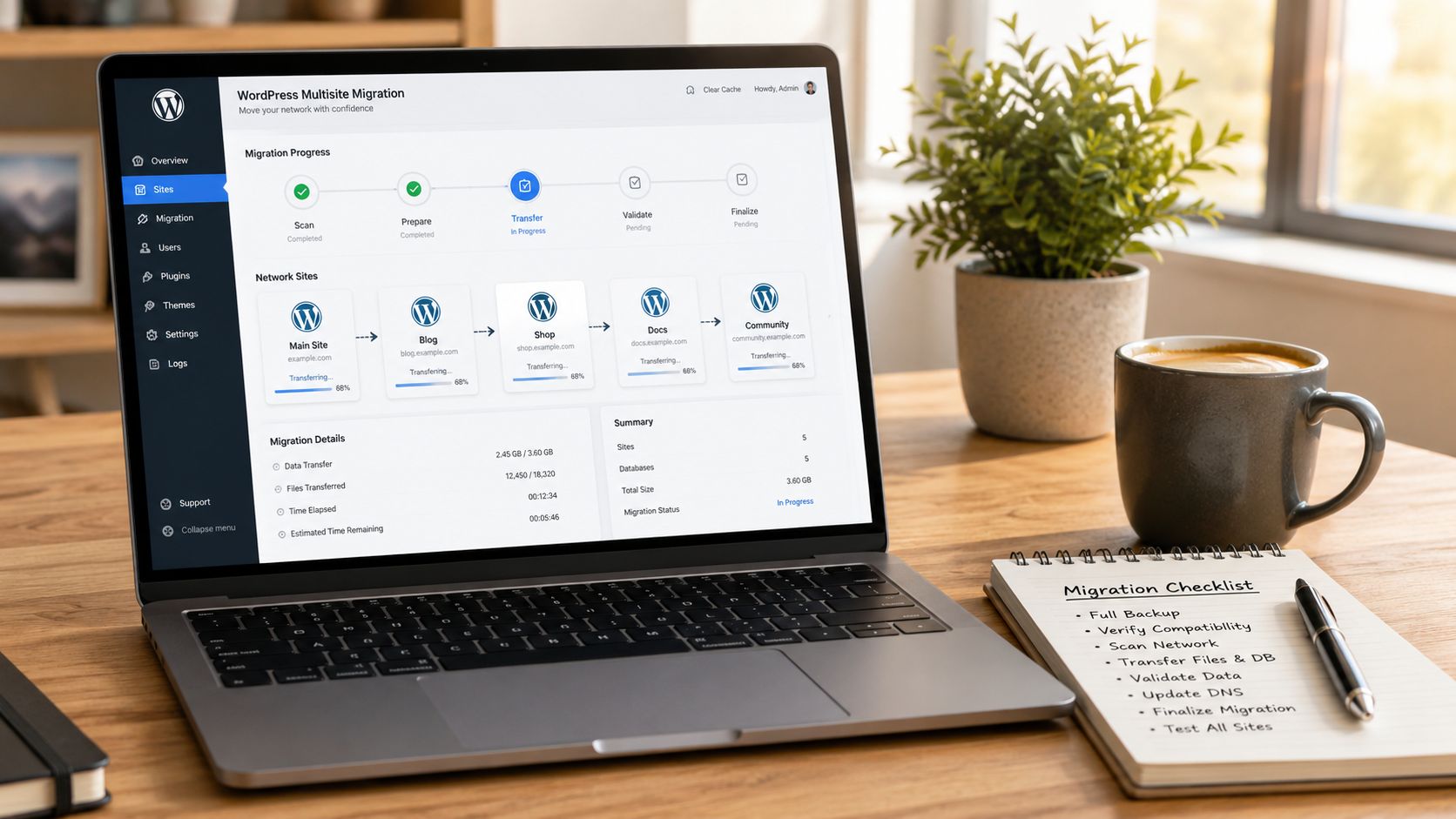
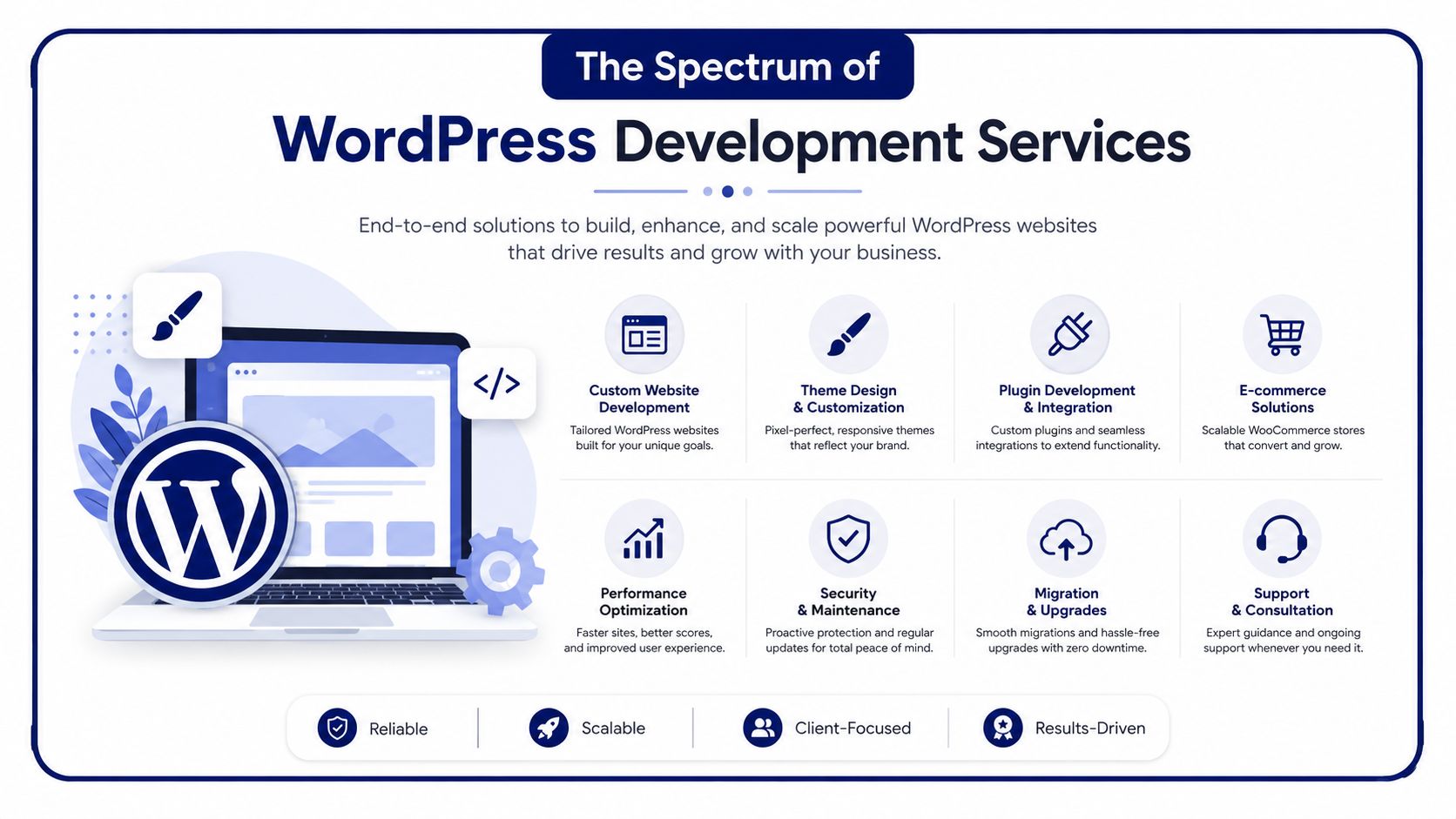
WordPress development services cover a much wider range than most buyers expect. Some engagements are full platform rebuilds. Others are narrowly scoped engineering tasks such as a Gutenberg block library, a WooCommerce integration, or a multisite migration. What matters is matching the service model to the business problem.
Near the start of an engagement, it helps to visualize the full scope.
Custom theme and block development
Custom theme development gives a business control over structure, performance, and editorial experience. Instead of fighting a multipurpose theme, developers build only the patterns the site needs. In modern WordPress, that often includes custom Gutenberg blocks and Full Site Editing components.
This is the right service when marketing needs flexibility but brand consistency still matters. It’s also the right move when a design system needs to carry across multiple templates, landing pages, and campaign assets without creating layout drift.
A good custom block system does two things at once. It gives editors freedom within guardrails, and it prevents random page-builder decisions from hurting performance or brand quality.
Plugin development and integration work
Plugin development is where WordPress starts behaving like a custom business application. This can mean building a custom plugin from scratch, extending an existing plugin, or integrating WordPress with external tools such as CRMs, ERP systems, booking engines, search tools, or membership platforms.
According to Codeable’s explanation of WordPress development services, this work relies on engineering custom plugins that manipulate the core MySQL database engine. In practice, that means code quality has a direct effect on performance, data integrity, and how maintainable the site remains over time.
This category is ideal when off-the-shelf plugins are close, but not close enough.
If a plugin handles 80 percent of your requirement, the last 20 percent is often the part that matters most to the business.
Headless WordPress architectures
Headless WordPress separates the content management layer from the front-end presentation layer. WordPress remains the place where editors manage content, but the public-facing experience is delivered through another framework or application.
The easiest analogy is a restaurant kitchen and dining room. In a traditional setup, the kitchen and dining room are part of the same building. In a headless model, the kitchen still prepares the food, but it can send dishes to multiple dining rooms. A website, a mobile app, and another digital experience can all consume the same content source.
Headless isn’t automatically better. It adds complexity. It makes sense when content needs to flow across channels, when front-end performance requirements are especially demanding, or when a product team already works in a JavaScript-heavy stack.
It does not make sense when a business just wants a standard marketing site and fast editorial publishing.
WooCommerce and eCommerce engineering
WooCommerce projects deserve their own category because online stores fail differently than brochure sites. Product data, cart sessions, payment flows, tax logic, shipping rules, and third-party integrations all create operational pressure.
For enterprise-scale WooCommerce implementations, the architecture matters as much as the storefront. The same Codeable source notes that these services require scalable hosting design, including load balancers and database replication, to avoid crashes during traffic spikes. That’s a very different problem than installing a commerce plugin and picking a checkout template.
This part of the service stack often includes:
- Checkout optimization: Reducing friction in the path from cart to order.
- Systems integration: Connecting WooCommerce to ERP, inventory, payment, and fulfillment tools.
- Catalog engineering: Structuring products, variants, bundles, and attributes in a way that remains manageable.
- Operational stability: Planning for campaigns, launch days, and uneven traffic patterns.
A retailer planning seasonal promotions needs very different engineering than a B2B manufacturer taking quote requests.
Multilingual and multisite platforms
Multilingual builds help companies operate across regions while keeping editorial governance intact. The challenge is rarely just translation. It’s handling locale-specific content, structured metadata, navigation, search behavior, and often different compliance or legal requirements.
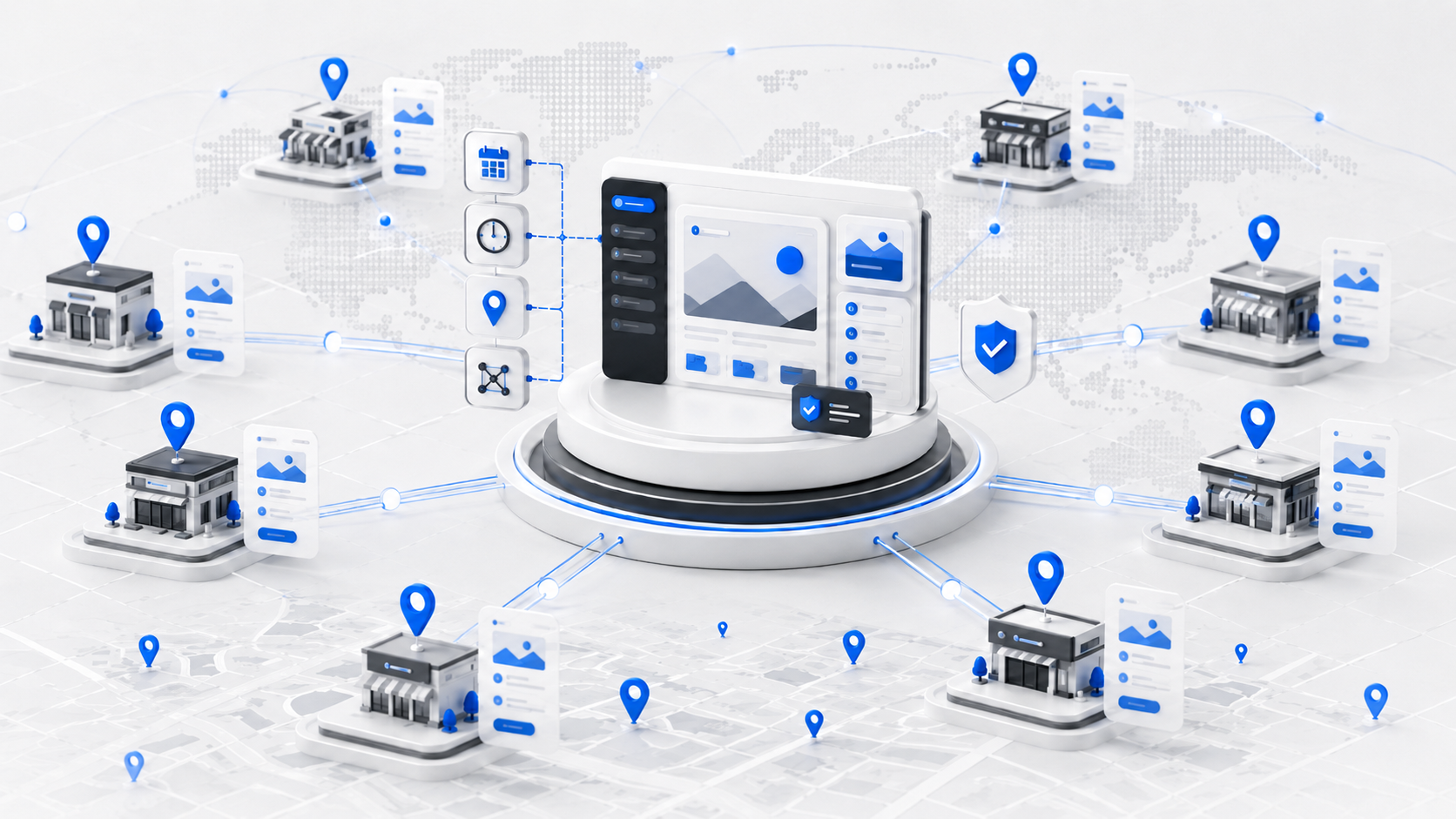
Multisite solves another problem. It gives an organization one WordPress installation that supports a network of related sites. This is useful for franchises, universities, multi-brand groups, and enterprise teams with regional web properties. Done well, multisite centralizes governance while still allowing local flexibility.
Done poorly, it becomes a permissions and deployment headache.
Migrations and technical audits
Some of the most valuable WordPress work happens before any redesign begins. A migration moves content, templates, and functionality from another platform or a legacy WordPress setup into a cleaner architecture. A technical audit identifies what’s slowing the system down, where security risk sits, and which shortcuts will become expensive later.
A solid audit usually examines:
- Code quality: Custom themes, plugins, and inherited logic
- Database health: Orphaned data, bad queries, and structural bloat
- Security posture: Update discipline, permissions, exposure points, and plugin risk
- Performance bottlenecks: Render blocking assets, image handling, caching gaps, and heavy templates
For many teams, this is the most effective starting point because it replaces guesswork with a map of real problems.
A provider offering WordPress website management service may handle some of this operational layer on an ongoing basis, especially after the audit identifies recurring maintenance risk.
Here’s a practical walkthrough if you want a visual primer before vendor conversations:
Performance, security, and maintenance
These services are often treated as support work, but they’re core engineering disciplines. Performance work includes caching strategy, front-end asset control, database efficiency, query optimization, and template refactoring. Security hardening includes reducing attack surface, enforcing disciplined updates, validating plugins, controlling permissions, and planning for incident response.
Maintenance isn’t just “keeping plugins updated.” It’s preserving the reliability of a system that’s already in production. The best maintenance teams work like operators, not ticket-takers. They monitor, test, patch, document, and improve.
The Business Case for Professional WordPress Development
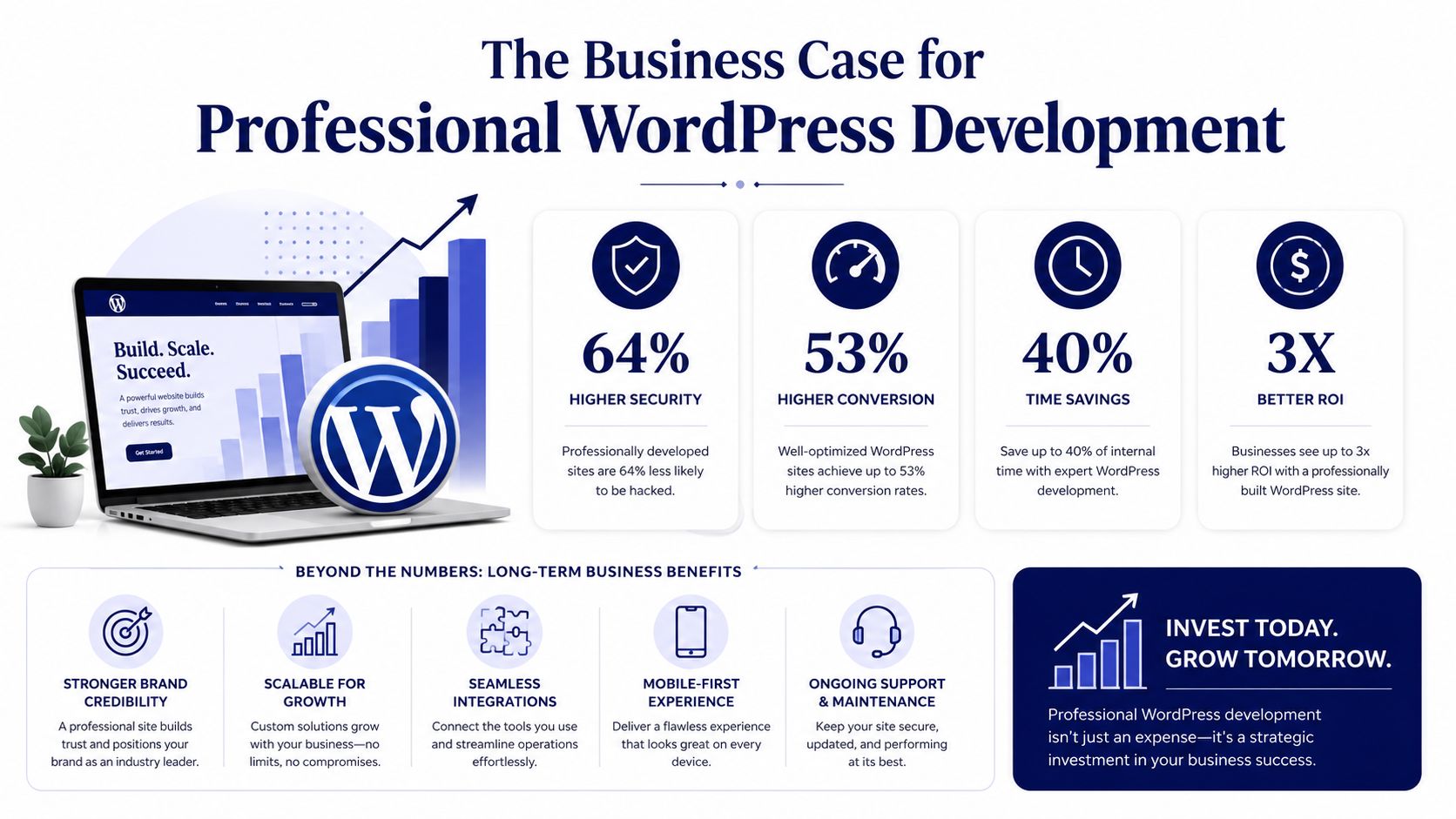
The business case starts with scale. WordPress isn’t a niche tool. The global WordPress economy was projected to reach $635.5 billion by the end of 2021, the average hourly rate for a US developer was $75, and WooCommerce held 31.61% of the global eCommerce market, according to WP Engine’s study of the WordPress economy. Those figures matter because they frame WordPress development as a serious commercial discipline, not a commodity task.
Where the return actually shows up
Professional WordPress development creates value in places executives already care about.
| Business area | What professional development changes |
|---|---|
| Revenue operations | Stores, lead flows, and conversion paths work more predictably |
| Team productivity | Editors and marketers spend less time fighting templates and workarounds |
| Risk reduction | Security, deployments, and plugin changes are managed with process |
| Growth readiness | New campaigns, integrations, and site sections can be added without rebuilding everything |
A well-built WordPress platform removes drag. It lets a content team launch faster, an ecommerce team operate with fewer checkout surprises, and an internal product or engineering team avoid constant cleanup work.
The hidden cost of cheap builds
Low-cost WordPress work often looks efficient at procurement time because the visible deliverable is “a website.” The hidden cost shows up later. Each rushed plugin choice, undocumented customization, and copy-paste template decision turns future change into a negotiation with the codebase.
That’s why the better framing is asset quality. Your website is part publishing platform, part sales layer, part integration hub. If those roles matter to revenue or operations, the build quality matters too.
Buyers rarely regret paying for clean architecture. They regret inheriting a site that nobody can safely change.
When enterprise-grade work is justified
Not every company needs a complex implementation. A simple site with stable requirements can stay lean. But once WordPress supports multiple markets, custom workflows, internal systems, or commerce, the stakes change. At that point, enterprise-grade practices are justified because the website is no longer a brochure. It is operational software.
For organizations in that category, enterprise WordPress solutions typically include architecture planning, custom development, governance, performance engineering, and maintenance under a more formal delivery model.
How to Evaluate and Choose a Development Partner
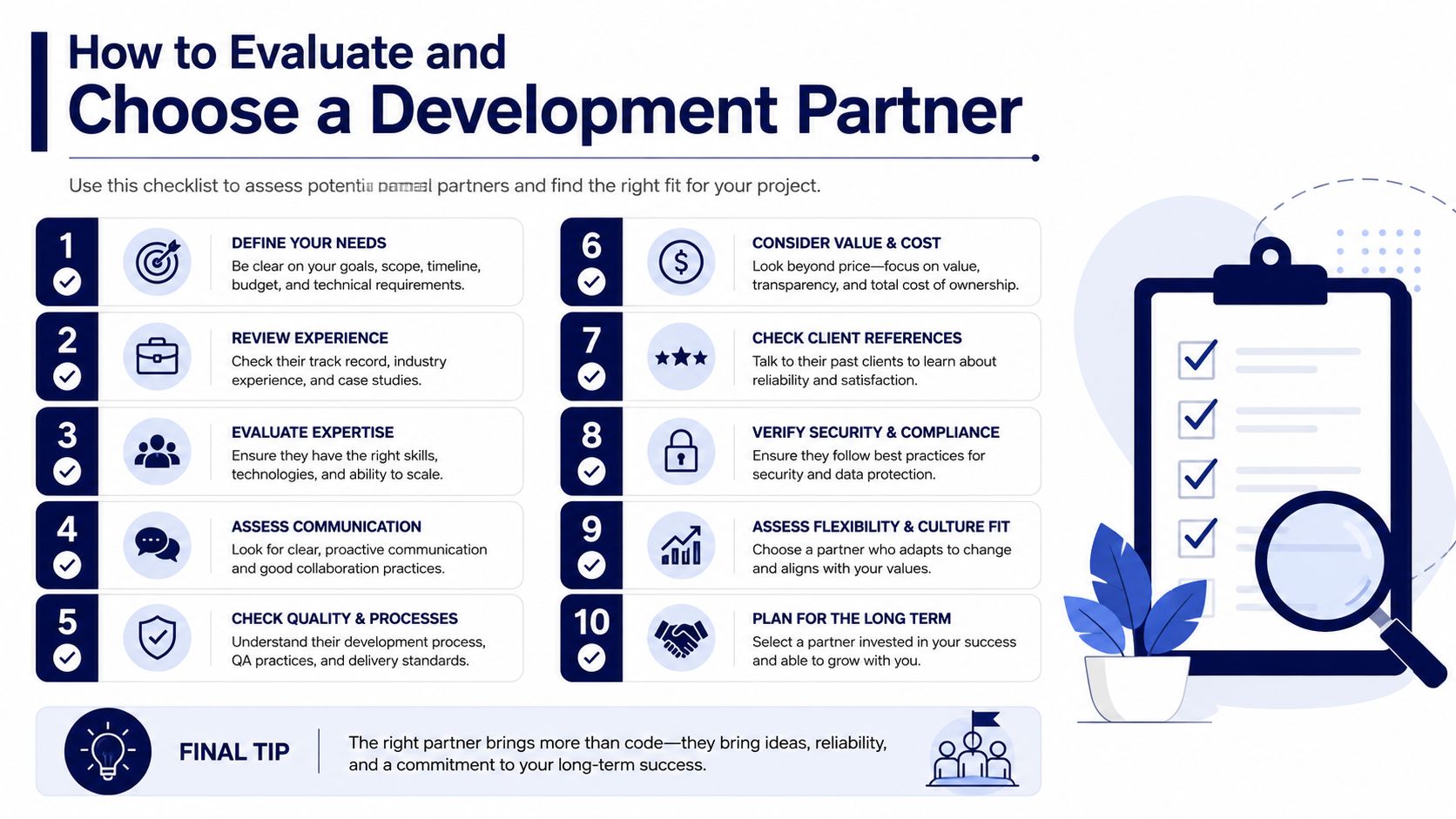
Most buyers still evaluate WordPress vendors the wrong way. They look at homepage design quality, scan a few logos, ask for a quote, and compare totals. That process favors agencies that sell polish well, not necessarily teams that build stable systems.
A better evaluation process looks at engineering maturity, delivery discipline, and fit with your internal team.
Questions that reveal real capability
Ask direct questions that force the partner to explain how they work.
- Code review process: Who reviews pull requests, what standards they apply, and how they catch regressions before release.
- QA approach: Whether testing is only manual, how staging is handled, and how they validate plugin updates or checkout changes.
- Technical debt management: How they assess inherited code and what they do when the current site is fragile.
- Performance methodology: Which parts of the stack they inspect first when a site is slow, and how they separate hosting issues from code issues.
- Editorial strategy: How they design Gutenberg blocks, reusable patterns, and permissions so marketers can move quickly without breaking consistency.
- Engagement options: Whether they only sell full builds or can provide targeted engineering support.
The last point matters more than many agencies realize. Some buyers need a full delivery partner. Others already have strategy, design, or account management in place and just need senior execution behind the scenes.
Match the partner to the delivery model
There isn’t one correct model. There are several.
| Model | Best fit | Weak fit |
|---|---|---|
| Full project delivery | Replatforms, redesigns, net-new builds | Tiny fixes with clear scope |
| Retainer support | Ongoing optimization and maintenance | One-off migrations |
| Staff augmentation | Internal teams or agencies with delivery gaps | Buyers who need full ownership transferred |
| White-label delivery | Agencies protecting client relationships | In-house teams with no agency layer |
If you run an agency, the market often experiences a breakdown. You may not need another company to own the client strategy. You may need vetted engineers who can step in seamlessly and ship under your process. That becomes especially relevant when your upstream growth team is strong. For example, if acquisition is being driven by a specialized D2C performance marketing agency, the web delivery partner still has to turn campaign pressure into fast, stable landing pages and site changes without slowing the funnel.
Warning signs during selection
Some vendor answers should make you pause.
- “We can do anything” without specifics: Broad confidence with no process usually means improvisation.
- No clear owner for QA: Bugs become your problem after launch.
- A plugin-first answer to every requirement: Fast now, expensive later.
- No discussion of deployment and rollback: That’s a sign the team thinks only about build, not operations.
- No flexible engagement model: Agencies and in-house teams often need targeted support, not a forced full rebuild.
A practical next step is talking with a WordPress expert for hire when you need senior-level review of scope, architecture, or inherited risk before committing to a larger engagement.
The Engagement Process What to Expect
A professional WordPress engagement should feel structured from the first conversation. If the process feels vague early, it usually gets worse once delivery starts.
Discovery and scoping
The first phase is not design. It’s diagnosis. The partner should ask about business goals, content structure, integrations, editorial workflows, traffic patterns, compliance requirements, and where the current site is failing.
This is also where good teams push back. If a requested feature adds unnecessary complexity, they should say so. If your timeline ignores migration realities or content cleanup, they should say that too.
Planning and design alignment
After discovery, the project should move into architecture and scope definition. That includes content models, plugin strategy, front-end approach, user roles, environments, migration needs, and acceptance criteria. If design is part of the engagement, this is when design choices get tested against editorial usability and implementation cost.
A strong planning phase answers practical questions early:
- What must be custom-built
- What can be configured safely
- What content needs restructuring
- How approvals will work
- What “done” means for launch
A calm launch is usually the result of aggressive clarity weeks earlier.
Development, QA, and launch
Development should happen in sprints or clearly defined milestones. You should see demos, not just status reports. Feedback loops need named owners, or reviews drift and rework accumulates.
Testing should include layout validation, device checks, workflow validation, plugin conflict review, integration testing, and content QA. User acceptance testing matters because stakeholders often discover issues only when they try real tasks in staging.
Launch should be treated like a controlled release, not a dramatic event. That means rollback planning, backup verification, deployment sequencing, smoke tests, and a post-launch stabilization window.
Post-launch support
Many teams assume the project ends at launch. It shouldn’t. The first weeks after release usually surface edge cases, editorial questions, and integration behaviors that only appear under real usage.
A reliable partner stays engaged long enough to stabilize the platform, prioritize fixes, and shift the site into a maintenance rhythm. That’s where a professional build proves itself. Not on launch day, but in how calmly the site behaves afterward.
FAQs for Enterprise and Agency Buyers
How can an agency get senior WordPress engineers on demand without a long-term retainer
This is one of the most important shifts in the market. Many agencies don’t need a full external team to take over entire projects. They need capacity augmentation for pressure points such as custom block development, complex migrations, WooCommerce work, or performance remediation.
Data from 2025-2026 indicates that 65% of digital agencies face chronic engineer shortages, while 90% of WordPress service providers only offer full-site development, according to Enstacked’s review of WordPress development companies in the USA. That mismatch explains why agency buyers often struggle to find the right support model.
The practical answer is to look for staff augmentation or white-label delivery. In that model, senior engineers plug into your existing workflow, tickets, PM system, and client communication boundaries. You keep strategy and account ownership. They provide execution capacity where you need it most.
Can WordPress meet enterprise security requirements
Yes, but not by default and not by reputation alone. Enterprise security comes from process and architecture.
That usually includes disciplined plugin selection, code review, controlled permissions, hardened hosting, update management, staging before release, backup strategy, monitoring, and a clear incident response path. Most WordPress security failures are implementation failures. They come from neglected updates, risky plugins, poor access control, or rushed deployment habits.
The right security question isn’t “is WordPress secure?” It’s “how is this WordPress implementation governed?”
Can WordPress multisite scale for a large organization
It can, if the organization needs shared governance across a portfolio of related sites. Multisite works well when central teams need standardized branding, reusable components, shared plugins, and common operational controls while local teams still need room to publish.
It works poorly when business units have radically different needs, conflicting plugin requirements, or separate release cycles. In those cases, forcing everything into one multisite network can create governance tension instead of efficiency.
The architecture should follow the operating model. Not the other way around.
When should a company choose headless WordPress
Choose headless when WordPress needs to serve as a content engine for more than one digital experience, or when the front end has technical requirements that standard theming won’t meet cleanly. Don’t choose it just because it sounds more modern.
A headless stack introduces additional moving parts. That can be worth it for the right product environment. It’s wasteful for a straightforward marketing site where editor speed and maintainability matter more than architectural novelty.
If your team needs a clearer path than “add another plugin and hope,” IMADO provides custom WordPress development, WooCommerce engineering, multilingual and multisite builds, maintenance, and on-demand white-label support for agencies that need senior execution without unnecessary complexity.
Let’s build something exceptional
Tell us about your project – we’ll help you launch a fast, scalable, SEO-optimized WordPress platform built for growth.