
 Ask Chatgpt to summarize WordPress Rich Snippets: A Developer’s Guide for 2026
 Ask Grok to summarize WordPress Rich Snippets: A Developer’s Guide for 2026
 Ask Claude to summarize WordPress Rich Snippets: A Developer’s Guide for 2026
 Ask Perplexity to summarize WordPress Rich Snippets: A Developer’s Guide for 2026
 Ask Gemini to summarize WordPress Rich Snippets: A Developer’s Guide for 2026

Most advice about WordPress rich snippets is stuck in a version of Google that no longer exists. Teams still get told to install a plugin, turn on FAQ schema, add HowTo markup, and wait for stars and dropdowns to appear. That used to be a reasonable shortcut. In 2026, it’s often wasted engineering time.
The useful question isn’t “how do I add schema to WordPress?” It’s “which markup still earns a better search presentation, and which implementation won’t become maintenance debt six months from now?” That shift matters on real projects, especially on WooCommerce, multisite, and headless builds where every extra layer of automation can drift away from live content.
Rich snippets still matter because they can improve click-through rate by adding decision-making details directly in search results. But they only create business value when the markup is accurate, current, and attached to content types that still have a realistic chance of surfacing as rich results. If you care about visibility above the fold, search presentation and above-the-fold SEO strategy belong in the same conversation.
Table of Contents
Why Most Rich Snippet Advice Is Outdated
The outdated advice usually fails in two ways. First, it treats all schema types as equally valuable. Second, it assumes eligibility automatically leads to a rich result. Neither is true.
Google changed the practical value of several popular schema types. In August 2023, Google announced that FAQ rich results would appear primarily for authoritative government and health sites, and that HowTo rich results were limited to desktop, as noted by Creative Themes’ review of current WordPress rich snippet reality. That single change invalidated a huge amount of blog content, plugin marketing, and agency boilerplate.
What outdated guidance gets wrong
A lot of tutorials still frame schema as a checklist:
- Add every schema type you can: This creates clutter, duplicate logic, and pages full of markup that never produces visible search enhancements.
- Rely on plugin defaults: Defaults are useful for baseline Article or Organization markup, but they rarely capture business-specific fields cleanly on custom content models.
- Treat validation as success: Passing a tool means your code is parseable and eligible. It doesn’t mean Google will show a rich result.
The expensive mistake isn’t missing a schema feature. It’s maintaining markup that no longer maps to search visibility.
What the 2026 mindset looks like
The better approach is selective. Focus on schema tied to clear commercial or editorial intent. On most business WordPress sites, that means Product, Organization, Article, Breadcrumb, and sometimes Review or LocalBusiness when the page content supports them.
That changes the engineering brief. Instead of asking for “all available rich snippets,” teams should ask:
| Question | Why it matters |
|---|---|
| Is this rich result still realistically shown? | Avoids spending development time on dead patterns |
| Does the page already expose the needed fields visibly? | Prevents mismatch and compliance issues |
| Can the schema stay in sync automatically? | Reduces maintenance overhead |
| Will this help users decide before clicking? | Keeps the work tied to ROI, not vanity |
WordPress rich snippets are still worth doing. Blanket schema rollouts usually aren’t.
The Foundation of Rich Snippets in WordPress
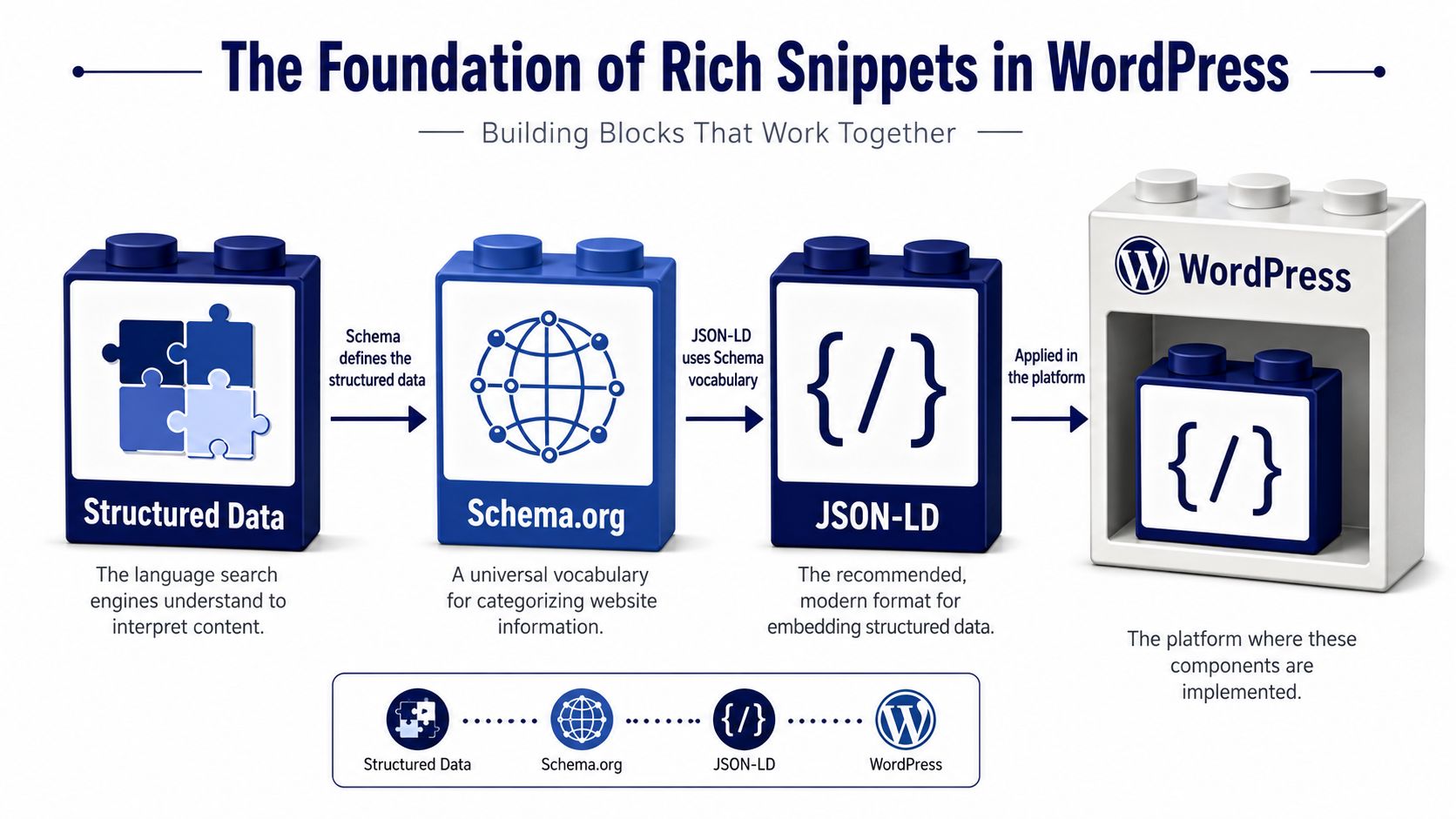
Structured data is best understood as a digital business card for your content. A title tag says “this page is about a product.” Structured data says “this is a Product, here is its name, price, availability, brand, and review information.” That extra precision is what makes rich results possible.
In WordPress, that business card usually gets printed as JSON-LD, using definitions from Schema.org. Search engines read the script, compare it with the visible page, and decide whether the page is eligible for enhanced presentation.
Why the standard matters
This wasn’t always straightforward. In 2009, Google, Yahoo, and Microsoft jointly launched Schema.org, which standardized the vocabulary behind most modern WordPress rich snippet implementations, as explained in Yoast’s history of rich snippets and product listings. That matters because WordPress teams no longer have to invent one-off markup conventions. Plugins, themes, and custom code can all target the same shared vocabulary.
Yoast also notes that more than 30 structured-data types can appear as rich snippets in practice, which is one reason schema moved from niche technical SEO work into normal WordPress implementation workflows.
The three layers to keep straight
If teams blur these layers together, implementations get messy fast.
- Structured data is the concept. It gives machine-readable meaning to page content.
- Schema.org is the vocabulary. It defines entities like Product, Article, Recipe, Organization, and Event.
- JSON-LD is the format. It’s the script block most WordPress implementations use to output the data.
Practical rule: Pick the most specific schema type your content genuinely supports. Specific beats generic when the visible page content backs it up.
For a publisher, Article is more useful than a broad fallback like CreativeWork. For a store, Product is stronger than a vague webpage-level schema object.
The business point is simple. Rich snippets are mainly about boosting click-through rates by giving searchers more context before they click. But that only happens when the markup is specific enough to describe the page clearly and restrained enough to stay maintainable.
Which Rich Snippets Actually Matter in 2026
The highest-value schema in 2026 is the schema that still aligns with Google’s current search presentation, your content model, and your revenue path. Everything else is overhead.
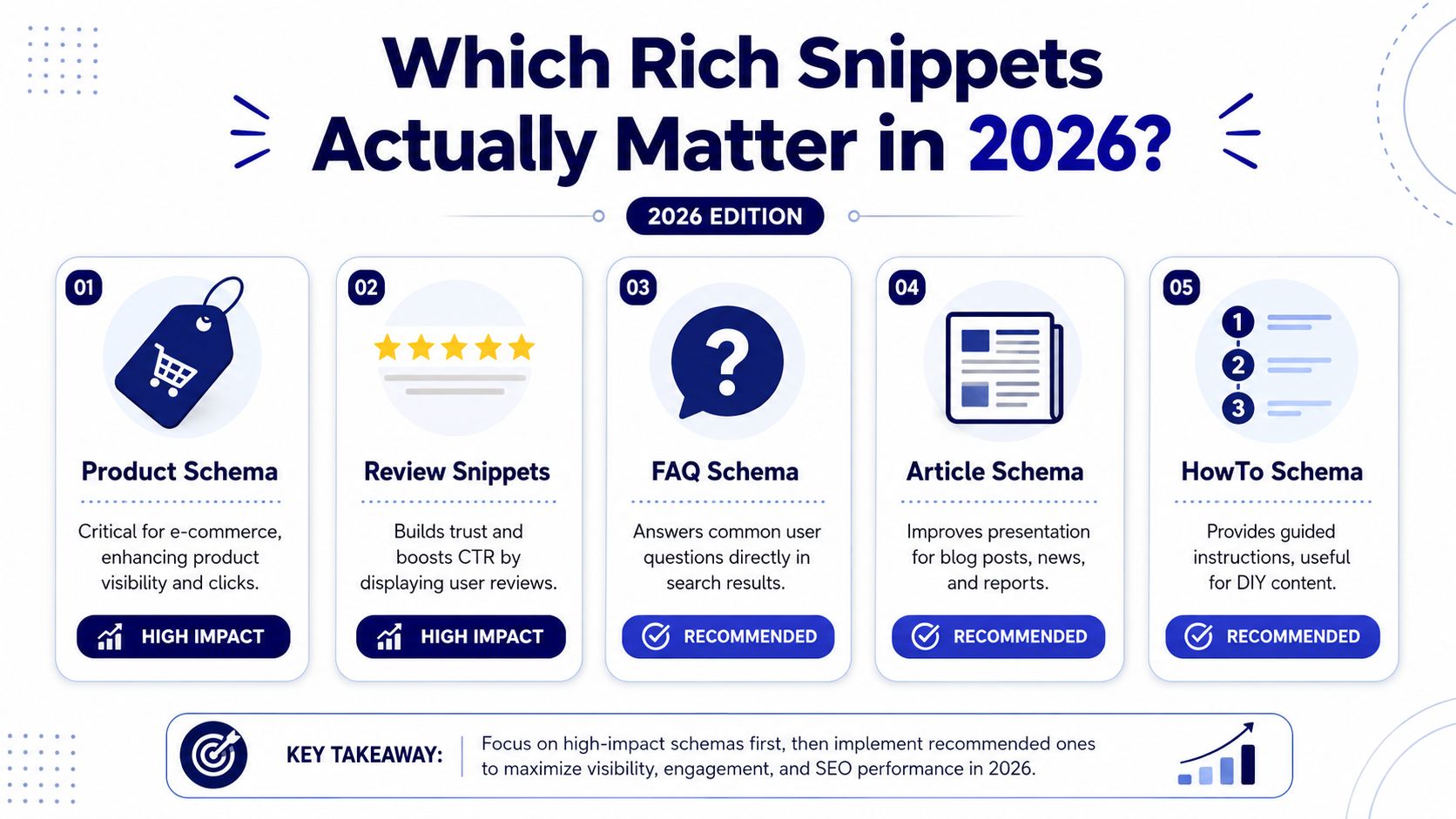
Google’s changes to FAQ and HowTo forced a reset. For commercial WordPress sites, the practical priority shifted toward Product, Organization, Article, and Breadcrumb schema, as summarized in Creative Themes’ analysis of which rich results are still worth maintaining. That’s the baseline most development teams should work from.
The keep list
These schema types still justify engineering effort on many WordPress builds.
| Schema type | Best fit | Why it still matters |
|---|---|---|
| Product | WooCommerce, catalogs, product landing pages | Adds commercial details that help users qualify clicks |
| Article | Editorial sites, resource hubs, SaaS blogs | Improves content clarity and supports publisher entities |
| Organization | Brand sites, SaaS companies, agencies | Strengthens brand-level entity understanding |
| Breadcrumb | Large content libraries, stores, service sites | Clarifies hierarchy and improves result presentation |
| Review | Pages with visible, policy-compliant review content | Can reinforce trust when implemented carefully |
| LocalBusiness | Multi-location services, clinics, showrooms | Useful when location data is genuinely page-specific |
The deprioritized list
Two schema types still show up in old tutorials far more often than they should.
- FAQ schema: For most commercial sites, this is no longer a dependable rich result target.
- HowTo schema: Limited visibility means the upside often doesn’t justify implementation and QA time unless the content model truly depends on step-based instructional pages.
That doesn’t mean the schema is invalid in every technical sense. It means the search payoff is narrow enough that most businesses should spend effort elsewhere.
The ROI filter
When deciding whether a schema type belongs on a project, use three filters.
First, ask whether the page influences a buying or selection decision. Product pages and location pages usually do. Second, ask whether the required data already exists in the CMS in a structured way. Third, ask whether the content is stable enough to stay synchronized.
If the data changes often, the implementation method matters more than the schema type.
That’s especially true on WooCommerce and custom post type builds where pricing, stock, authorship, or taxonomy relationships can change at scale.
This is also where search strategy has widened beyond classic blue-link SEO. Rich snippets now compete with richer result layouts, branded panels, and synthesized interfaces. Teams trying to plan around that broader environment will get more value from an AI Overviews and SEO guide than from another recycled FAQ schema tutorial.
Choosing Your WordPress Implementation Method
There isn’t one correct way to implement WordPress rich snippets. There are several, and each creates a different balance of control, speed, and maintenance.
Google recommends JSON-LD as the implementation format, and WordPress teams can output it through plugins, manual insertion, or schema-ready themes, as described in Google’s SEO starter guidance. The best method depends less on SEO theory and more on your content architecture.
All-in-one SEO plugins
Yoast SEO and Rank Math are usually the fastest route to baseline coverage. They’re strong for common patterns like Article, Organization, and some WooCommerce integrations.
Their advantage is speed. A marketing team can ship valid-enough markup without asking engineering to build a custom schema layer. Their downside is abstraction. Once a site uses custom fields, unusual content relationships, or block-driven templates, plugin-generated schema can become difficult to audit.
Dedicated schema plugins
Tools like Schema Pro exist for teams that need more control than an all-in-one SEO suite provides but don’t want to maintain everything in code.
This middle layer can work well on brochure sites and conventional content models. It starts to strain when fields are conditional, multilingual, or inherited from custom business logic. Another common problem is overlap. Two plugins both want to print Organization or Breadcrumb schema, and nobody notices until validation gets noisy.
Custom theme or block-level development
This is the best option when schema is part of the product, not an afterthought. Custom code gives you field-level control, lets you map custom post types cleanly, and makes it easier to use the most specific schema type for each template.
If your project already relies on custom post type architecture in WordPress, this route is often the most maintainable. The CMS model, frontend template, and JSON-LD can all be designed together instead of patched together later.
Headless delivery
Headless WordPress changes the implementation boundary. The content may live in WordPress, but the rendered page lives elsewhere, often in Next.js, Astro, or another frontend layer. In that setup, schema should usually be generated from the same structured payload that renders the page, not from disconnected SEO fields bolted on later.
A simple comparison helps:
| Method | Control | Scalability | Maintenance load |
|---|---|---|---|
| All-in-one SEO plugin | Low to medium | Good for standard sites | Low at first, higher when edge cases appear |
| Dedicated schema plugin | Medium | Moderate | Moderate |
| Custom code in theme or blocks | High | Strong on bespoke builds | Higher upfront, lower long-term drift |
| Headless frontend generation | High | Strong for complex platforms | Depends on API discipline |
The wrong choice usually isn’t “plugin” or “custom.” It’s choosing a method that can’t stay aligned with the content lifecycle.
A Practical Implementation Example with JSON-LD
Product schema is one of the few rich snippet implementations that still maps directly to commercial value on many WordPress sites. It supports pages where users need to compare details before clicking, and it’s a common fit for WooCommerce or custom catalog builds.
Here’s a simplified JSON-LD example for a product page.

<script type="application/ld+json">
{
  "@context": "https://schema.org",
  "@type": "Product",
  "name": "Performance Running Shoe",
  "image": [
    "https://example.com/images/performance-running-shoe.jpg"
  ],
  "description": "Lightweight running shoe with breathable mesh upper and cushioned sole.",
  "sku": "PRS-001",
  "brand": {
    "@type": "Brand",
    "name": "Example Brand"
  },
  "offers": {
    "@type": "Offer",
    "url": "https://example.com/products/performance-running-shoe",
    "priceCurrency": "USD",
    "price": "129.00",
    "availability": "https://schema.org/InStock"
  }
}
</script>
What each field is doing
The top level defines the entity as a Product. That’s the most important decision. Don’t use Product schema on a category page, comparison page, or generic landing page unless the visible content is centered on a specific product.
A few implementation notes matter more than the syntax itself:
- name should match the visible product title.
- image should reference an image users can see on the page.
- description should describe the same product shown on the page, not a broader category summary.
- sku helps identify the exact item.
- brand should use the product brand if the page shows one.
- offers contains the transactional details users care about most.
Google’s recommendation to use JSON-LD is one part of the job. The other part is making sure every property reflects the live page content precisely. If the frontend price changes and the schema price doesn’t, the implementation stops being useful and starts becoming risky.
Where WordPress developers usually wire this up
On a custom build, this JSON-LD might be generated in a template part, a theme function, or a block render callback. On WooCommerce, the fields often come from product objects and custom meta. In a headless setup, the frontend usually assembles the script from the same API response that renders the page itself.
For a quick walkthrough of how developers think about JSON-LD structure in practice, this video is useful:
Keep one rule above all others. If a human can’t verify the value on the page, the schema probably shouldn’t claim it.
Validating and Troubleshooting Your Markup
Rich snippet work isn’t done when the JSON-LD is published. It’s done when the page validates cleanly, matches the visible content, and survives normal content updates without drifting.
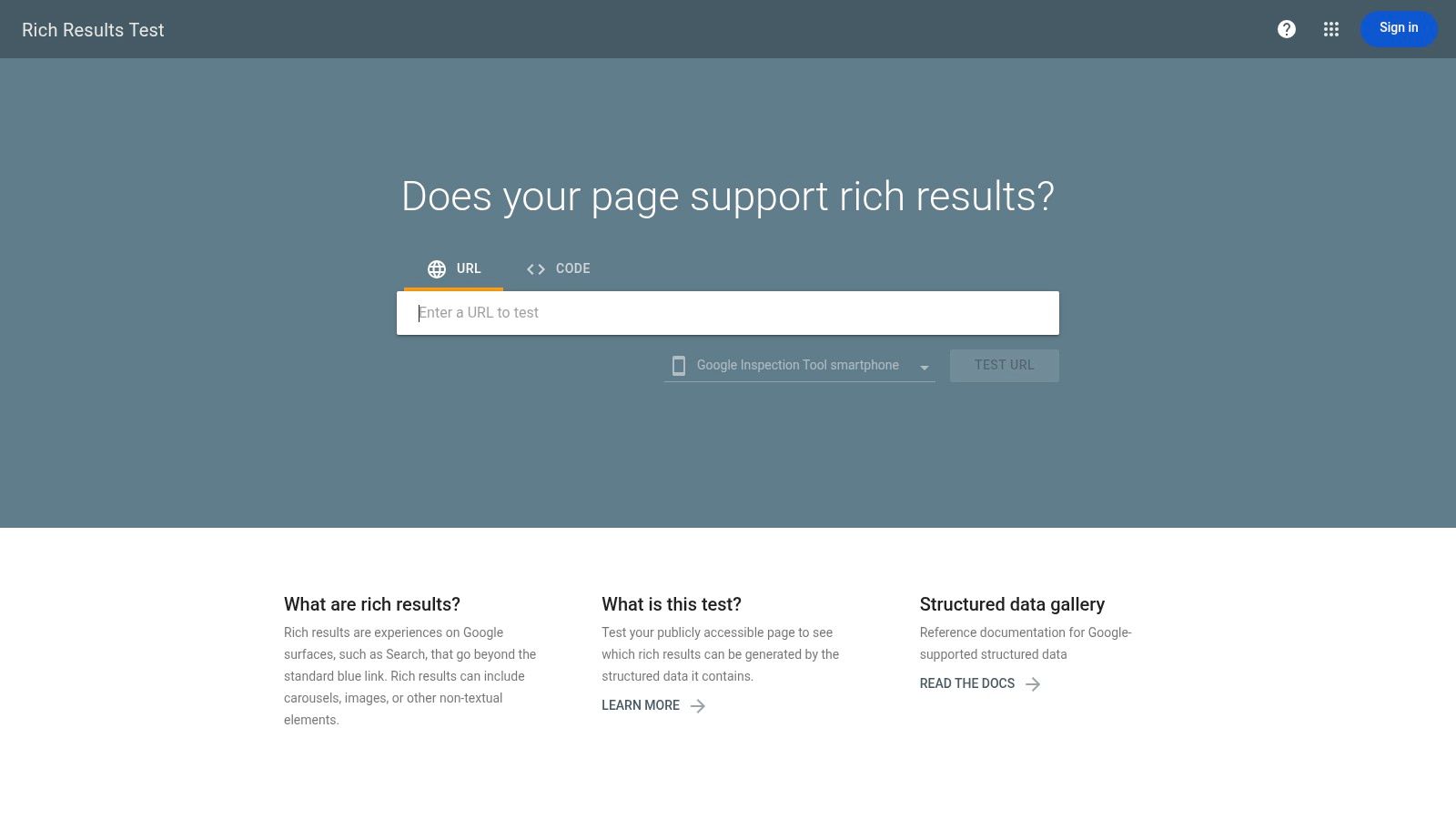
After adding or changing markup, WordPress users should validate with Google’s Rich Results Test, and one implementation guide notes that snippets may take a few days to appear, with Google typically needing 1–4 days to crawl and surface the markup in search results, according to Elementor’s practical guide to rich snippet testing in WordPress. That timing matters because teams often mistake delay for failure.
A clean validation workflow
A reliable process looks like this:
- Publish or stage the page: Make sure the rendered page contains the final JSON-LD output.
- Test the URL: Use the Rich Results Test on the live or testable URL, not only pasted code.
- Review detected item types: Confirm Google is seeing the intended schema type.
- Fix errors before warnings: Errors usually affect eligibility directly.
- Re-test after each change: Don’t batch too many edits before revalidating.
If you’re already doing a wider technical website audit for WordPress, structured data checks should sit beside template QA, canonical review, and content parity checks.
The errors that show up most often
Most failures come from a short list of issues:
- Missing required properties: A Product item without core offer data won’t validate as expected.
- Wrong schema type: Teams use a generic type because it’s easier, then lose eligibility for a more relevant rich result.
- Content mismatch: The schema says one thing, the page shows another.
- Duplicate output: Multiple plugins or theme layers print overlapping schema graphs.
Validation tells you whether your markup is eligible. It doesn’t guarantee Google will show a rich result.
Warnings deserve judgment. Some are harmless. Others point to incomplete fields that reduce the usefulness of the markup. Errors usually need immediate correction.
What to do when markup validates but nothing appears
Don’t jump straight to “Google is broken.” Check the basics first.
Look at whether the page content is strong enough to deserve enhanced treatment, whether the schema type is still one Google commonly surfaces, and whether the page is competing in a query set where rich results are sparse. WordPress rich snippets are influenced by implementation quality, but the final display decision still belongs to Google.
Scaling Rich Snippets for Enterprise WordPress
The hardest part of structured data on enterprise WordPress isn’t generating JSON-LD. It’s keeping that JSON-LD synchronized across many templates, editors, storefront states, and delivery layers.
Google’s guidance is strict about relevance and alignment. If structured data becomes misleading, hidden, or disconnected from the visible page, eligibility can be removed. Google also warns against using markup for irrelevant or misleading content, and mismatches such as a stale product price are especially risky on dynamic sites like WooCommerce, as stated in Google’s structured data general guidelines.
WooCommerce and dynamic product data
On high-change stores, schema drift usually starts with price, availability, and variant logic. The frontend updates because WooCommerce templates pull fresh values. The schema doesn’t because a plugin cached the output, a custom field stopped syncing, or a template hard-coded assumptions.
The safest pattern is to generate Product schema from the same source of truth that renders the visible buying information. If stock and price come from WooCommerce objects, the JSON-LD should pull from those objects too. Don’t maintain a parallel schema layer with its own values unless you enjoy debugging contradictions.
Multisite governance
Multisite creates a different problem. Some schema should be centralized, and some should be local.
A practical split often looks like this:
| Schema layer | Best owner |
|---|---|
| Organization defaults | Central network configuration |
| Breadcrumb logic | Shared theme or shared plugin |
| Article schema | Shared, with local editorial fields |
| LocalBusiness data | Per-site or per-location override |
| Product schema | Per-site commerce logic |
This keeps the baseline consistent without forcing every site in the network to fake the same entity model.
Headless WordPress architecture
Headless introduces another failure mode. WordPress stores content, but the frontend app controls rendering. If the frontend assembles visible content from one API response and schema from another SEO-only endpoint, mismatches become likely.
The durable pattern is simple. Generate schema from the same normalized payload the frontend uses to render the page. That way, if the page title, pricing, author, or breadcrumb path changes, both the HTML and JSON-LD change together.
Enterprise schema work is mostly systems design. The markup itself is the easy part.
If your team is dealing with multisite governance, WooCommerce complexity, or headless delivery, enterprise WordPress engineering support is usually more valuable than another schema plugin. The main challenge isn’t adding markup. It’s building a content system that keeps markup correct as the site evolves.
If you need senior WordPress engineers to implement maintainable rich snippets across WooCommerce, multisite, or headless builds, IMADO can help. They build scalable WordPress platforms with custom schema logic, performance-focused architecture, and the editorial controls teams need to keep structured data accurate over time.
Let’s build something exceptional
Tell us about your project – we’ll help you launch a fast, scalable, SEO-optimized WordPress platform built for growth.